7 Best Relevance AI Alternatives
Contents
Gumloop is the best overall Relevance AI alternative for most teams that still want a flexible platform for building AI agents. It combines Agents with reusable workflows, company knowledge, integrations, and multiple AI models, while giving you a different way to structure autonomous and deterministic work.
For more specific requirements:
- Choose n8n if you want self-hosting, code, APIs, and deeper technical control.
- Choose Make if most of your process is conventional automation and AI only needs to handle selected decisions.
- Choose Lindy if you mainly want an AI teammate for email, meetings, scheduling, Slack, and everyday work.
- Choose StackAI if enterprise deployment, security, and governance are central to the purchase.
- Choose AirOps if your workflows are specifically focused on content, SEO, AEO, and AI-search visibility.
- Choose Zapier if broad app connectivity matters most.
Relevance AI alternatives at a glance
| Tool | Best fit and current starting point |
|---|---|
| Gumloop | Best overall alternative. Pro starts at $37/month. |
| n8n | Best for technical teams and self-hosting. Community Edition is self-hosted; Cloud Starter is €20/month billed annually. |
| Make | Best for visual workflow automation. Free includes 1,000 credits/month; Core is $9/month at 10,000 credits. |
| Lindy | Best for everyday delegation. Plus starts at $29.99/user/month. |
| StackAI | Best for enterprise deployment. Free includes 500 runs/month; Enterprise is custom. |
| AirOps | Best for content and AI-search workflows. Insights starts at $0/month. |
| Zapier | Best for app connectivity. Free includes 100 tasks/month; Professional starts at $19.99/month. |
When does a Relevance AI alternative make more sense?
Relevance AI is built around AI workers. You create an Agent, give it Tools and Knowledge, add triggers and approvals, and connect specialist Agents through Workforces when a process requires several roles.
An alternative may make more sense if:
- you want to self-host your automation platform;
- you need deeper access to code, APIs, databases, or custom workflow logic;
- most of your process should remain deterministic and only selected steps require AI reasoning;
- you mainly want an AI teammate for meetings, email, scheduling, and routine office work;
- your organization has specific enterprise deployment or governance requirements;
- your use case is narrow enough that a specialist product already covers most of the workflow;
- you need a much broader app integration ecosystem;
- or the Relevance AI plan containing the feature you need is difficult to justify.
If you’re still deciding whether Relevance AI itself is the right fit, read our Relevance AI review and Relevance AI pricing guide.
The 7 best Relevance AI alternatives
1. Gumloop: best overall Relevance AI alternative
Gumloop is the first alternative to consider if you still want to build custom AI Agents.
Gumloop lets Agents work with connected apps, Company Brain, skills, and reusable Flows. That combination gives you a useful middle ground between autonomous reasoning and predictable automation.
A process that should follow the same steps each time can remain a Flow. An Agent can then decide when that Flow should run instead of forcing the whole process into either a rigid workflow or a completely autonomous Agent.
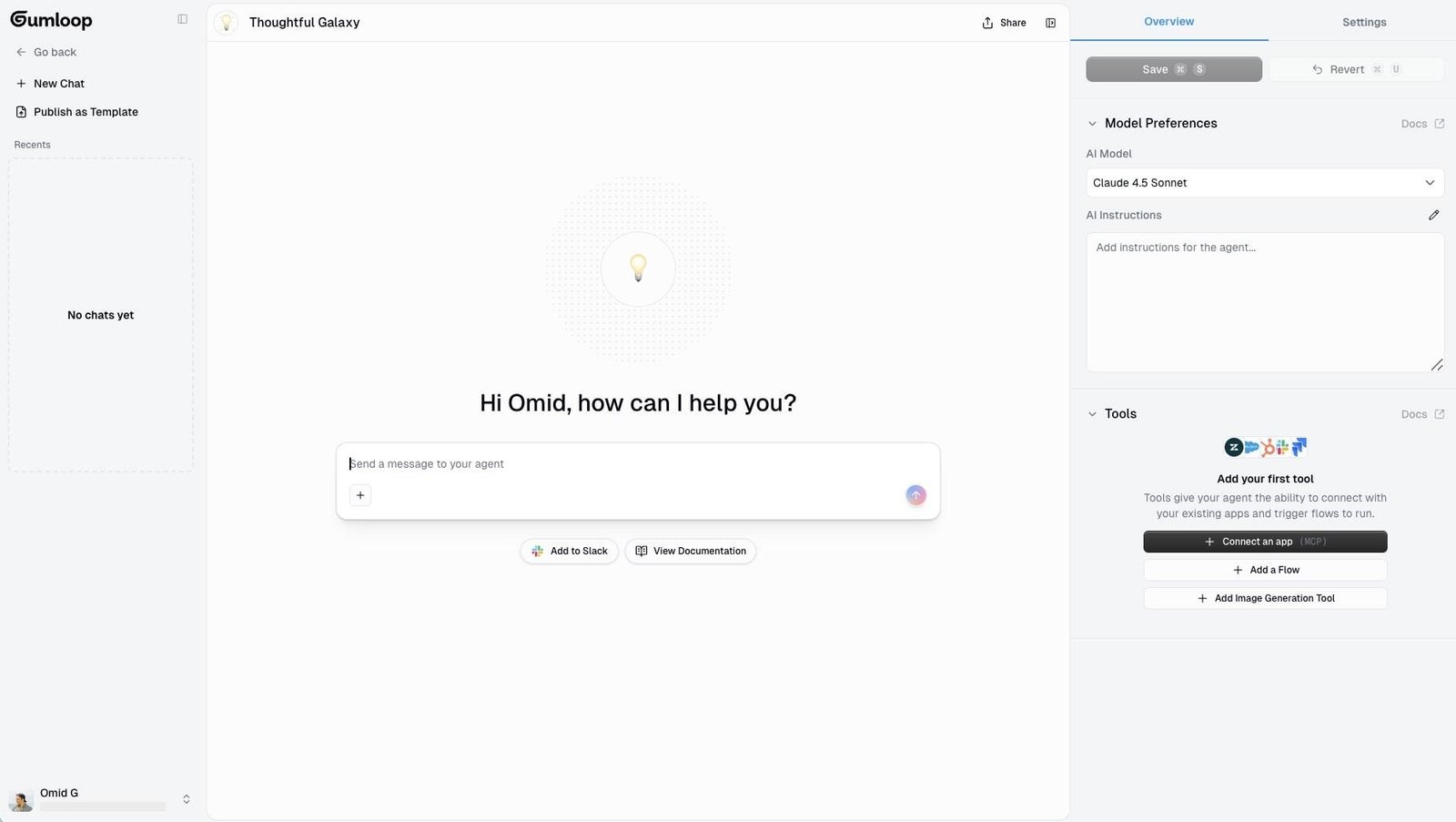
Gumloop Pro currently starts at $37/month and includes:
- unlimited Agents;
- 35+ AI models;
- 20,000 included monthly credits;
- Company Brain;
- unlimited seats and teams;
- bring-your-own API keys;
- MCP server hosting;
- five concurrent workflow runs;
- and 25 concurrent Agent chats.
Gumloop currently applies an 8% orchestration fee to underlying model and compute costs.
Pros compared with Relevance AI
- Agents and reusable Flows make it easy to separate autonomous work from predictable work.
- Unlimited seats and teams are included on Pro.
- Supports 35+ models.
- Company Brain gives Agents access to shared company information.
- Natural-language building makes it approachable for teams that do not want to configure every step manually.
Cons compared with Relevance AI
- Relevance AI gives you a dedicated Workforce canvas for coordinating specialist Agents.
- Relevance AI has an explicitly documented evaluation system for Agents and complete Workforce runs.
- The 8% orchestration fee adds another cost to account for as usage grows.
Choose Gumloop if: you still want a flexible Agent builder but prefer its Agent-and-Flow model for separating reasoning from repeatable automation.
See our Relevance AI vs Gumloop comparison for the full head-to-head.
2. n8n: best for technical teams and self-hosting
n8n is the strongest Relevance AI alternative if you want much more control over the automation underneath the AI.
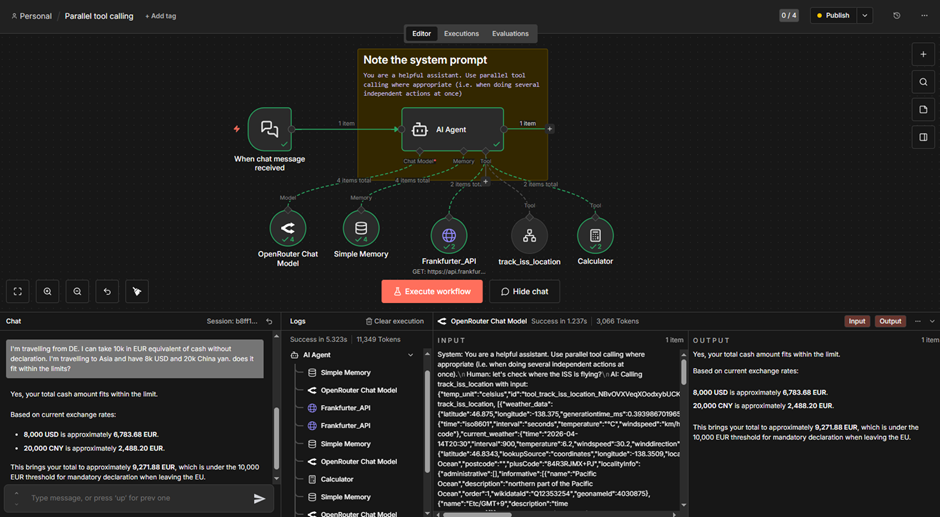
An n8n workflow can combine AI Agent nodes with normal app nodes, APIs, webhooks, databases, JavaScript or Python, custom logic, and sub-workflows.
That means you can keep the predictable parts of a process deterministic and use an Agent only where the workflow genuinely needs judgment.
n8n’s current hosted pricing includes:
- Starter: €20/month billed annually for 2,500 workflow executions;
- Pro: €50/month billed annually for 10,000 workflow executions;
- Business: €667/month billed annually for 40,000 executions on a self-hosted deployment;
- Enterprise: custom pricing.
Starter and Pro include unlimited workflow steps and unlimited users. n8n also has a self-hosted Community Edition.
Pros compared with Relevance AI
- Self-hosting is available through the Community Edition.
- Much deeper access to code, APIs, webhooks, databases, and custom logic.
- Strong fit for workflows that combine deterministic automation and AI reasoning.
- Cloud plans count complete workflow executions rather than charging for every individual workflow step.
- Better suited to technical teams that want control over implementation and infrastructure.
Cons compared with Relevance AI
- The learning curve is steeper for nontechnical teams.
- n8n is primarily a workflow automation platform rather than an Agent-first product.
- Building a sophisticated Agent system may require more workflow engineering.
- Relevance AI gives you a more opinionated structure for Agents, Tools, Knowledge, and multi-agent Workforces.
Choose n8n if: self-hosting, technical flexibility, custom logic, and control matter more than having the easiest Agent-building experience.
Read our Relevance AI vs n8n comparison.
3. Make: best for visual automation with AI where you need it
Make is a better fit when the workflow matters more than the Agent itself.
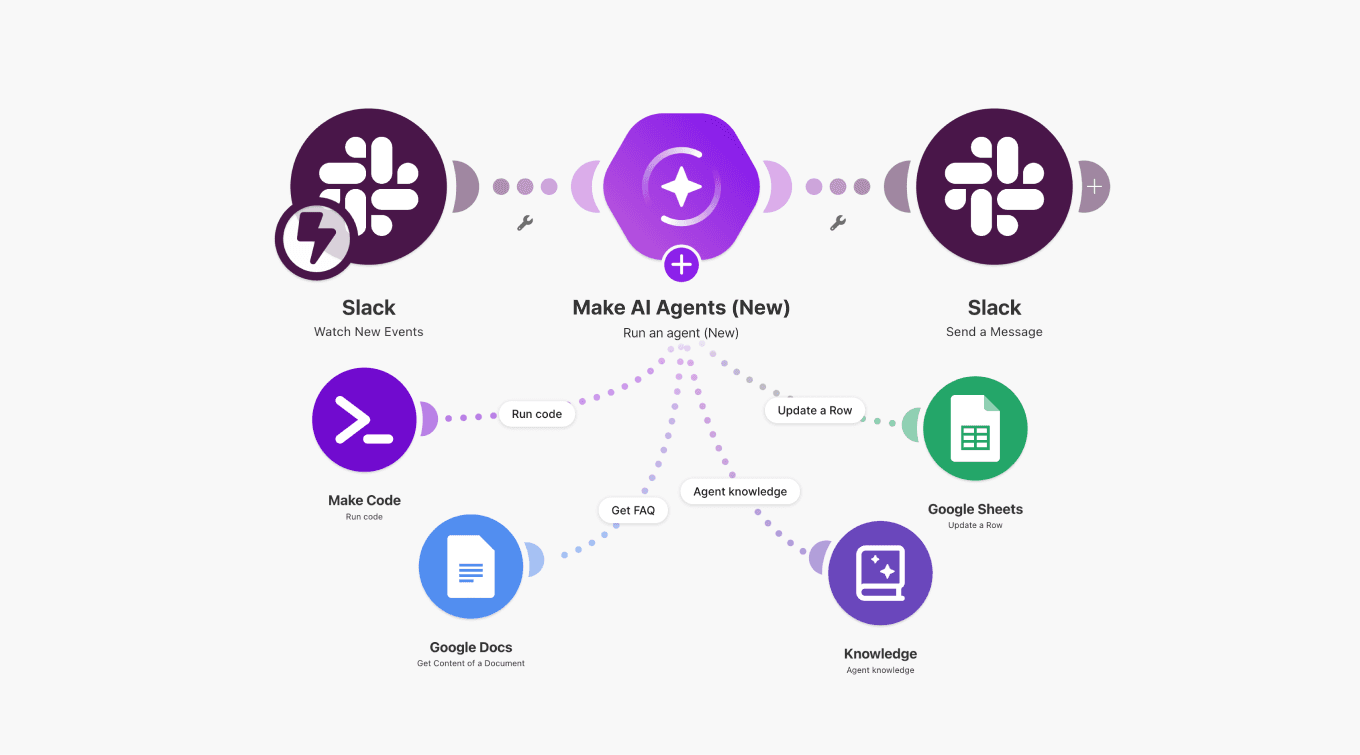
Make AI Agents live inside the same visual Scenario Builder used for conventional automation. An Agent can reason and select Tools while routers, filters, app modules, code, and fixed workflow logic handle the predictable parts.
Make currently supports 3,000+ standard apps.
At the 10,000-credit level, current pricing is:
- Free: $0 with up to 1,000 credits/month;
- Core: $9/month;
- Pro: $16/month;
- Teams: $29/month;
- Enterprise: custom pricing.
Make AI Agents are currently in beta. The current pricing page lists Make’s AI Provider as available across plans.
Pros compared with Relevance AI
- Excellent visual representation of deterministic workflow logic.
- Routers and filters make fixed business rules easy to inspect.
- 3,000+ standard app integrations.
- AI can be added to selected stages without making an Agent responsible for the entire process.
- Low-cost paid plans make it accessible for smaller automation workloads.
Cons compared with Relevance AI
- Make AI Agents are still a beta feature.
- Relevance AI is more purpose-built when the main product you want to create is an autonomous AI worker.
- Relevance AI has a clearer dedicated structure for multi-agent Workforces.
- Make charges credits for module actions, so complex scenarios can consume substantial usage.
Choose Make if: most of your process follows visible rules and you only want AI to make decisions at specific points.
See our Relevance AI vs Make comparison.
4. Lindy: best for everyday delegation
Lindy makes more sense than Relevance AI when what you really want is an AI teammate that can take routine work off your plate.
Its current product includes:
- Slack-native delegation;
- scheduled routines;
- persistent workspace context;
- meeting recording and notes;
- meeting scheduling, preparation, and follow-up;
- inbox management;
- iMessage access;
- computer use;
- thousands of integrations;
- MCP support;
- model selection;
- and built-in approvals.
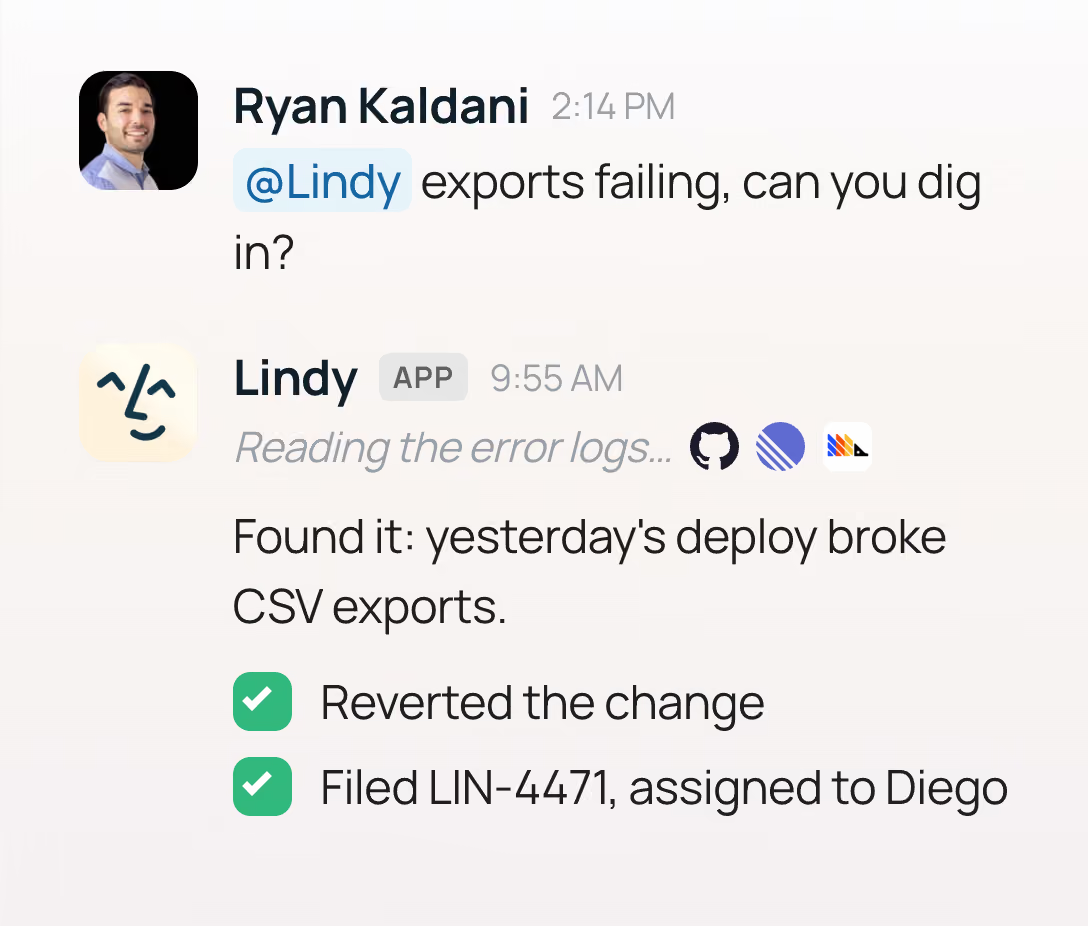
Lindy currently charges per user:
- Plus: $29.99/user/month with 3,000 credits;
- Pro: $99.99/user/month with 15,000 credits;
- Max: $199.99/user/month with 35,000 credits;
- Enterprise: custom pricing.
Credits from each paid seat go into one shared workspace pool.
Pros compared with Relevance AI
- Better suited to everyday jobs such as meetings, inbox work, scheduling, and Slack delegation.
- You can delegate common tasks without first designing a complete Agent architecture.
- Persistent workspace context is built around the teammate experience.
- Meeting recording, notes, follow-up, and inbox features are already built in.
- Approvals are part of the standard experience for actions with outside impact.
Cons compared with Relevance AI
- Less suitable for deeply customized Agent systems built around your own business processes.
- Relevance AI gives you a dedicated visual multi-agent Workforce canvas.
- Relevance AI offers more explicit control over Agent Tools, Knowledge, and evaluations.
- Per-user pricing can become substantial as more employees use Lindy.
Choose Lindy if: your priority is delegating everyday knowledge work rather than building a custom Agent platform.
Read our Relevance AI vs Lindy comparison.
5. StackAI: best for enterprise deployment and governance
StackAI is worth considering when infrastructure, security, and enterprise deployment are part of the buying decision from the start.
Its visual platform supports Agents, Flows, Knowledge Bases, document and web data sources, code, APIs, analytics, and enterprise controls.
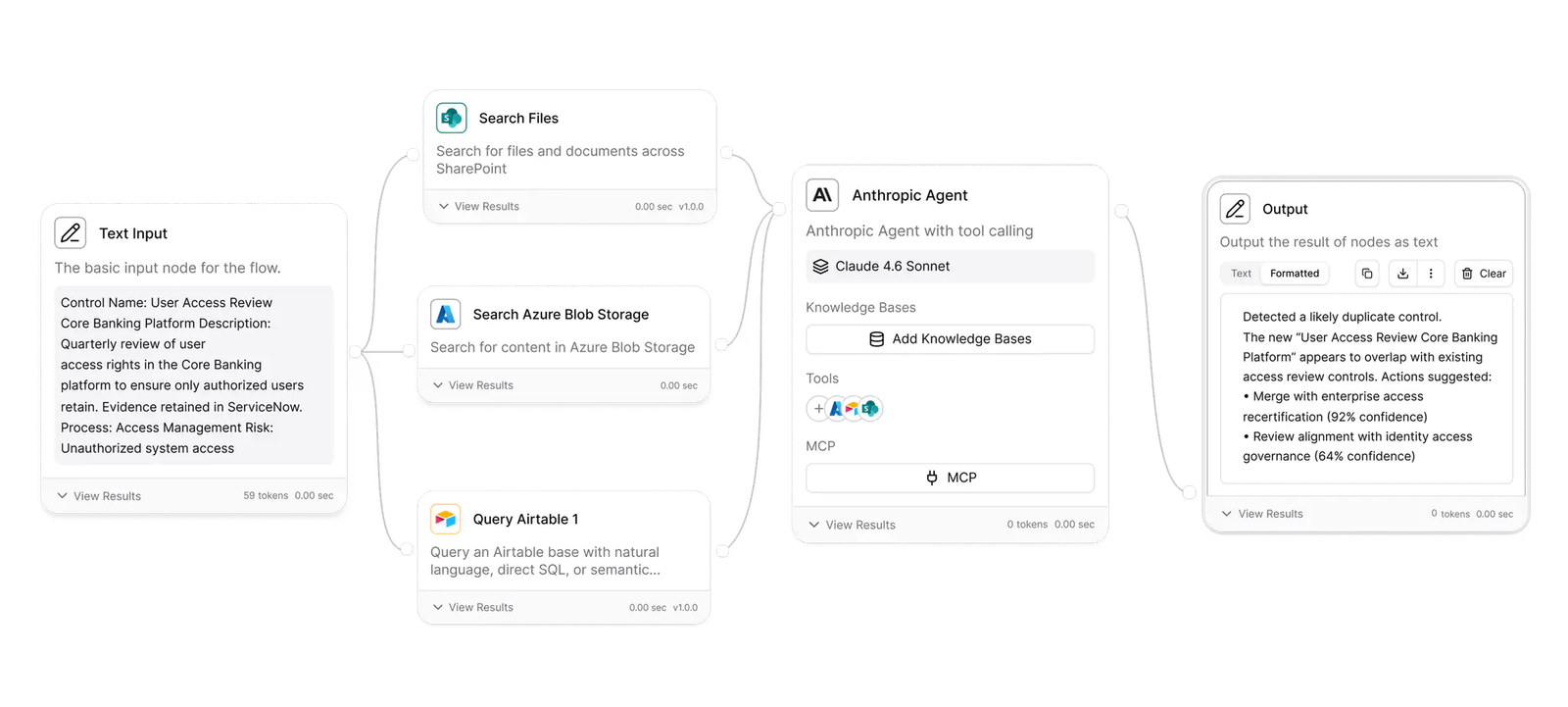
StackAI currently offers:
- Free: $0 with 500 runs/month, two projects, one seat, and community support;
- Enterprise: custom pricing with custom runs, unlimited projects, custom seats, and enterprise infrastructure.
Enterprise capabilities include:
- dedicated infrastructure;
- dedicated solution engineers;
- on-premises deployment;
- Virtual Private Cloud deployment;
- access control;
- single sign-on;
- and support for SOC 2, HIPAA, and GDPR requirements.
Pros compared with Relevance AI
- Strong enterprise deployment options, including on-premises and Virtual Private Cloud deployments.
- Dedicated infrastructure is available for enterprise customers.
- Access control and single sign-on are central to its enterprise package.
- The free plan gives teams a way to evaluate the platform before requesting enterprise pricing.
Cons compared with Relevance AI
- Paid pricing is not publicly listed.
- There is no comparable public self-serve pricing ladder between Free and Enterprise.
- Relevance AI provides a more accessible progression for individual builders and smaller teams.
- StackAI may be more platform than you need if enterprise deployment is not an important requirement.
Choose StackAI if: security review, infrastructure, governance, and organizational deployment carry as much weight as the Agent-building features.
6. AirOps: best for content, SEO, and AI-search workflows
AirOps is a specialist alternative rather than a general replacement for Relevance AI.
It becomes interesting when the work you want to automate is specifically around:
- content research;
- content creation and refreshes;
- SEO and AEO;
- AI-search visibility;
- content opportunities;
- Brand Kits and Knowledge Bases;
- human review;
- and CMS publishing.
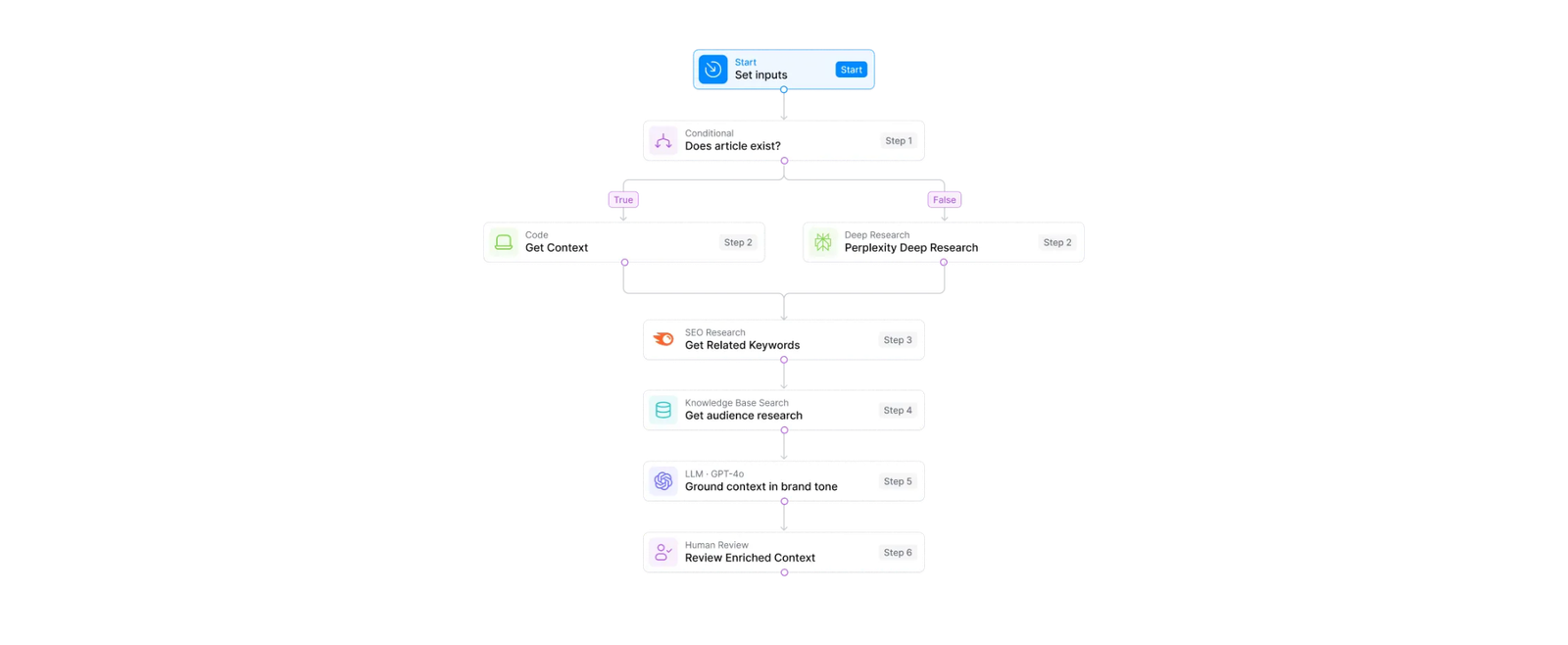
AirOps currently starts at $0/month for Insights. Its current pricing structure also includes Solo, Pro, Pages, and Enterprise options, with packaging based on tracked prompts and pages, content-production tasks, integrations, Knowledge Bases, Brand Kits, and collaboration requirements.
Solo currently includes 20,000 content-production tasks, while Pro includes 75,000.
Pros compared with Relevance AI
- Purpose-built around content operations, SEO, AEO, and AI-search visibility.
- Combines visibility data with the workflows used to act on that data.
- Brand Kits and Knowledge Bases support scaled content production.
- CMS, SEO, AEO, social, and project integrations are built around publishing workflows.
- A content team may not need to recreate these specialist workflows inside a general Agent platform.
Cons compared with Relevance AI
- It is not a general replacement for sales, support, HR, or broader operations workflows.
- Relevance AI gives you much more freedom to create Agents for unrelated business functions.
- AirOps is only the stronger choice if you actually need its content and AI-search layer.
- Some paid packages require starting inside the product or speaking with sales rather than comparing simple public monthly prices.
Choose AirOps if: most of the Agents and workflows you want to build are for content production, content refresh, SEO, AEO, or AI-search operations.
7. Zapier: best for app connectivity
Zapier is the strongest option when the difficult part is connecting AI to a large and varied software stack.
Zapier currently supports 9,000+ apps. Its broader platform combines conventional Zap workflows with Tables, Forms, AI capabilities, code, and Zapier MCP.
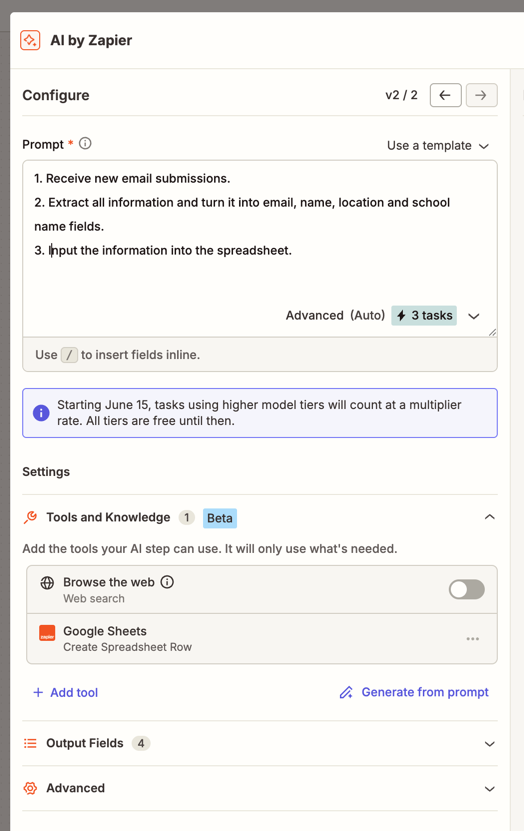
Current platform pricing includes:
- Free: $0 with 100 tasks/month;
- Professional: from $19.99/month;
- Team: from $69/month for up to 25 users;
- Enterprise: custom pricing.
That breadth is useful if an AI workflow needs to interact with a long tail of SaaS products and you do not want to maintain custom API connections yourself.
Pros compared with Relevance AI
- More than 9,000 app integrations.
- AI can work alongside a mature conventional automation platform.
- Zap workflows, Tables, Forms, code, and MCP can be combined in the same broader ecosystem.
- Professional starts below Relevance AI Pro’s current month-to-month price.
- Strong fit when integration coverage is the main implementation constraint.
Cons compared with Relevance AI
- Relevance AI is more focused on designing and coordinating AI workers.
- Relevance AI gives you a dedicated visual Workforce model for multi-agent systems.
- Knowledge, evaluation, and Agent orchestration are more central to Relevance AI’s architecture.
- Task-based costs can grow as high-volume workflows perform more actions.
Choose Zapier if: you need AI to work across a very broad software stack and conventional automation will remain an important part of the system.
Read our Relevance AI vs Zapier comparison.
Which Relevance AI alternative should you choose?
- Choose Gumloop if you still want a customizable Agent platform and like the combination of Agents, reusable Flows, Company Brain, and multiple models.
- Choose n8n if self-hosting, code, APIs, custom logic, and technical control matter most.
- Choose Make if most of your process is conventional visual automation and AI should handle selected decisions.
- Choose Lindy if your priority is email, meetings, scheduling, Slack, research, and everyday delegation.
- Choose StackAI if enterprise security, governance, and deployment requirements are central to the purchase.
- Choose AirOps if the workflows are specifically about content, SEO, AEO, and AI-search visibility.
- Choose Zapier if integration breadth and connecting a large SaaS stack matter most.
- Choose Relevance AI if you want dedicated Agents, Tools, Knowledge, approvals, evaluations, and visual multi-agent Workforces in the same platform.
Frequently Asked Questions About Relevance AI Alternatives
What is the best alternative to Relevance AI?
Gumloop is the best overall option if you still want a flexible general-purpose AI Agent builder. n8n is stronger for technical teams, Make for workflow-first automation, Lindy for everyday delegation, StackAI for enterprise deployment, AirOps for content and AI-search workflows, and Zapier for broad app connectivity.
Is n8n better than Relevance AI?
n8n is better if you want self-hosting, code, APIs, custom workflow logic, and more technical control. Relevance AI is easier to approach when your main goal is building AI workers with dedicated Tools, Knowledge, approvals, evaluations, and multi-agent Workforces.
Is Gumloop cheaper than Relevance AI?
Gumloop Pro currently starts at $37 per month. Relevance AI’s current self-serve documentation lists Pro at $29 per month or $19 per month with annual billing. Their usage models differ, so the cheaper production option depends on the Agents, workflows, models, and Tools you run.
Which Relevance AI alternative is best for nontechnical users?
Lindy is one of the easiest choices if your main goal is delegating email, meetings, scheduling, research, and other everyday work. Gumloop is a stronger option if you still want to build more customized Agents and workflows yourself.
Which Relevance AI alternatives can be self-hosted?
n8n provides a self-hosted Community Edition and commercial self-hosted options. StackAI also supports enterprise on-premises and Virtual Private Cloud deployments, although those options are aimed at larger organizational deployments rather than individual builders.