7 Relevance AI Limitations to Know Before You Buy
Contents
Relevance AI is a strong AI Agent platform, but several limitations can affect which workflows you build, which plan you need, and how much maintenance the system requires.
The main limitations to check before committing are:
- Workforce Agent communication is currently one-way.
- Pro to Team is a large pricing jump.
- Usage is split between Actions and Vendor Credits.
- The Free plan has meaningful production restrictions.
- Agent Evals and major governance controls require Enterprise.
- Concurrent Agent capacity depends on your plan.
- Reliable Agents still need ongoing configuration, debugging, and maintenance.
Relevance AI limitations at a glance
| Limitation | When it matters |
|---|---|
| One-way Agent handoffs | Your multi-Agent process needs frequent back-and-forth communication. |
| Large Pro-to-Team price jump | You need one Team-only feature such as Calling Agents or Meeting Agents. |
| Two usage meters | Your workflow uses several Tools, expensive models, retries, or high volumes. |
| Free-plan restrictions | You need scheduled production workflows, premium triggers, or recurring Vendor Credits. |
| Enterprise-gated Evals and governance | You need formal QA, SSO, RBAC, audit logs, or implementation support. |
| Concurrency limits | Your Agents receive bursts of simultaneous work. |
| Ongoing maintenance | Your Agents depend on several prompts, Tools, APIs, integrations, permissions, and data sources. |
1. Workforce Agent communication is currently one-way
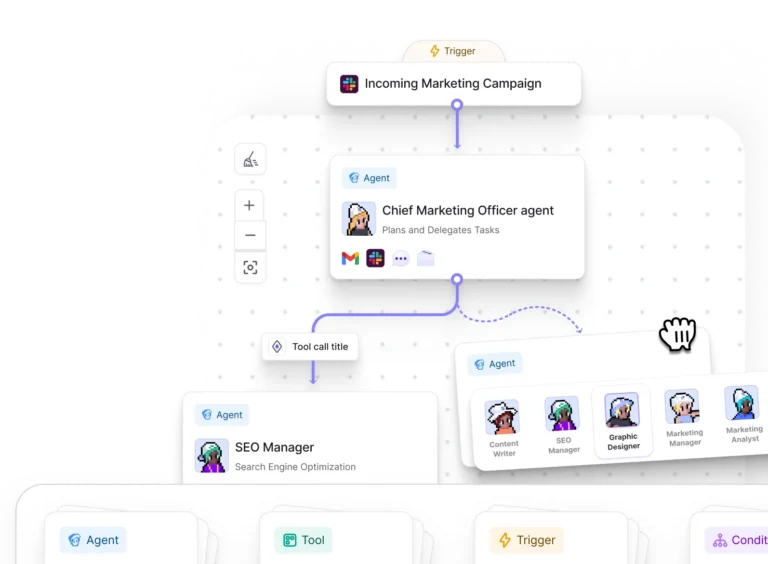
Relevance AI Workforces currently support one-way communication between connected Agents.
If Agent A hands work to Agent B:
- Agent A can send information or instructions to Agent B.
- Agent B receives the task and continues the process.
- Agent B cannot automatically reply to Agent A through the same connection.
Relevance AI currently states that bidirectional Agent communication is unavailable.
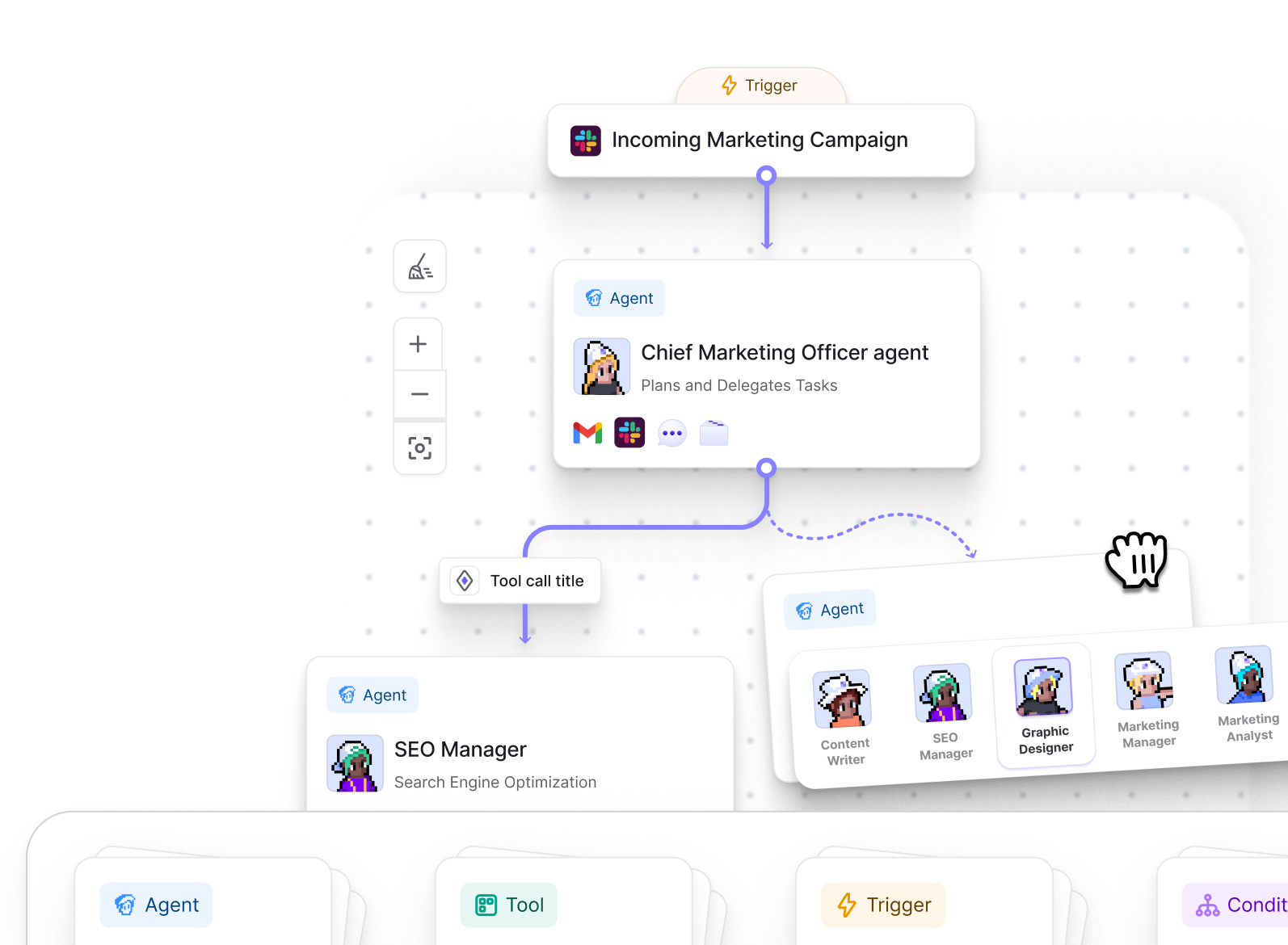
This works well for directional workflows such as:
- Research Agent → Qualification Agent → Outreach Agent
- Support Triage Agent → Billing Agent
- Account Research Agent → CRM update Tool
The limitation matters more when Agents need to repeatedly question one another, revise previous work, or continue a conversation until they reach a result.
Relevance AI also notes that complex decision trees can require careful planning and several Condition nodes.
Test the communication pattern early when multi-Agent collaboration is central to your use case.
Our Relevance AI Workforces guide explains the current handoff and routing model in more detail.
2. Pro to Team is a large pricing jump
Relevance AI currently charges:
- Pro: $29/month or $19/month billed annually.
- Team: $349/month or $234/month billed annually.
Team includes substantially more capacity and collaboration features:
- 7,000 monthly Actions;
- 35,000 monthly Vendor Credits;
- five Build Users;
- 45 End Users;
- five shared projects;
- Calling Agents;
- Meeting Agents;
- A/B testing;
- an Analytics Dashboard;
- higher concurrency;
- and priority support.
The jump matters when one Team-only capability drives the upgrade.
For example, Calling Agents and Meeting Agents currently begin on Team. A company that primarily needs one of those capabilities still moves from the Pro price to the Team price.
Extra capacity can sometimes be purchased without upgrading:
- 1,000 extra Actions: $80.
- 10,000 extra Vendor Credits: $20.
Compare the feature requirement with the plan difference before upgrading solely for more usage.
See our Relevance AI pricing guide for the complete current plan breakdown.
3. Actions and Vendor Credits make cost estimation more involved
Relevance AI separates platform consumption into:
- Actions: one Action each time an Agent runs a Tool.
- Vendor Credits: model and eligible Tool costs passed through at the underlying cost.
A business task can therefore consume several Actions.
For example:
- research Tool = 1 Action;
- qualification Tool = 1 Action;
- CRM Tool = 1 Action;
- email Tool = 1 Action.
That workflow uses four Actions before accounting for retries or additional branches.
Failed Tool runs also count as Actions.
Vendor Credit consumption varies based on factors such as:
- the model;
- input context;
- output length;
- number of model calls;
- and eligible paid Tools.
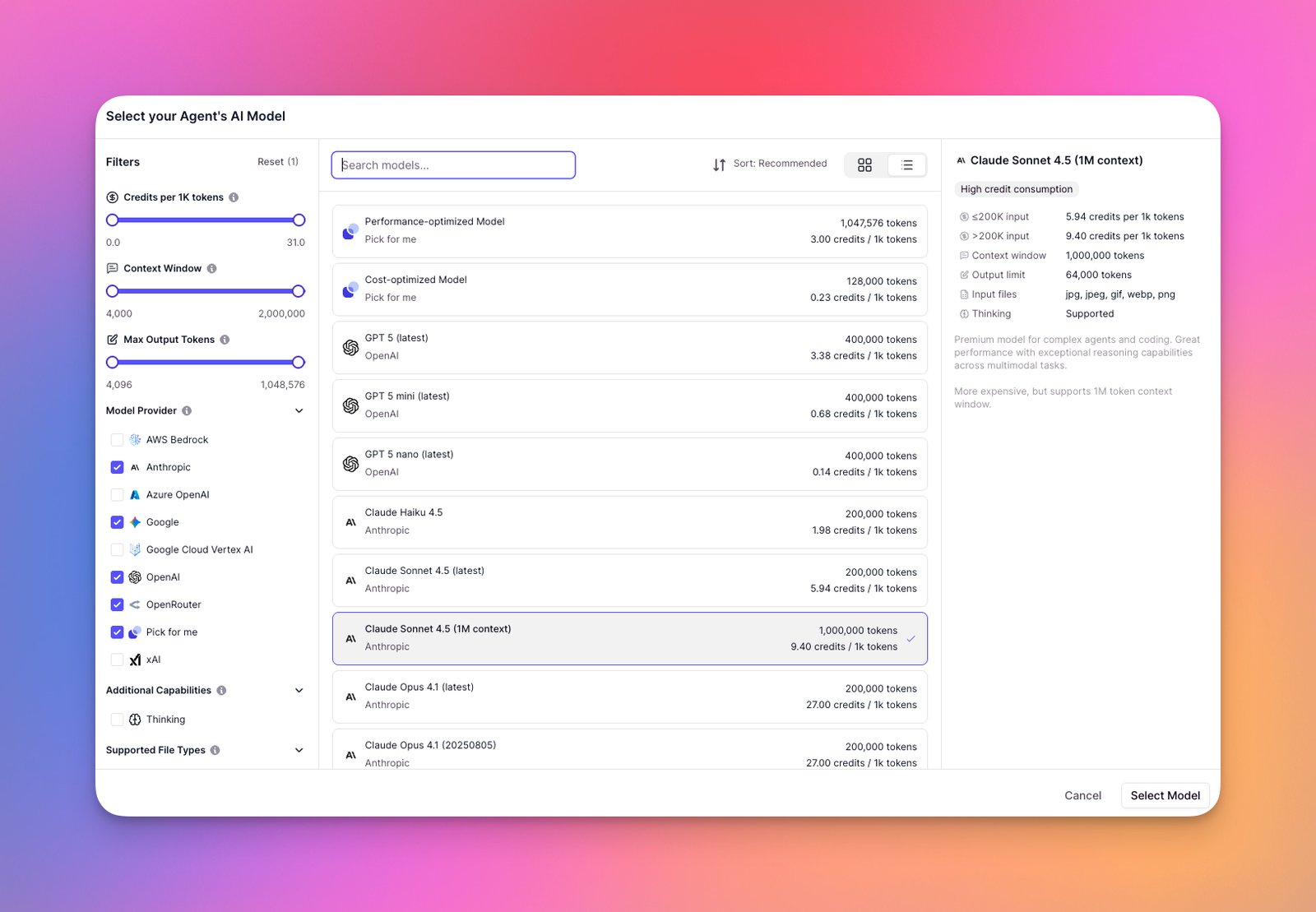
The model gives you more visibility into what is driving cost, but production estimates still need real workflow data.
Measure:
- Actions per completed job;
- Vendor Credits per completed job;
- normal retry volume;
- failure rates;
- and monthly workload volume.
Our Relevance AI Actions and Vendor Credits guide explains the billing model in detail.
Automatic top-ups also need sensible limits
Pro and Team customers can configure Spend Controls to automatically purchase additional Actions or Vendor Credits when balances fall below a threshold.
Relevance AI currently allows repeated automatic top-ups when the configured conditions are met.
That helps keep production workflows running. Configure the thresholds after you understand normal usage so inefficient workflows do not continue purchasing capacity unnoticed.
4. The Free plan has meaningful production restrictions
The current Free plan includes:
- 200 Actions per month;
- 1,000 one-time Vendor Credits;
- unlimited Agents;
- unlimited Tools;
- one Workforce;
- one user;
- one project;
- 30-day Task History;
- 2,000+ integrations;
- 1,000+ app triggers;
- and custom app and API integrations.
Several capabilities used in ongoing production start on higher plans.
- Scheduled tasks: Pro and above.
- Smart Escalations: Pro and above.
- Premium WhatsApp, LinkedIn, and Telegram triggers: Pro and above.
- Bring your own LLM: Pro and above.
- Calling Agents: Team and Enterprise.
- Meeting Agents: Team and Enterprise.
The Free Vendor Credits also behave differently from the paid allowances.
The 1,000 Free Vendor Credits are issued once at signup. They do not renew monthly, and Free users cannot purchase Vendor Credit top-ups.
Free Actions reset to 200 each month.
Use Free to build and validate a workflow. Check the required paid features before designing an operational process around the Free allowance.
5. Agent Evals and major governance controls require Enterprise
Relevance AI has a dedicated Agent Evals system for structured testing and monitoring.
Evals can support:
- repeatable scenarios;
- reusable Checks;
- Agent scoring;
- Workforce evaluation;
- live monitoring;
- minimum pass rates;
- and publishing controls tied to evaluation results.
Agent Evaluations are currently listed as an Enterprise feature.
Other current Enterprise-only capabilities include:
- SAML single sign-on;
- role-based access control;
- audit logs;
- Work Hour Controls;
- multi-organization management;
- Enterprise triggers for Salesforce, Snowflake, and Zendesk;
- a dedicated account manager;
- and custom implementation.
This matters when governance requirements arrive before workload requirements.
A team may have enough Actions and Vendor Credits on Pro or Team but still require Enterprise because formal Agent QA, SSO, RBAC, auditability, or implementation support is mandatory.
Confirm Enterprise pricing early when those controls are purchase requirements.
6. Concurrent Agent capacity depends on your plan
Relevance AI limits how many Agent tasks can execute simultaneously.
When your Organization reaches its concurrent-task capacity:
- running tasks continue;
- new tasks are queued;
- queued work starts as capacity becomes available.
Concurrency matters for:
- webhooks that receive bursts of events;
- bulk lead processing;
- high-volume support systems;
- large data-processing jobs;
- and Workforces that create several tasks from one event.
The public pricing table currently describes concurrent Agent capacity as:
- Free: Less.
- Pro: Standard.
- Team: More.
- Enterprise: Custom.
Relevance AI does not currently publish simple numeric concurrency allowances for those self-serve tiers on the main pricing comparison.
Plan around throughput when simultaneous processing matters. A large Action allowance alone does not tell you how many tasks can run at the same time.
7. Building without code still requires ongoing Agent maintenance
Relevance AI removes much of the programming required to build Agents. Reliable production workflows still need configuration, testing, debugging, and maintenance.
Relevance AI’s troubleshooting documentation identifies problems including:
- expired or incorrect API keys;
- missing required fields;
- incorrect field names;
- data-type mismatches;
- incorrect JSON or input formats;
- unclear Tool descriptions;
- vague Agent instructions;
- insufficient integration permissions;
- API rate limits;
- and external-service outages.
Agent behavior also depends heavily on instructions. Relevance AI recommends:
- clear and specific prompts;
- detailed instructions;
- examples of expected behavior;
- defined output formats;
- clear boundaries;
- and iterative testing.
Tool retries can help with temporary failures, but retries also create additional executions and can increase Action usage.
Implementation support is limited on Team and below
Relevance AI’s current troubleshooting documentation says its support team has limited ability to provide guidance for Agent configuration issues to customers on Team or below because this work is treated as implementation support.
Dedicated implementation support is currently an Enterprise feature.
Teams on lower plans should expect to own more of the Agent design and troubleshooting themselves or work with a Relevance AI partner when they need implementation help.
Relevance AI limitations that matter most by use case
| If you need… | Check this first |
|---|---|
| Complex multi-Agent collaboration | Whether one-way Agent handoffs fit the process. |
| Calling or Meeting Agents | The jump from Pro to Team. |
| High-volume automation | Actions, Vendor Credits, retries, and concurrency. |
| Formal Agent QA | Enterprise access to Agent Evaluations. |
| Enterprise governance | Enterprise access to SSO, RBAC, audit logs, and Work Hour Controls. |
| Hands-on implementation support | Enterprise custom implementation or a Relevance AI partner. |
When should you consider a Relevance AI alternative?
Consider another platform when:
- Self-hosting is mandatory. n8n is worth comparing.
- Your process is mainly deterministic automation. Make may fit the workflow better.
- You want Agents plus reusable deterministic Flows. Compare Gumloop.
- Email, meetings, Slack, and everyday delegation are the main jobs. Our Relevance AI vs Lindy comparison covers that decision.
- App breadth is the main constraint. Zapier currently has a much larger app ecosystem.
- Your Agent architecture needs frequent bidirectional conversations. Test competing multi-Agent models before committing.
See our Relevance AI alternatives guide for the broader shortlist.
Are Relevance AI’s limitations dealbreakers?
Frequently Asked Questions About Relevance AI Limitations
What is the biggest limitation of Relevance AI?
The current one-way communication model is an important limitation for complex multi-Agent systems. A source Agent can send work to a target Agent, but the target Agent cannot automatically reply through the same connection.
Is Relevance AI expensive?
Pro currently costs $29 per month or $19 per month billed annually. Team costs $349 per month or $234 per month billed annually. The large jump matters when your workflow requires a Team-only capability such as Calling Agents or Meeting Agents.
Can Relevance AI be used for free?
Yes. Free currently includes 200 monthly Actions, 1,000 one-time Vendor Credits, unlimited Agents and Tools, one Workforce, one user, and one project. The Vendor Credits do not renew monthly, and Free users cannot purchase top-ups.
Does Relevance AI limit concurrent Agent tasks?
Yes. Concurrent Agent capacity depends on the subscription tier. Additional tasks are queued when the Organization reaches its available concurrent-task capacity.
Are Relevance AI Evals included on Pro or Team?
No. Relevance AI currently lists Agent Evaluations as an Enterprise feature.
Does Relevance AI provide implementation support?
Enterprise includes custom implementation. Relevance AI currently says its support team has limited ability to provide Agent-configuration guidance to Team-and-below customers because that work is considered implementation support. The company also refers customers to Relevance AI partners for implementation assistance.
Does Relevance AI require coding?
Many Agents and Tools can be built without traditional programming. Production workflows can still require prompt configuration, API setup, permissions, Tool debugging, structured data handling, integration troubleshooting, and ongoing testing.