9 Best AI Agent Platforms That Integrate With HubSpot
Contents
Relevance AI is our best overall AI agent platform for HubSpot. It combines native HubSpot actions with a dedicated Agent builder, multi-Agent Workforces, and connections to the wider sales and operations stack.
The strongest alternatives depend on your workflow:
- Gumloop gives Agents particularly deep access to HubSpot actions.
- Lindy is a good fit for everyday sales, email, meeting, and CRM assistants.
- Make and n8n give you more control when Agent reasoning sits inside a larger automation workflow.
- Bardeen fits GTM teams whose HubSpot work starts with prospect research and browser activity.
- StackAI and Workato bring stronger enterprise deployment, governance, and orchestration options.
There is also a new question HubSpot users need to answer in 2026: do you need another AI agent platform at all? HubSpot now has its own Agent Hub and Agent Builder, so we cover that before the third-party options below.
Best AI agent platforms for HubSpot at a glance
- Relevance AI: best overall for specialist Agents and multi-Agent Workforces.
- Gumloop: best for deep HubSpot Agent actions.
- Lindy: best for quick business assistants.
- StackAI: best for governed enterprise Agent applications.
- Make: best for visual Agent and workflow automation.
- n8n: best for technical teams.
- AI by Zapier: best for existing Zapier users.
- Bardeen: best for browser-led GTM workflows.
- Workato: best for enterprise orchestration.
How we chose the best HubSpot AI agent platforms
We chose the platforms based on how useful their AI Agent capabilities are in HubSpot workflows.
- Agent capabilities: reasoning, Tool use, multi-step work, and the ability to take action.
- HubSpot integration: the records, actions, searches, and triggers each platform supports.
- Workflow flexibility: how easily HubSpot can work with other apps, APIs, data, and automation steps.
- Control: approvals, permissions, execution visibility, and ways to manage Agent behavior.
- Ease of use: how practical the product is for the team it is designed to serve.
- Pricing: the cost of getting started and how usage scales.
Before adding another platform, consider HubSpot Agent Builder
HubSpot’s own Agent capabilities changed this buying decision considerably in 2026.
Agent Builder lets Professional and Enterprise customers create custom Agents and automations using the customer data already inside HubSpot.
Teams can:
- build Agents and automations on one canvas;
- use CRM records, conversations, prompts, and Knowledge as context;
- trigger work from CRM events and other workflow inputs;
- require approval for selected Agent actions;
- and manage custom and ready-made Agents through Agent Hub.
HubSpot also offers ready-made Agents for jobs such as prospecting, customer service, and data research.
HubSpot Agent Builder makes the most sense when your Agent already has most of the data and actions it needs inside HubSpot. The third-party platforms below become more useful as the workflow spreads across more systems, needs a different Agent architecture, or requires additional deployment and orchestration controls.
Best dedicated AI agent platforms for HubSpot
1. Relevance AI: best overall
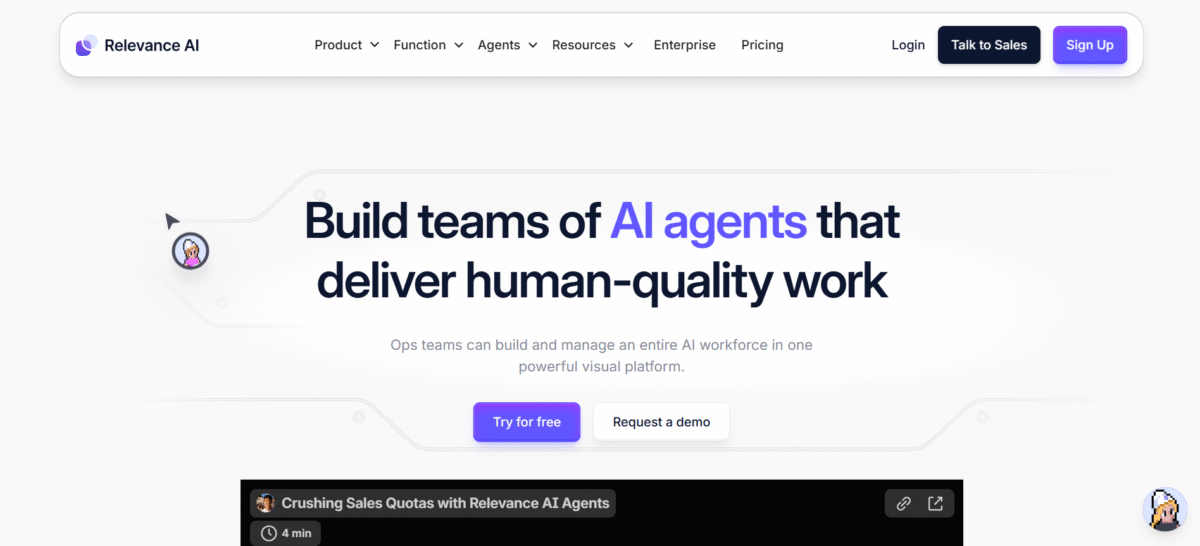
Relevance AI combines useful HubSpot access with a full Agent-building environment, multi-Agent Workforces, and more than 2,000 integrations.
That combination fits sales, RevOps, support, and operations workflows where HubSpot is one of several systems an Agent needs to work across.
What Relevance AI can do with HubSpot:
- retrieve and update contact information;
- create notes and follow-up tasks;
- mark tasks as complete;
- retrieve customer engagement history;
- work with HubSpot CRM data through custom Tools and its HubSpot Assistant;
- and start Agent work from HubSpot workflow events.
The Agent can use other Tools before or after the CRM action. A new HubSpot lead could trigger company research, qualification, follow-up preparation, a CRM update, and a Slack notification within the same broader process.
For more complex workflows, Relevance AI Workforces connect specialist Agents and define how work moves between them.
Pricing: Free includes 200 Actions per month. Pro costs $29 per month, or $19 per month with annual billing. Team costs $349 per month, or $234 per month annually. Enterprise pricing is custom. Our Relevance AI pricing guide explains Actions, Vendor Credits, and plan limits in more detail.
Best for: sales, RevOps, agencies, support, and operations teams building HubSpot-connected specialist or multi-Agent workflows.
2. Gumloop: best for deep HubSpot actions
Gumloop is our pick when HubSpot itself is a major part of the Agent’s job. Its HubSpot MCP currently exposes 85 tools, giving Agents access to a broad set of CRM operations.
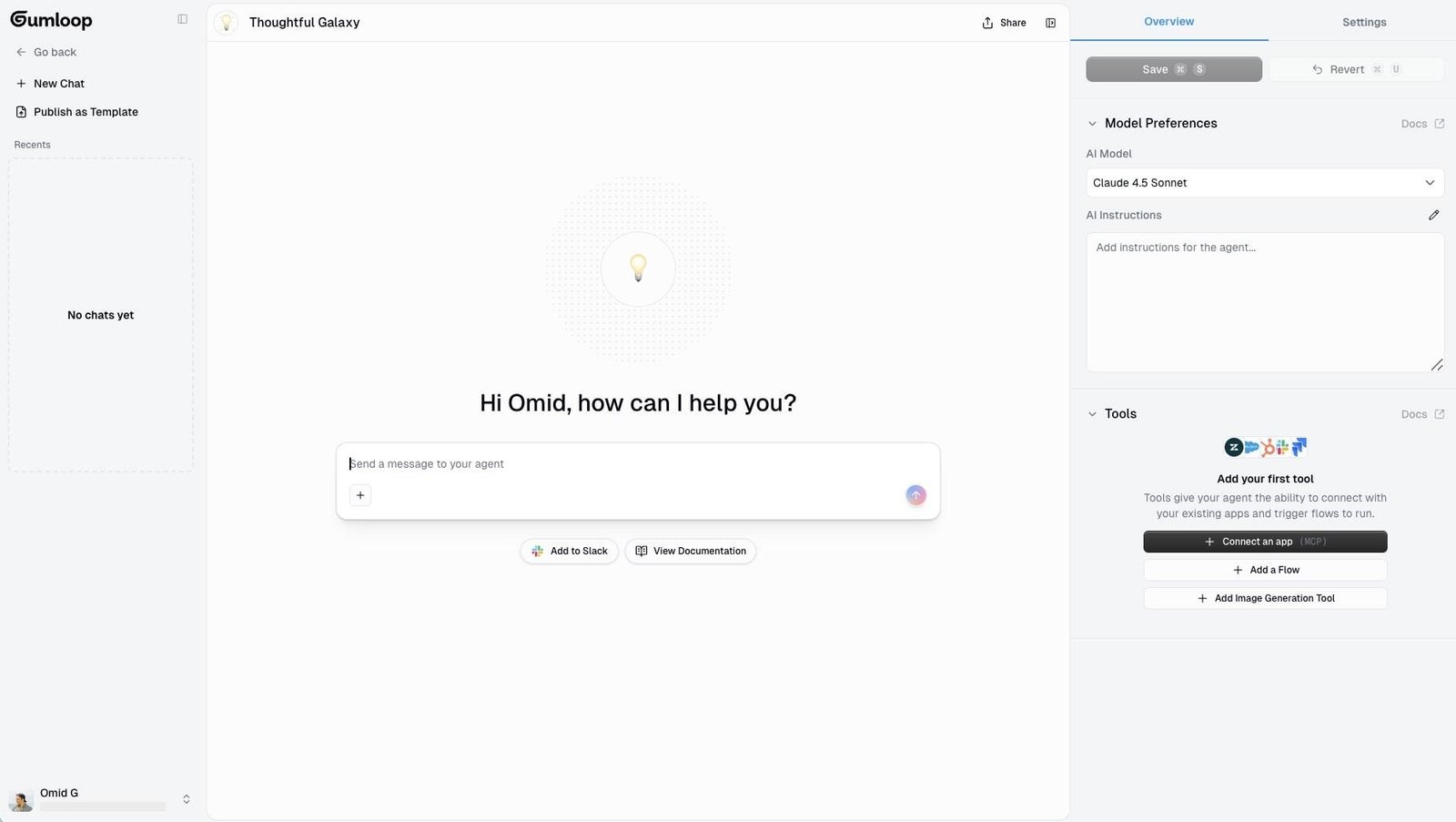
HubSpot tools currently cover:
- contacts and companies;
- deals and pipelines;
- tickets;
- calls, meetings, notes, and emails;
- CRM searches and associations;
- files and conversations;
- and HubSpot content such as blog posts and landing pages.
Agents can use the HubSpot Tools you make available to them. You can also put an Agent inside a larger Gumloop workflow when another part of the process needs fixed logic.
Pricing: Free includes 5,000 credits per month. Pro starts at $37 per month with 20,000 credits and unlimited seats. Enterprise pricing is custom.
Best for: RevOps and operations teams that want Agents to perform a broad range of HubSpot actions.
See our Relevance AI vs Gumloop comparison for the wider platform tradeoffs.
3. Lindy: best for quick business assistants
Lindy fits workflows that sit close to a person’s inbox, calendar, meetings, and daily CRM follow-up.
Its current HubSpot integration includes 11 actions and 23 triggers for sales, marketing, and customer-service workflows.
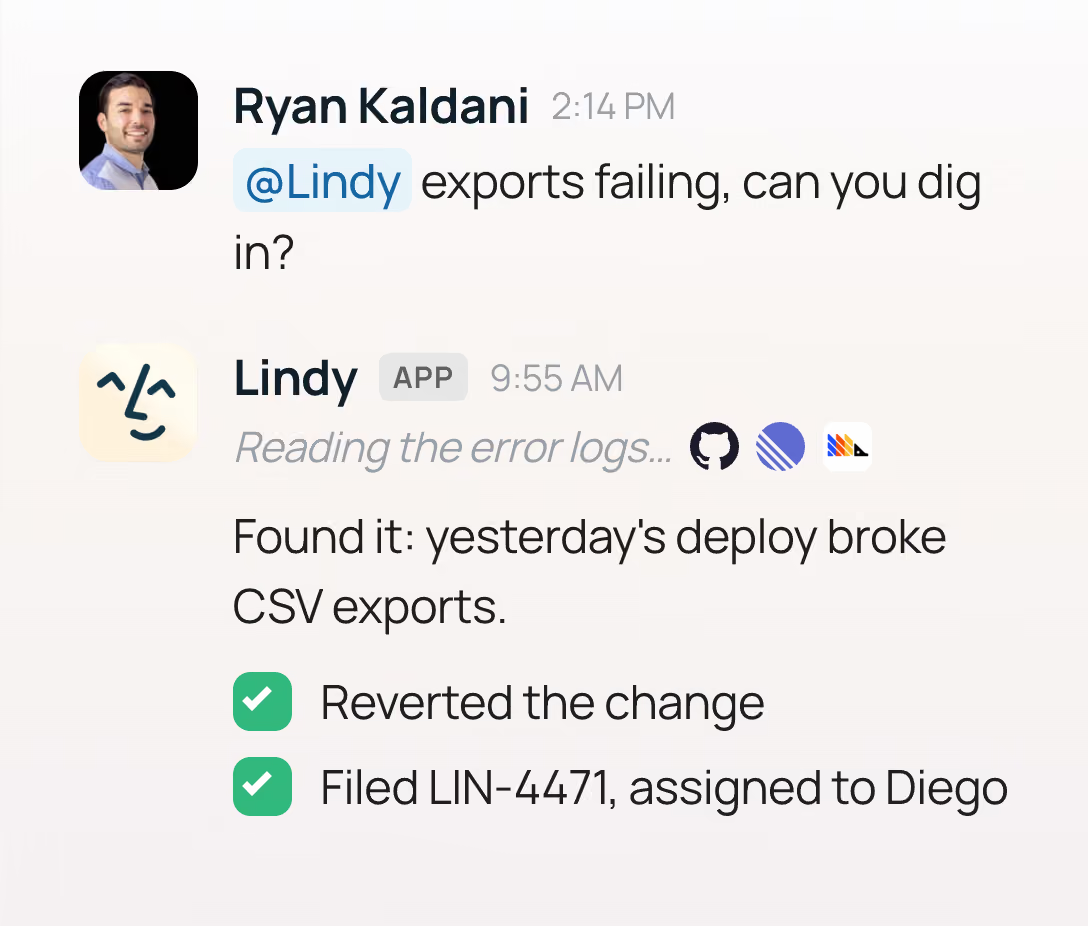
Useful HubSpot workflows include:
- reacting to new or updated CRM records;
- monitoring contact and deal changes;
- creating and updating contacts;
- searching CRM records;
- processing inbound leads;
- and connecting CRM work to email, meetings, calendars, and follow-ups.
The appeal is speed. A sales rep or founder can build an assistant around familiar day-to-day work without having to design a large Agent system first.
Pricing: Lindy Plus costs $49.99 per month, Pro costs $99.99, and Max costs $199.99. Enterprise pricing is custom.
Best for: founders, salespeople, executives, and customer-facing teams that want HubSpot woven into an everyday AI assistant.
Our Relevance AI vs Lindy comparison covers the broader differences.
4. StackAI: best for governed enterprise Agent applications
StackAI makes the shortlist for enterprises building controlled AI applications around HubSpot and other company data.
Its visual workflow builder includes a dedicated HubSpot node alongside Knowledge sources, models, logic, code, APIs, and other enterprise integrations.
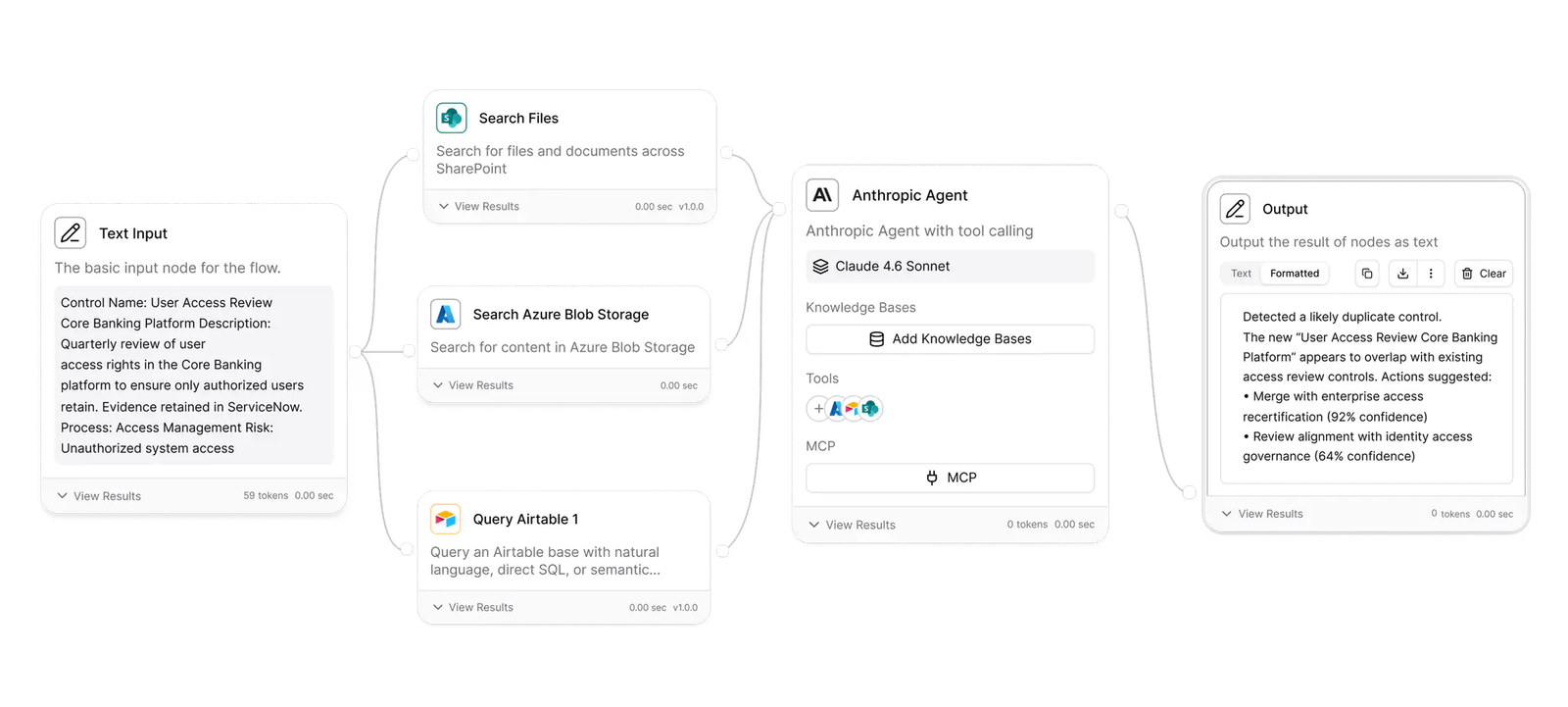
Documented HubSpot operations include:
- searching deals;
- retrieving deal information;
- retrieving contacts and their history;
- creating contacts and deals;
- and retrieving HubSpot pipelines.
StackAI’s enterprise options add dedicated infrastructure, access controls, SSO, VPC deployment, and on-premises deployment for organizations with tighter operational requirements.
Pricing: StackAI’s Free plan includes 500 runs per month, two projects, and one seat. Enterprise pricing is custom.
Best for: enterprises building governed AI applications that combine HubSpot with company Knowledge and other business systems.
Read our Relevance AI vs StackAI comparison for a closer look.
Best AI automation platforms with HubSpot Agent capabilities
These platforms combine AI Agents with broader workflow automation. They fit well when part of the HubSpot process needs Agent judgment and the rest can run through predictable workflow logic.
5. Make: best for visual Agent automation
Make gives you one visual environment for AI Agent decisions and the deterministic automation around them.
Make AI Agents can use Tools and reason about a task inside the same platform as Make’s regular scenarios. Its verified HubSpot CRM integration currently lists 117 modules across triggers, actions, and searches.
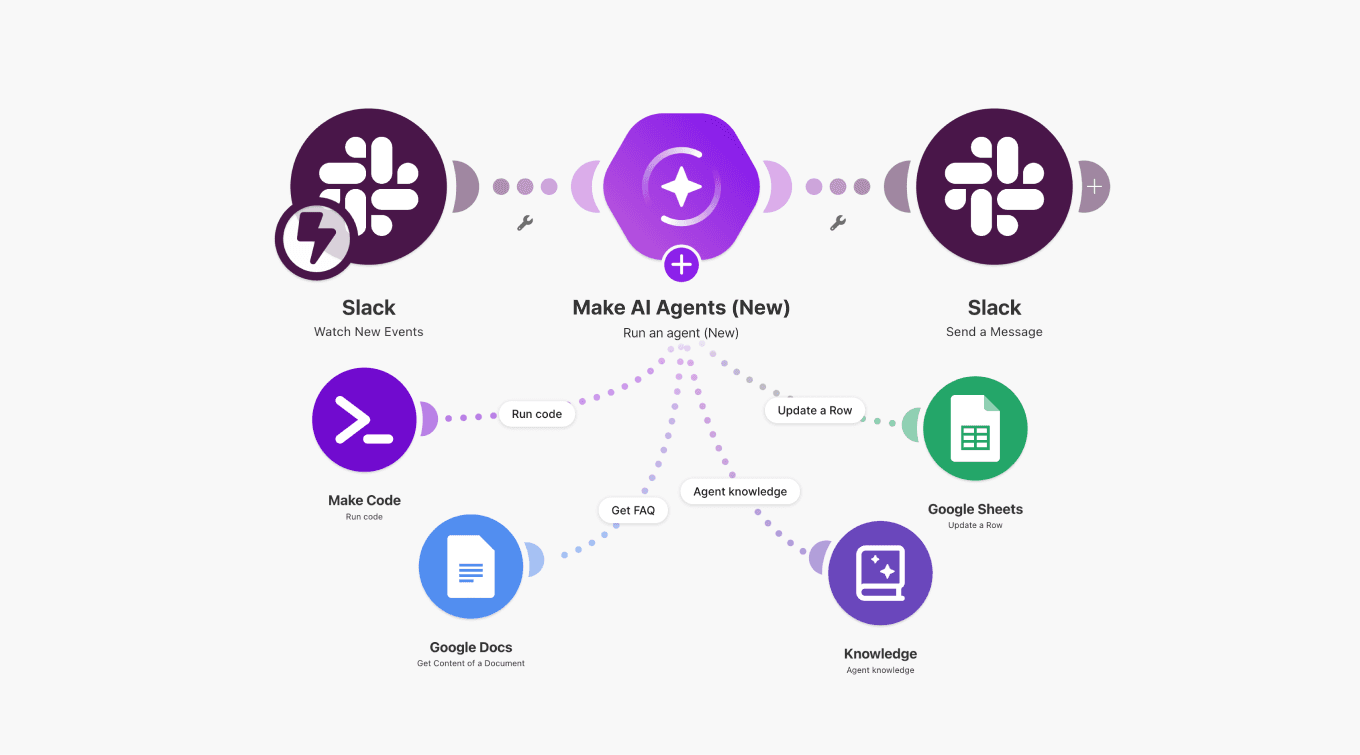
HubSpot modules cover work such as:
- watching contacts, companies, deals, and other CRM objects;
- creating and updating CRM records;
- working with lists and workflows;
- creating calls and communications;
- handling custom objects;
- and searching HubSpot data.
A useful setup is to let the Agent interpret a request or decide what should happen next, then let ordinary Make modules handle the CRM updates.
Pricing: Free includes 1,000 credits per month. At 10,000 monthly credits, Core costs $9 per month, Pro $16, and Teams $29. Enterprise pricing is custom.
Best for: RevOps, marketing ops, agencies, and operations teams that want Agent judgment inside visual HubSpot automation.
See Relevance AI vs Make for the broader comparison.
6. n8n: best for technical teams
n8n gives technical teams plenty of room to shape the Agent, workflow logic, APIs, and deployment around HubSpot.
Its HubSpot node sits alongside AI Agent nodes, memory, model providers, code steps, HTTP requests, webhooks, MCP, and other integrations.
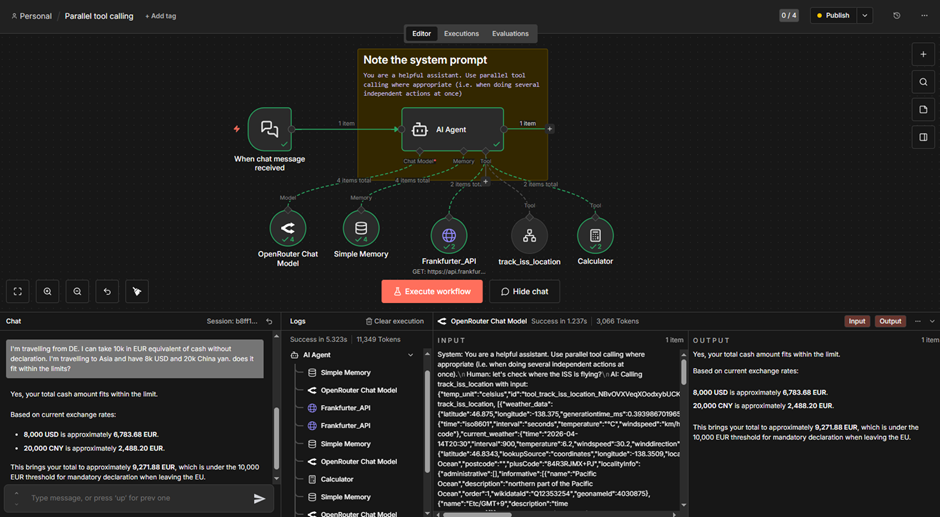
The native HubSpot node supports:
- companies;
- contacts and contact lists;
- deals;
- engagements;
- tickets;
- and HubSpot trigger events.
If the standard node does not expose the HubSpot operation you need, n8n can make custom API requests through its HTTP Request node.
Pricing: n8n Cloud Starter costs €20 per month when billed annually for 2,500 workflow executions. Pro costs €50 per month annually for 10,000 executions. A self-hosted Community Edition is also available.
Best for: developers, technical RevOps teams, and automation engineers that want deep workflow and deployment control.
Read our Relevance AI vs n8n comparison for more context.
7. AI by Zapier: best for existing Zapier teams
AI by Zapier is the natural place to start if Zapier already connects HubSpot to much of your software stack.
Zapier now runs the Agent reasoning, Tool calling, and autonomous task execution from its former standalone Agents experience inside AI by Zapier.
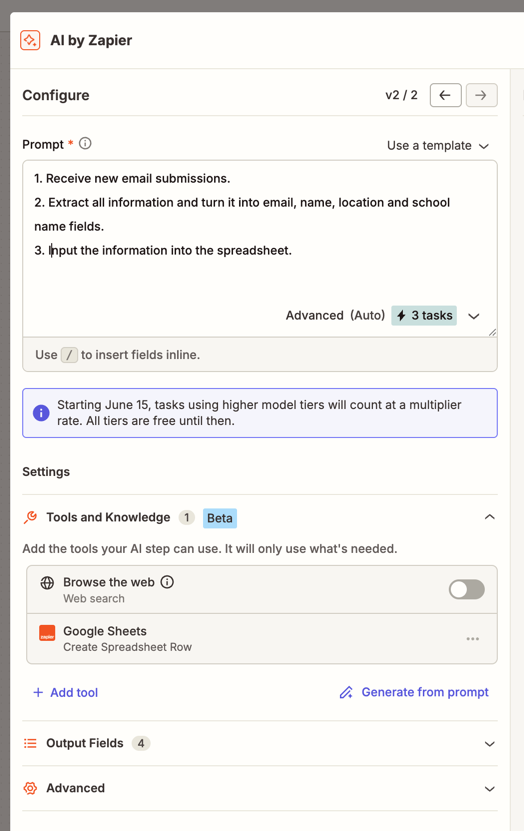
A HubSpot workflow can combine:
- regular Zapier triggers and actions;
- AI reasoning inside an AI by Zapier step;
- app Tools selected by the AI;
- manual approval before selected Tool calls;
- and Zapier’s 9,000+ app ecosystem.
That gives existing Zapier users a way to add Agent behavior to workflows they already understand.
Pricing: Zapier Professional starts at $19.99 per month and Team starts at $69 per month. Enterprise pricing is custom.
Best for: businesses already using Zapier heavily for HubSpot and cross-app automation.
Our Relevance AI vs Zapier comparison covers the wider platform decision.
8. Bardeen: best for browser-led GTM workflows
Bardeen stands out when the information going into HubSpot starts somewhere else on the web.
Its Agent works closely with the browser and can carry out multi-step work across webpages and connected applications. Bardeen also has a direct HubSpot integration.

Useful HubSpot workflows include:
- creating CRM records from prospect research;
- qualifying leads found online;
- saving research as HubSpot notes;
- creating HubSpot tasks from email activity;
- moving web research into HubSpot;
- and combining HubSpot with other GTM tools.
That browser context makes Bardeen particularly useful for SDR and RevOps workflows that begin outside the CRM.
Pricing: Bardeen includes 100 free credits. Basic costs $10 per month with 100 additional monthly credits, while Premium costs $50 per month with 1,000 additional monthly credits. Enterprise pricing is custom.
Best for: SDRs, sales teams, recruiters, and RevOps teams moving web research and prospect data into HubSpot.
Best enterprise AI orchestration platform for HubSpot
9. Workato: best for enterprise orchestration
Workato fits companies where HubSpot is one system inside a larger enterprise Agent and integration environment.
Workato calls its AI Agents Genies. A Genie combines a job description, an AI model, Knowledge, and Skills that let it retrieve information and take action across connected systems.
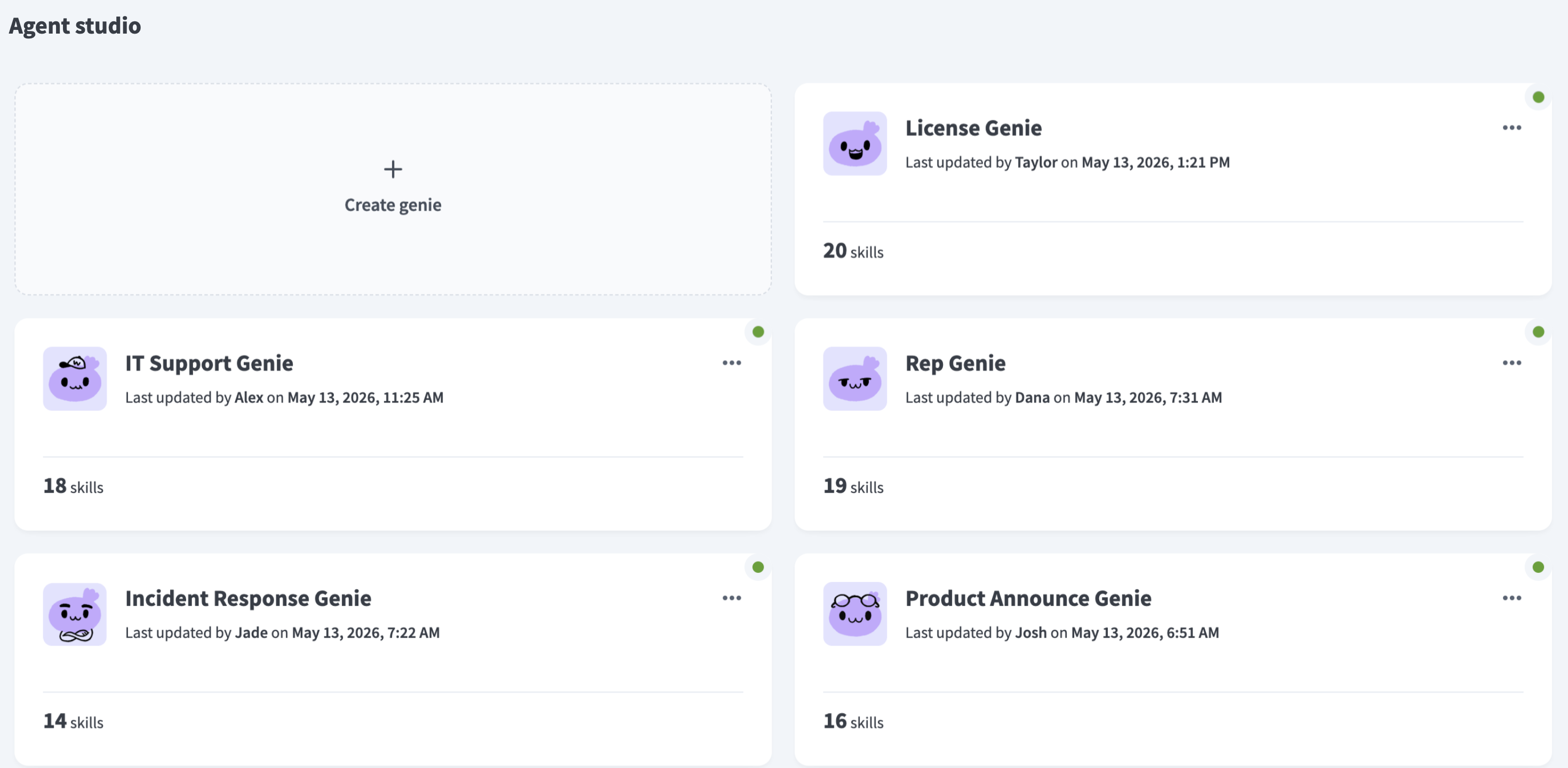
HubSpot actions can sit inside Workato workflows and Skills alongside other enterprise systems. Workato also offers an Enterprise MCP route for HubSpot, with governance, access controls, and monitoring around Agent actions.
Pricing: Workato Free includes a one-time grant of 50,000 credits. Workato Pro starts at $75 per month for 2,500 monthly credits, with larger credit tiers available. Enterprise pricing is custom.
Best for: enterprises connecting HubSpot to broader sales, support, finance, IT, data, and operations processes.
Other HubSpot AI tools worth considering
Clay: a strong choice for enrichment and GTM data
Clay belongs on the shortlist when your HubSpot problem is mainly about research, enrichment, scoring, signals, or CRM data quality.
Its HubSpot integration can pull CRM records into Clay, enrich and score them, manage associations, and write improved data back to HubSpot.
- Choose Clay for lead and account enrichment.
- Choose it for prospect research and scoring.
- Choose it when HubSpot data quality is the main job.
- Choose one of the ranked platforms when you need a broader Agent system spanning several types of business work.
See how Clay works with HubSpot.
Tray.ai: another enterprise option
Tray.ai also deserves consideration for larger HubSpot environments. Its platform combines enterprise integration, automation, Agent building, and MCP infrastructure.
It is particularly relevant for companies already using Tray or comparing enterprise orchestration platforms alongside Workato.
Which HubSpot AI agent platform should you choose?
- Choose Relevance AI for specialist Agents, multi-Agent Workforces, and workflows spanning HubSpot and many other business apps.
- Choose Gumloop when deep HubSpot Agent actions are the priority.
- Choose Lindy for CRM assistants closely tied to email, meetings, and follow-up work.
- Choose StackAI for governed enterprise AI applications and private deployment options.
- Choose Make when Agent reasoning needs to sit inside visual deterministic automation.
- Choose n8n for APIs, code, custom logic, and self-hosting.
- Choose AI by Zapier when Zapier already connects much of your business stack.
- Choose Bardeen when prospect research and browser activity feed your HubSpot workflows.
- Choose Workato for large enterprise integration and Agent orchestration.
- Use HubSpot Agent Builder when the work fits comfortably inside HubSpot’s CRM, data, actions, and workflows.
- Consider Clay when enrichment and GTM data are the main job.
FAQs
Do I need MCP to connect an AI Agent to HubSpot?
No. MCP is one option. These platforms can also connect to HubSpot through native integrations, workflow nodes, OAuth connections, APIs, triggers, and app actions.
Can I use a third-party AI Agent with HubSpot Starter?
Possibly. The available CRM APIs, objects, workflow features, and permissions can depend on your HubSpot edition and account privileges. Check the specific HubSpot operation your Agent needs before choosing a platform.
How should I test an AI Agent before letting it update HubSpot?
Start with a narrow workflow and sample records. Limit the Agent to the minimum actions it needs, review its execution history, and use approval controls for sensitive writes where available. Expand permissions after the results are consistent.
Can one AI Agent work across HubSpot and other business apps?
Yes. Relevance AI, Gumloop, Make, n8n, Zapier, Bardeen, StackAI, and Workato can combine HubSpot with other applications and data sources, although their orchestration models differ.