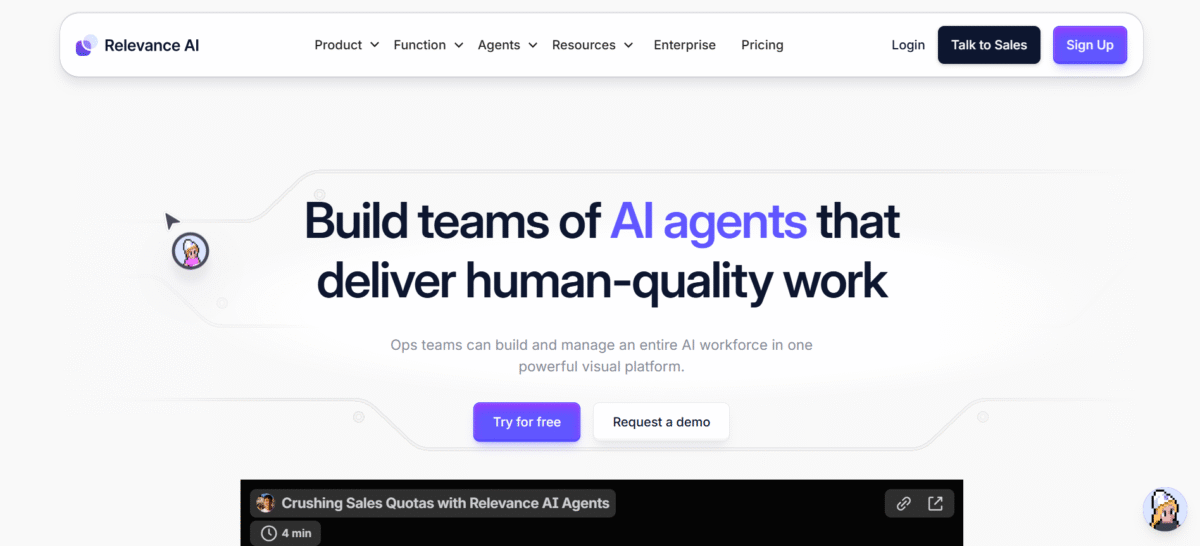
Relevance AI is a no-code platform for building AI agents that can research information, make decisions, and take actions across the tools your team uses. Agents, Tools, Knowledge, Triggers, and Workforces all sit in the same builder, so you can start with one Agent, connect the data and tools it needs, and add more Agents when a workflow genuinely needs different roles.
It is a strong fit when you want the AI to decide what to do next, use business data, and take actions in systems such as your CRM, email, or support tools. If your workflow only needs fixed trigger-and-action steps, a simpler automation platform may be enough.
What is Relevance AI?
Relevance AI has two main experiences. The builder is where you create Agents, Tools, Knowledge, and Workforces. Relevance Chat is where people can interact with those Agents and Workforces conversationally.
Relevance AI is built around four main components:
- Agents are the workers. They reason about a task and decide which Tools to use.
- Tools are the actions. A Tool can call an API, send an email, query a CRM, run code, or execute a multi-step automation.
- Knowledge gives Agents access to your own documents, databases, websites, and connected sources through retrieval.
- Workforces connect several specialist Agents and Tools on a visual canvas when a job needs different roles, handoffs, or conditional routing.
Together, those components let you build the worker first, then decide what it can know, what it can do, and how it should work with other Agents.
How Relevance AI Agents work
Relevance AI currently gives you three ways to start: describe the Agent with Invent, clone an Agent from the Marketplace, or build from scratch. Invent is useful because it removes the empty-canvas problem. You describe the role, expected output, and integrations, then Relevance AI creates a first version of the prompt and suggests Tools.
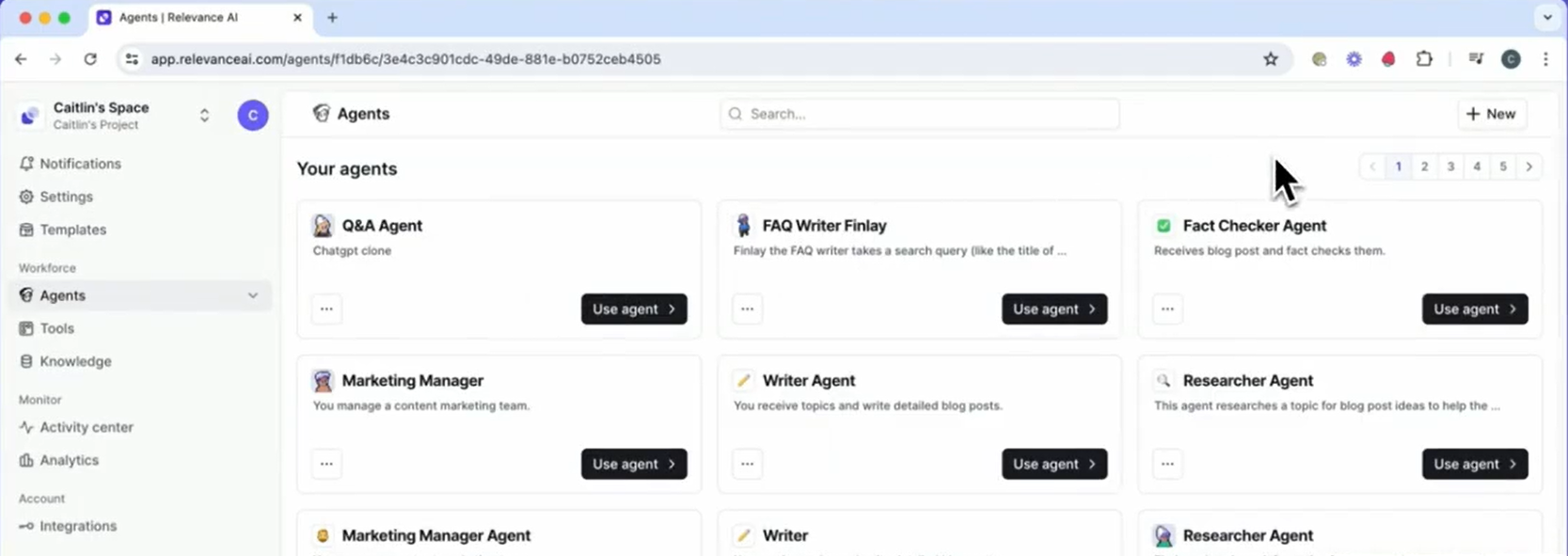
That does not remove the hard part. A reliable Agent still needs a bounded job, good inputs, useful Tools, sensible error handling, and a clear point where it should stop or ask a person for help.
Start with something narrow enough that you can tell whether it succeeded. “Research this company and update these five CRM fields” is easier to evaluate than “run my sales process.” Once the narrow version is dependable, you can add scheduling, triggers, more Tools, or specialist Agents.
Relevance AI Workforces and multi-agent automation
A Workforce is a visual multi-agent workflow. Instead of forcing one Agent to research, write, review, enrich data, update systems, and make every decision, you can split those responsibilities across specialists.
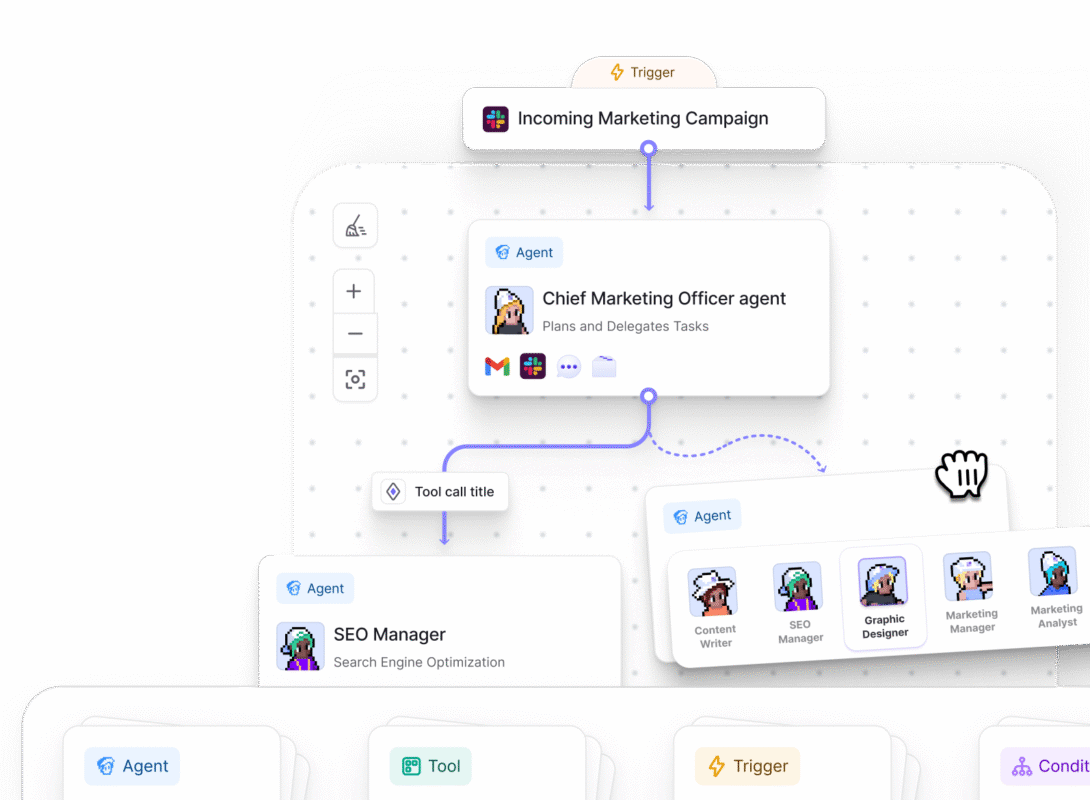
Relevance AI supports different connection styles. An AI connection lets an Agent decide whether another Agent or step is needed. A next-step connection creates a mandatory handoff. You can also add conditional logic and connect Tools directly in the Workforce.
This is useful when the process genuinely has different roles. A sales workflow might have one Agent research the account, another qualify it, and another handle CRM work. A support workflow might answer routine questions first and route ambiguous or high-risk cases to another specialist or a person.
The important restraint is that more Agents do not automatically mean a better system. Relevance AI’s own documentation recommends focused roles and simpler workflows. Every extra handoff creates another place for context, routing, or Tool use to go wrong.
For a deeper look at setup, routing, handoffs, and approvals, see our guide to how Relevance AI Workforces work.
Human approvals and escalation in Relevance AI
Relevance AI can put approval behavior on the connections between Agents, Tools, and other parts of a Workforce. You can require approval before an action or let an Agent decide when the situation is uncertain enough to involve a person.
This matters for the jobs people actually want Agents to do. Drafting an email is low risk. Sending that email to a customer, changing a CRM record, approving a refund, or publishing something publicly is different. A useful agent platform needs a way to separate “prepare the work” from “take the irreversible action.”
Approvals and escalations matter because getting an Agent running quickly is only the first step. You also need to know whether it can operate safely once it starts taking actions in real business systems.
Relevance AI Knowledge and retrieval
Knowledge is Relevance AI’s retrieval layer. You can connect files, websites, Google Drive, SharePoint, Notion, structured data, and other sources so an Agent can retrieve relevant information when it needs it.
That becomes important when the Agent needs company-specific facts rather than whatever the underlying model happens to know. A support Agent can search your policies. A sales Agent can use your qualification criteria. An internal operations Agent can work from the current playbook instead of an old prompt.
The tradeoff is that retrieval becomes another system to debug. If an Agent keeps pulling the wrong passage, the answer is not always “write a better prompt.” The problem may be chunking, retrieval settings, the underlying data, or simply the fact that the knowledge base contains contradictory material.
Relevance AI integrations
Relevance AI’s current public product material says it supports 2,000+ integrations, while its trigger documentation says Agents can be triggered from 1,000+ integrations. It also supports custom apps, APIs, webhooks, SDK/API triggers, and external MCP servers.

The number matters less than the exact action you need. HubSpot, for example, has documented workflows for reading and updating contacts, creating notes and tasks, and triggering Agents from HubSpot workflows. Slack can trigger individual Agents or whole Workforces from channels and direct messages. Salesforce has its own connection and CRM actions, but some enterprise trigger access is plan-gated.
If integrations are a major reason you are considering the product, see our Relevance AI integrations guide for a closer look at supported apps, triggers, actions, APIs, and MCP connections.
Relevance AI pricing and usage costs
The current self-serve pricing documentation lists four tiers:
| Plan | Price and best fit |
|---|---|
| Free | $0. Best for learning the builder and testing a first Agent. |
| Pro | $29/month or $19/month billed annually. Best for solo builders and smaller production workflows. |
| Team | $349/month or $234/month billed annually. Best for teams that need more users, capacity, Calling or Meeting Agents, and analytics. |
| Enterprise | Custom pricing. Best for larger deployments that need stronger governance, security, and evaluation controls. |
There is one pricing inconsistency to know about: Relevance AI’s public marketing pricing page currently presents Enterprise only, while the current documentation still lists Free, Pro, Team, and Enterprise self-serve tiers. For self-serve plan details, use the documentation and confirm the price shown in your account before subscribing.
Usage itself has two meters. Actions count Tool runs. Vendor Credits cover model and eligible Tool costs. The free plan gets 200 Actions each month and a one-time 1,000 Vendor Credit allocation. Pro includes 2,500 Actions and 10,000 Vendor Credits per month. Team includes 7,000 Actions and 35,000 Vendor Credits per month.
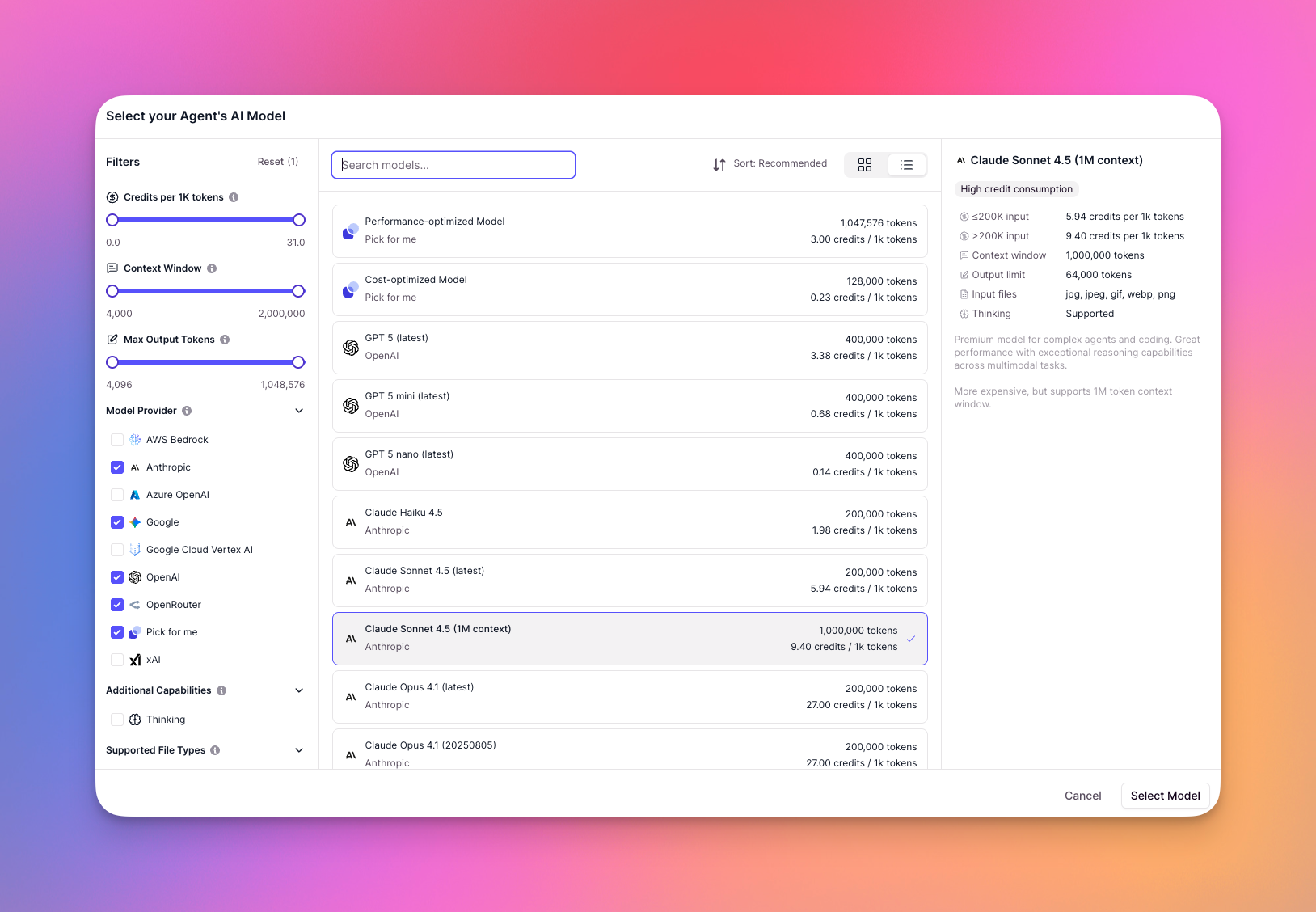
That two-meter system is not difficult once you see a few runs, but it is easy to underestimate before deployment. A task that calls four Tools is four Actions even if the user experiences it as one job. A long model-heavy task can also consume far more Vendor Credits than a short classification workflow.
Our Relevance AI pricing guide breaks down the plans, top-ups, rollovers, and what different workloads can cost. We also explain the usage model in our Relevance AI Actions and Vendor Credits guide.
Relevance AI reviews: what users say
On G2, Relevance AI has a 4.3/5 rating from 21 reviews.

Reviewers often praise how quickly they can build custom Agents, the flexibility of connecting APIs and business systems, and the way Invent makes it easier to get started. Reviewers also describe using Relevance AI for sales, research, operations, and client workflows.
Common complaints include a busy interface, onboarding friction, credit usage, governance gaps, and the need to clean up or debug Agent output. One reviewer also described a difficult refund experience.
Relevance AI lowers the coding barrier, but you still need to design, test, and monitor the workflows you build.
Relevance AI pros and cons
Relevance AI alternatives
| Tool | Best fit |
|---|---|
| Relevance AI | Best when you want to build the Agent itself, including its Tools, Knowledge, triggers, approvals, and multi-agent Workforces. |
| Gumloop | Best for visual, workflow-first AI automation where the flow matters more than building a dedicated multi-agent system. |
| Lindy | Best for teams that want a simpler way to build assistant-style Agents for common business workflows. |
| n8n | Best for developers who want self-hosting, more control, and deterministic automation with AI added where it is useful. |
| Zapier | Best when AI Agents need to sit inside a broader automation stack with a very large app ecosystem. |
For more options, see our Relevance AI alternatives guide. We also have direct comparisons of Relevance AI vs Lindy, Relevance AI vs Zapier, Relevance AI vs Gumloop, and Relevance AI vs n8n.
Who is Relevance AI best for?
Relevance AI is best for teams that want AI agents to handle real business workflows across multiple tools. If you need an Agent to research information, make decisions, use company data, update systems like HubSpot or Salesforce, and hand work off to another Agent or a person when needed, Relevance AI is one of the better choices.
It is especially useful for:
- Sales teams building Agents for lead research, qualification, CRM updates, follow-ups, and account research.
- Operations teams automating repetitive processes that still require decisions along the way.
- Customer support teams that want Agents to answer questions, use internal Knowledge, and escalate more complex cases.
- Marketing teams using Agents for research, campaign support, content workflows, and data enrichment.
- Teams building multi-agent workflows where different Agents handle different parts of a larger process.
Relevance AI is especially useful if your workflow needs several of these capabilities:
- an Agent that can decide which Tool to use;
- access to company-specific Knowledge;
- event or scheduled triggers;
- several specialist Agents;
- human approvals or escalations;
- actions across CRM, messaging, email, productivity, and other systems.
If you are evaluating it for sales, see our Relevance AI for sales teams guide for concrete workflows and use cases.
Who should consider a Relevance AI alternative?
Relevance AI is probably more than you need if the workflow follows fixed steps and a normal automation builder can handle it more cheaply and transparently. It is also a poor fit if you mainly want a writing or chat interface, because most of the Agent, Tool, integration, and orchestration features would go unused.
It is also a poor fit for processes your team cannot clearly explain. If the inputs, decision rules, ownership, and expected output are already vague, adding an AI Agent usually makes the workflow harder to debug.
Is Relevance AI worth it?
FAQs
Is Relevance AI free?
Yes. The current Free plan includes 200 Actions per month, a one-time 1,000 Vendor Credit allocation, unlimited Agents and Tools, one Workforce, one user and project, Marketplace access, and 30 days of task history.
Is Relevance AI no-code?
Most of the core building experience is no-code. You can use Invent, configure Agents and Tools visually, connect integrations, add Knowledge, and build Workforces without writing application code. Relevance AI also supports APIs, custom code, SDKs, and custom integrations when you need more control.
What is the difference between an Agent and a Workforce?
An Agent is one AI worker with instructions, Tools, and context. A Workforce coordinates multiple specialist Agents and Tools on a visual canvas with handoffs and conditional routing.
Does Relevance AI integrate with HubSpot and Salesforce?
Yes. Both have documented integrations. HubSpot supports CRM actions and workflow-triggered Agent use cases. Salesforce supports CRM actions and Agent triggers, although some Enterprise trigger access is plan-dependent.
What is the biggest Relevance AI limitation?
The biggest practical limitation is complexity. Relevance AI makes agent building accessible, but a reliable multi-step Agent or Workforce still needs clear process design, testing, monitoring, cost control, and human oversight.