10 Best Relevance AI Integrations for Sales, Support, and Operations
Contents
HubSpot, Slack, Salesforce, Gmail, Outlook, Apollo, Notion, Google Sheets, Microsoft Teams, and Zendesk are among the most useful Relevance AI integrations for business workflows.
The best one to connect first depends on the job you want the Agent to handle:
- HubSpot: CRM workflows, lead qualification, sales follow-up, and customer records.
- Slack: letting employees trigger Agents and Workforces from team conversations.
- Salesforce: enterprise CRM workflows and custom Salesforce operations.
- Gmail: inbox triage, email drafting, replies, and email-triggered Agents.
- Outlook: email, calendars, contacts, scheduling, and Microsoft 365 workflows.
- Apollo: prospect search, enrichment, account research, and sales data.
- Notion: documentation, databases, research, and workspace management.
- Google Sheets: data processing, reporting, lead lists, and spreadsheet operations.
- Microsoft Teams: putting Agents and Workforces directly inside Microsoft Teams conversations.
- Zendesk: support ticket triage, ticket management, and customer-service workflows.
Relevance AI integrations at a glance
| Integration | Best use |
|---|---|
| HubSpot | CRM, lead qualification, sales and customer workflows |
| Slack | Internal Agent access, team requests, notifications, and Workforce triggers |
| Salesforce | Enterprise CRM automation and custom CRM operations |
| Gmail | Email triage, drafting, replies, follow-up, and email triggers |
| Outlook | Email, calendar, contacts, and Microsoft 365 workflows |
| Apollo | Prospecting, enrichment, account research, and sales intelligence |
| Notion | Documentation, databases, research, and knowledge workflows |
| Google Sheets | Data operations, reporting, lead lists, and lightweight databases |
| Microsoft Teams | Internal Agents for Microsoft-based organizations |
| Zendesk | Support ticket triage and customer-service operations |
How Relevance AI integrations work
Relevance AI integrations can play several different roles inside an Agent or Workforce.
- Triggers start an Agent when something happens in another application.
- Tool steps let an Agent perform actions inside the connected application.
- Knowledge sources give Agents access to information stored in connected systems.
- API Tool steps can cover operations that are not available as prebuilt actions.
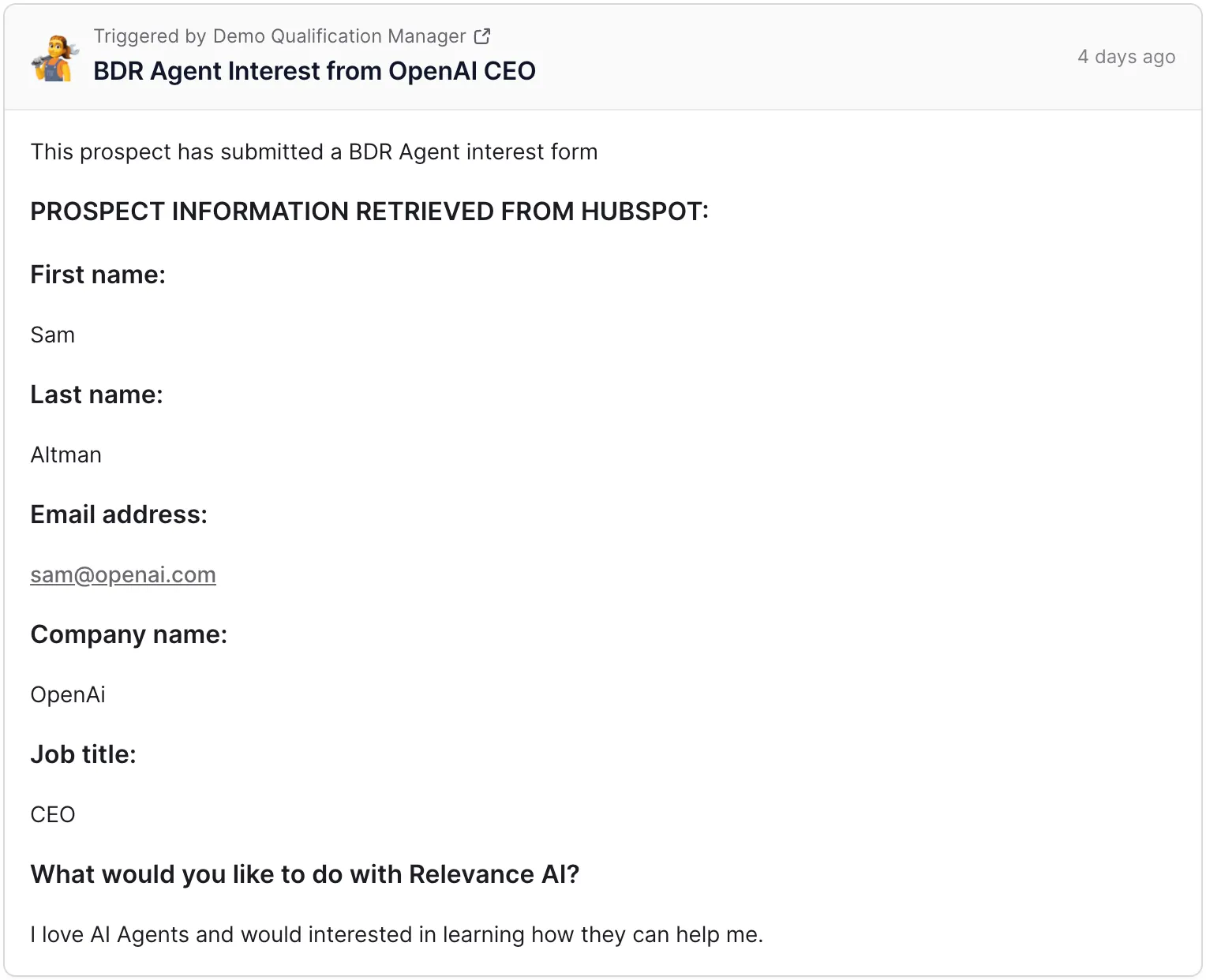
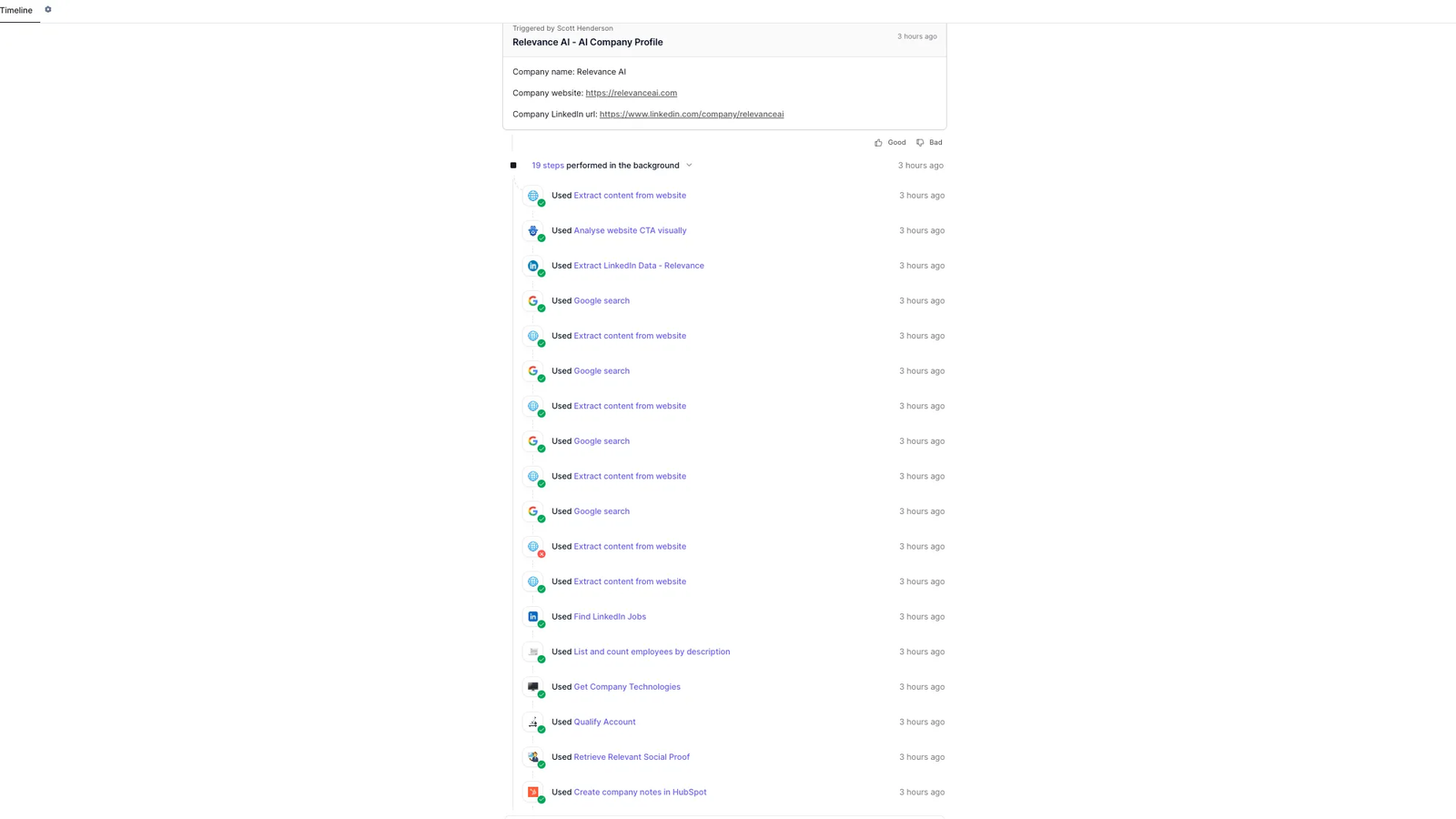
For example, a HubSpot workflow could trigger a Relevance AI Agent when a new lead meets defined criteria. The Agent could research the company, qualify the lead, create a HubSpot note, assign a task, and prepare a follow-up.
1. HubSpot: best for CRM and inbound sales workflows
HubSpot is one of the first integrations to connect if your sales or customer workflows already live in HubSpot.
Relevance AI can use HubSpot workflows to activate an Agent when conditions such as these are met:
- a new contact is created;
- a prospect submits a form;
- a property changes;
- a lead reaches a defined score;
- or another HubSpot workflow condition is satisfied.
Agents can also perform CRM work including:
- retrieving contact details;
- updating contact properties;
- creating notes;
- creating tasks;
- marking tasks complete;
- and retrieving engagement history.
Good workflows:
- inbound lead research and qualification;
- CRM enrichment;
- pre-meeting preparation;
- post-call CRM updates;
- lead routing;
- follow-up task creation;
- and customer-history summaries.
Watch for: CRM writes can affect important customer records. Start sensitive update Tools in approval mode and verify the exact properties the Agent is allowed to change.
See our Relevance AI for sales guide for practical HubSpot-led workflows.
2. Slack: best for putting Agents where your team already works
Slack is one of the most useful Relevance AI integrations for internal adoption.
Employees can trigger individual Agents or Workforces from:
- Slack channels;
- direct messages;
- and threaded conversations.
Relevance AI can also send status updates and results back into Slack while work is being completed.
Good workflows:
- internal research requests;
- support escalations;
- sales account research;
- document-generation requests;
- operations workflows;
- and launching multi-Agent processes from a team channel.
Watch for: workspace administrators may need to approve the relevant Relevance AI Slack permissions depending on your configuration.
3. Salesforce: best for enterprise CRM workflows
Salesforce is a strong fit when your company already runs sales operations through Salesforce and needs Agents to participate in those processes.
Relevance AI Agents can use Salesforce to:
- retrieve contact information;
- create leads;
- create notes;
- create tasks;
- complete tasks;
- run Salesforce API operations;
- and work with Salesforce objects.
Good workflows:
- lead research and enrichment;
- lead routing;
- deal-stage workflows;
- CRM cleanup;
- sales follow-up;
- and account-research pipelines.
Watch for: Relevance AI currently lists Salesforce triggers among its Enterprise triggers. Salesforce authentication can also require administrator approval.
4. Gmail: best for email-triggered Agents
Gmail is a strong choice when email itself should start or drive the workflow.
Gmail workflows can support jobs such as:
- reading and searching messages;
- retrieving attachments;
- sending email;
- replying;
- forwarding;
- creating drafts;
- applying labels;
- archiving;
- and managing message status.
Good workflows:
- inbox triage;
- customer-support email classification;
- lead qualification from inbound email;
- drafting replies;
- extracting structured information from messages;
- and creating follow-up tasks.
Watch for: give the Agent access only to the email scope it needs. Keep outbound sending behind approval while validating a customer-facing workflow.
5. Outlook: best for Microsoft 365 email and calendar workflows
Outlook gives Relevance AI access to email, calendars, and contacts inside Microsoft 365 workflows.
Useful operations include:
- finding and sending email;
- moving messages between folders;
- checking calendar availability;
- creating and updating events;
- retrieving free/busy schedules;
- and working with contacts.
Good workflows:
- meeting scheduling;
- inbox triage;
- customer-support email Agents;
- lead qualification;
- meeting follow-up;
- and contact management.
Watch for: provider-side Microsoft Graph restrictions and permissions still apply. Relevance AI also recommends beginning cautiously with email-sending actions.
6. Apollo: best for prospecting and lead enrichment
Apollo is one of the most useful Relevance AI integrations for outbound sales research.
Current Apollo operations can support:
- contact search;
- account search;
- contact and account management;
- deal operations;
- person enrichment;
- organization enrichment;
- and phone-number retrieval where Apollo provides the data.
Good workflows:
- ICP prospect discovery;
- contact enrichment;
- account research;
- lead-list building;
- CRM enrichment;
- and outbound personalization.
Watch for: Apollo’s own API access, usage rules, and credit requirements continue to apply alongside Relevance AI usage.
7. Notion: best for documentation and workspace workflows
Notion is useful when Agents need to create, retrieve, organize, or update internal documentation and structured workspace data.
Useful operations include:
- creating and updating pages;
- retrieving page content;
- creating database entries;
- querying databases;
- adding comments;
- creating tasks or to-do items;
- and searching workspace content.
Good workflows:
- meeting documentation;
- SOP creation;
- research compilation;
- project-status updates;
- internal knowledge management;
- and content operations.
Watch for: pages and databases need the appropriate integration access before the Agent can work with them.
8. Google Sheets: best for lightweight data operations
Google Sheets works well when the workflow already uses spreadsheets as a queue, report, lead list, or lightweight database.
Relevance AI can use spreadsheet Tools for operations such as:
- reading data;
- writing and updating data;
- creating sheets;
- formatting cells;
- filtering and sorting;
- appending rows;
- and deleting data.
Good workflows:
- lead-list processing;
- report generation;
- data cleanup;
- data validation;
- customer tracking;
- and moving structured information between Sheets and other business systems.
9. Microsoft Teams: best for internal Agents in Microsoft organizations
Microsoft Teams is useful for companies that want employees to interact with Relevance AI from the collaboration software they already use.
Users can interact with Agents and Workforces through Teams conversations and use them for:
- internal help desks;
- policy and documentation assistants;
- operations requests;
- research requests;
- support escalations;
- and launching multi-step workflows.
Watch for: setup may require Microsoft administrator approval and the appropriate Relevance AI app installation and permissions.
10. Zendesk: best for customer-support workflows
Zendesk gives Relevance AI useful ticket-management actions for support automation.
Current operations can support:
- creating tickets;
- retrieving tickets;
- listing and searching tickets;
- updating tickets;
- deleting tickets;
- and additional operations through the Zendesk API.
Good workflows:
- ticket triage;
- priority classification;
- response suggestions;
- sentiment-based escalation;
- SLA monitoring;
- ticket enrichment;
- and support follow-up.
Watch for: Zendesk Tool operations and Zendesk triggers have different plan requirements. Relevance AI currently lists Zendesk among its Enterprise trigger options.
Other Relevance AI integrations worth checking
The right shortlist depends on your stack. Other useful options include:
- Gong for sales-call and transcript workflows.
- Lusha for B2B contact and company enrichment.
- ZoomInfo for sales intelligence.
- Marketo for lead and marketing workflows.
- WhatsApp Business for messaging and support.
- Telegram for messaging workflows.
- Confluence for documentation and Knowledge.
- Google Drive for Agent Knowledge.
- Fireflies.ai for meeting data and transcripts.
- Google Analytics 4 for analytics and reporting workflows.
Which Relevance AI integrations should you connect first?
Relevance AI integration plan restrictions to know
Relevance AI offers its large integration library broadly, while some trigger categories require higher plans.
| Integration feature | Current availability |
|---|---|
| 2,000+ integrations | Available across the platform |
| Custom apps and API integrations | Available on self-serve plans |
| Standard app triggers | Available across plans |
| Premium triggers | Higher-plan feature |
| Salesforce, Snowflake, Zendesk triggers | Enterprise |
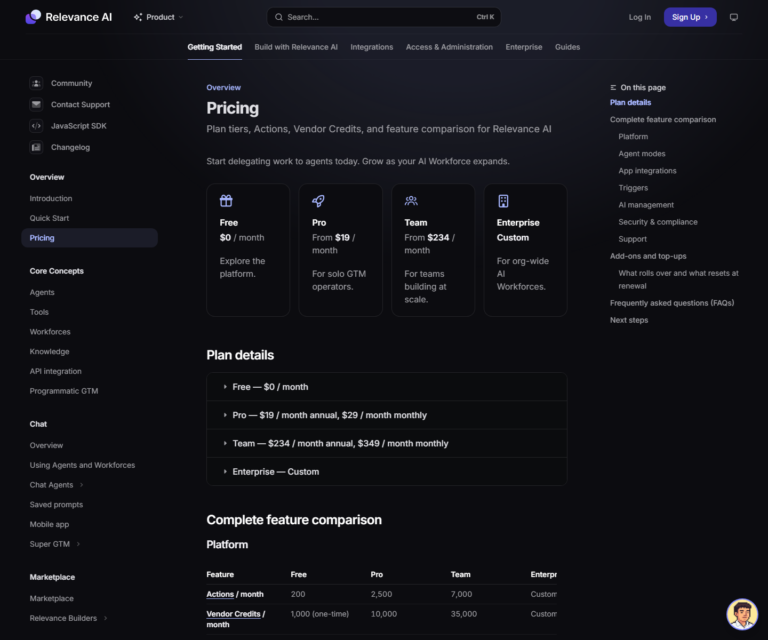
Read our Relevance AI pricing guide before choosing a plan around a specific trigger or integration requirement.
How to evaluate a Relevance AI integration before building around it
- Confirm the exact trigger. Check whether the event you need can actually start the Agent.
- Confirm the exact Tool action. Verify that the Agent can read, create, update, send, or delete the object you need.
- Check the plan requirement. Some trigger categories require higher plans.
- Check third-party requirements. API access, administrator approval, authentication, and provider permissions can affect setup.
- Check provider limits. API rate limits, attachment limits, credits, and other restrictions still apply.
- Look for an API Tool step. It can cover operations that are missing from prebuilt actions.
- Test with limited permissions. Give the Agent only the access required for the workflow.
- Add approval to sensitive actions. Review important writes and external communication before enabling automatic execution.
How integrations affect Relevance AI usage
Running integration Tools contributes to Relevance AI usage.
- One Tool run counts as one Action.
- Failed Tool runs also count as Actions.
- Vendor Credits cover model and eligible paid-Tool usage.
Some connected products have their own costs or usage allowances too. Account for both systems when estimating production cost.
See our Relevance AI Actions and Vendor Credits guide for the full usage model.
Frequently Asked Questions About Relevance AI Integrations
How many integrations does Relevance AI have?
Relevance AI currently advertises more than 2,000 integrations across apps such as Gmail, Slack, Notion, HubSpot, Salesforce, and other business software.
Can I use Relevance AI integrations on the Free plan?
Relevance AI makes its broad integration library available across its platform, although some trigger categories and advanced integration features require higher plans.
Do Relevance AI integrations cost extra?
Integration Tool runs contribute to Relevance AI Action usage, and some workflows also consume Vendor Credits. Connected services can have their own plans, API restrictions, credits, or usage charges.
Can one Relevance AI Agent use several integrations?
Yes. An Agent can use Tools from several connected applications. A sales Agent could research a prospect through Apollo, retrieve CRM context from HubSpot, send an email through Gmail, and notify a rep through Slack.
What if Relevance AI does not have the exact integration action I need?
Check whether the integration provides an API Tool step. Relevance AI also supports custom apps and API integrations for operations that are not available as prebuilt Tool steps.
Which Relevance AI integration should I start with?
Start with the application that contains the data or action required for your first workflow. HubSpot or Salesforce make sense for CRM workflows, Slack or Teams for internal operations, Gmail or Outlook for email, and Zendesk for support.