Choose Internal Link Juicer if you want a free-first WordPress plugin that turns configured keywords into links automatically. Choose LinkBoss if you need audits, suggested source-and-target pairs, more sophisticated bulk operations and control over content silos. The two tools solve related problems with very different workflows.
My overall recommendation for a large content library is LinkBoss, especially when you need to identify orphan or dead-end pages before inserting links. Internal Link Juicer is a credible alternative for smaller WordPress blogs whose editors can maintain a clear list of target keywords.
LinkBoss vs Internal Link Juicer at a glance
How LinkBoss and Internal Link Juicer compare by category
Each round below awards one point for the better documented fit on that criterion; a tie awards neither. These are editorial buying judgments, not a benchmark of real-world AI accuracy or a performance test.
1. Free rule-based linking
The Basic plugin implements keyword-defined insertion without buying LinkBoss credits.
2. Site-health discovery
Dedicated orphan, dead-end and anchor audits identify gaps before insertion.
3. Bulk context generation
Offers insertion, rephrasing and new context after reviewing suggestions.
4. Keyword rule control
Explicit per-target keywords and exclusions make placements predictable.
5. Content silo workflows
Offers defined network templates for pillar and supporting pages.
What do LinkBoss users say?
LinkBoss’s G2 reviews include practical accounts of the installation and editorial trade-offs. Gul A. describes helpful support during an initially difficult custom-field setup. Mark D. describes useful recommendations, but says some anchors still need manual adjustment. With only five displayed reviews, these are useful experiences rather than a large-sample verdict. For Internal Link Juicer, don’t substitute LinkBoss customer comments for an independent assessment; compare its WordPress plugin reviews directly before installing.
LinkBoss vs Internal Link Juicer: pros and cons
| Tool | 👍 Pros | 👎 Cons |
|---|---|---|
| LinkBoss | Semantic suggestions and broad site-health reporting; Supports structured bulk campaigns | Paid link-generation credit rules; AI sentence editing requires review |
| Internal Link Juicer | Free keyword-driven linking; Detailed per-target rule controls | Rules need ongoing maintenance; Advanced custom-field linking and reporting may require Pro |
| Decision | Better fit | Reason |
|---|---|---|
| Free automatic keyword linking | Internal Link Juicer | Basic plugin includes configurable per-post keyword rules. |
| Free website audit | LinkBoss | Advertises orphan, dead-end and anchor analysis without purchasing credits. |
| Semantic bulk insertion | LinkBoss | Native, Rephrase, Context and Pipeline insertion methods. |
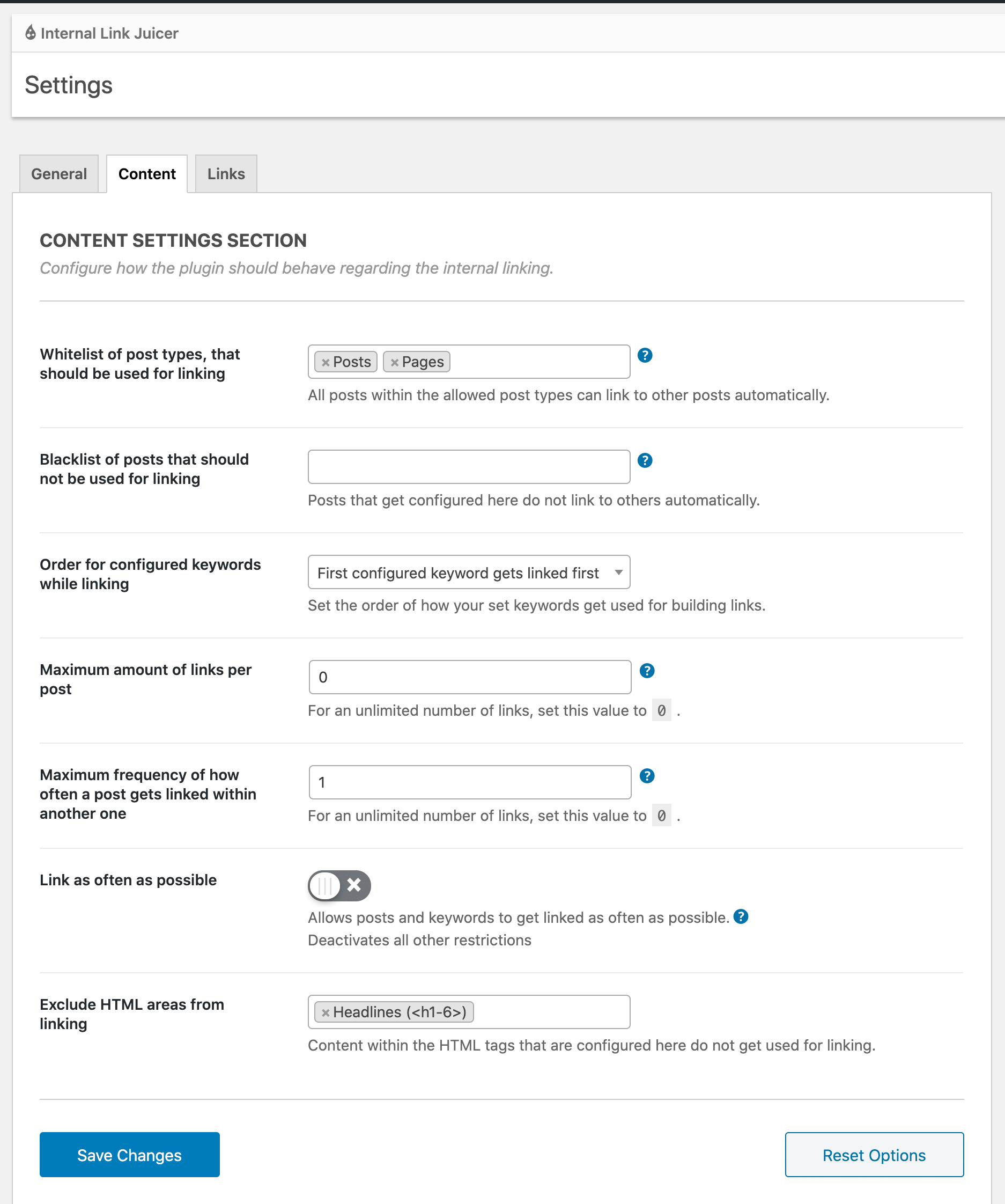
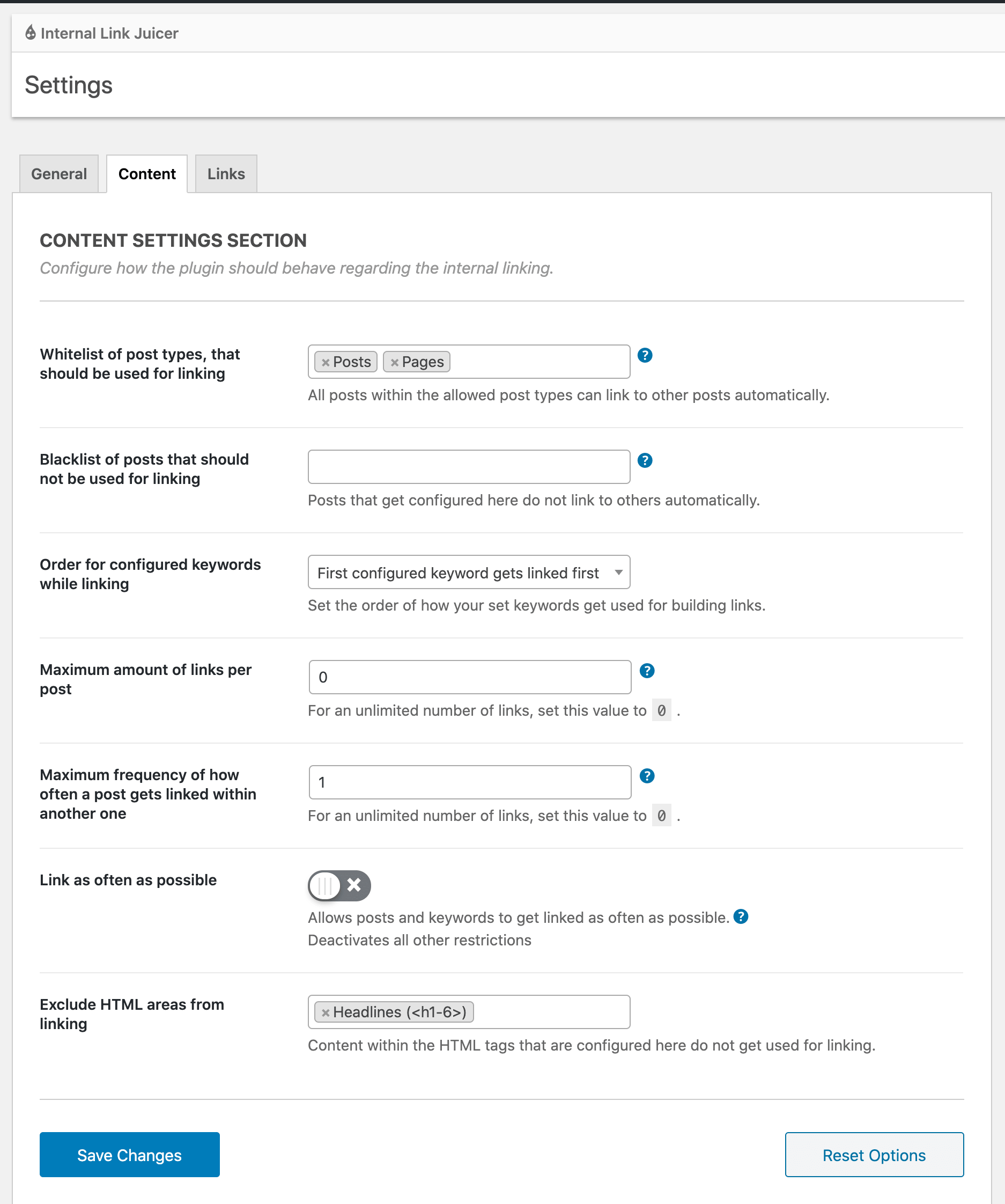
| Rule-level controls | Internal Link Juicer | Keyword restrictions, link caps, blacklist and whitelist. |
| Custom network planning | LinkBoss | Priority, Reverse, Serial and Circle silo presets. |
| Pro custom-field linking | Internal Link Juicer | Documents Pro support for custom fields and taxonomies. |
How their linking systems work
Internal Link Juicer: defined keywords and automatic rules
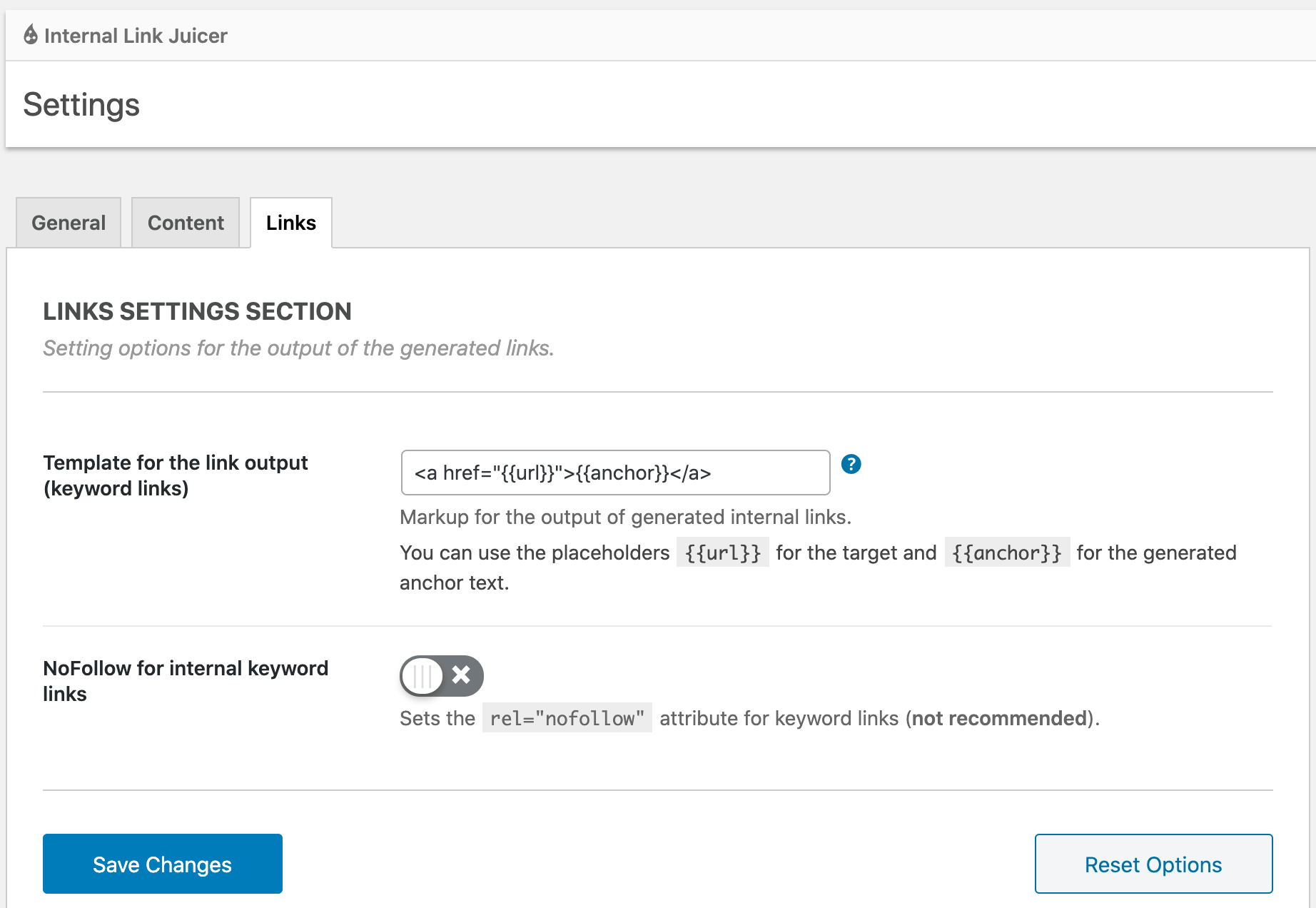
Internal Link Juicer works from keywords assigned to target posts. Once configured, the plugin uses those keywords and the selected restrictions to create links when suitable phrases appear elsewhere in your WordPress content.
That makes it predictable if you maintain a small number of specific target terms. It also means two related posts can compete for similar keywords unless your team manages the rules carefully.
LinkBoss: analysis, suggestions and selected insertion methods
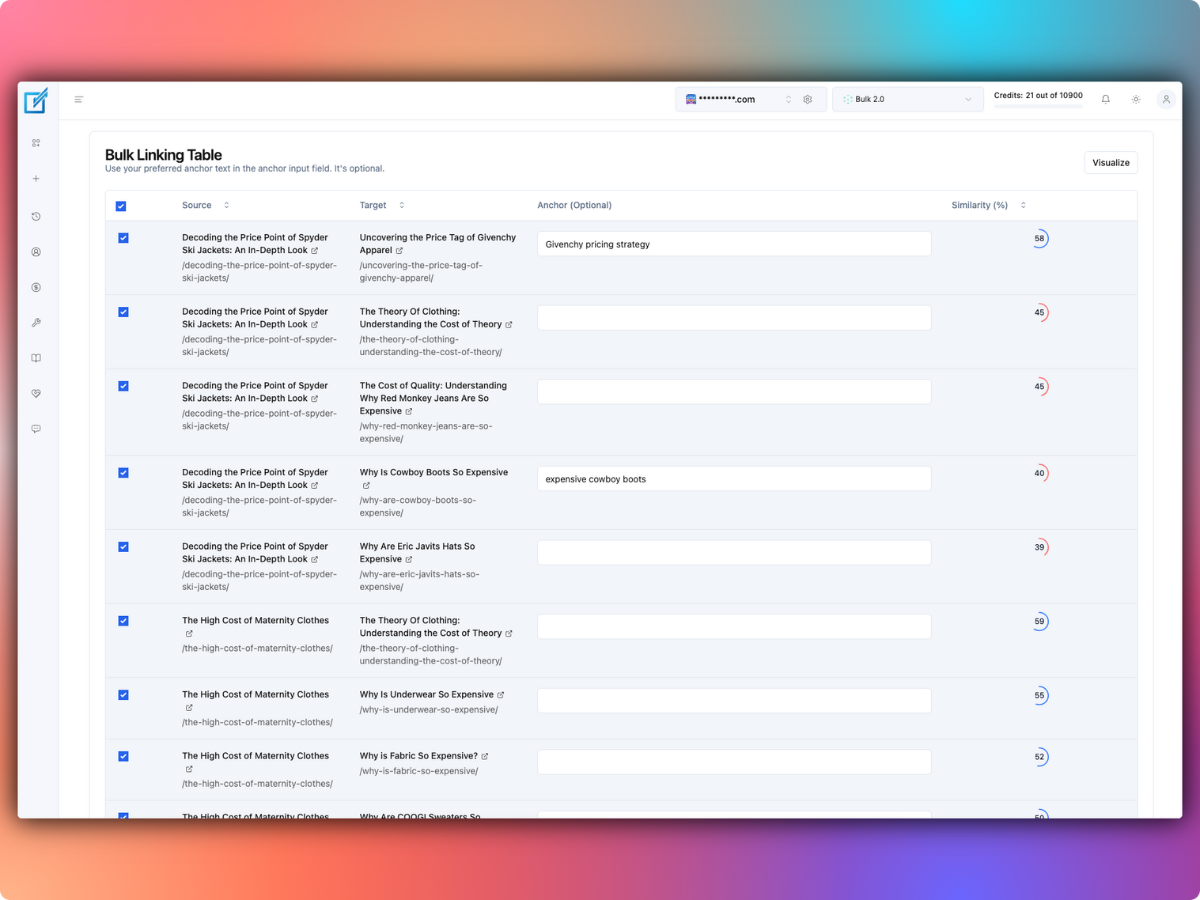
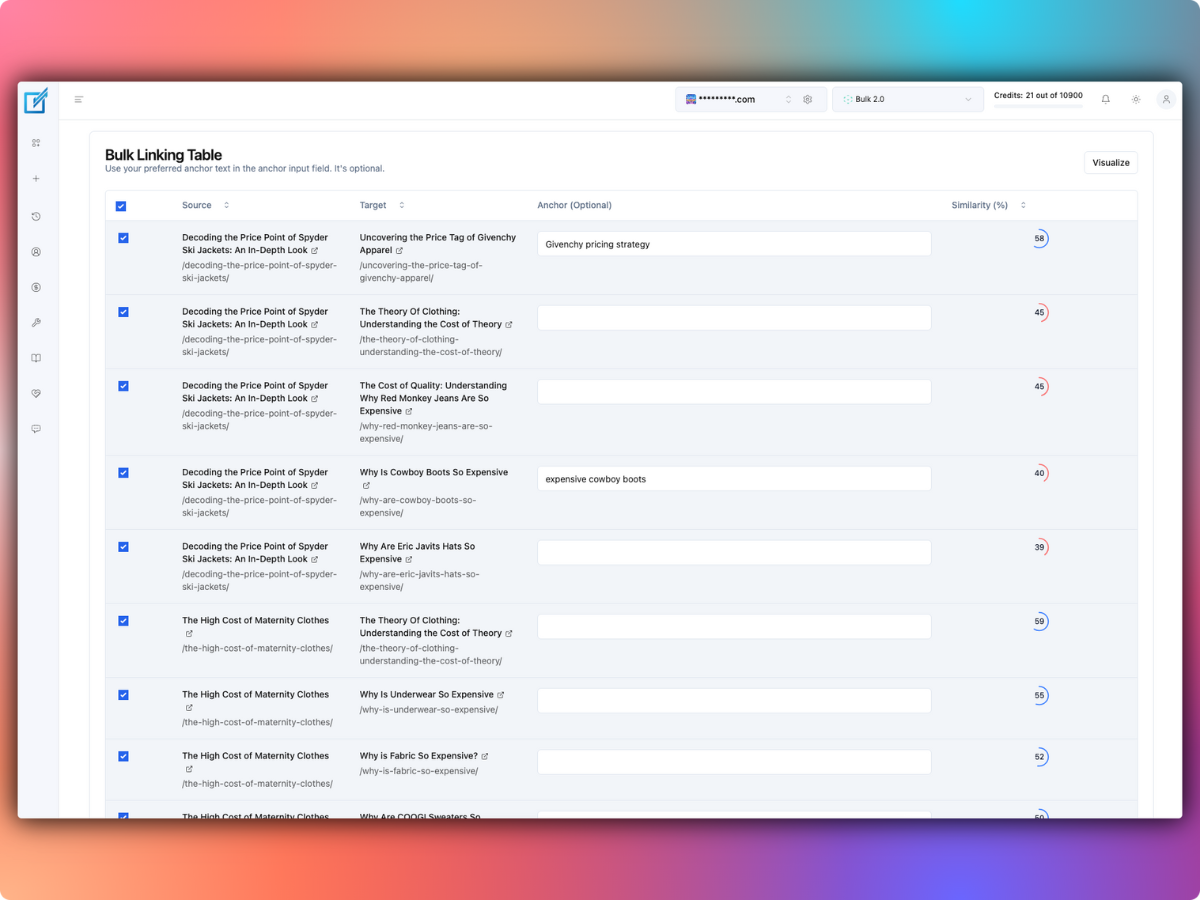
LinkBoss scans site relationships and produces suggested internal-link pairs. Its Bulk 2.0 tool can wrap a suitable existing anchor, rephrase a sentence or add contextual sentences. The vendor also provides dedicated workflows for orphan pages and dead ends.
That flexibility is useful for an extensive site but creates more editorial decisions. AI-generated text should be reviewed because it can sound forced or introduce details that the original paragraph never supported.
Which one is easier to control?
Control means different things in these products. Internal Link Juicer offers explicit rules: which keywords can link, which pages may be sources or targets, and how many links to generate. LinkBoss provides suggested matches with contextual review and configurable similarity thresholds.
- Internal Link Juicer: better when you already know which phrases should lead to which pages.
- LinkBoss: better when you want the software to find candidate relationships you have not yet identified.
- Both: need a check for duplicate links, competing destinations and awkward anchors.
Pricing and free features
Internal Link Juicer has a free Basic plugin. Its WordPress listing says Pro adds links involving custom fields, taxonomies, external targets, advanced statistics, keyword imports and role-based editing controls. Check the vendor’s purchase options for the current Pro quote.
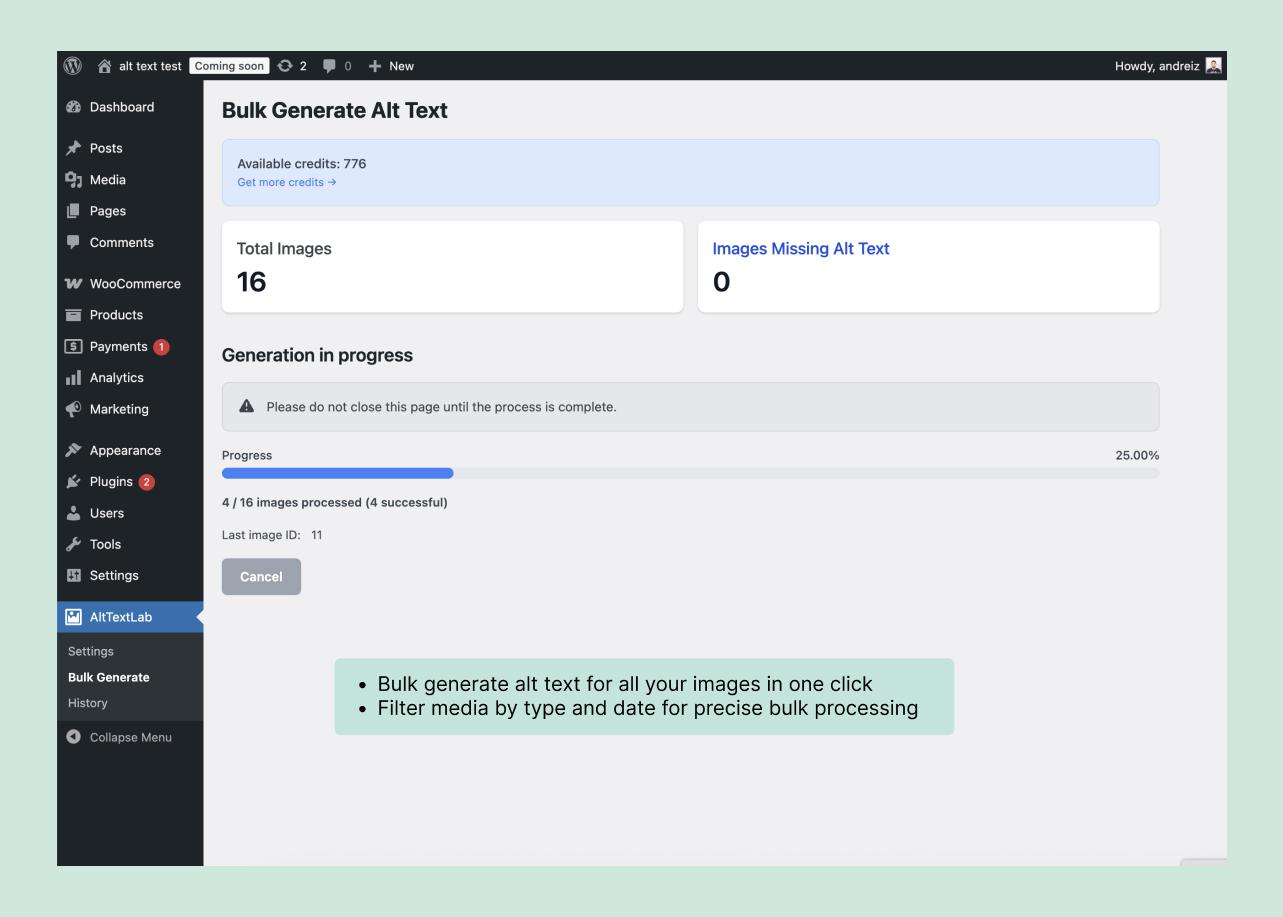
LinkBoss offers free site auditing and planning. Its paid Launch plan starts at $11/month for one website and 200 insertion credits, with annual billing and higher allowances. The vendor charges differently depending on whether it links existing text or generates new context. See our LinkBoss pricing guide.
The free Internal Link Juicer plugin and LinkBoss’s free analysis tier are not directly equivalent. One emphasizes ongoing keyword-based insertion, while the other emphasizes discovery and reports before paid insertion.
Can both tools link custom fields and product data?
Internal Link Juicer specifically lists custom fields and taxonomy linking among its Pro features, with compatibility implications for Advanced Custom Fields and some page builders. Check your exact field types and whether generated links are rendered by your theme.
LinkBoss’s WordPress integration documents custom-post-type synchronization and separate cloud analysis. For nonstandard editors or custom HTML structures, test a small sample rather than assume that a platform-level WordPress integration covers every storage format.
How do the reporting dashboards compare?
Internal Link Juicer has a filterable, sortable statistics dashboard showing automatic linking activity. Its Pro edition expands reporting.
LinkBoss’s report suite includes orphan-page and dead-end indicators, anchor analysis, site-network visualization and Google Search Console-related insights. That offers a broader diagnostic route, though the volume of features may be unnecessary for a site with 30 short blog posts.
Example: a blog with 120 articles
Suppose an editor maintains 120 posts and wants to add links to 20 cornerstone guides. These numbers are illustrative.
- With Internal Link Juicer: define target phrases on the 20 guides, set conservative link limits, and inspect links generated in related posts.
- With LinkBoss: audit the site’s link network, identify missing inbound links, generate a batch of suggestions and review each source-target pair.
- Better option: Internal Link Juicer is simpler if the keywords and destinations are obvious. LinkBoss earns its place when discovering and prioritizing connections takes most of the work.
Example: an agency maintaining 1,500 published pages
For a much larger archive, manually defining keyword rules for hundreds of destinations may require substantial ongoing maintenance. LinkBoss’s audit and bulk campaign tools may help find overlooked relationships, but high-volume changes demand backups and editorial approvals.
Whichever tool you choose, start with a limited batch, inspect the live source pages and check that each link helps a reader find genuinely related information.
Should you run both plugins together?
Using two automatic linking engines on the same site can create duplication or contradictory targeting rules. If you need LinkBoss for analysis and Internal Link Juicer for insertion, make the responsibilities explicit and test on staging first. Don’t assume the two tools coordinate their rule sets.
Our verdict: LinkBoss wins 3–2
LinkBoss is better suited to a large existing archive needing discovery and controlled bulk changes. Internal Link Juicer may be the better buy when the only requirement is free rule-based insertion.
- Choose Internal Link Juicer for an inexpensive, rules-led WordPress linking workflow where you can curate target keywords yourself.
- Choose LinkBoss for broader site audits, content-cluster planning and large reviewed linking campaigns.
- Choose neither yet if your site lacks useful destination pages or you haven’t reviewed its existing link quality.
Overall winner for a substantial content archive: LinkBoss. The free audit makes it possible to investigate problems before buying insertion credits. But the free Internal Link Juicer plugin may offer better value for a simple keyword-linking requirement.
Try LinkBoss’s free audit, or inspect Internal Link Juicer’s free plugin.
LinkBoss vs Internal Link Juicer FAQs
Is Internal Link Juicer an AI writing tool?
Its core workflow is configured keyword-based link insertion rather than writing new explanatory sentences around every link.
Can LinkBoss work without a paid subscription?
The vendor advertises free auditing and selected analysis features. Automatic link insertion draws on credits.
Which requires less editorial setup?
Internal Link Juicer asks you to define target keywords. LinkBoss can discover suggested pairs but requires review to prevent irrelevant insertions. The simpler choice depends on whether you already know the links you want.