LinkBoss costs $11 per month for one site and 200 monthly credits on Launch, with Scale at $37 per month for three sites and Agency at $99 per month for ten. Paying annually reduces the advertised rates to $99, $333, and $891 per year respectively. LinkBoss also offers a permanent free audit tier and limited annual “unlimited credits” plans.
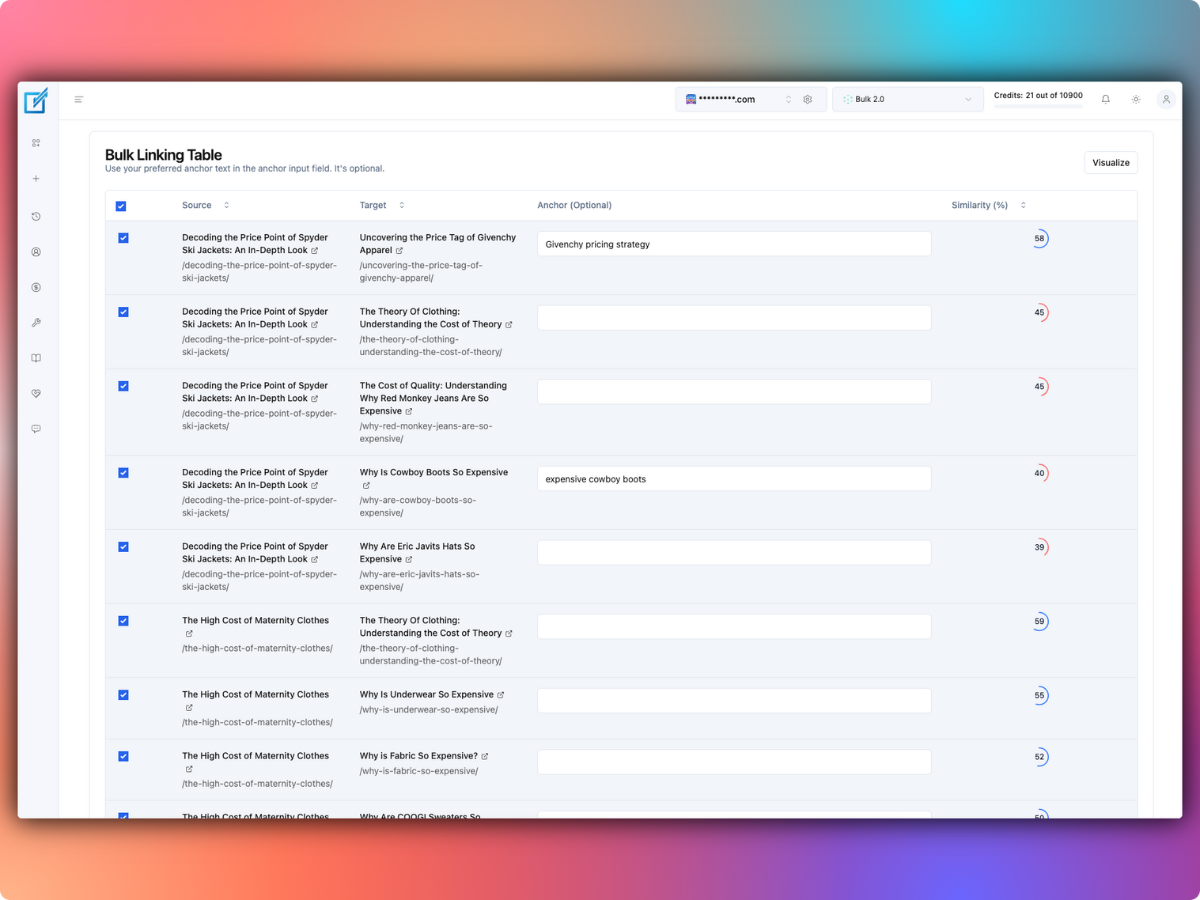
The crucial budgeting detail is that one credit does not always equal one link. Adding a link to an existing sentence consumes one credit; generating new contextual text for a link consumes two. Annual plans deliver their credits in a yearly allocation rather than small monthly deposits. Prices below were checked against LinkBoss’s official published pricing on October 24, 2026.
LinkBoss pricing at a glance
| Plan | Monthly billing | Annual billing | Sites and credits |
|---|---|---|---|
| Free | $0 | $0 | 1 site, free audits and initial insertion credits |
| Launch | $11/month | $99/year | 1 site, 200 credits/month or 2,400/year |
| Scale | $37/month | $333/year | 3 sites, 1,000 credits/month or 12,000/year |
| Agency | $99/month | $891/year | 10 sites, 2,500 credits/month or 30,000/year |
| Dominator | $549/month | $4,941/year | 50 sites, 15,000 credits/month or 180,000/year |
All dollar amounts are USD. Monthly and annual columns describe different billing commitments. The company advertises the annual prices as discounts from twelve monthly payments, and says yearly credits are deposited together. Check its live plan selector before purchasing because promotional pricing may change.
What is actually free?
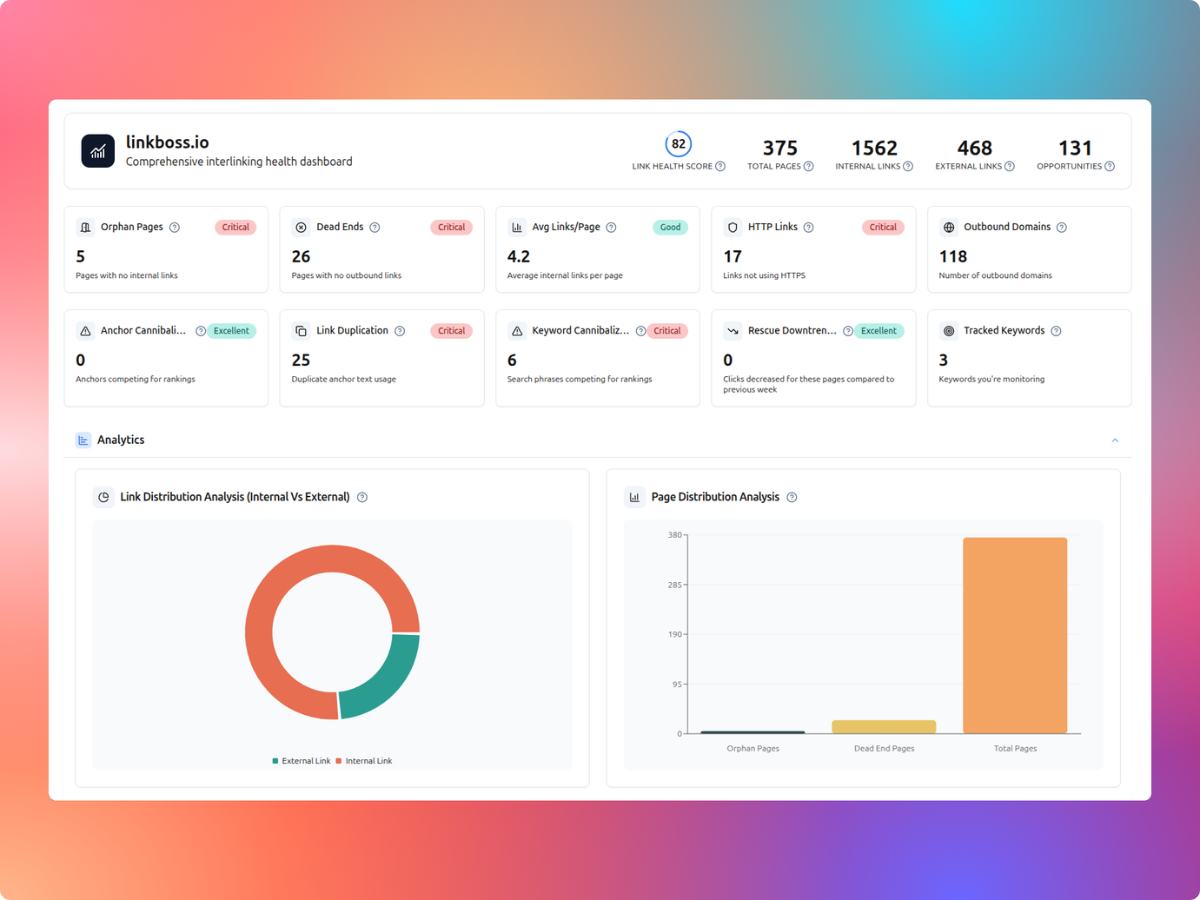
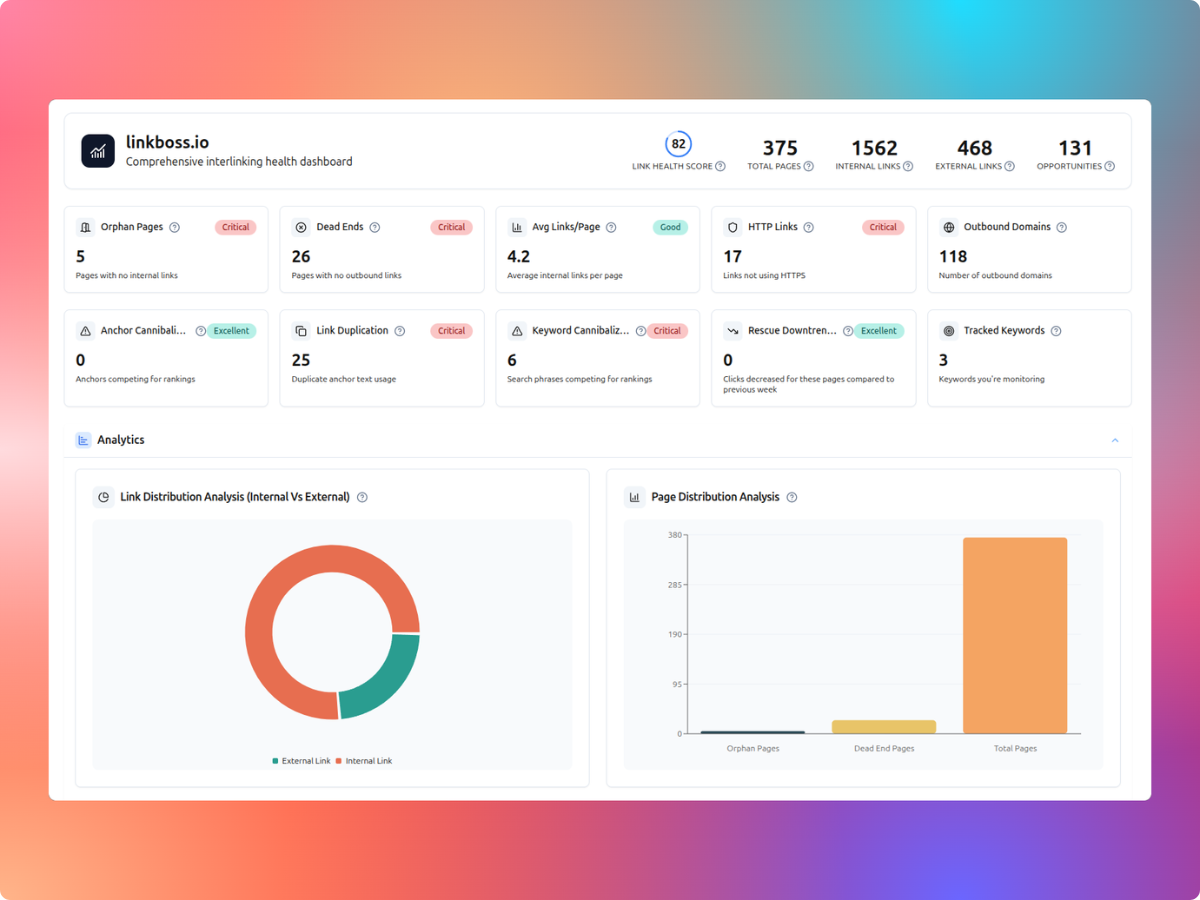
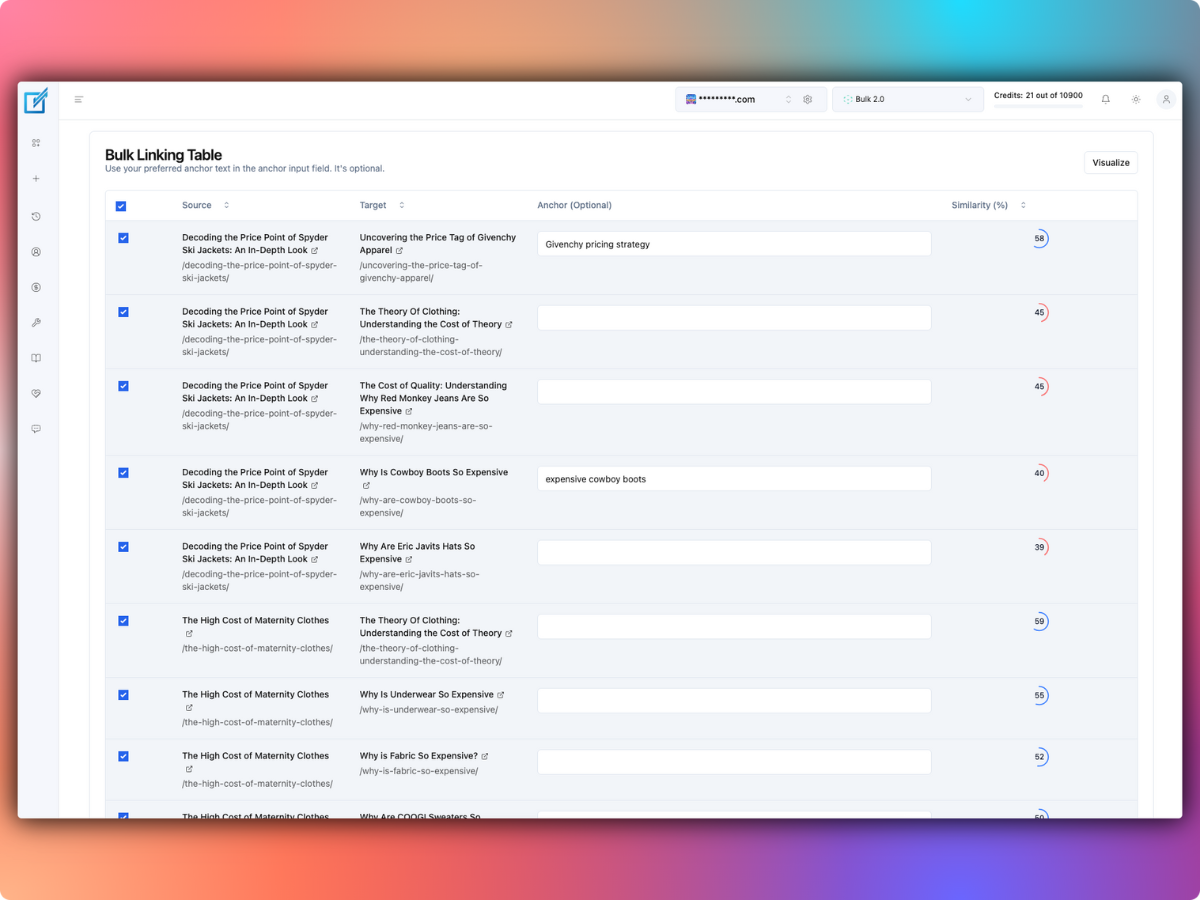
LinkBoss separates site analysis from creating links. Its site audit, internal-link visualizer, Google Search Console analytics, anchor reports, and silo-planning tools are promoted as free. It says automatic insertion uses credits.
- Site health: detect orphan pages, dead ends, duplicate internal links, and HTTP/HTTPS issues.
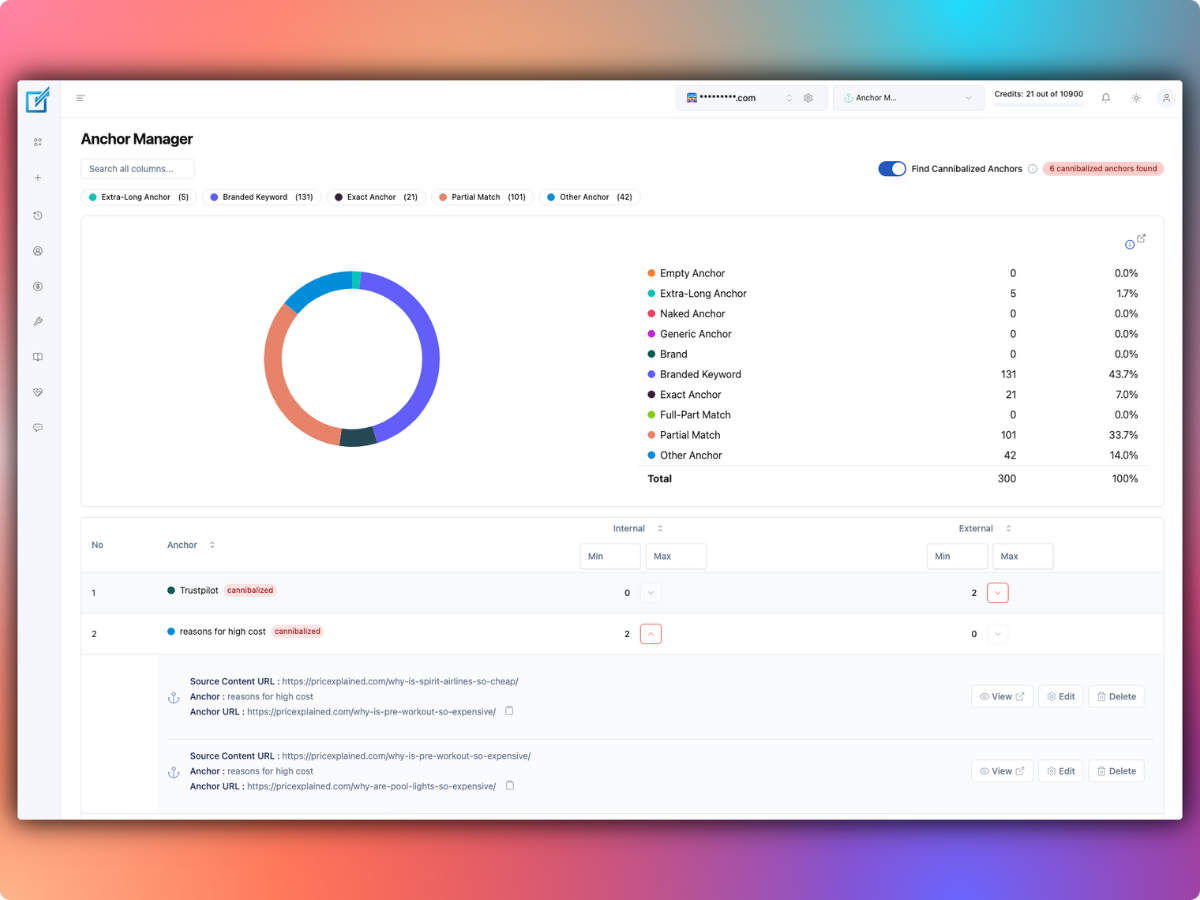
- Anchor analysis: examine anchor distributions and possible cannibalization.
- Search Console reports: see keyword clicks, impressions, position changes and potential linking opportunities.
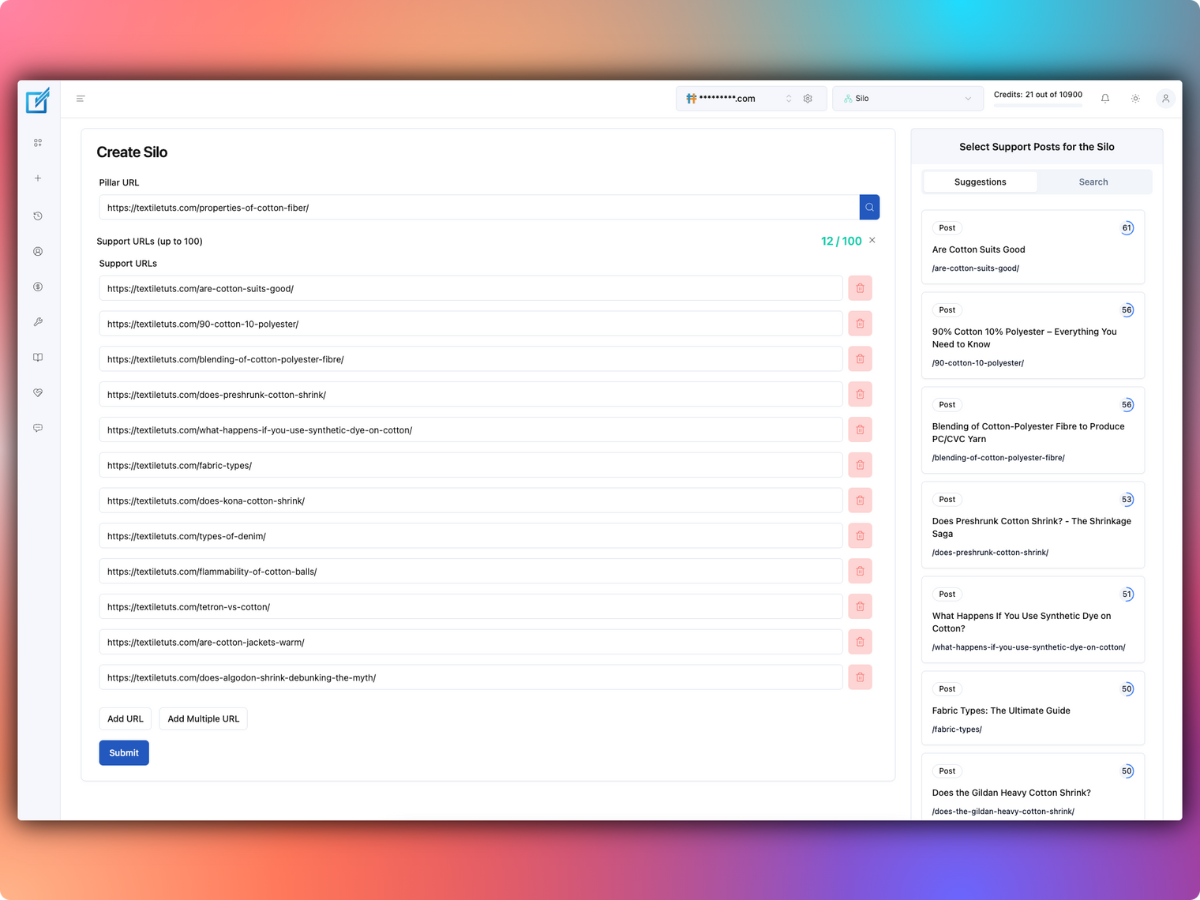
- Silo planning: plan connections between pillar and supporting pages without paying to inspect the structure.
Free credit discrepancy: LinkBoss repeatedly states that new accounts receive 100 free credits, but one free-plan panel also says “50 free auto-insert credits.” These statements appear on the same official website. Confirm the usable insertion balance inside your account; don’t assume a particular number of free links from the marketing copy. No credit card is required to start, according to LinkBoss.
How do LinkBoss credits work?
There are two important charging rules in the official LinkBoss FAQ:
- Existing-sentence placement: 1 credit for a link inserted into the text already on the page.
- Smart Link Generator: 2 credits when the tool generates new sentence context for the link.
That means a 200-credit allowance covers 200 existing-sentence links or 100 generated-context links if all jobs use just one of those methods. Real projects can use both.
Example: a publisher creating 150 internal links
- 100 links fit within existing sentences: 100 × 1 = 100 credits.
- 50 links need generated context: 50 × 2 = 100 credits.
- Total: 200 credits for 150 inserted links.
- Suitable plan: Launch’s 200-credit monthly allowance, provided the account has sufficient available balance.
Example: a content site adding 500 internal links
- Assume 350 existing-sentence links: 350 credits.
- Assume 150 generated-context links: 300 credits.
- Total: 650 credits, more than Launch’s 200 monthly credits but within Scale’s 1,000.
- Suitable plan: Scale at $37/month if the three-site allowance and renewal terms fit.
These are workload illustrations, not measured placement rates or firsthand test results. Your own content determines how many insertion attempts require new surrounding text. Review proposed anchors before confirming large batches.
Monthly versus annual: when is yearly billing cheaper?
The annual plans cost less if you need a full year of service at the published prices. The comparison below uses twelve consecutive monthly payments and the listed annual purchase price.
| Plan | 12 monthly payments | Annual payment | Savings |
|---|---|---|---|
| Launch | $132 | $99 | $33 |
| Scale | $444 | $333 | $111 |
| Agency | $1,188 | $891 | $297 |
| Dominator | $6,588 | $4,941 | $1,647 |
For a short cleanup project, a monthly subscription can still be cheaper overall. For example, a publisher needing Scale for a single month could pay $37 instead of $333 upfront. The annual option becomes more attractive as the number of paid months increases.
LinkBoss states that its yearly credits arrive at once. That lets a site use more of its yearly allowance during a large initial cleanup, but it is a reason to confirm renewal timing and any remaining-credit rules before committing. The public pricing information reviewed here does not clearly establish a general unused-credit rollover policy for every paid plan.
What do the unlimited-credit plans actually include?
LinkBoss advertises two discounted annual options:
- Solo Boss: $87 per year, one website, unlimited credits, maximum 1,000 pages on the site.
- Multi Boss: $197 per year, three websites, unlimited credits, maximum 1,000 pages per site.
The headline “unlimited” describes credits, not website size. The 1,000-page limit is important for publishers with extensive archives or agencies planning to add larger clients.
These prices are presented as discounts from higher crossed-out annual amounts. Because they are promotional offers, verify availability, site-size eligibility, renewal pricing, and any restrictions at the vendor’s purchase page. The purchase links for these plans lead to Stripe; the general affiliate URL is linked here rather than claiming tracking across a third-party checkout.
Which is better: Launch or Solo Boss?
- For fewer than 1,000 pages and heavy linking: Solo Boss could provide substantially more insertion capacity at the currently advertised $87 annual price.
- For more than 1,000 pages: Solo Boss does not meet the published page cap; compare Launch or a higher plan instead.
- For a temporary job: $11 for one month of Launch may be more sensible than paying annually.
Does LinkBoss charge per website?
Paid subscriptions set site-count limits: one, three, ten or fifty sites on the standard tiers. The vendor’s account dashboard can manage multiple sites, but buying a larger credit balance does not by itself remove the site-count restriction.
For an agency running five WordPress client sites, the ten-site Agency tier is the first standard plan listed here that covers all five at once. If all five sites each have fewer than 1,000 pages, the promotional three-site Multi Boss option would still not cover the site count without an additional eligible purchase.
Do published links disappear when you cancel?
LinkBoss says links it inserts into website content remain after the subscription ends, and even after removing its WordPress plugin. This matters when comparing it with tools that dynamically insert links at page-render time. The site still needs ongoing content maintenance if posts, slugs, or site structure change later.
LinkBoss lists a 14-day money-back guarantee. Check the exact refund conditions in the checkout terms; the marketing page describes the guarantee but is not a substitute for the purchase agreement.
How does the WordPress setup affect cost?
LinkBoss uses a WordPress plugin to connect the site with its cloud-based analysis dashboard. Installing the plugin does not by itself purchase a plan. The company says it works with conventional posts, pages, custom post types, and several WordPress page builders, and alongside SEO plugins such as Rank Math and Yoast.
Before upgrading, check:
- Content compatibility: whether the plugin correctly reads and writes the particular blocks and custom fields used by your theme.
- Approval requirements: whether every proposed link needs editorial approval or a conservative automated run is acceptable.
- Backup and recovery: take a site backup before bulk edits and inspect undo options.
- Site count and page volume: assess both, especially when considering an unlimited-credit offer.
The official WordPress integration page describes its cloud analysis, supported editors, bulk linking, and review workflow.
Which LinkBoss plan should you choose?
- Free: run a site-health audit and inspect the product before paying.
- Launch monthly: one website and a limited linking project, especially if 200 credits are sufficient.
- Scale: two or three sites, or a linking workload approaching 1,000 credits a month.
- Agency: four to ten managed sites or significantly higher link volume.
- Solo Boss or Multi Boss: smaller websites that qualify for the 1,000-page cap and can confirm the advertised annual offer applies.
- Dominator or a custom quote: larger portfolios that exceed the standard ten-site tier.
Our recommendation: begin with the free audit, calculate likely credits based on the two insertion methods, and compare the number of sites against the actual plan limits. For one site with fewer than 1,000 pages and a substantial linking backlog, the discounted Solo Boss plan is worth checking before choosing a recurring subscription. For short projects, Launch monthly has the lower upfront commitment.
Compare LinkBoss plans and start with the free site audit.
Other LinkBoss pricing questions
Can I pay only for extra credits?
The LinkBoss FAQ says users can purchase packages from the account dashboard and buy the same package more than once. It does not publish a full standalone top-up price table on the public page reviewed here. Verify an add-on quote in your account rather than assuming a fixed per-credit top-up cost.
Does LinkBoss work with Shopify or headless websites?
The company advertises WordPress and Shopify native support. An “Any CMS” beta is also mentioned, but it requires manually copying generated output into a site. Check whether your target platform has automatic insertion before buying credits.
Does LinkBoss support sites larger than 1,000 pages?
Yes, its regular plans advertise support for significantly larger websites; the 1,000-page maximum described above applies to the special unlimited-credit offers. The company cites a general cap around 25,000 pages on normal plans and higher allowances for Dominator.