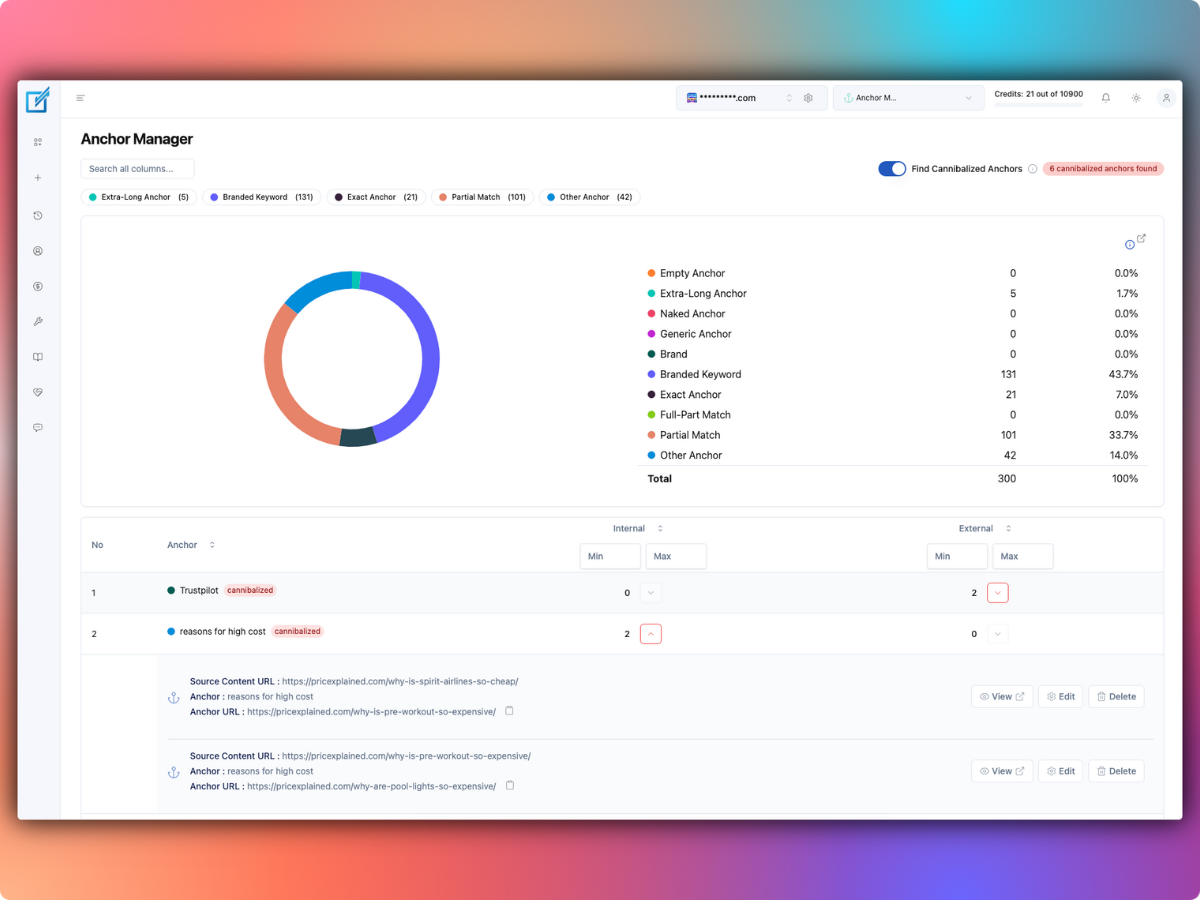
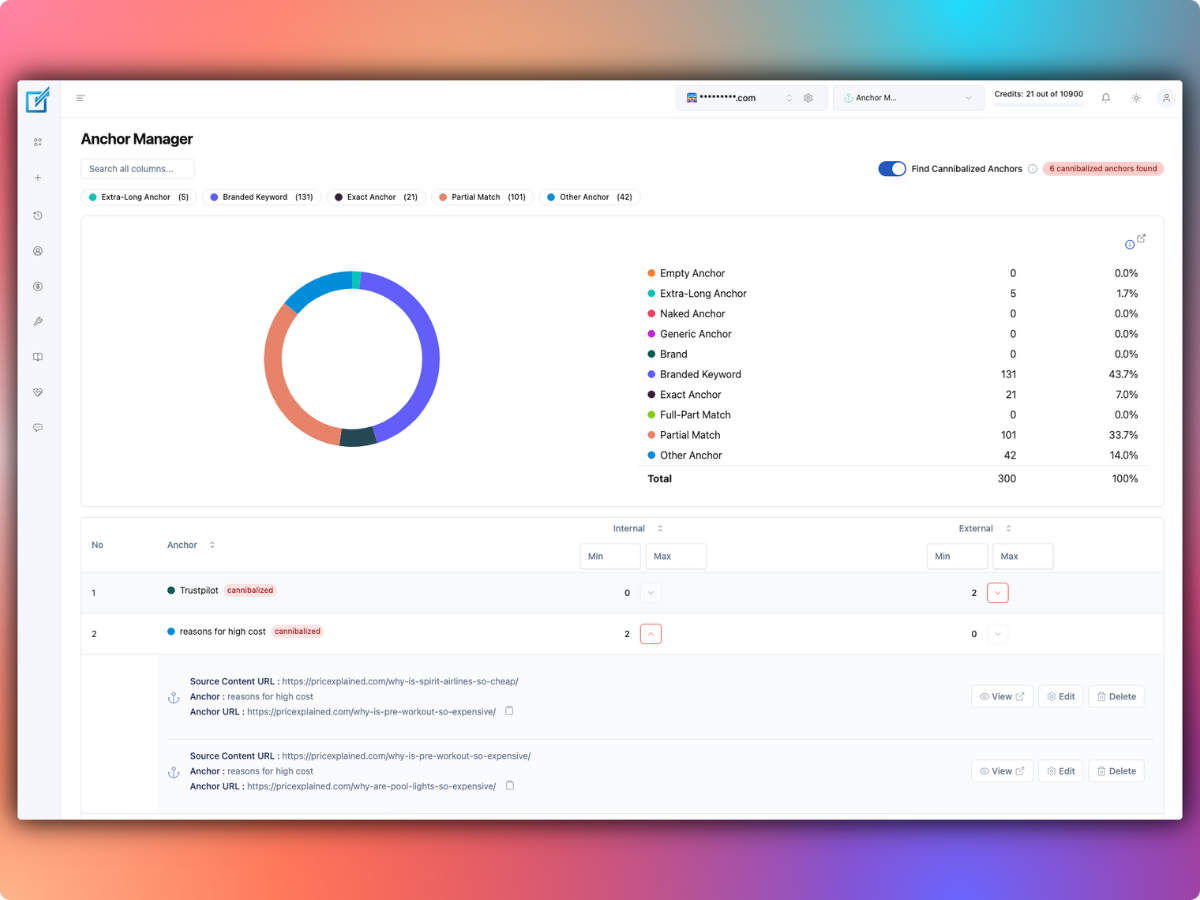
LinkBoss Anchor Manager shows which words link to which pages across your site and highlights cases where similar anchors lead to competing destinations. It reports anchor categories, shows contextual source information and provides editing tools for correcting confusing links.
The useful goal is not to hit an arbitrary exact-match keyword percentage. It’s to ensure that a reader understands where a link goes and that one phrase doesn’t repeatedly lead to different pages answering substantially the same question.
What the Anchor Manager checks
- Anchor inventory: the clickable words in links across your scanned content.
- Anchor categories: exact-match, partial-match, branded, generic and other labels.
- Source and destination: which page contains a link and where it points.
- Repeated phrases: whether many pages use identical wording for the same destination.
- Possible cannibalization: whether comparable anchors repeatedly point toward competing pages.
- Context editing: the vendor describes previews that show surrounding text before an anchor change.
These capabilities are described on LinkBoss’s Anchor Manager page and its classification guide.
Understand the anchor categories
| Type | Example | What it communicates |
|---|---|---|
| Exact match | WordPress internal linking guide | A phrase that closely matches the target page title |
| Partial match | Improving internal links | A related variation with some shared words |
| Branded | LinkBoss | The named product or publisher |
| Generic | Read more | A link with little context by itself |
| Naked URL | https://example.com | The destination URL as visible text |
| Empty | No visible anchor text | Potentially inaccessible or improperly constructed link |
The examples are illustrative, not copies of a measured site’s link profile. LinkBoss’s own classifier also defines branded-keyword, full-part-match, extra-long and miscellaneous anchors. Its categories help organize an audit; they are not a universal ranking scorecard.
How to audit anchor text in LinkBoss
- Connect your WordPress site to LinkBoss and synchronize published content.
- Open Anchor Manager from the LinkBoss dashboard.
- Review the distribution of anchor classes and filter or sort the reports.
- Inspect repeated phrases and the destinations receiving them.
- Open flagged conflicting anchors and view their source-page context.
- Choose whether the anchor should be edited, the destination changed, or the competing content consolidated.
- Make changes to a small sample, then inspect the live pages before expanding the cleanup.
Don’t assume every repeated phrase is a problem. Several links saying “pricing” could naturally point to the appropriate product’s price page in different article contexts. The issue is whether the anchor gives a misleading or inconsistent expectation to the reader.
What is internal anchor cannibalization?
Anchor cannibalization describes a situation where comparable anchor language across the site points toward different URLs that compete for the same topic. For example, if a site has two nearly identical guides titled “How to optimize images” and “Image SEO tips,” links using “image SEO guide” might point to both without a clear distinction.
Before changing all those links, check whether you actually need two separate articles. If they answer the same question for the same audience, consolidation may be better than merely varying anchors. If they serve different intents, make the visible link wording more specific.
Example: two overlapping WordPress guides
- Guide A: how to create image alt text in WordPress.
- Guide B: a broader image optimization guide covering compression and formats.
- Ambiguous anchor: “image SEO guide” could reasonably point to either.
- Clearer anchor to A: “generate alt text for WordPress images.”
- Clearer anchor to B: “optimize WordPress image formats and file sizes.”
This isn’t a ranking prediction. It makes destinations easier to understand and helps your information architecture distinguish the two tasks.
Do you need an exact-match anchor ratio?
No single percentage works for every site. LinkBoss’s marketing content suggests distribution heuristics, but those should not be treated as search-engine rules. Internal-link intent, destination relevance, readability and the natural language of surrounding paragraphs matter more than forcing branded, generic or exact-match anchors to meet a rigid ratio.
Use the Anchor Manager to identify unusual concentration, then inspect real examples. A blog whose posts link to one glossary term may naturally use the same descriptive term often without being overoptimized.
How to change an anchor without damaging content
- Read the sentence containing the link in full.
- Open the destination to understand what it actually explains.
- Change the visible words only if the resulting sentence reads naturally.
- When a target URL is wrong, correct the destination as well as the anchor.
- Check that punctuation, emphasis, and surrounding HTML remain valid.
- Reload the public page and verify the corrected link.
LinkBoss advertises context-aware editing tools, but the published page is the final quality check. Coordinate link changes with editors who might also be revising those paragraphs.
When should you consolidate pages instead?
If two pages address the same subject with nearly identical answers, changing anchor wording may only disguise a deeper content duplication issue. Choose the stronger, fresher resource and decide whether the weaker page needs a substantial rewrite, redirect, or consolidation.
Keep distinct pages when their reader questions genuinely differ. Then use anchors that describe the difference. This approach supports clear navigation independently of any algorithmic claims about link equity.
What does Anchor Manager cost?
LinkBoss advertises several reporting and anchor-analysis functions as part of its free suite. Automated insertion or bulk changes can consume credits depending on the chosen workflow. Do not assume that reading a report and generating a new link have the same price.
Standard paid plans begin with Launch at $11/month for one site and 200 credits. You can compare the current offers in our LinkBoss pricing guide. Review the actual cost shown in your dashboard before a paid operation.
How does this fit with silo and bulk linking tools?
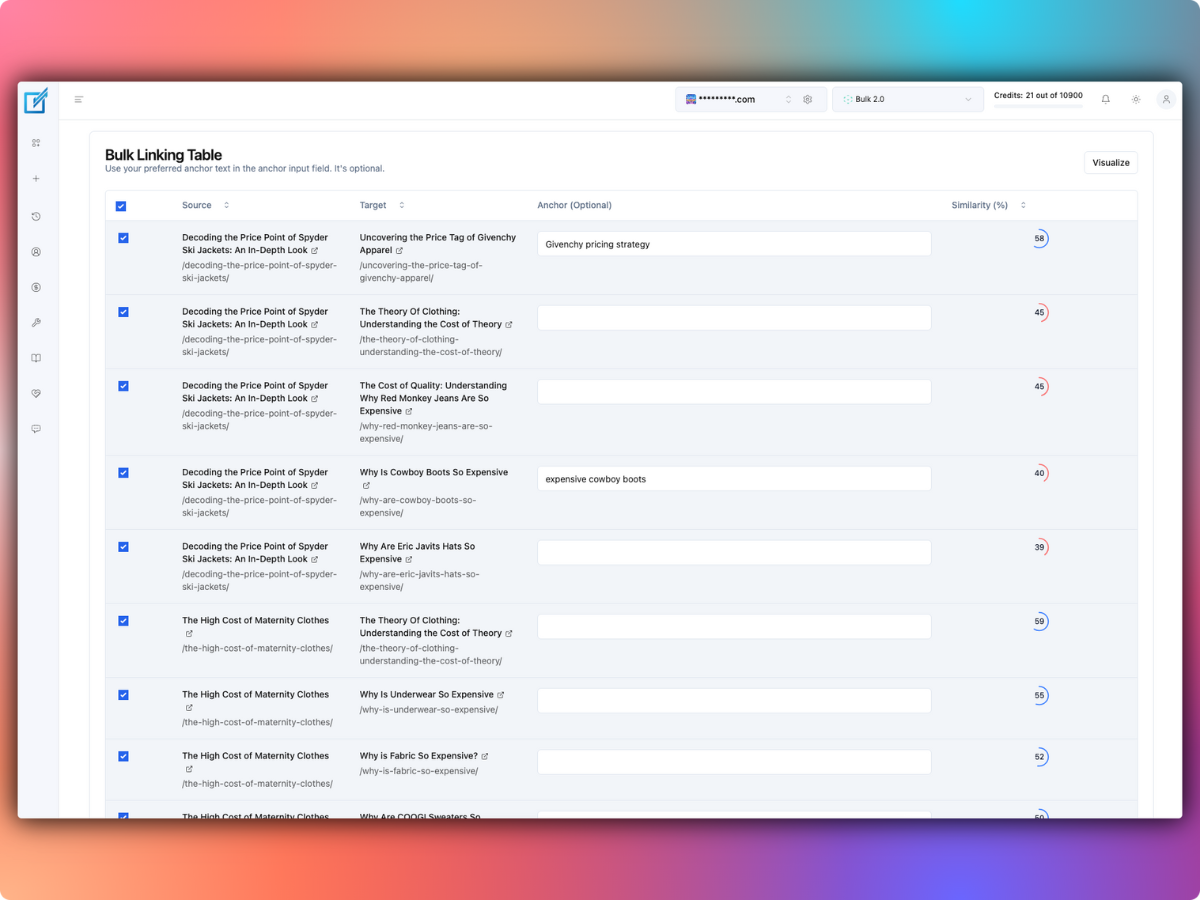
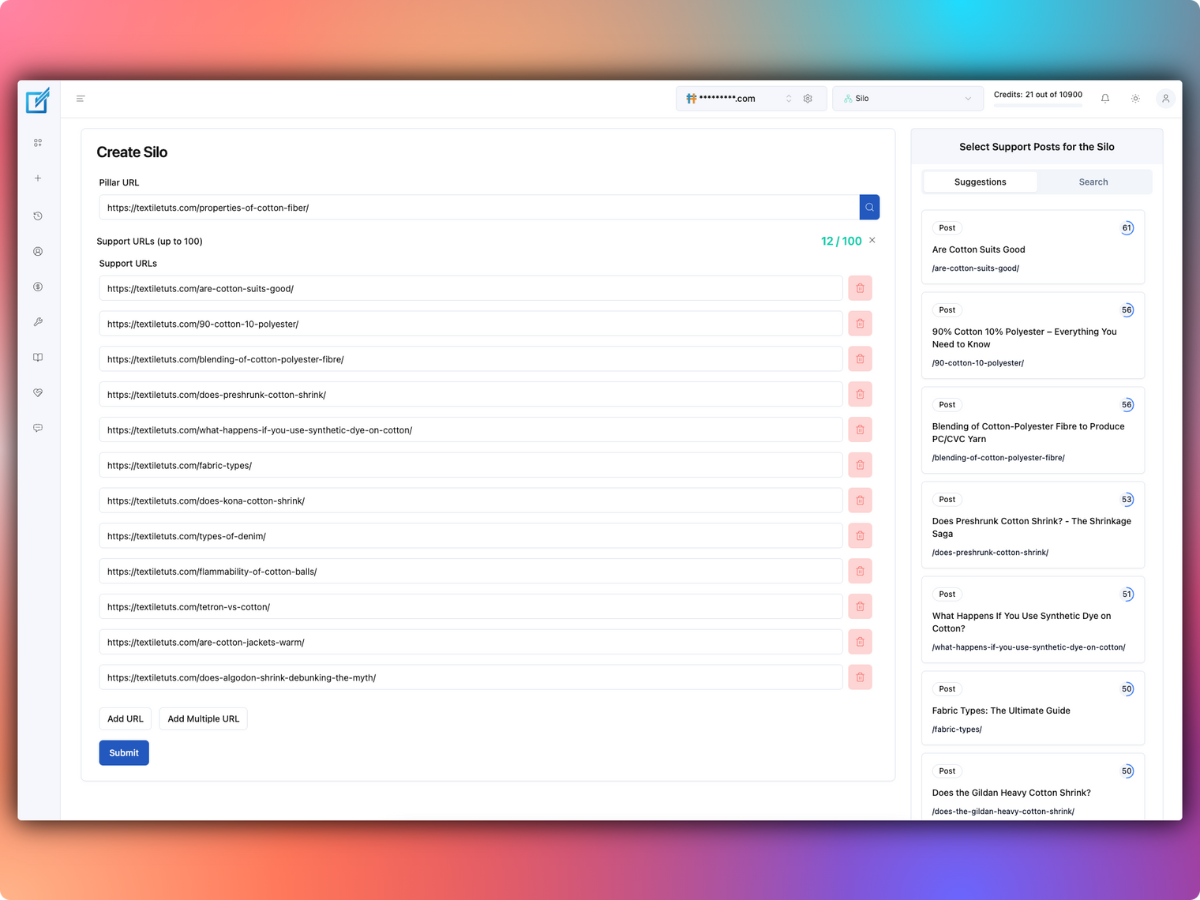
Audit anchor text before and after a large bulk-linking campaign. A newly created silo can add many legitimate links to a pillar page, but it can also create repetitive anchors if nobody checks the generated phrasing. Use the silo guide to plan the network and Bulk 2.0 guide to understand how content may be edited.
Should you use LinkBoss Anchor Manager?
It’s worth evaluating when you maintain many articles, have several overlapping topics, or recently ran automated internal-link updates. The most useful outcome is a clear list of links that are misleading, repetitive or pointed at an outdated destination.
Start with a free audit, correct a handful of genuine problems and verify them on the live site. Explore LinkBoss’s anchor and site-health tools.
Anchor Manager FAQs
Is every exact-match anchor bad?
No. Descriptive exact-match wording can be perfectly natural. Review whether the phrase accurately represents the target and makes sense in the sentence.
Does Anchor Manager find conflicting target URLs?
The vendor says it flags possible anchor cannibalization and offers source tracing and editing controls. Treat the flags as review candidates, not definitive proof of a search problem.
Can I use the tool for a small WordPress site?
Yes, although a small site with only a handful of articles may be easy enough to audit manually. The tool becomes more useful as the number of links and overlapping topics grows.