Internal-linking tools range from WordPress plugins that insert links to technical crawlers that reveal structural problems. Here are the practical differences, limitations and current pricing considerations.
Quick comparison
| Tool | Best for | Pricing |
|---|---|---|
| LinkBoss | Bulk insertion and site-wide link health | $11/month Launch, 200 credits; free audit tools |
| Link Whisper | WordPress-native editorial linking | Free plugin available; verify premium license and AI-credit pricing |
| Internal Link Juicer | Repeatable keyword-to-URL linking rules | Free Basic; Pro pricing at vendor checkout |
| AIOSEO Link Assistant | Teams already using AIOSEO | Available with eligible paid AIOSEO plans |
| LinkStorm | Crawl-driven link opportunities across sites | From $30/month for 1,000 URLs and credits |
| Linkilo | WordPress internal-link management | Verify current plans on official website |
| Linksy | AI-assisted WordPress link suggestions | Verify current plans on official website |
| Yoast SEO | Sites already paying for Yoast Premium | Premium subscription; check current pricing |
| Screaming Frog SEO Spider | Technical internal-link crawling | Free limited crawl; paid license |
| Semrush | Broad SEO site audits | Subscription plans vary |
| Ahrefs | Site architecture analysis | Subscription plans vary |
| Sitebulb | Visual technical SEO audits | Check current license pricing |
1. LinkBoss
Best for: Bulk insertion and site-wide link health.
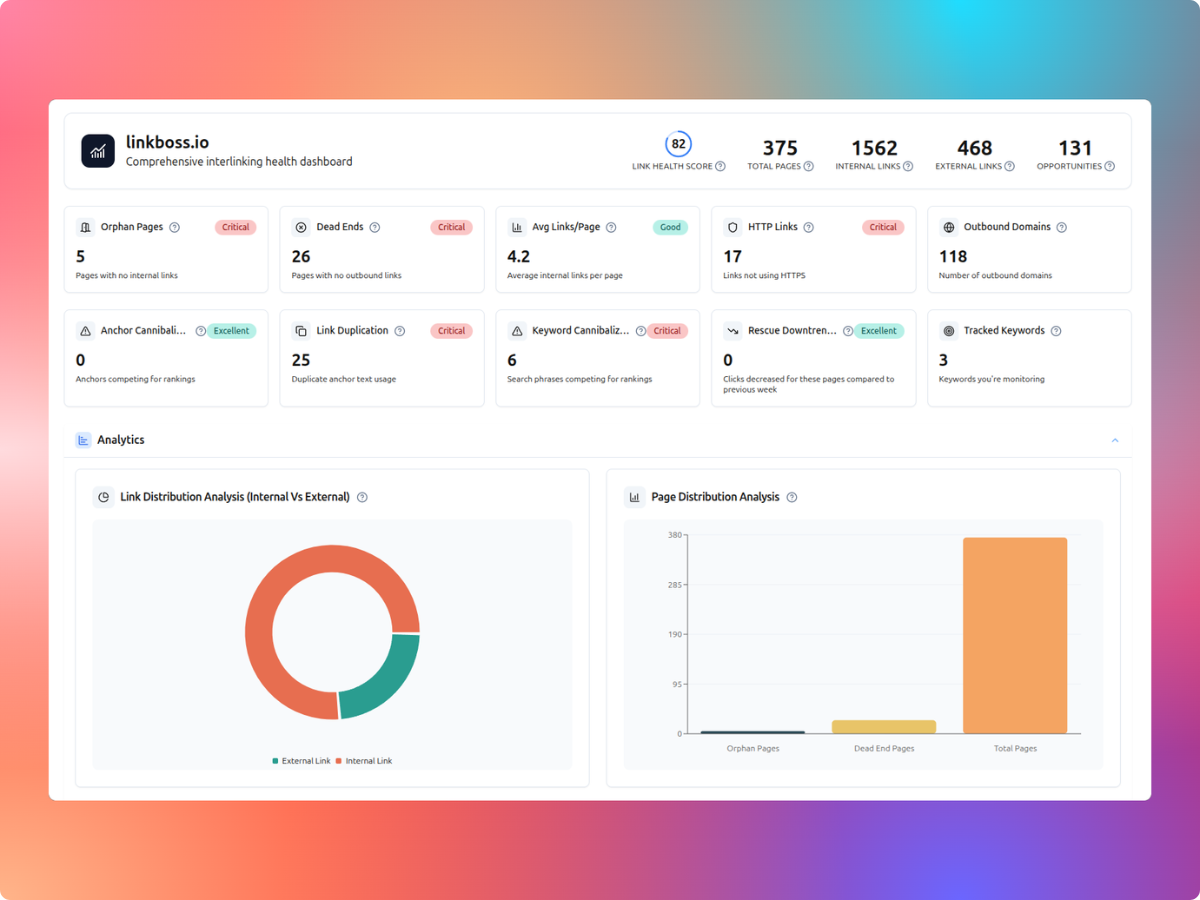
LinkBoss is worth evaluating for bulk insertion and site-wide link health. The relevant trade-off is whether you need link insertion, editorial suggestions or diagnostic reporting.
Key features
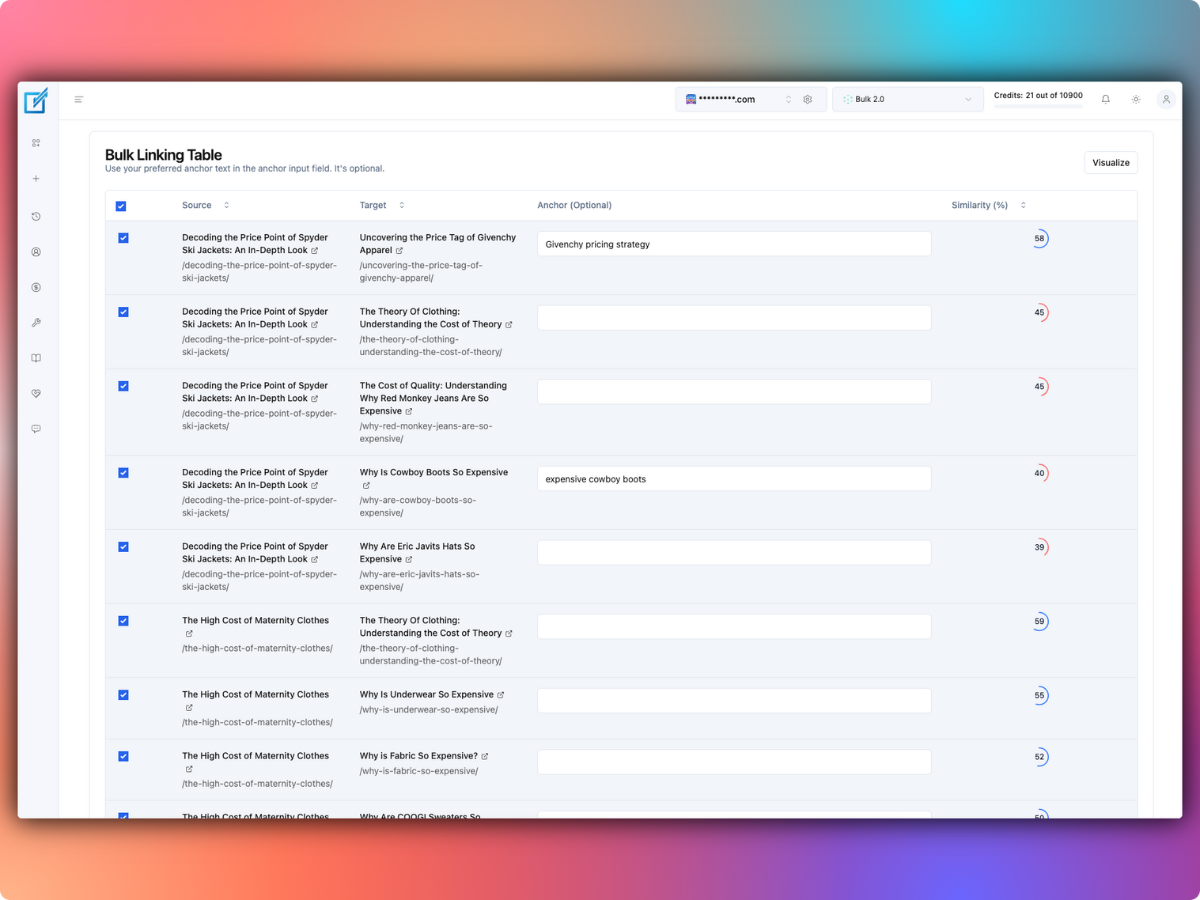
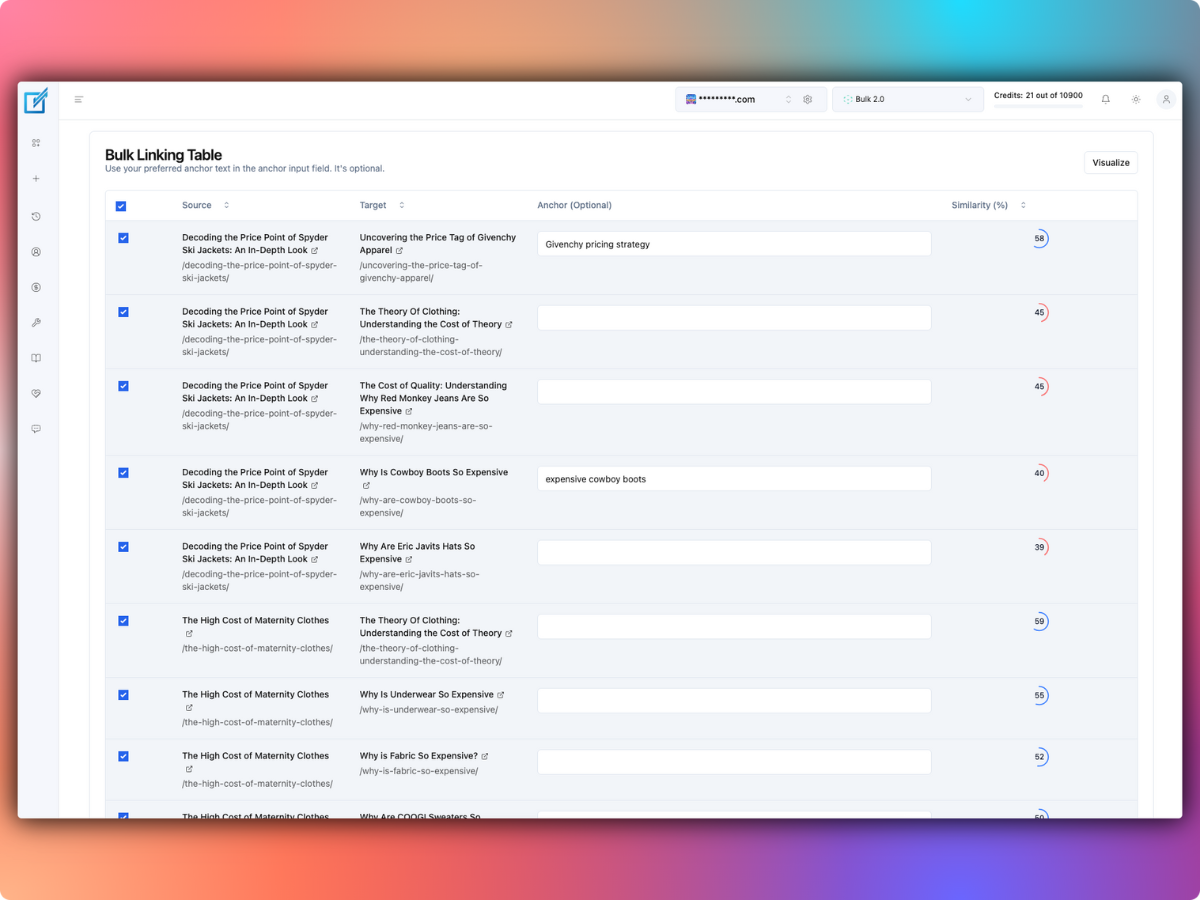
- AI-assisted contextual link insertion
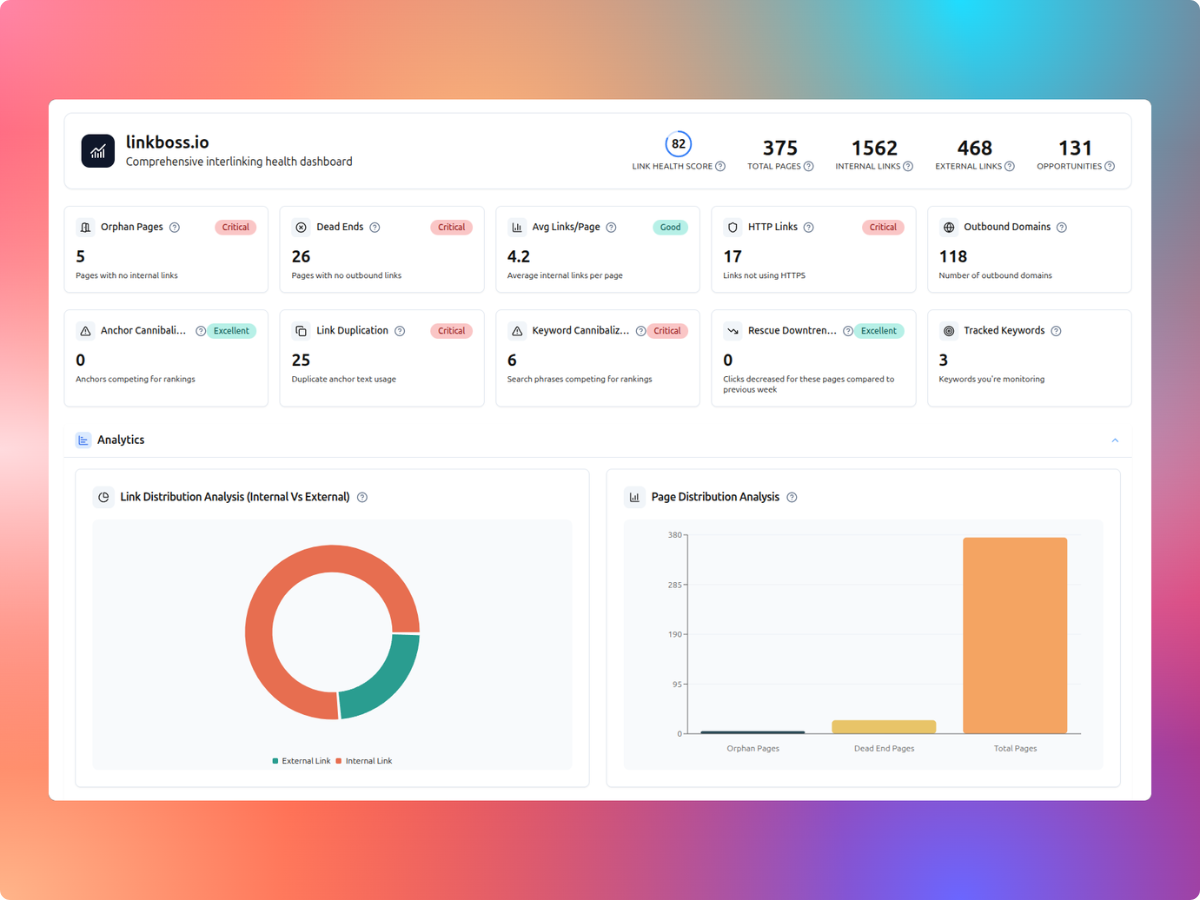
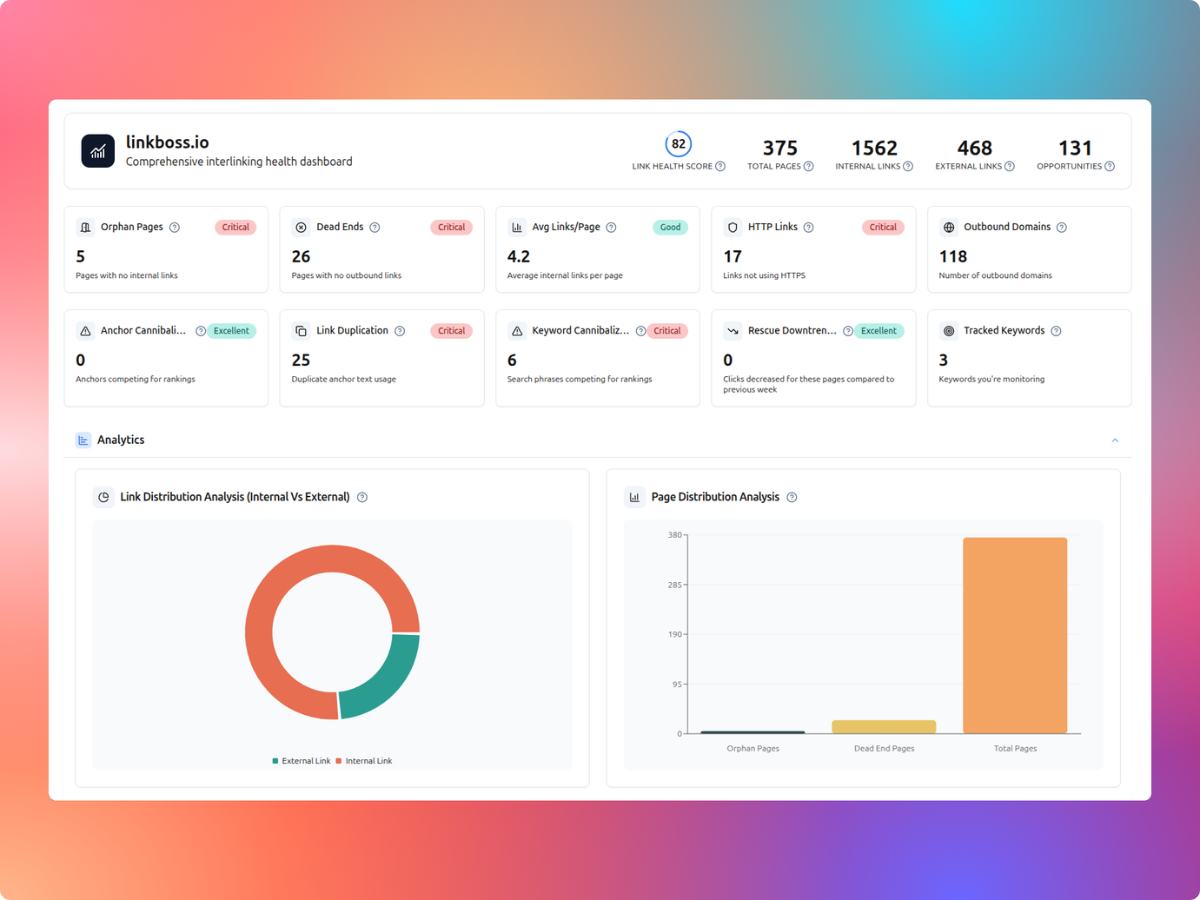
- Orphan and dead-end page reports
- Bulk 2.0 pipeline
- Silo builder and anchor analysis
Pros
- Free ongoing audit and reporting tools
- Supports review-before-insertion workflows
- Existing links remain after cancellation
Cons
- Credits reset on monthly plans
- Any-CMS beta requires manual copying
- Unlimited plans cap eligible site size
Pricing
Current published plan tiers:
- Monthly: Launch $11 for 1 site and 200 credits; Scale $37 for 3 sites and 1,000 credits; Agency $99 for 10 sites and 2,500 credits; Dominator $549 for 50 sites and 15,000 credits.
- Annual: Launch $99 for 2,400 credits; Scale $333 for 12,000; Agency $891 for 30,000; Dominator $4,941 for 180,000.
- Unlimited annual: Solo Boss $87 for 1 site; Multi Boss $197 for 3 sites. Each is subject to a 1,000-page-per-site limit.
Check official pricing and plan conditions.
Verdict
LinkBoss is a stronger fit for bulk insertion and site-wide link health. Its bulk-linking and audit tools make it a practical shortlist choice, provided the credit model fits your publishing volume.
2. Link Whisper
Best for: WordPress-native editorial linking.
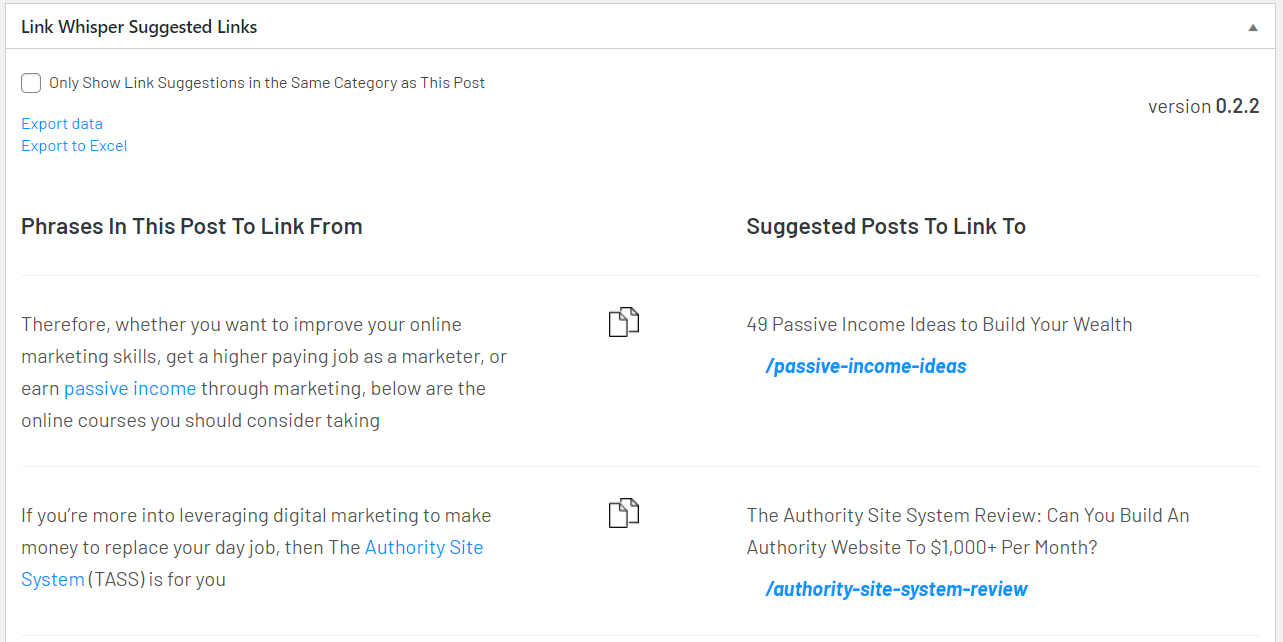
Link Whisper is worth evaluating for wordpress-native editorial linking. The relevant trade-off is whether you need link insertion, editorial suggestions or diagnostic reporting.

Key features
- Inbound and outbound suggestions
- Orphan and broken-link reports
- Auto-link rules
- Visual sitemaps and click reports
Pros
- Free edition available
- Works inside WordPress editor
- Configurable suggestion exclusions
Cons
- WordPress-specific plugin
- AI workflows may use separate credits
- Full maintenance reports require premium
Pricing
Current published plan tiers:
- Starter: $119/year, 1 site, 2,000 AI credits.
- Growth: $197/year, 3 sites, 3,000 AI credits.
- Pro: $297/year, 10 sites, 5,000 AI credits.
- Agency: $497/year, 50 sites, 10,000 AI credits.
- Plugin licenses are annual. Additional AI credits can be purchased separately.
Check official pricing and plan conditions.
Verdict
Link Whisper is a stronger fit for wordpress-native editorial linking. Check the workflow and plan restrictions against the other options before purchasing.
3. Internal Link Juicer
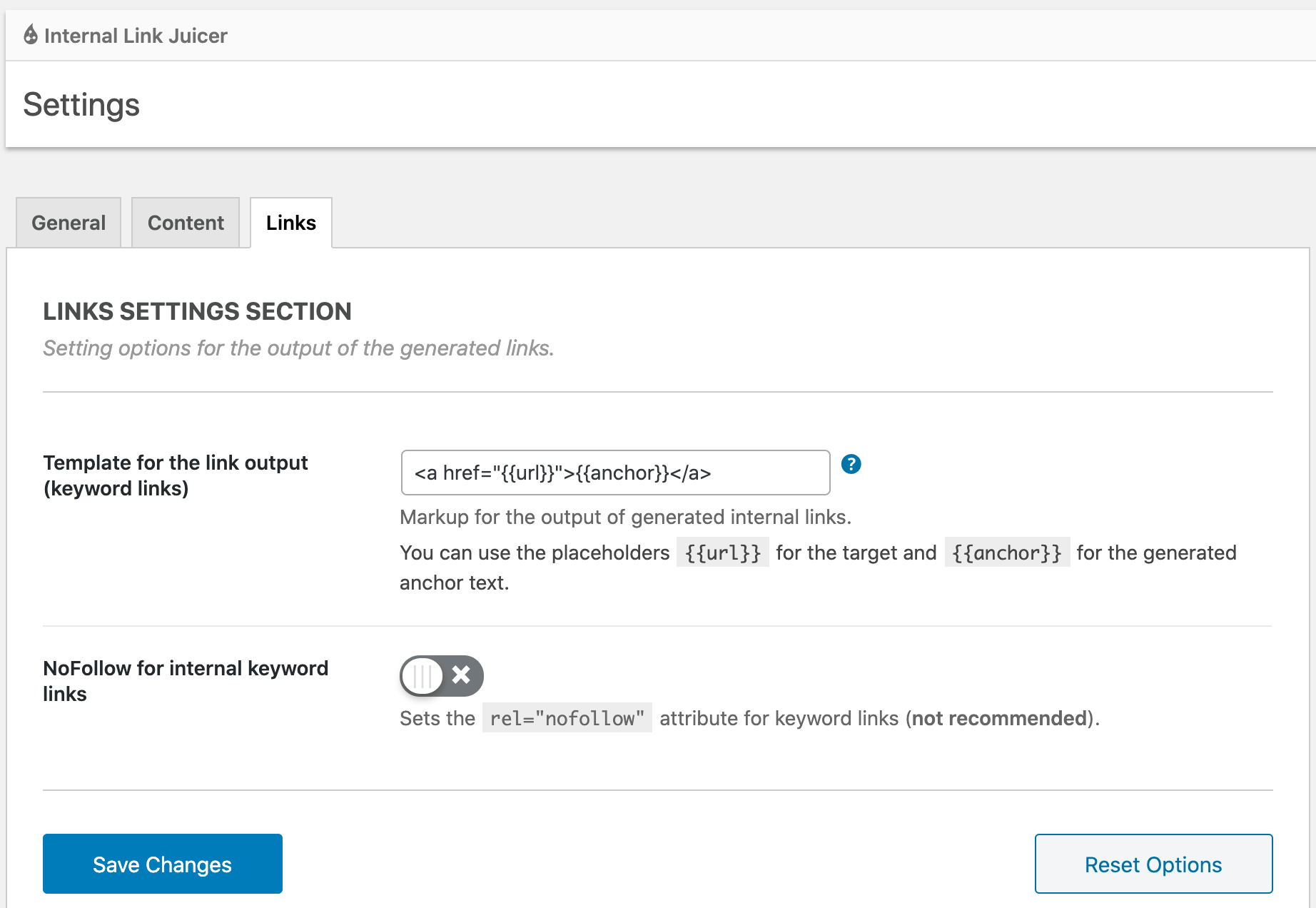
Best for: Repeatable keyword-to-URL linking rules.
Internal Link Juicer is worth evaluating for repeatable keyword-to-url linking rules. The relevant trade-off is whether you need link insertion, editorial suggestions or diagnostic reporting.
Key features
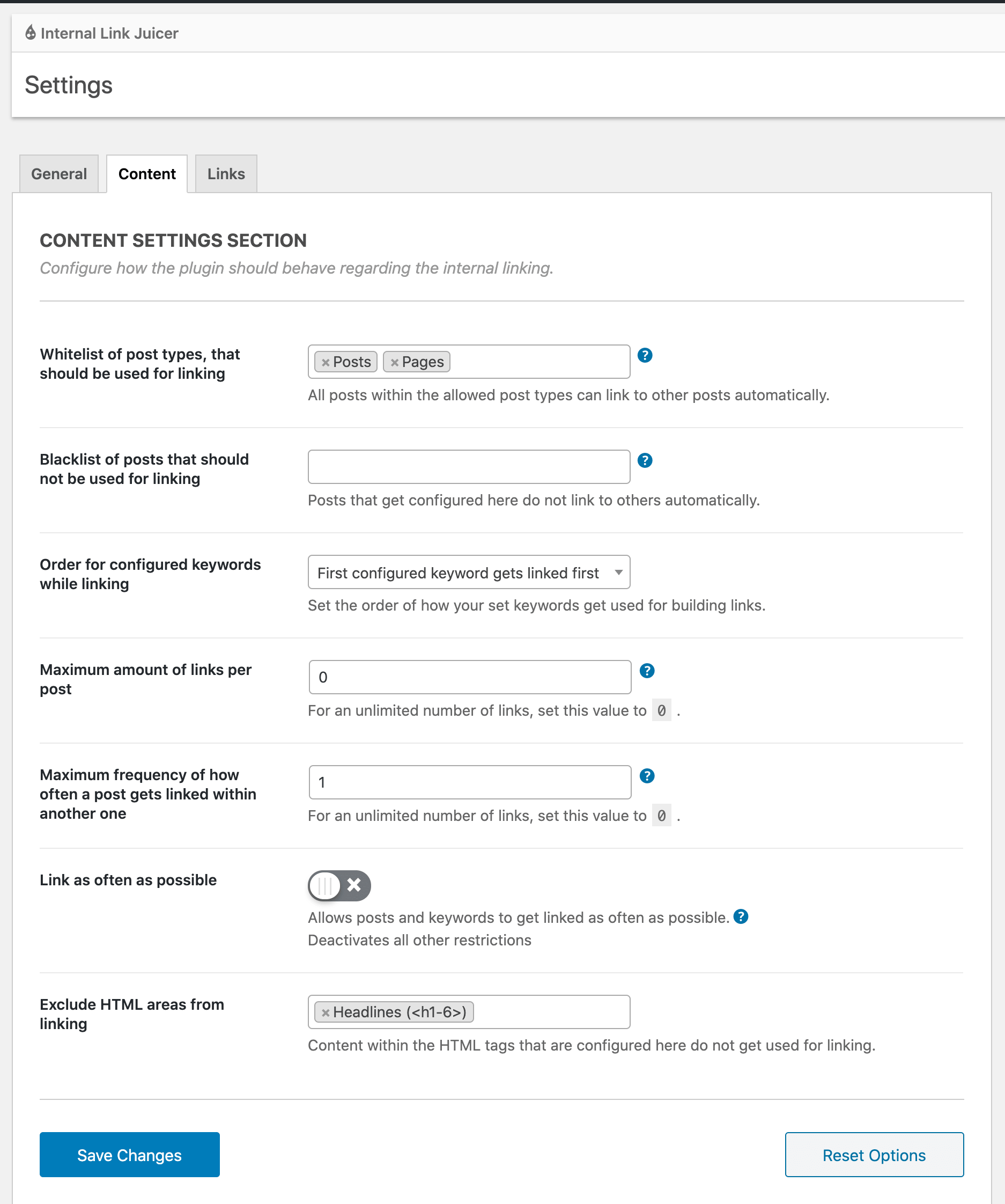
- Keyword-to-target configuration
- Automated rule-based link insertion
- Link reports
- Per-post keyword controls
Pros
- Free starting option
- Deterministic linking rules
- Useful for recurring terms
Cons
- Requires ongoing rule curation
- Keyword matches need editorial review
- Less suited to semantic topic matching
Pricing
Free Basic; Pro pricing at vendor checkout. Confirm limits and checkout totals with the vendor.
Verdict
Internal Link Juicer is a stronger fit for repeatable keyword-to-url linking rules. Check the workflow and plan restrictions against the other options before purchasing.
4. AIOSEO Link Assistant
Best for: Teams already using AIOSEO.
AIOSEO Link Assistant is worth evaluating for teams already using aioseo. The relevant trade-off is whether you need link insertion, editorial suggestions or diagnostic reporting.
See AIOSEO Link Assistant’s official product interface and screenshots.
Key features
- Internal-link suggestions
- Link opportunity reports
- Orphan content insights
- WordPress SEO integration
Pros
- Fits an existing SEO workflow
- Reduces tool switching
- Works within WordPress
Cons
- Requires eligible paid plan
- Broader SEO suite may be unnecessary
- Plan eligibility should be checked
Pricing
Available with eligible paid AIOSEO plans. Confirm limits and checkout totals with the vendor.
Verdict
AIOSEO Link Assistant is a stronger fit for teams already using aioseo. Check the workflow and plan restrictions against the other options before purchasing.
5. LinkStorm
Best for: Crawl-driven link opportunities across sites.
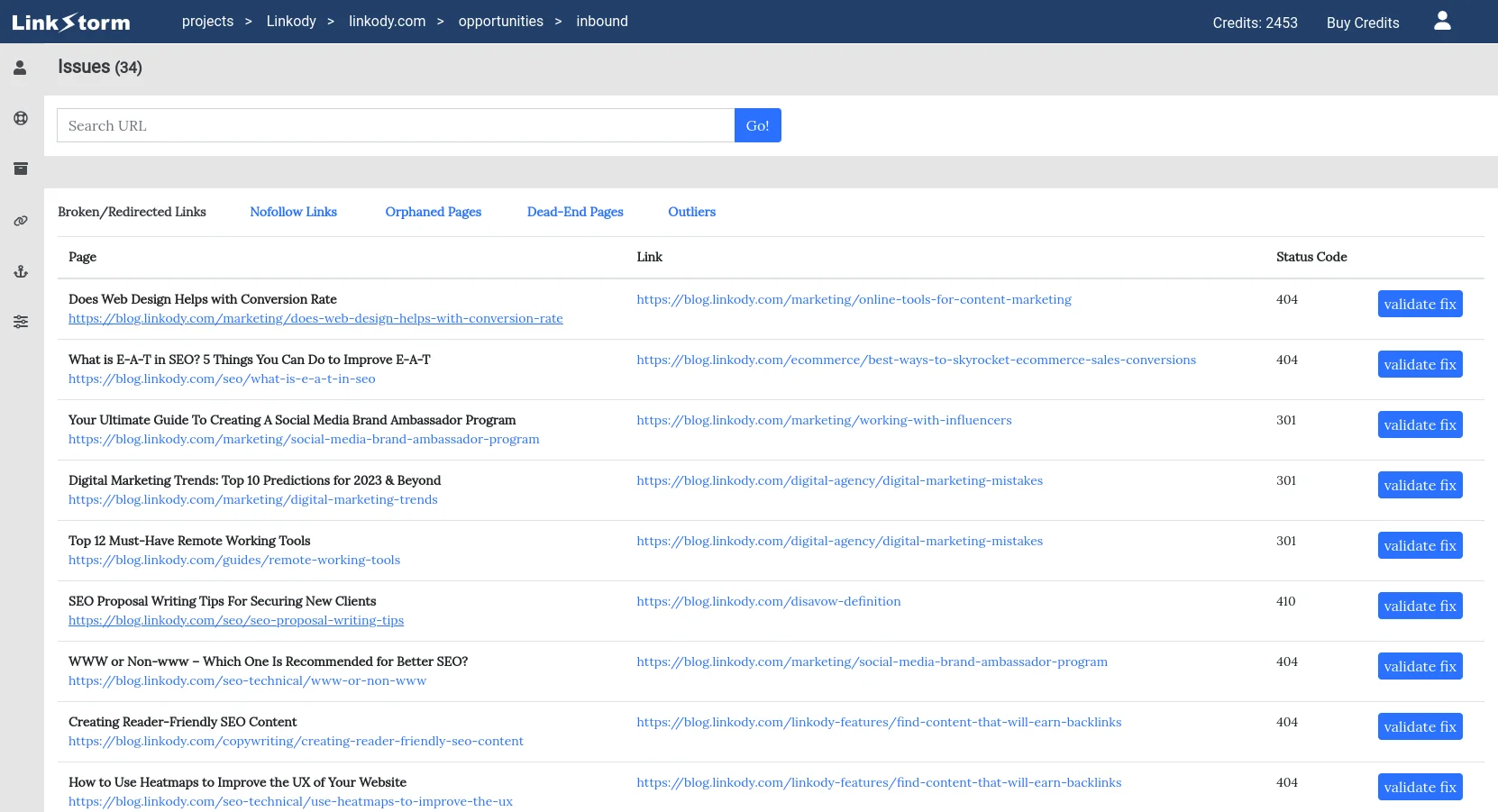
LinkStorm is worth evaluating for crawl-driven link opportunities across sites. The relevant trade-off is whether you need link insertion, editorial suggestions or diagnostic reporting.
Key features
- Link opportunity discovery
- Internal-link optimization
- Multi-site projects
- URL-volume-based plans
Pros
- Unlimited projects on listed plans
- Clear URL-based pricing
- Works beyond a single WordPress site
Cons
- Usage tiers scale with URLs
- Separate subscription
- Recommendations still need editorial review
Pricing
Current published plan tiers:
- Small: $30/month, 1,000 URLs and 1,000 credits.
- Medium: $60/month, 5,000 URLs and 5,000 credits.
- Large: $120/month, 20,000 URLs and 20,000 credits.
- XL: $200/month, 50,000 URLs and 50,000 credits.
- Each tier lists unlimited projects and websites.
Check official pricing and plan conditions.
Verdict
LinkStorm is a stronger fit for crawl-driven link opportunities across sites. Check the workflow and plan restrictions against the other options before purchasing.
6. Linkilo
Best for: WordPress internal-link management.
Linkilo is worth evaluating for wordpress internal-link management. The relevant trade-off is whether you need link insertion, editorial suggestions or diagnostic reporting.
See Linkilo’s official product interface and screenshots.
Key features
- Link suggestions
- Link reporting
- WordPress integration
Pros
- WordPress-oriented workflow
- Dedicated linking interface
- Potential fit for content-heavy blogs
Cons
- Confirm current pricing
- Validate supported editors
- Check automation limits
Pricing
Current published plan tiers:
- Single Site: $59/year, 1 site.
- 5 Sites: $149/year.
- 25 Sites: $279/year.
- Unlimited Sites: $499/year.
- Promotional rates shown by the vendor; optional AI features use your own separately billed AI API key.
Check official pricing and plan conditions.
Verdict
Linkilo is a stronger fit for wordpress internal-link management. Check the workflow and plan restrictions against the other options before purchasing.
7. Linksy
Best for: AI-assisted WordPress link suggestions.
Linksy is worth evaluating for ai-assisted wordpress link suggestions. The relevant trade-off is whether you need link insertion, editorial suggestions or diagnostic reporting.
See Linksy’s official product interface and screenshots.
Key features
- AI link suggestions
- Internal-link management
- WordPress integration
Pros
- AI-oriented workflow
- Designed for WordPress
- Useful competitor to evaluate
Cons
- Verify credit limits
- Confirm current feature coverage
- Requires WordPress compatibility check
Pricing
Verify current plans on official website. Confirm limits and checkout totals with the vendor.
Verdict
Linksy is a stronger fit for ai-assisted wordpress link suggestions. Check the workflow and plan restrictions against the other options before purchasing.
8. Yoast SEO
Best for: Sites already paying for Yoast Premium.
Yoast SEO is worth evaluating for sites already paying for yoast premium. The relevant trade-off is whether you need link insertion, editorial suggestions or diagnostic reporting.
See Yoast SEO’s official product interface and screenshots.
Key features
- Internal linking suggestions
- SEO content analysis
- WordPress editor integration
Pros
- Integrated with SEO editing
- Familiar plugin interface
- One less standalone tool
Cons
- Premium requirement
- Not a dedicated bulk-linking suite
- Less comprehensive crawl diagnostics
Pricing
Premium subscription; check current pricing. Confirm limits and checkout totals with the vendor.
Verdict
Yoast SEO is a stronger fit for sites already paying for yoast premium. Check the workflow and plan restrictions against the other options before purchasing.
9. Screaming Frog SEO Spider
Best for: Technical internal-link crawling.
Screaming Frog SEO Spider is worth evaluating for technical internal-link crawling. The relevant trade-off is whether you need link insertion, editorial suggestions or diagnostic reporting.
See Screaming Frog SEO Spider’s official product interface and screenshots.
Key features
- Internal-link crawl data
- Orphan URL discovery with integrations
- Link depth analysis
- Exportable audit data
Pros
- Granular technical analysis
- Useful for large audit workflows
- Exports for manual review
Cons
- Does not insert links
- Desktop crawler learning curve
- Free crawl limits
Pricing
Free limited crawl; paid license. Confirm limits and checkout totals with the vendor.
Verdict
Screaming Frog SEO Spider is a stronger fit for technical internal-link crawling. Choose it for diagnosing site structure; expect to implement recommended links separately.
10. Semrush
Best for: Broad SEO site audits.
Semrush is worth evaluating for broad seo site audits. The relevant trade-off is whether you need link insertion, editorial suggestions or diagnostic reporting.
See Semrush’s official product interface and screenshots.
Key features
- Site Audit
- Internal linking issue reports
- SEO project tracking
Pros
- Broader SEO context
- Useful recurring site audits
- Multiple SEO workflows
Cons
- Expensive for linking alone
- Does not replace insertion workflow
- Plan limits vary
Pricing
Subscription plans vary. Confirm limits and checkout totals with the vendor.
Verdict
Semrush is a stronger fit for broad seo site audits. Check the workflow and plan restrictions against the other options before purchasing.
11. Ahrefs
Best for: Site architecture analysis.
Ahrefs is worth evaluating for site architecture analysis. The relevant trade-off is whether you need link insertion, editorial suggestions or diagnostic reporting.
See Ahrefs’s official product interface and screenshots.
Key features
- Site Audit
- Internal-link opportunities
- Crawl-based reports
Pros
- Deep technical audit context
- Useful alongside keyword research
- Site architecture visibility
Cons
- Not a link insertion tool
- Subscription cost
- Requires manual follow-through
Pricing
Subscription plans vary. Confirm limits and checkout totals with the vendor.
Verdict
Ahrefs is a stronger fit for site architecture analysis. Choose it for diagnosing site structure; expect to implement recommended links separately.
12. Sitebulb
Best for: Visual technical SEO audits.
Sitebulb is worth evaluating for visual technical seo audits. The relevant trade-off is whether you need link insertion, editorial suggestions or diagnostic reporting.
See Sitebulb’s official product interface and screenshots.
Key features
- Internal link graph
- Crawl analysis
- Audit hints
Pros
- Clear visual reporting
- Detailed crawl context
- Good for technical audits
Cons
- Does not insert links
- Desktop or cloud license considerations
- Separate linking implementation
Pricing
Check current license pricing. Confirm limits and checkout totals with the vendor.
Verdict
Sitebulb is a stronger fit for visual technical seo audits. Choose it for diagnosing site structure; expect to implement recommended links separately.
Final recommendation
For bulk insertion and free audit features, review LinkBoss pricing. For WordPress editing workflows, compare LinkBoss and Link Whisper. For technical crawl investigations, evaluate dedicated audit software. See our WordPress comparison for another perspective.