To generate alt text in WordPress with AltTextLab, install its plugin, connect your account using an API key, and choose between automatic generation for new uploads and Bulk Generate for your existing library. The plugin writes descriptions into WordPress’s native image alt field, so the results remain when the plugin is removed.
Start with ten representative images before processing a large archive. Automated descriptions need editorial review, especially for decorative graphics, product variants, data charts and screenshots containing essential text.
Before installing: prepare WordPress and your image library
- Administrator access: you need permission to install and activate WordPress plugins.
- Backup: save a database and content backup before mass-editing image metadata.
- AltTextLab account: the service offers 25 free credits each month without requiring a credit card.
- Test images: select ordinary editorial photos, a product image, a screenshot, a decorative image and a complex chart.
- Review criteria: decide whether each image needs alt text and what information the description should convey.
AltTextLab lists compatibility with common SEO plugins including Rank Math, Yoast, SEOPress and AIOSEO. It also names Gutenberg, Elementor, Divi and Beaver Builder. Compatibility claims should be checked against your exact theme, gallery or custom-field setup.
How to install AltTextLab in WordPress
- Open your WordPress dashboard and go to Plugins → Add New.
- Search for AltTextLab, verify the publisher, click Install Now, then activate the plugin.
- Create an AltTextLab account at its official website.
- Find your account API key and enter it in the plugin’s settings.
- Check the plugin’s connection and available credit balance before generating descriptions.
These installation steps are listed in the WordPress plugin documentation. You do not need to copy the API key into a public page, theme file or shared article draft. Keep it in the plugin’s configuration interface.
Generate alt text for an individual image
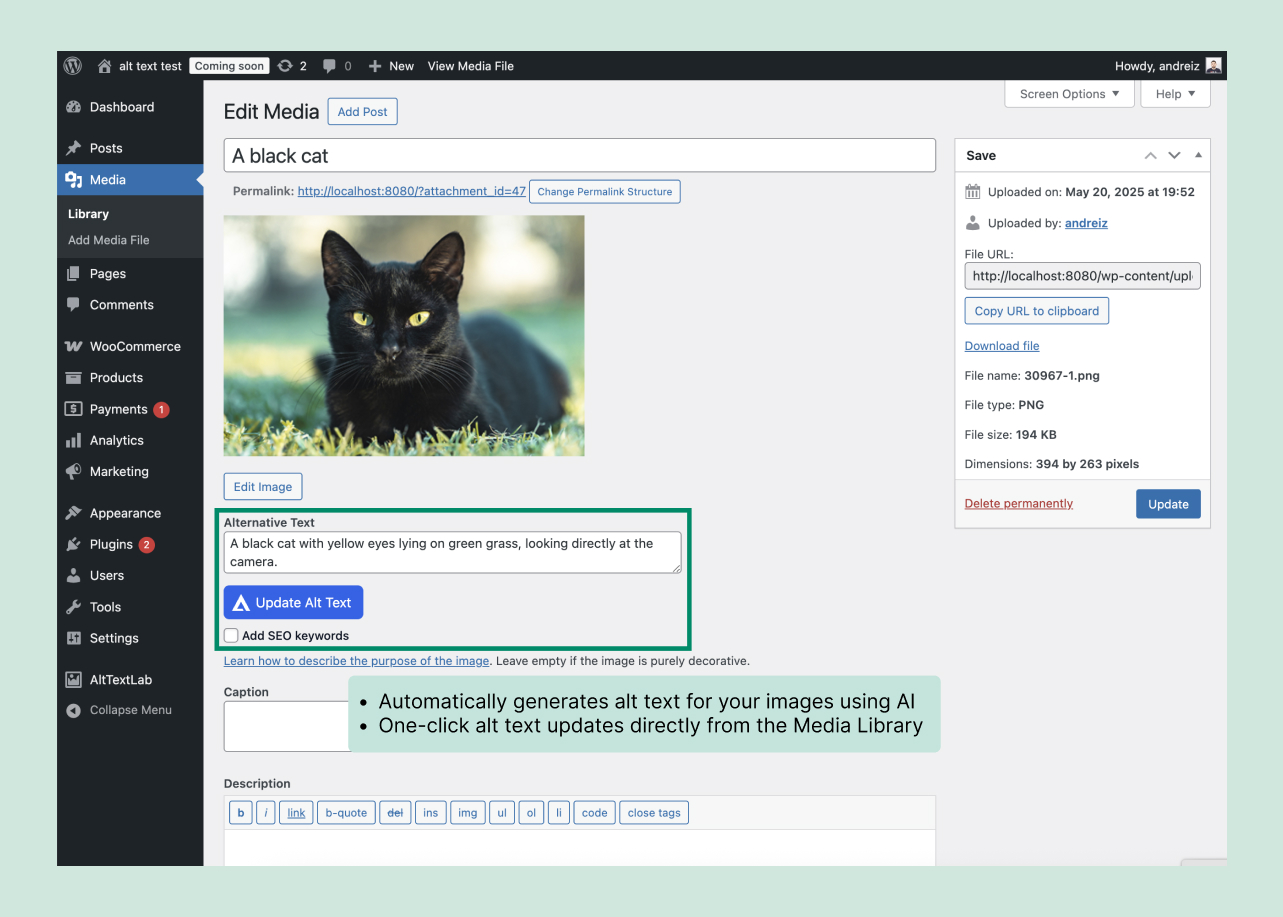
- Open Media → Library and select an image with a missing or unsuitable description.
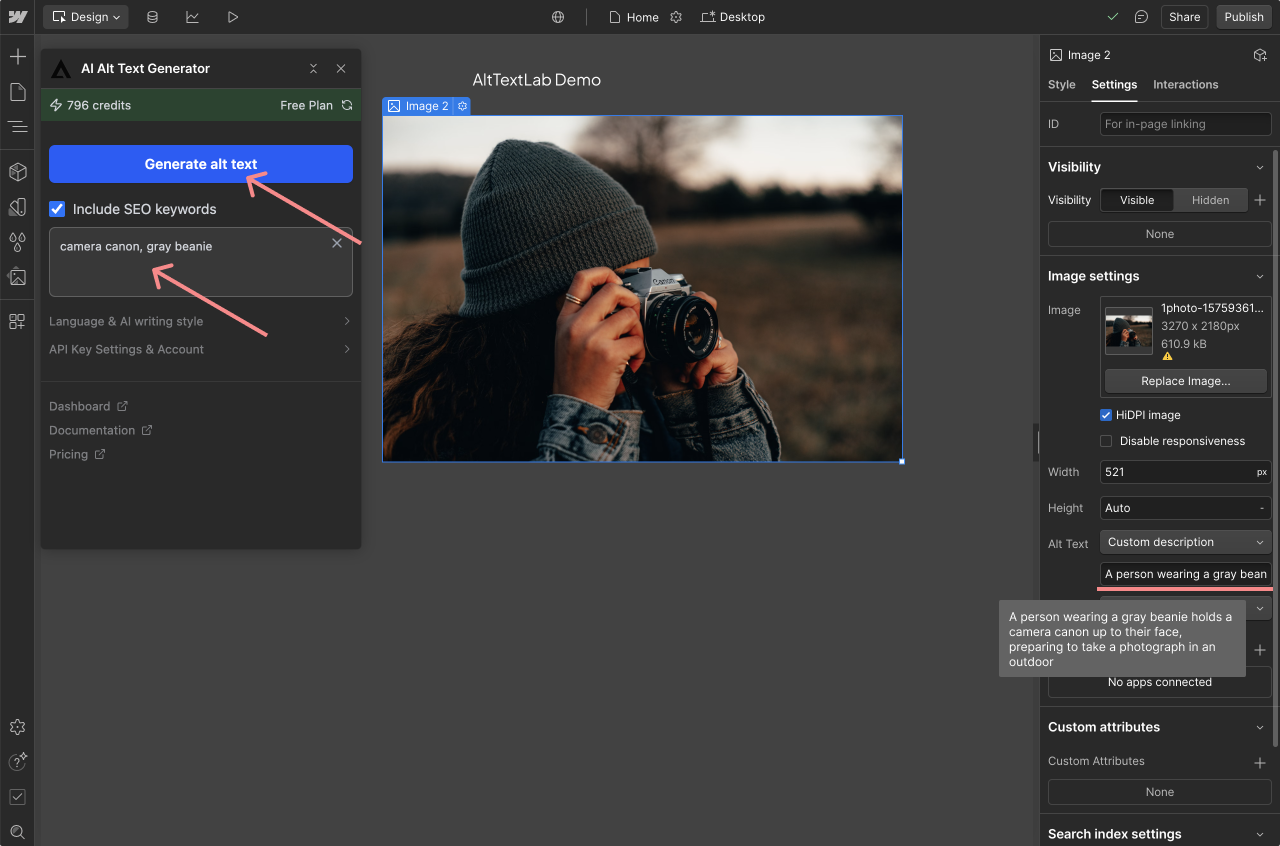
- Use the AltTextLab generate action displayed by the plugin.
- Read the suggested description alongside the actual image and the page where it appears.
- Correct anything inaccurate, needlessly long or out of context, then check the saved Alternative Text field.
- Open the published page and inspect how the image is rendered.
A useful description is not necessarily a long one. A screenshot illustrating a specific WordPress setting should identify the relevant control; a photo of a team in an article about remote work may need a different description than the same photo in a staff directory.
Bulk-generate alt text for existing WordPress images
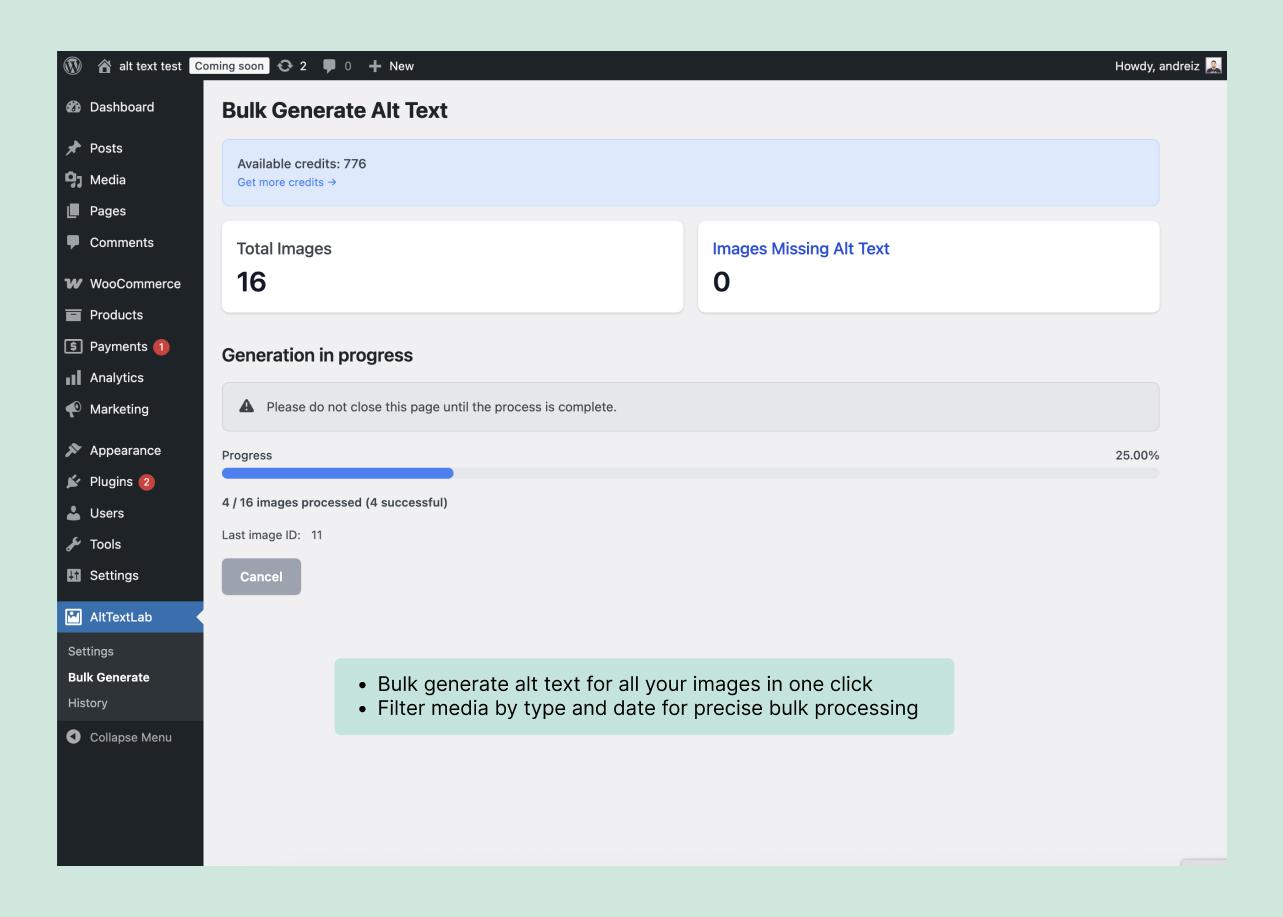
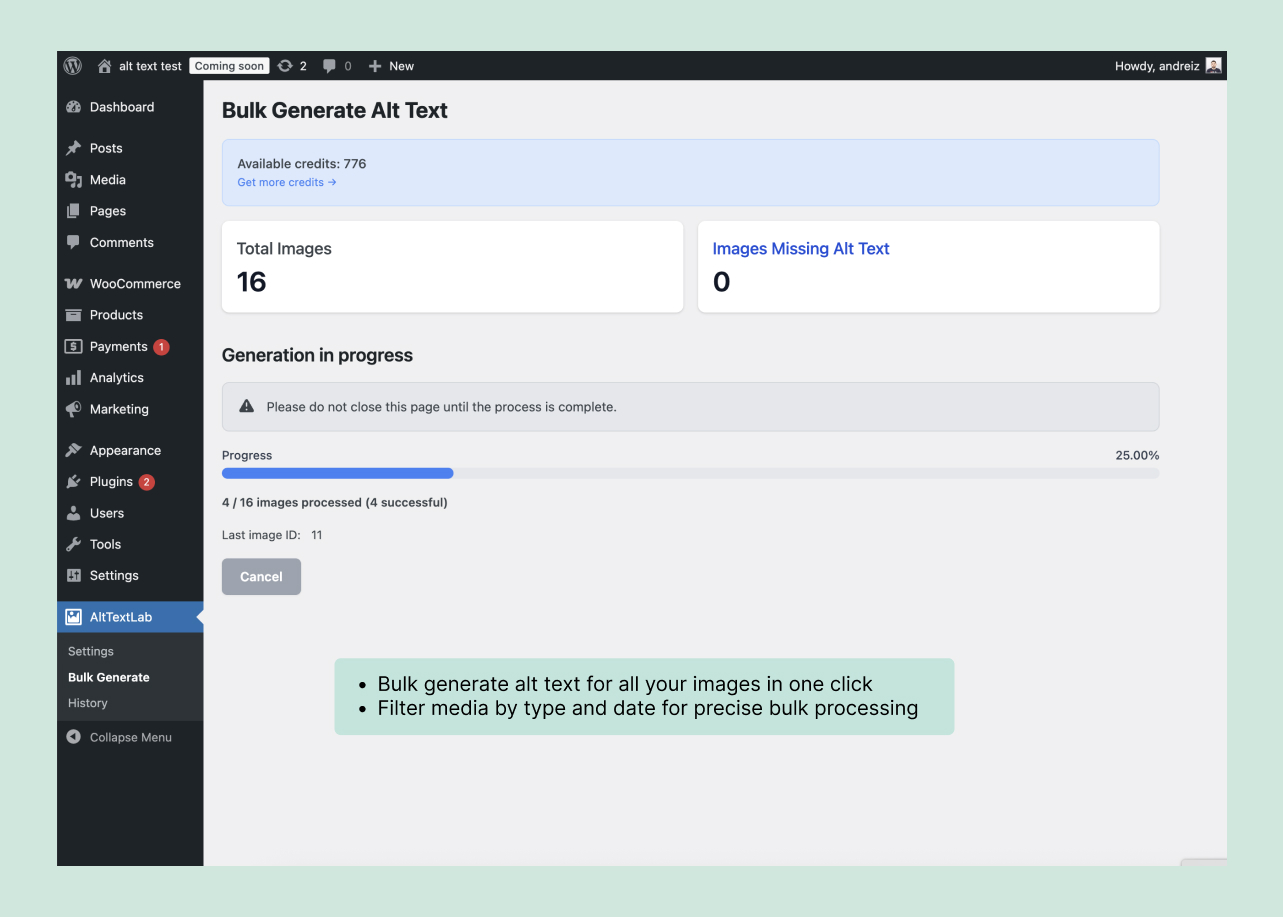
Open AltTextLab’s Bulk Generate view. The plugin scans the library for images missing alt text and allows filtering by content type, post, page or WooCommerce product. Generate a small batch first, then review the processing history and a sample of saved results before scaling up.
- Identify missing fields: inspect what the plugin flags rather than assuming every image needs a generated sentence.
- Filter the target group: start with one post type or a set of recent pages.
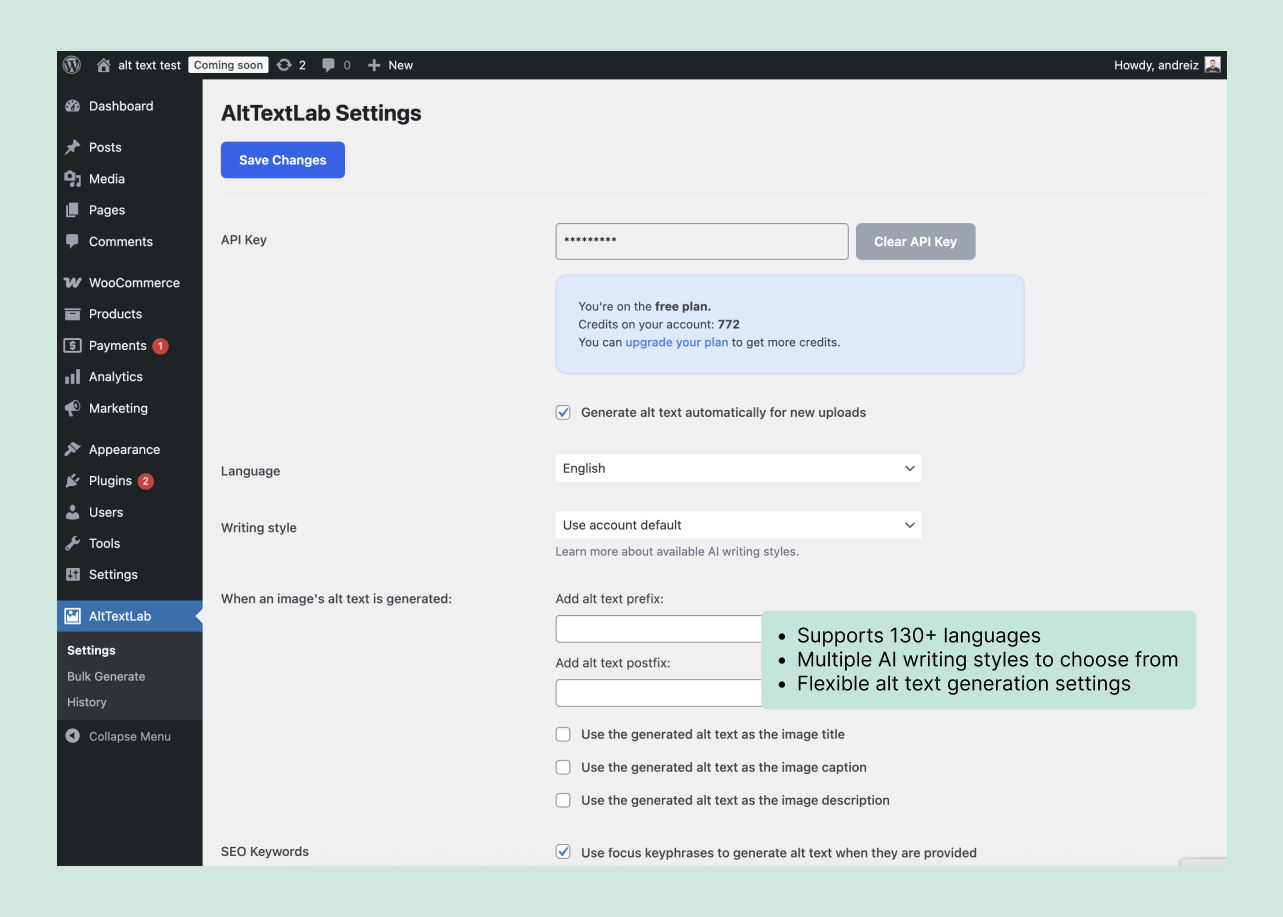
- Choose generation settings: check language, style and keywords.
- Process a small batch: the vendor describes sequential processing for large libraries.
- Review actual outputs: compare the generated words against images and page context.
- Expand deliberately: only bulk-process the next group once the results meet your quality standard.
By default, the plugin says it fills empty alt fields without overwriting manually written text. An explicit regeneration option can change that behavior. Back up your content and inspect settings before using any option that replaces existing descriptions.
Make new image uploads generate alt text automatically
AltTextLab advertises automatic generation each time an image is uploaded to the WordPress media library. Once the API connection and automatic option are active, images uploaded from the media library, block editor or WooCommerce can receive descriptions without a separate manual generation step.
Automation reduces repetitive work, but your editorial workflow still needs a check. For example, a product designer’s decorative background should not receive an elaborate description just because the file contains recognizable objects. Likewise, a screenshot of an error dialog may need an explanation of the actual error text.
Set language and SEO keywords without stuffing alt text
The plugin advertises support for 130+ languages and accepts custom SEO keywords or focus keyphrases from supported SEO plugins. Use those options to supply context, not to force the same keyword into every image description.
- Useful: “Blue linen shirt in the size selector, showing medium selected” for a product variation screenshot.
- Not useful: “Best blue linen shirt buy blue linen shirt cheap blue linen shirt” repeated across different photos.
- Better editorial rule: describe the image’s information or purpose first, then include a keyword only when it fits naturally.
For multilingual websites, check the output of a small sample in each language. A correct English description can become unnatural or ambiguous when translated without page context.
Use AltTextLab with WooCommerce product images
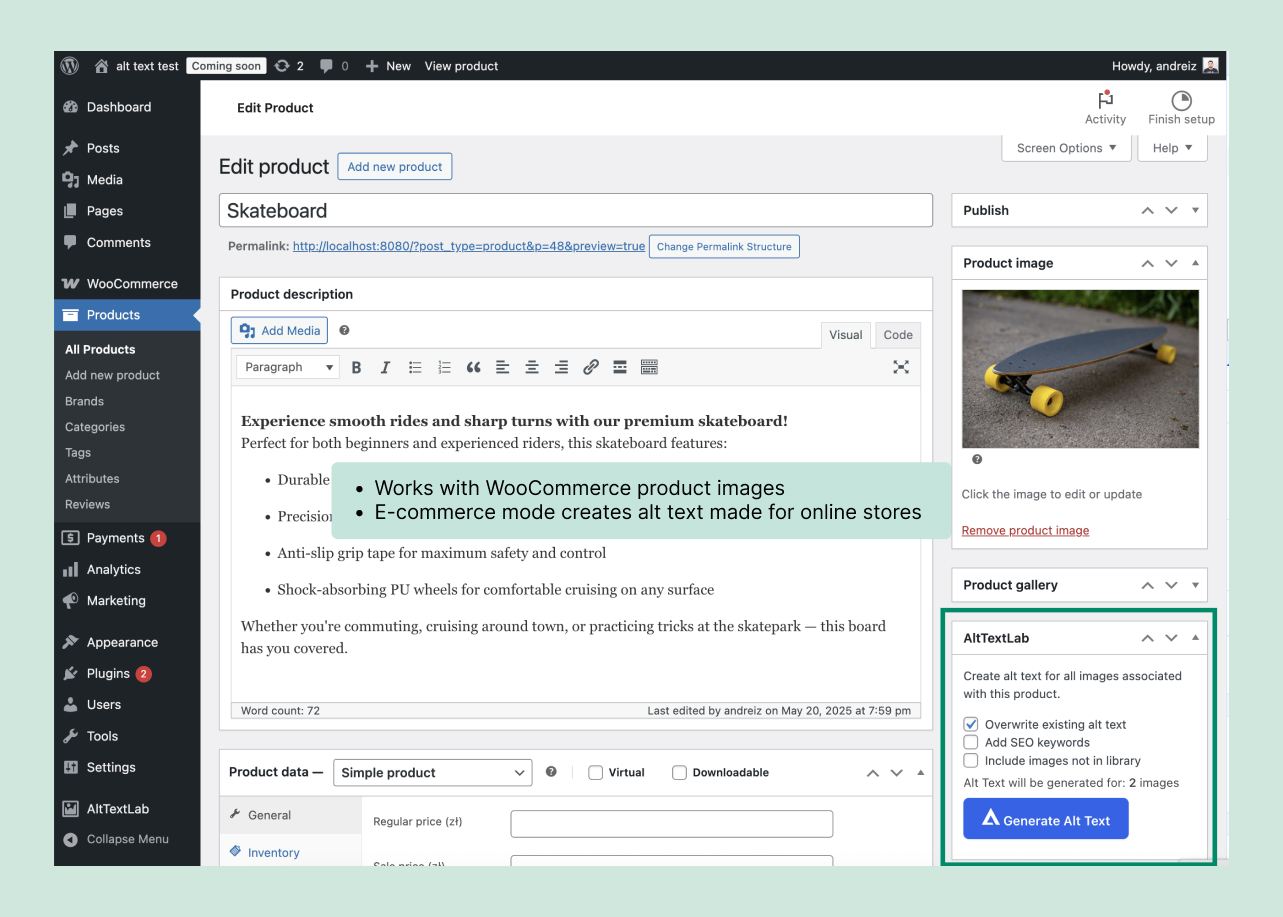
The WordPress plugin includes an ecommerce mode that uses product attributes such as name, brand, color and material to generate image descriptions. AltTextLab says it supports main product images, variation images and galleries.
For a clothing store, make sure the generated description distinguishes what the photograph actually shows. A navy shirt in a side view should not be described as a white shirt merely because another variation exists on the product page. Review images with variant-specific attributes especially carefully.
What information does the plugin send to AltTextLab?
The official WordPress plugin disclosure says it may send an image URL or base64 version of an image, the associated article or product title, configured keywords, brand and relevant attributes to AltTextLab’s external API. The plugin also contacts the account service to display usage or status information.
If your site contains confidential, unpublished or customer-specific images, review AltTextLab’s privacy terms and your organization’s handling rules before enabling automatic uploads. WordPress plugin installation does not mean image processing is entirely local.
How much will bulk generation cost?
AltTextLab gives free accounts 25 credits per month, with paid Pro starting at $5 for 100 credits monthly and 500 credits at $16 monthly. One-time credit packs begin at $6 for 100 credits, while annual subscriptions have different allowances. Our full pricing guide compares the tiers.
Example: 300 images, with some revisions
- Images without suitable alt descriptions: 300.
- Assume 15% need a second generation after review: 45.
- Estimated total: 300 + 45 = 345 credits.
- A 500-credit monthly allowance at the published $16 rate covers that hypothetical workload.
You may instead manually edit an imperfect result without making another paid request. Check current costs on AltTextLab’s pricing page.
Does alt text stay when you cancel or uninstall?
Yes, for descriptions saved in standard WordPress media alt fields. AltTextLab explicitly says its native plugin writes to the site’s database, and those values remain after uninstalling it. This is different from the company’s Web Snippet option, which injects descriptions through its own delivery system and has cancellation-related limitations.
For confirmation, deactivate the plugin on a staging site only after making a backup, then inspect an image’s media metadata and the frontend HTML. This is a verification procedure, a way to confirm how the plugin behaves.
Common AltTextLab setup problems
The plugin says the account has insufficient credits
Check your connected account and credit balance. A free allowance can be exhausted during a bulk run; further generations may require waiting for the next free allocation or upgrading. The plugin changelog notes handling for insufficient-credit admin notices.
Previously written alt text isn’t changing
The default behavior preserves nonempty alt fields. That may be intentional. If you need to regenerate existing text, use the explicitly labeled regeneration control and review overwrites carefully.
The description is inaccurate or too generic
Edit the alt field manually. Improve relevant context and keyword settings if supported; regenerate only when appropriate. AI output should not override obvious visual facts.
A custom gallery doesn’t display the saved description
Verify that the gallery or page builder uses WordPress’s standard image alt field in rendered HTML. A theme that supplies its own image attributes may require a separate configuration change.
Should you use AltTextLab for your site?
For WordPress publishers with a recurring image workload, AltTextLab is worth trying because its permanent free allowance supports a small monthly test and its plugin writes to native WordPress image fields. Bulk processing is most valuable when you have a substantial backlog and a review workflow.
Start with a backup and a small sample, confirm how your published pages display the saved alt text, and only then process a wider batch. Create an AltTextLab account with the free allowance.