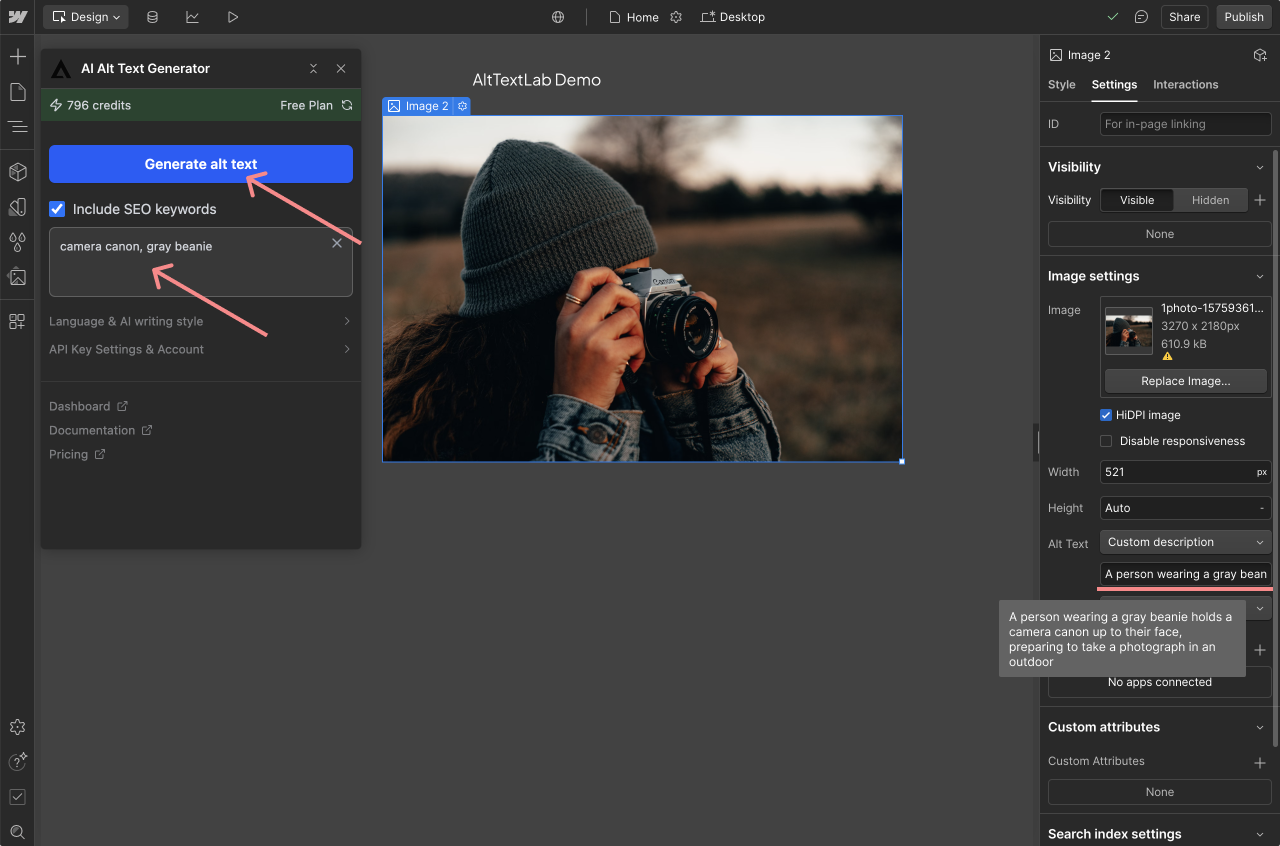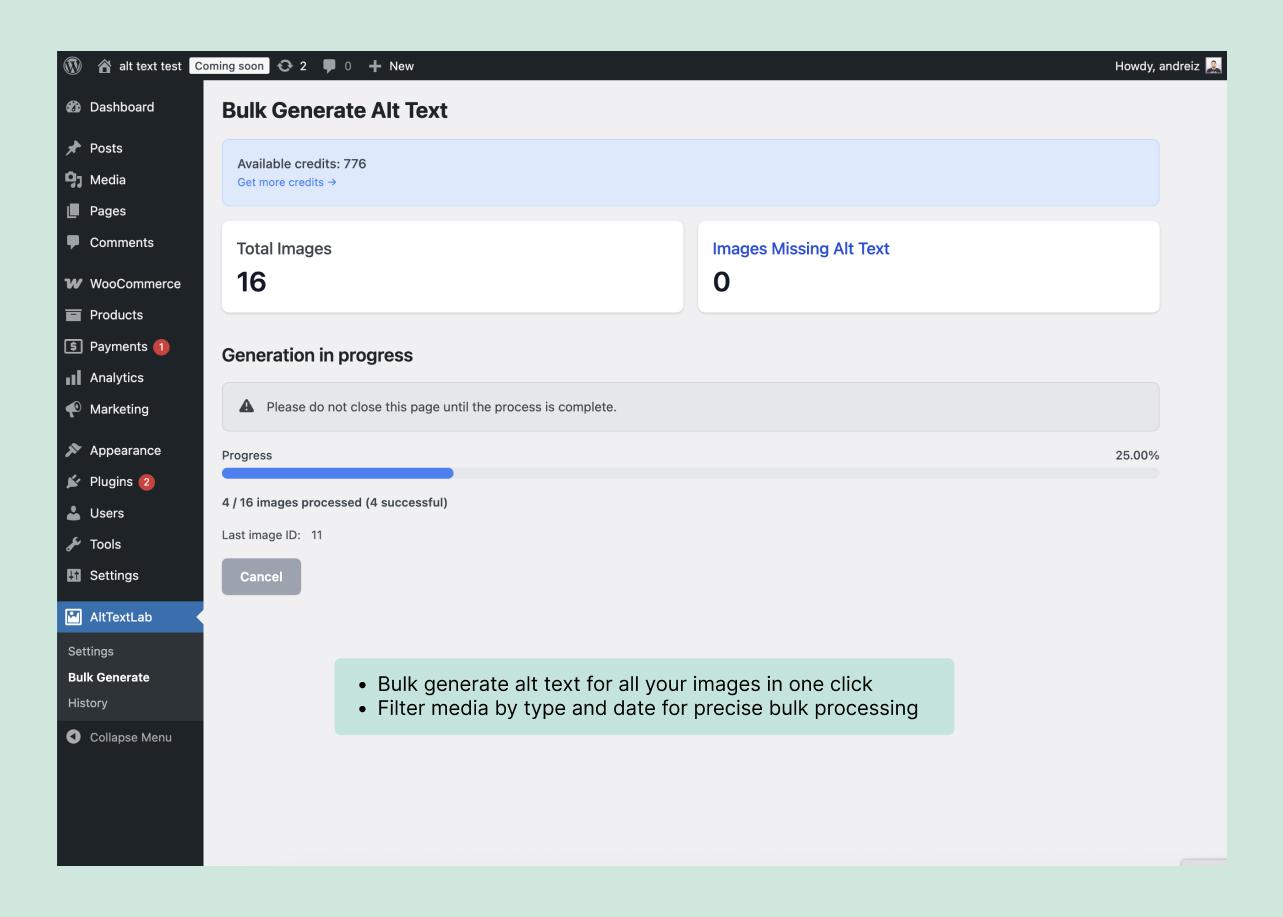
AltTextLab can generate alt text for WooCommerce product images using product information such as name, brand, color, material and variation. Its WordPress plugin covers main product images and gallery images, and the vendor advertises variant-aware descriptions. For stores with large catalogs, the value is processing images in bulk while keeping the result in native WordPress image fields.
Don’t use automatic descriptions as a replacement for checking product accuracy. AI can misidentify colors, fabric, package size or a detail that isn’t visible.
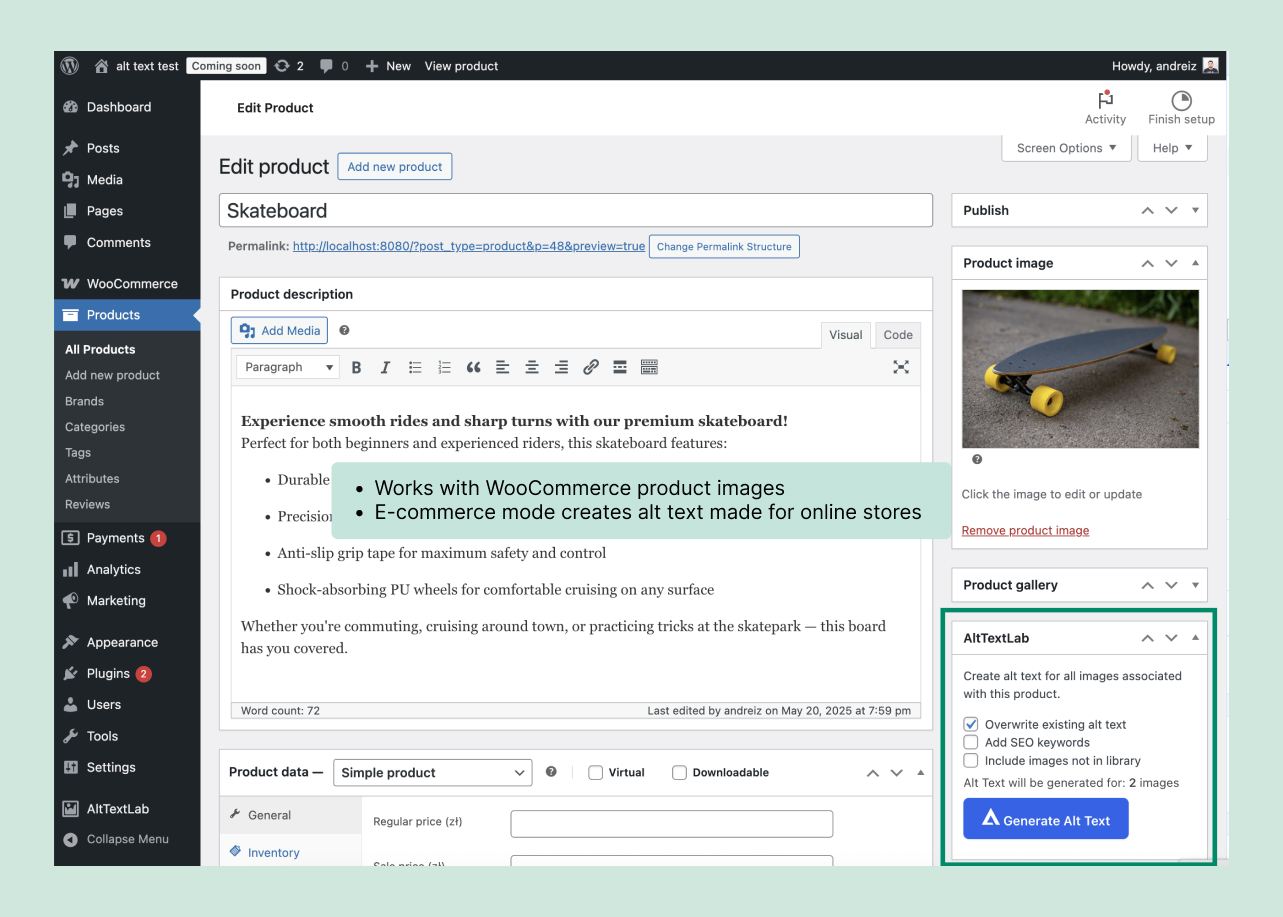
What the WooCommerce integration can describe
- Product cover images: the primary photograph on a product page.
- Gallery images: additional angles, packaging, close-ups and contextual photographs.
- Variation images: color or style-specific imagery where WooCommerce supplies variant information.
- Existing catalog images: bulk processing through the WordPress media library or plugin controls.
- New uploads: automatic generation if enabled after the plugin is connected.
According to AltTextLab’s WordPress integration guide, product title and attributes can be combined with visual analysis. A product page should still be checked to confirm that its theme renders the media alt field.
Set up AltTextLab for WooCommerce
- Make a WordPress backup before changing image metadata across your store.
- Install the AltTextLab plugin under Plugins → Add New and activate it.
- Create an account and enter your AltTextLab API key in the plugin settings.
- Confirm the site is connected and the account has available generation credits.
- Configure language, writing style, any permitted keywords and the ecommerce options shown by your plugin version.
- Process a small group of product images and inspect the saved alt text before enabling wider automatic generation.
The plugin requires an external AltTextLab processing service. Its WordPress privacy disclosure says image URLs or image data, product titles, brand and other configured attributes may be transmitted during generation. Check your image-handling policies before running it on sensitive or unpublished product assets.
Write useful alt text for product images, not keyword lists
The correct description depends on what the image communicates. For a product image, shoppers using a screen reader may need to understand the visible product variation or a distinguishing feature. Repeating the full product title across five near-identical pictures can be unhelpful.
Example: a clothing product with three colors
| Image | Useful direction |
|---|---|
| Navy front view | Navy linen shirt viewed from the front, showing button placket and short sleeves |
| Navy detail view | Close-up of the navy shirt’s fabric texture and front buttons |
| Cream variation | Cream version of the linen shirt shown from the front |
These are illustrative descriptions, not generated outputs from the product. Verify color, material and construction against the actual item before publishing. Avoid claiming a material or feature merely because it appears in a keyword list.
Example: a product comparison image
If a photograph presents a measurement scale or side-by-side product difference, the alt text should communicate the meaningful comparison. For a complex graphic, provide fuller explanation in visible page content. The W3C image tutorial explains the difference between informative, functional, decorative and complex visuals.
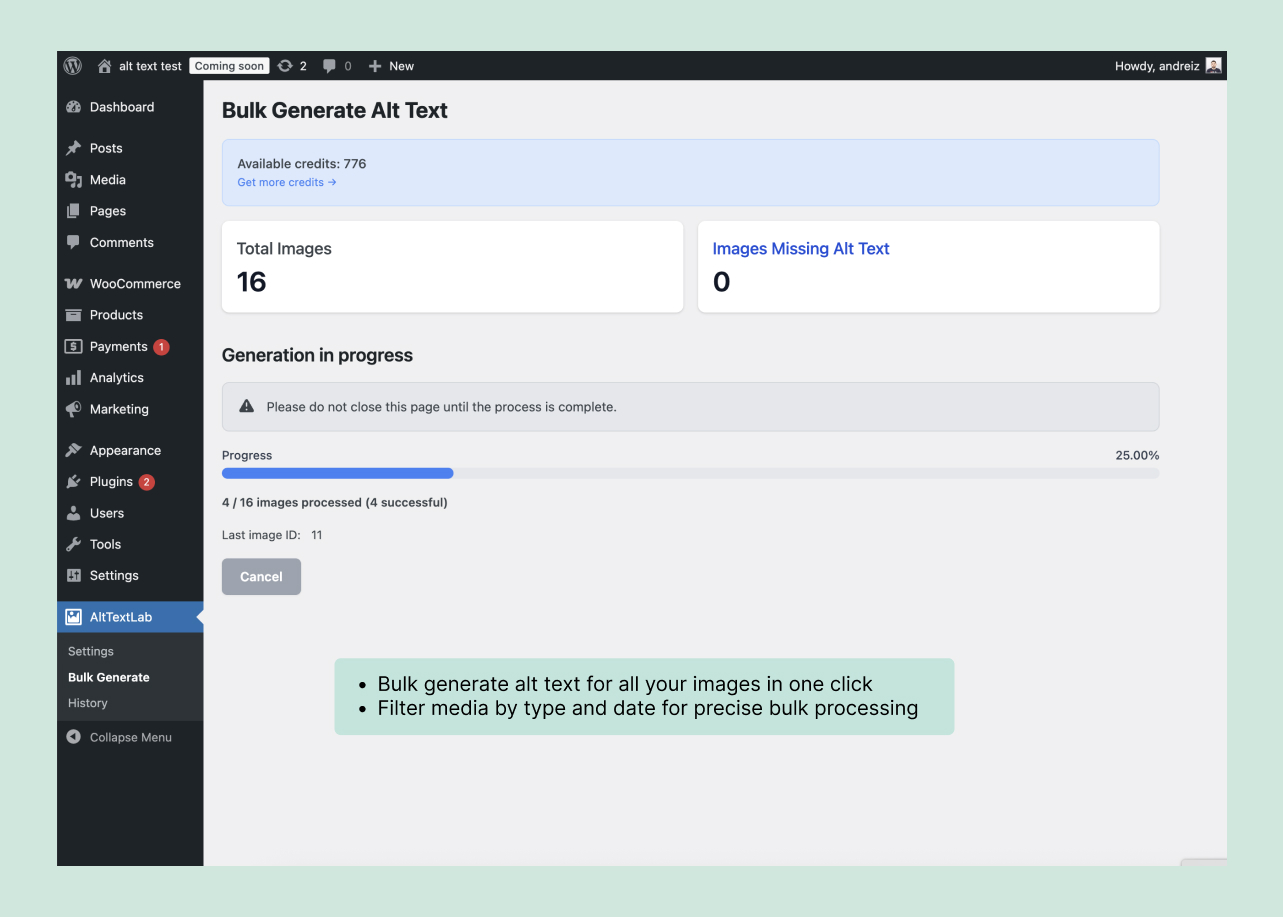
Bulk generation: estimate credits before processing a catalog
AltTextLab normally charges one credit for a generated image description. Re-generating an image can use another credit. Its paid Pro plan offers 500 credits for $16/month and 1,000 credits for $30/month; free accounts get 25 credits monthly. Current annual and one-time options are summarized in our pricing guide.
Example: a shop with 600 product and gallery images
- Images currently missing useful alt text: 600.
- Assumed 15% needing another generation: 90.
- Estimated usage: 600 + 90 = 690 credits.
- Plan comparison: the 1,000-credit monthly tier at $30 has sufficient capacity; a 500-credit tier at $16 would need additional credits.
- Alternative: manually correct imperfect outputs without regenerating, where practical, to reduce paid usage.
That 15% is a hypothetical planning factor, not a measured error rate. If the catalog changes frequently, calculate expected new photos each month separately from the one-off backlog.
Control which images get descriptions
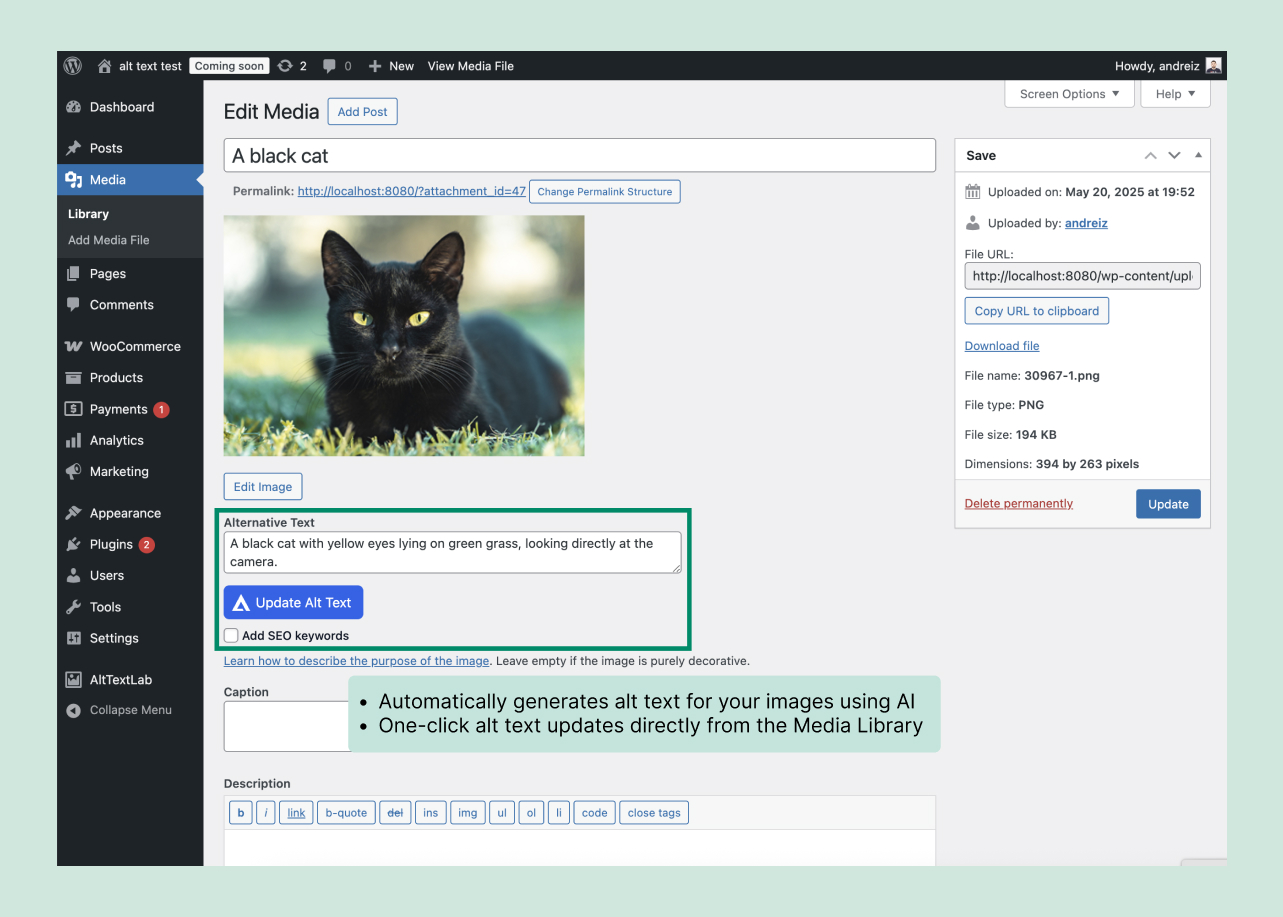
WordPress stores a separate alt-text field on each attachment. AltTextLab says it does not overwrite existing manually written descriptions by default. This matters when a store already has carefully edited product descriptions and wants to fill only gaps.
- Keep: accurate existing alt text entered by a product editor.
- Replace manually: vague alt text like “image1234” or repeated category keywords.
- Leave empty: decorative imagery that doesn’t convey meaningful information, when an empty alt field is appropriate.
- Review: variations, charts, labels, charts of measurements and photographs where the model may invent details.
If you opt into regeneration of nonempty fields, export or back up the originals before overwriting them.
Will alt text work with WooCommerce themes and product builders?
AltTextLab writes to WordPress’s standard alt-text metadata and lists compatibility with Gutenberg, Elementor, Divi and other page builders. That doesn’t guarantee every custom product gallery or third-party plugin copies the metadata into the HTML.
After generation, inspect a published product page and check the alt attribute on its main and gallery images. Test desktop and mobile views, and verify variation switches load the correct descriptions. A gallery that swaps image files through JavaScript may handle attributes differently from a conventional image block.
What happens if you cancel AltTextLab?
AltTextLab says descriptions created through the native WordPress plugin remain saved in the database after cancellation or uninstalling the plugin. Its separate JavaScript Web Snippet has different terms and can stop supplying dynamically generated alt text after cancellation. Confirm that your WooCommerce implementation uses the native plugin if persistence matters.
See the official current pricing before deciding whether monthly billing, an annual allocation or one-time credits match your catalog’s growth.
Common WooCommerce alt-text mistakes
- Same alt text for every gallery image: each informative photo may show a different feature.
- Incorrect variant attributes: never describe a red product photo as blue because a neighboring variant uses blue.
- Overlong keyword chains: favor concise description of the image’s purpose.
- Missing visual context: size comparison images or product dimensions may need explanation beyond a generic label.
- Untested bulk overwrite: protect manually written content before enabling replacement.
Is AltTextLab worth using for a WooCommerce store?
It’s a practical option to evaluate when a store has hundreds of product images missing alt text or publishes new variations frequently. Product metadata can help distinguish closely related images, and native WordPress storage makes the descriptions more portable than a runtime-only solution.
Begin with one category or a sample set of products, compare the results against actual merchandise, then expand the processing scope. Try AltTextLab with the free monthly credits.
WooCommerce image alt-text FAQs
Should every WooCommerce photo have alt text?
Informative images usually benefit from concise, useful descriptions. Decorative imagery may appropriately have an empty alt attribute. A specific image’s purpose determines the answer.
Does AltTextLab process variation images?
The vendor says its ecommerce mode supports main, gallery and variation images and uses product attributes. Validate output against the actual variant photographs.
Can I bulk-process thousands of images?
The plugin advertises bulk processing across the media library. Calculate credits first and test processing on a small batch, especially on large stores with custom galleries.