60sec.site advertises 154+ templates, but you do not have to choose one before building. The library is most useful when you want a visual starting point. If you already know what the site should say, starting from a plain-language prompt is often faster.
60sec.site templates at a glance
| Question | Answer |
|---|---|
| How many? | 154+ templates are advertised in the current library. |
| What categories? | Business, blog, restaurants, portfolio/CV, health, photography, travel, events, one-page sites and more. |
| Can you skip templates? | Yes. You can start from scratch and describe the site you want. |
| What does “Create similar” do? | Uses a template/example as the direction for a new AI-generated site. |
| Are templates on Starter? | The active pricing page lists all templates on Starter. |
What is in the 60sec.site template library?
The public directory covers common website types including business, blog, restaurants and food, fashion, portfolio/CV, health and wellness, photography, beauty, travel, one-page sites, education, communities and events.
There are also filters for newer, popular, blank and accessible templates. That makes the library more useful as an inspiration tool than a narrow collection of industry-specific designs.
How Create similar works
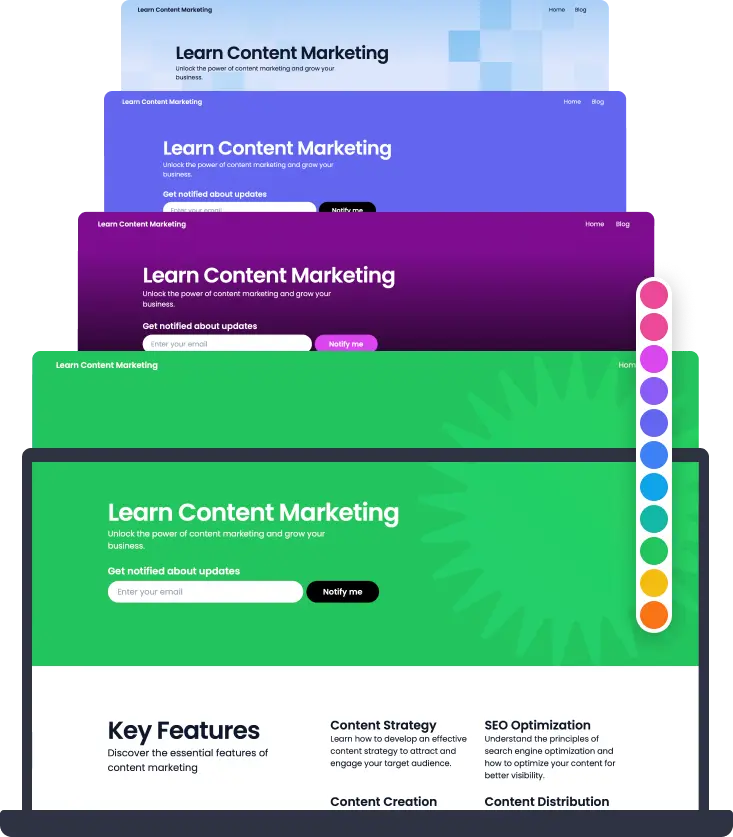
Template cards include a preview and a “Create similar” action. The idea is not to clone the example exactly. You use it as the direction for a new AI-generated site, then replace the copy, branding and calls to action with your own.
A restaurant can start with a food-focused structure. A freelancer can start with a portfolio-style layout. The template saves you from describing the visual direction from zero.
When starting from scratch is better
Skip the library when you already know what the site needs. The main builder can generate a site directly from a short description of your business or idea.
For a simple launch page, that is often the faster route. Templates are most helpful when you need inspiration before prompting.
How much can you customize?
60sec.site lets you edit the generated content and change the visual treatment. Its homepage currently advertises four themes, 14 predefined colors and more than 15 layout variations.
That is enough to give a simple site its own look, but it is not the same as a full freeform page builder. Read our 60sec.site limitations guide if detailed design control is important.
Are templates included on Starter?
The active Starter pricing card lists “All templates & custom colors.” Based on that page, you do not need Pro or Ultimate just to use the public template library.
Who gets the most value from the templates?
- Freelancers who want a portfolio direction quickly.
- Service businesses that need a familiar homepage and contact flow.
- Founders who want a launch page without designing from zero.
- Creators who want a simple personal or one-page site.
60sec.site Templates FAQs
How many templates does 60sec.site have?
The public template directory currently advertises 154+ templates.
Can I build a 60sec.site website without a template?
Yes. You can start from scratch and describe the site you want in plain language.
Does Starter include the template library?
The active Starter pricing card lists all templates and custom colors.
Can I change the design after choosing a template?
Yes. The product pages describe editable content, themes, colors and layout choices.
Are templates and themes the same thing?
No. Templates give you a starting site direction, while themes and colors change the visual treatment of the generated site.
Software Evaluated in This Publication
Compare full specifications, pricing tiers, and alternatives in our independent software directory.
60sec.site
Free trial / Starter from $9/moAI-powered landing page and simple marketing site builder generating publishable sites in seconds....