For most WordPress publishers choosing a dedicated internal-linking tool, I’d shortlist LinkBoss, Link Whisper, Internal Link Juicer, and AIOSEO Link Assistant. LinkBoss suits site-wide audits and credit-based bulk linking; Link Whisper suits people who want suggested links while editing; Internal Link Juicer is a rule-driven free-first alternative; and AIOSEO Link Assistant makes sense if you already pay for AIOSEO Pro.
LinkStorm is also worth comparing, particularly if you manage multiple websites and want a service built around crawl volume rather than WordPress plugin licenses. None of these tools should be judged by the number of links inserted alone. The relevant question is whether the suggested destinations actually help readers.
Best internal-linking tools for WordPress at a glance
| Tool | Best reason to consider it | How to check cost |
|---|---|---|
| LinkBoss | Site audits, bulk insertion, orphan and dead-end fixes | Sites plus insertion credits |
| Link Whisper | Suggestions, reporting and links during editorial work | Annual site licenses and credits/features |
| Internal Link Juicer | Keyword-driven automatic linking with a useful free version | Free or Pro capabilities |
| AIOSEO Link Assistant | Internal links inside a wider WordPress SEO suite | AIOSEO Pro or Elite subscription |
| LinkStorm | Analyzing projects across multiple websites | Monthly URL and credit allowances |
The selection is based on official documentation and published capabilities. It is not the result of a controlled hands-on accuracy test of all five products.
1. LinkBoss: best for a structured audit-to-bulk-link workflow
LinkBoss connects a WordPress plugin with a cloud dashboard that scans internal links, reports orphan and dead-end pages, identifies anchor patterns and proposes contextually related internal links. Its tools also include bulk insertion and visual content silos.
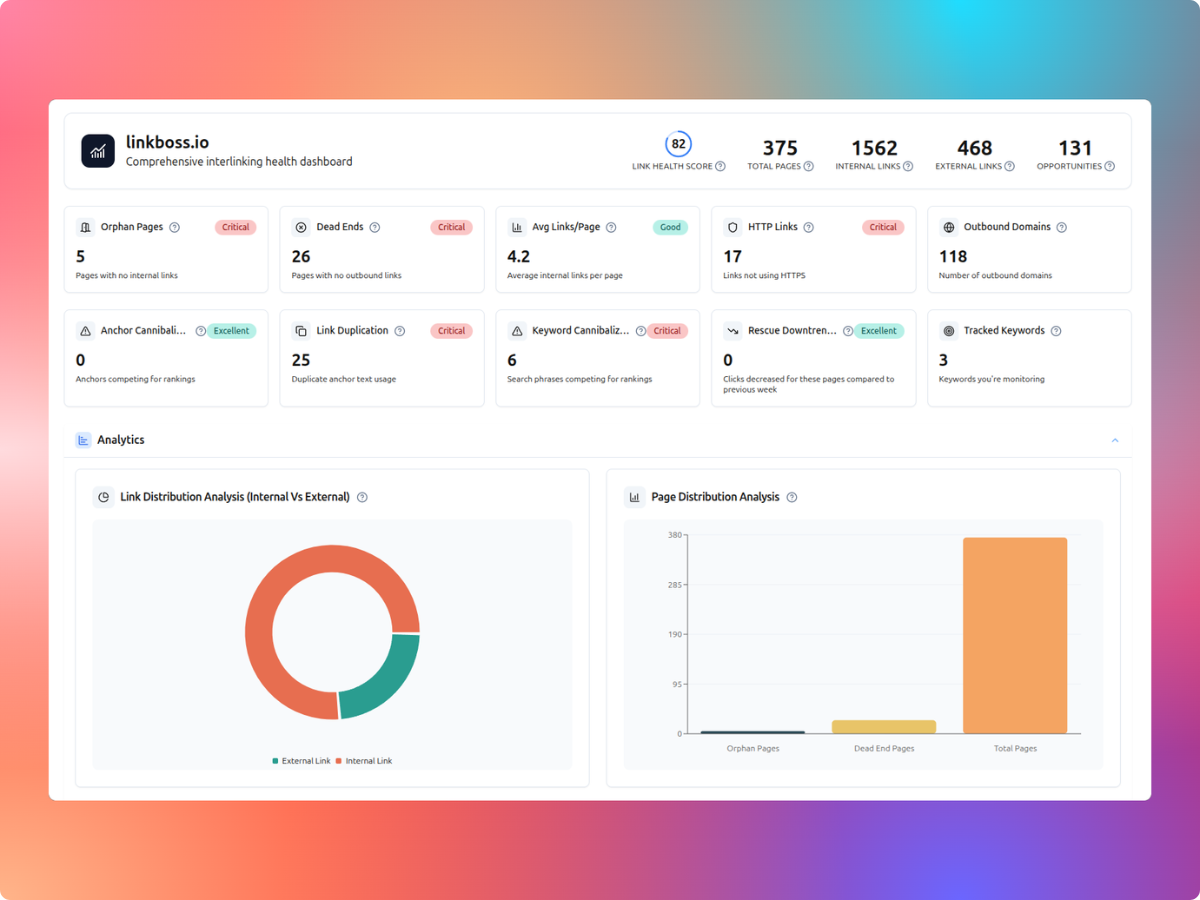
Where LinkBoss stands out
- Problem-led workflow: begin with orphan pages, dead ends or poorly connected clusters instead of adding arbitrary links.
- Two insertion methods: placing a link in an existing sentence uses one credit, while generating new sentence context costs two credits.
- Free audit features: site-health reports and some structure tools can be explored before purchasing insertion credits.
- Account-level scale: paid tiers allocate a specified number of sites and credits.
What to consider
Credit consumption can be harder to forecast when many pages need generated sentences. You should also check proposed anchors and destinations before bulk editing published copy. The discounted unlimited-credit plans restrict eligible website size, so unlimited credits do not mean unlimited pages.
Pricing: advertised standard plans start at $11/month for one website and 200 credits. See our LinkBoss pricing guide for plan calculations or check the current vendor offers. For installation, read our LinkBoss WordPress setup guide.
2. Link Whisper: best for link suggestions inside an editorial workflow
Link Whisper specializes in link suggestions, reports, and automatic linking functions for WordPress content. It provides an editing-oriented alternative to a separate audit-first workflow, including reports that help you see which posts have incoming or outbound links.
- Best for: publishers who regularly add or revise WordPress posts and want suggested internal destinations during content work.
- Useful capabilities: link suggestions, existing link reports, Google Search Console integration and visual site structure features described in its vendor materials.
- Watch out: a generated suggestion may still connect pages that are only superficially related. Check the anchor in the surrounding paragraph.
Pricing caution: Link Whisper currently has multiple official pricing landing pages showing different promotion layouts and credit allowances. One page advertises a $97 annual single-site Starter plan, while another includes different campaign tiers. Confirm your intended license and renewal figure in the current purchase flow rather than relying on a pricing screenshot from another campaign.
3. Internal Link Juicer: best free-first keyword-rule option
Internal Link Juicer takes a more rules-driven approach. You configure relevant target keywords on individual posts; the plugin then finds matches and inserts links automatically based on configurable restrictions. Its free Basic version includes keyword configuration, blacklist or whitelist controls, and link-volume limits.
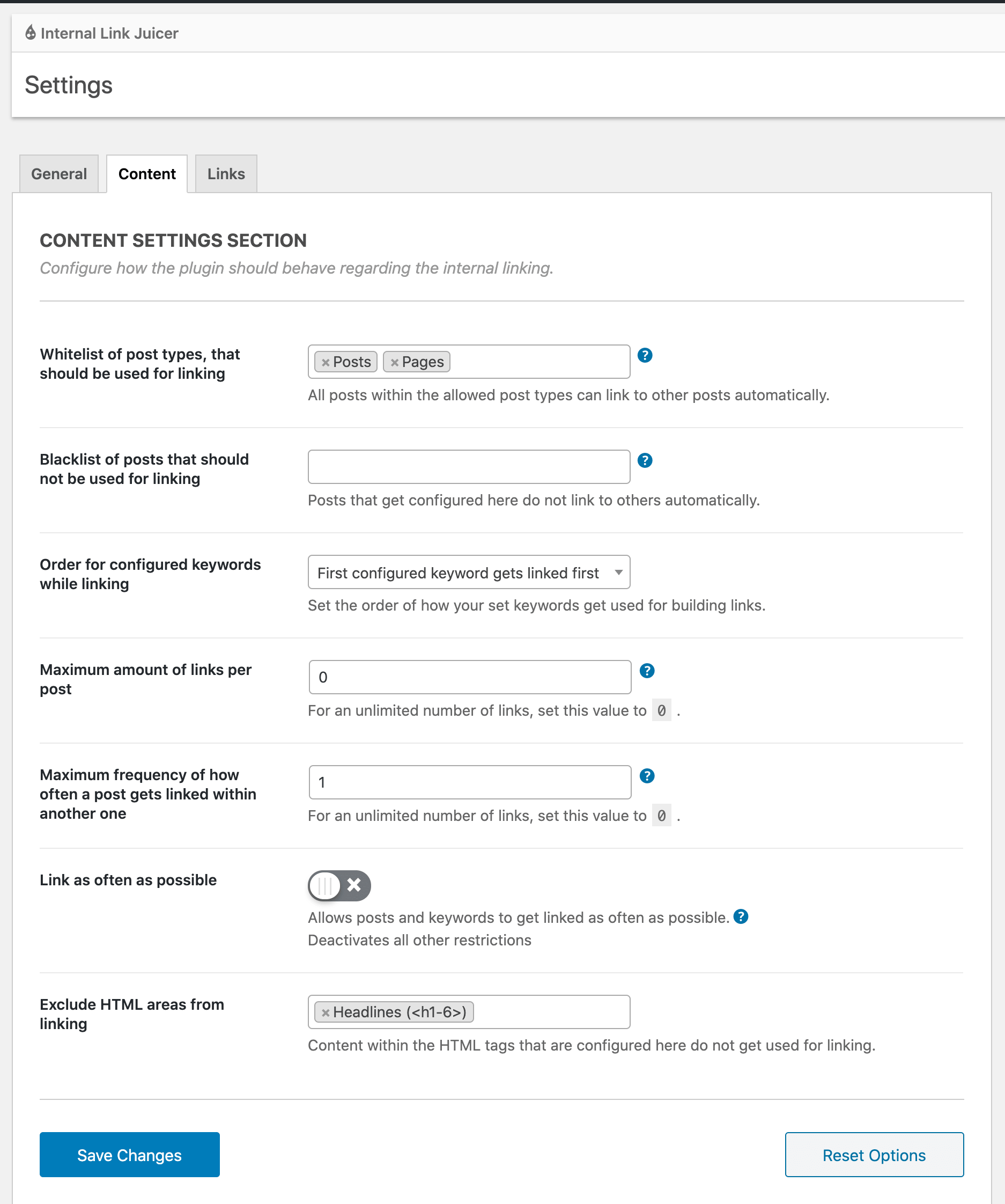
Where it works well
- Editorial control: specify keywords that should lead to each destination.
- Link limits: restrict links per page or target to avoid excessive repetition.
- No need for AI-written copy: the tool can use existing phrases and configured keywords.
- Free entry point: try the core linking model without paying for a premium AI workflow.
Where it is less flexible
Keyword rules require ongoing maintenance. Two similar pages may compete for the same anchor terms unless you review targeting carefully. Advanced Pro capabilities include custom fields, taxonomies, keyword imports and more detailed statistics; confirm which settings are included in your installation.
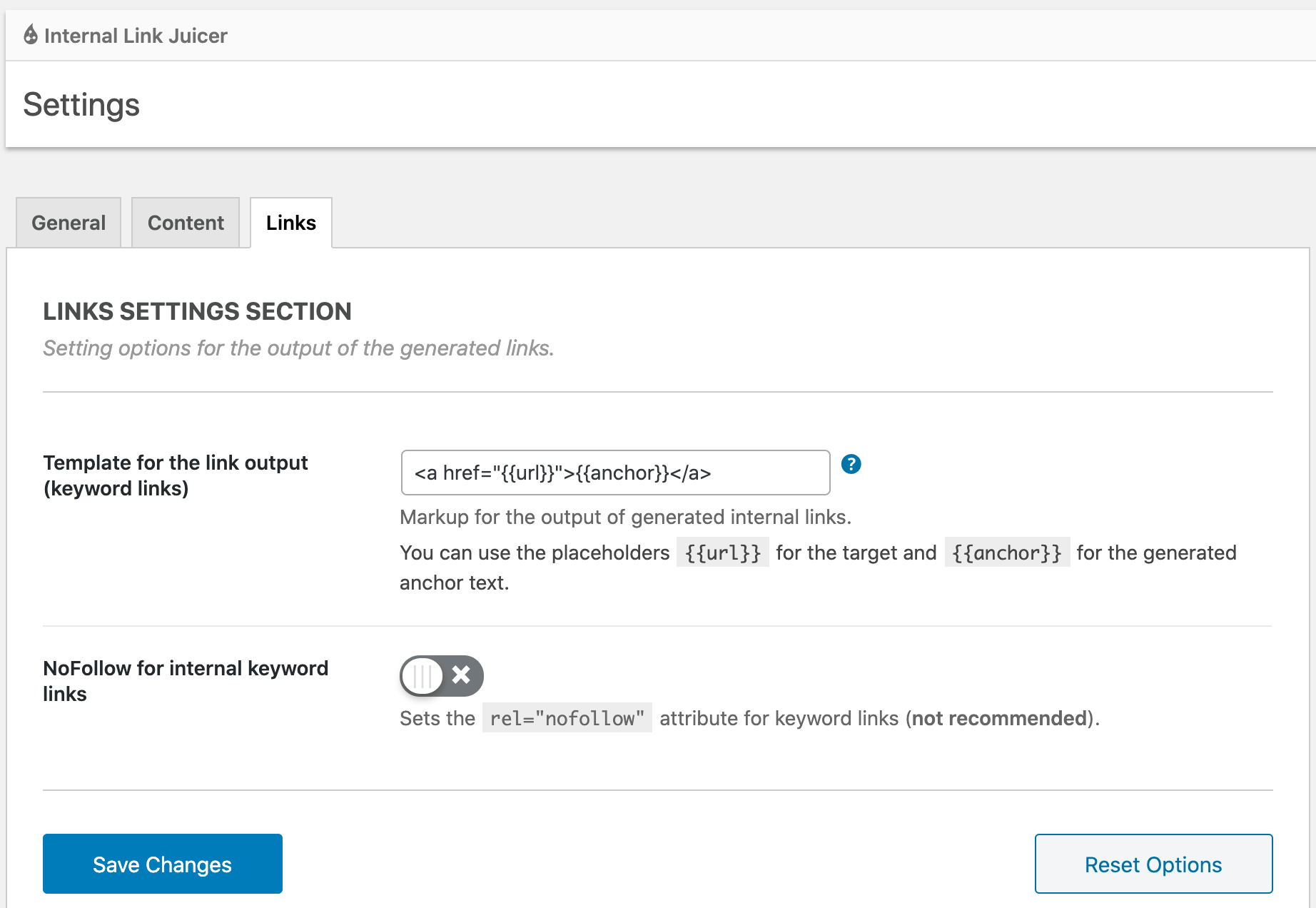
Pricing: a free Basic version is available, with paid Pro upgrades. Use the official plugin listing for feature scope rather than assuming all Pro options are included free.
4. AIOSEO Link Assistant: best if AIOSEO is already your SEO plugin
AIOSEO Link Assistant is part of All in One SEO rather than a standalone internal-linking subscription. It scans posts, reports existing links and orphan pages, and suggests phrases and destinations. Editors can accept, edit or dismiss suggestions without manually opening each source post.
AIOSEO’s own documentation says this feature is included with Pro and Elite, not its basic free plan. It also says Link Assistant currently works best with English content created in the WordPress block editor, which matters if your website relies heavily on a different page builder.
- Best for: publishers already using AIOSEO Pro for broader search optimization.
- Strength: link reports, cornerstone-page prioritization, and a review-first one-click insertion workflow.
- Limitation: paying for a complete SEO suite purely to access one internal-link tool can be poor value.
Read the official setup guide and feature page. AIOSEO has also issued 2026 changes to Link Assistant involving link classification and bulk suggestion behavior, so keep the installed version updated.
5. LinkStorm: best for multi-site crawling and analysis
LinkStorm is a site-analysis and internal-link optimization platform rather than a WordPress-only workflow. That makes it worth comparing if your sites use multiple content systems or you prefer managing analysis and recommendations from one dashboard.
Its official pricing page lists $30/month for 1,000 URLs and 1,000 credits, $60/month for 5,000 URLs and credits, $120/month for 20,000, and $200/month for 50,000. The vendor describes unlimited projects and websites under those allowances, meaning URL volume is the more important limit than the number of separate site records.
- Best for: multi-site SEO teams that track how many URLs they need to process.
- Watch out: unlimited projects still come with usage caps, so calculate the total number of URLs across all sites.
- Check before buying: the connection and publishing workflow for your specific CMS, plus any approval controls for automatically inserted links.
See the official LinkStorm price table.
What should you compare before paying?
1. Existing links versus generated sentences
A tool that inserts links into existing text changes less copy than one that generates fresh sentences around anchors. Neither is automatically superior. Review the language for awkward repetition, unsupported claims and keyword stuffing. Ask whether your team wants suggested links only or permission for automated insertion.
2. Orphan and dead-end discovery
For older blogs with hundreds of posts, orphan detection can be more valuable than generating twenty new links inside an already well-connected page. Select your most important disconnected articles, find relevant donor pages, and establish incoming links where readers would benefit.
3. Total cost based on your workload
Here’s a hypothetical comparison: assume a publisher needs 300 internal links, with 200 fitting existing sentences and 100 requiring generated context. Under LinkBoss’s advertised one-credit and two-credit model, the job requires 200 + (100 × 2) = 400 credits. That exceeds the Launch monthly allocation of 200 credits but fits Scale’s 1,000-credit allowance. It says nothing about the cost or fit of another vendor whose license uses a different metric.
4. Where changes are stored
Confirm whether links are written into WordPress post content or inserted dynamically during frontend rendering. Links stored in the content database are easier to preserve when uninstalling a plugin; dynamically injected links may depend on the original service remaining active. Back up content before bulk modifications.
5. Compatibility with your content format
Review your mix of Gutenberg blocks, classic posts, custom fields, product descriptions and page-builder content. Ask a vendor to demonstrate link insertion in the formats you actually publish rather than assume WordPress support covers every editor.
Which internal-linking tool would I choose?
- Choose LinkBoss when you want a structured audit, orphan fixes, and a reviewable bulk linking workflow with transparent credit mechanics.
- Choose Link Whisper when routine post editing and link suggestions are the center of your work.
- Choose Internal Link Juicer when you prefer defined keyword rules and want to start free.
- Choose AIOSEO Link Assistant if you’re already paying for AIOSEO Pro or Elite.
- Compare LinkStorm when you work across several sites and can predict your combined URL usage.
On a revenue-critical WordPress site, start with the smallest reversible batch. A good internal-linking tool should make the site easier to navigate and maintain, not merely increase the total link count.
Try the free LinkBoss site audit, or use the non-affiliate official vendor links above to compare other options.
Internal-linking software questions
How many internal links should each post have?
There is no fixed quota that makes every post better. Add links where the destination helps the reader continue a relevant task. Long guides may support more contextual links than short announcements.
Can automated internal links damage readability?
Yes, poorly selected anchors and generated sentences can make copy awkward or repetitive. Use limits, relevance checks and a review process before inserting links in bulk.
Can I use two internal-linking plugins at once?
It’s technically possible to install multiple plugins, but overlapping automatic rules can create duplicate links and unexpected content changes. Prefer one primary insertion workflow, with a separate reporting tool only if it doesn’t interfere.