AltTextLab, AltText.ai, Alt Magic, neo Alt, and AI Alt Text Generator are five options worth examining if you want AI-assisted image descriptions in WordPress. The right choice depends on how many images you publish, where generated text is stored, how much editorial control you need, and whether your workflow includes WooCommerce.
For a starting recommendation, try AltTextLab if you want a published free allowance and a clear credit-based upgrade path. Compare AltText.ai if you need other publishing integrations. Consider the smaller WordPress-specific plugins when you prefer an editor-native workflow, but confirm their provider requirements, current maintenance, and costs before installing.
Best AI alt-text plugins for WordPress at a glance
| Tool | Why consider it |
|---|---|
| AltTextLab | Free monthly credits, bulk WordPress generation and a WooCommerce workflow |
| AltText.ai | AI alt-text service with a WordPress integration and other publishing platform connections |
| Alt Magic | WordPress-focused alt-text generation and bulk image workflows |
| neo Alt | Media-library workflow for creating alt text inside WordPress |
| AI Alt Text Generator | A simpler plugin to evaluate if you want generated descriptions from the WordPress interface |
This is a shortlist based on documented features, not a laboratory accuracy ranking. We have not tested these tools on a controlled common image set. A vendor’s claim that its AI produces optimized text is not proof that every output is accessible or factually correct.
1. AltTextLab: best starting point for transparent credit budgeting
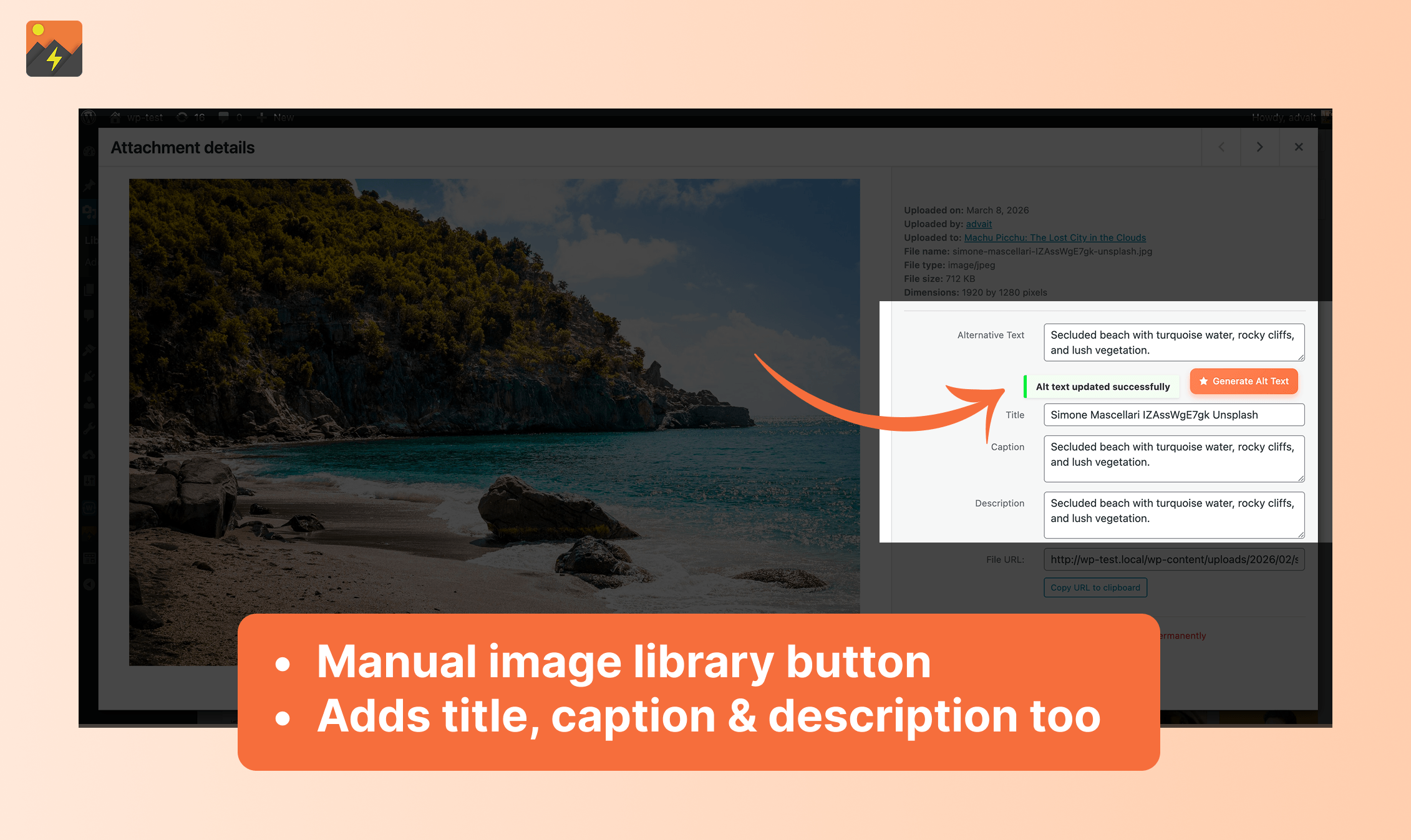
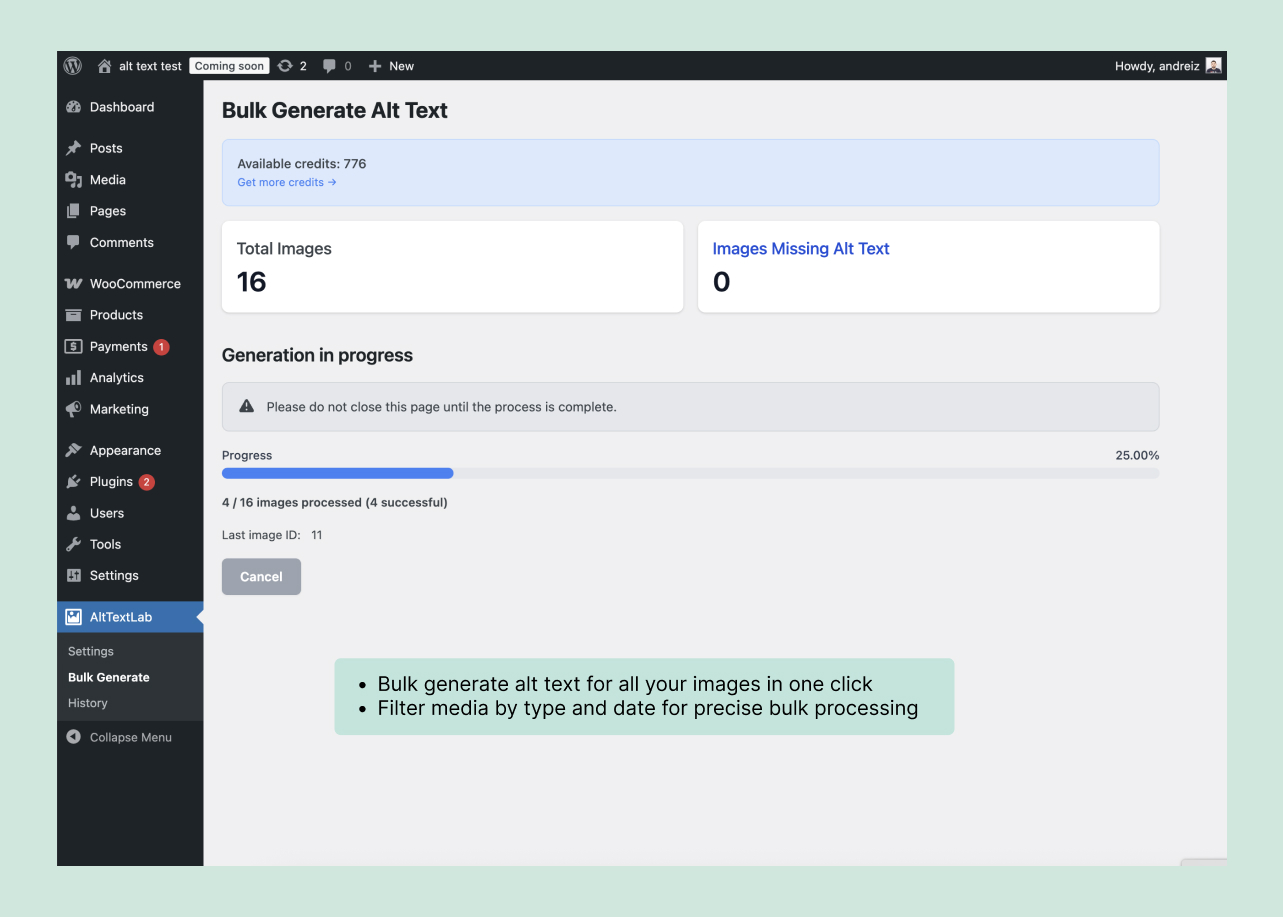
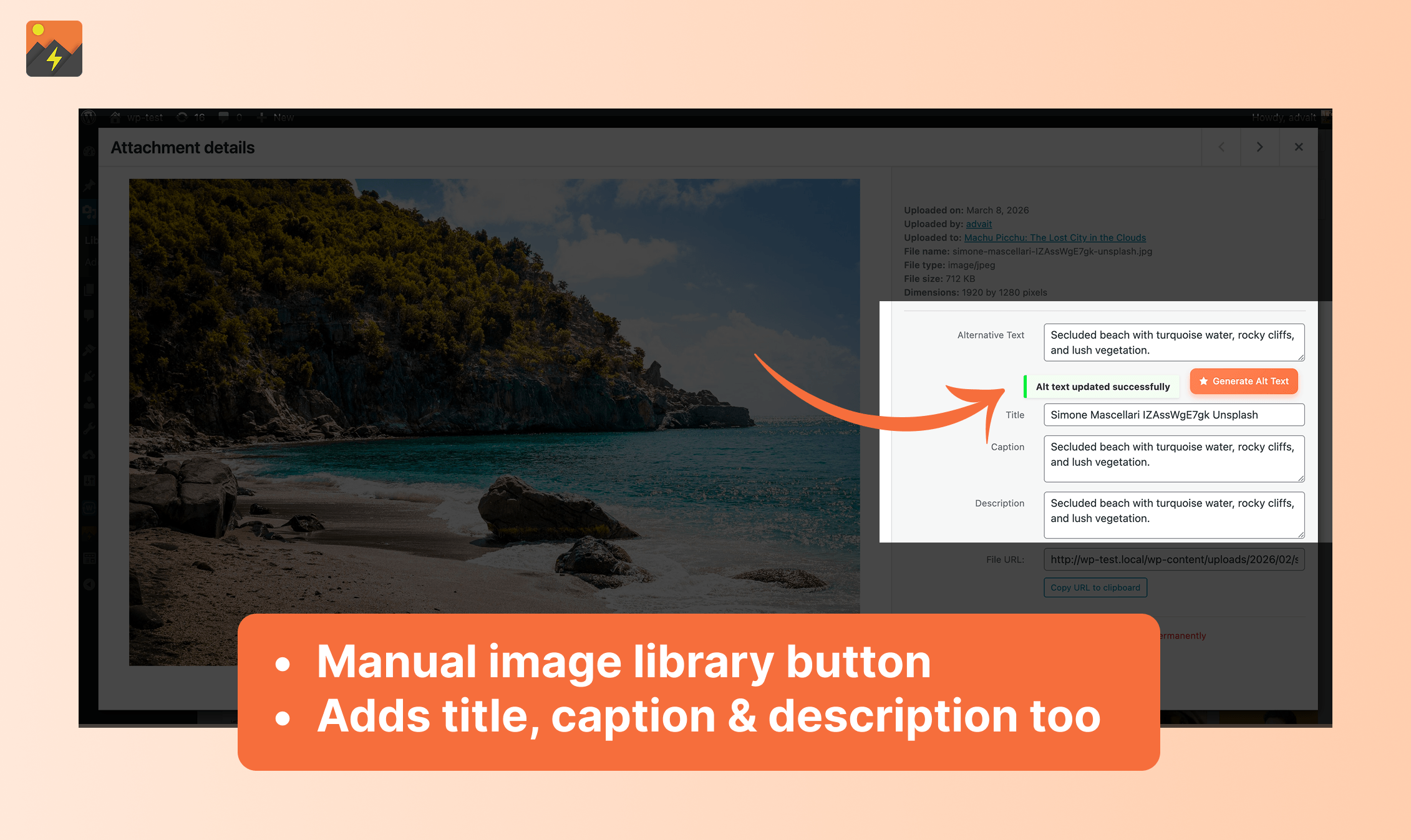
AltTextLab publishes several ways to buy generations: a permanent free allowance of 25 credits per month, subscriptions starting at $5 per month for 100 credits, and one-time packs starting at $6 for 100 credits. Its WordPress plugin can generate alt text for individual images or work through a larger library. The vendor also has a WooCommerce integration for product images.
One generation generally costs one credit. A second attempt on the same image can use another credit, so a 500-image backlog may require more than 500 credits if you regenerate descriptions during review. Paid credits carry forward according to AltTextLab’s pricing documentation; unused free credits reset monthly.
What works well
- Easy budget estimate: multiply images by likely generation attempts.
- Multiple purchasing models: a continuing free plan, monthly or annual subscriptions, and one-time packs.
- WordPress-native storage: the plugin writes generated descriptions into WordPress alt-text fields rather than requiring a permanent frontend script.
- Product images: the WooCommerce-specific flow helps distinguish product catalog work from editorial photos.
What to watch
- Every additional generation can increase credit use.
- Descriptions still need context-specific human review, especially graphs, icons, screenshots, and product variants.
- The vendor’s separate Web Snippet depends on subscription access, unlike native alt text saved into WordPress.
Price: Free for 25 monthly credits; Pro from $5 per month; annual and one-time options are available. Read our AltTextLab pricing breakdown for specific tiers, worked budgets and cancellation differences, or check current vendor prices.
2. AltText.ai: best to compare for a broader integration ecosystem
AltText.ai specializes in generating alt descriptions and connects with WordPress and other publishing platforms. Its WordPress plugin is designed to populate image descriptions without requiring authors to write every alt field manually.
AltText.ai advertises a Bronze annual option at $49 for 1,200 credits and sells smaller one-time packs. Its vendor also describes additional credit usage for certain advanced image formats. These details matter when you compare nominal credits with a library containing unusual file types.
- Choose it if: you use multiple publishing platforms or its documented integrations better fit your stack.
- Check first: how many credits the image formats in your library actually consume, whether your preferred bulk workflow requires a paid tier, and the renewal terms.
- Compared with AltTextLab: their entry-level annual credit prices are close, so workflow quality and storage behavior matter more than a one-dollar headline difference.
See AltText.ai’s official pricing and its WordPress plugin listing for the latest supported features.
3. Alt Magic: a WordPress-focused alternative to inspect
Alt Magic is a WordPress plugin for generating alt text with AI. It’s worth evaluating when you want to work within your existing WordPress image library rather than make an external platform the center of the process.
- Potential fit: a publisher who wants a plugin-oriented workflow and a more limited operational footprint.
- Verify before adopting: the exact generation service, pricing model, bulk-processing constraints, support history, and whether alt text is preserved in ordinary WordPress media metadata.
- Editorial test: compare a few real screenshots, charts, product photos, and ordinary editorial images before allowing automatic updates across your library.
I would not treat a smaller plugin as automatically cheaper. A free installation can still depend on paid API usage, credits, or another provider. The current WordPress listing and the plugin’s own settings are the right sources for those specifics.
4. neo Alt: consider the media-library editing workflow
neo Alt provides another WordPress-oriented route for generating image descriptions. Its value depends on whether its editing process feels natural for authors who already manage images through the WordPress media library.
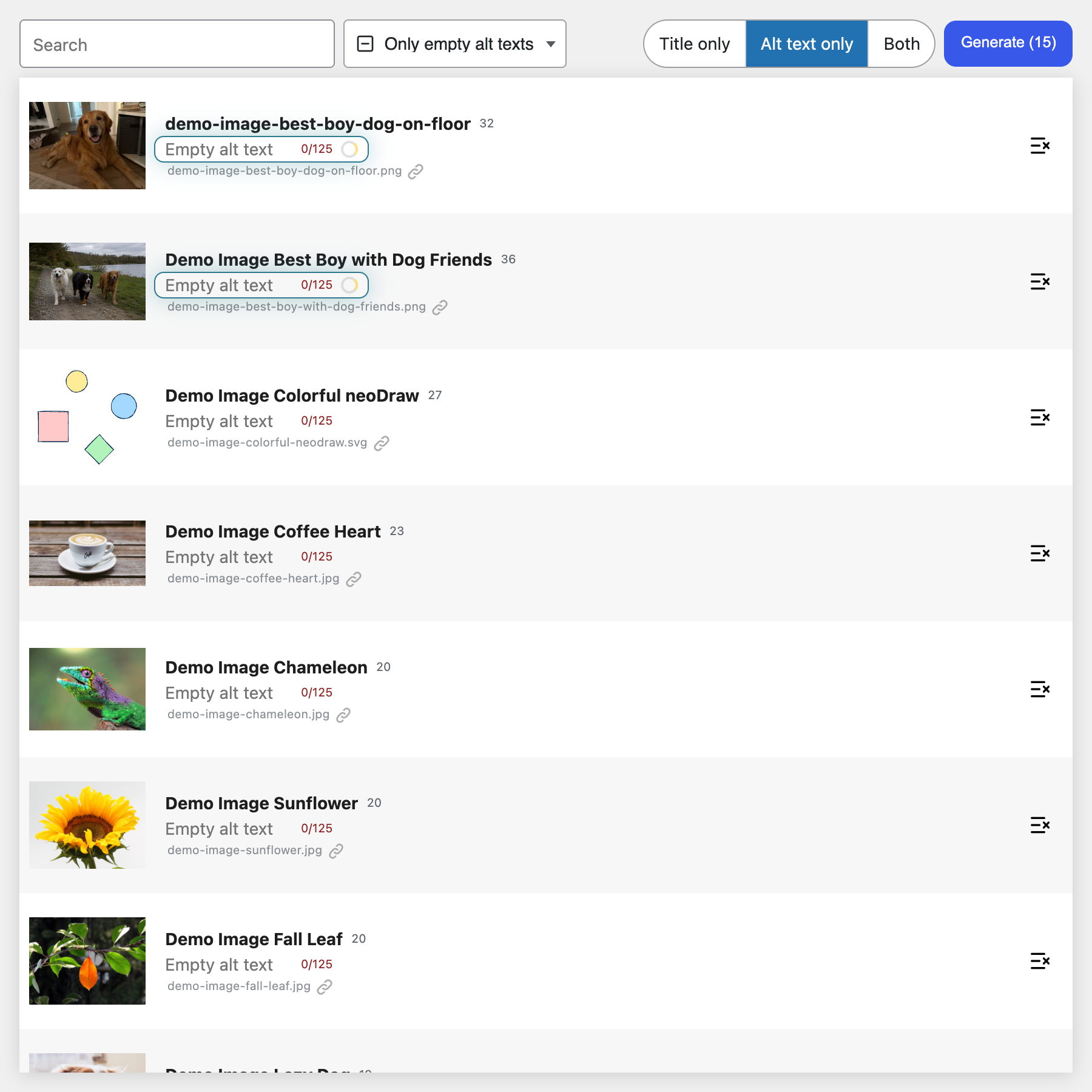
- Potential fit: teams that prefer reviewing image descriptions beside the image rather than operating a separate dashboard.
- Check first: current plugin compatibility, supported model or service, whether bulk work is included, and any associated token or credit charges.
- Important workflow question: can an editor amend the AI output before it reaches the published alt field?
WordPress’s native alt-text field is valuable because themes can read it directly. However, the presence of a field in a plugin interface does not guarantee that every custom theme, gallery, or page builder uses it correctly. Test the actual output HTML.
5. AI Alt Text Generator: evaluate if you want a simpler plugin
The AI Alt Text Generator plugin is another option to inspect for a straightforward WordPress workflow. Its interface may appeal to a publisher who wants to generate and edit descriptions without adding a more comprehensive SEO automation platform.
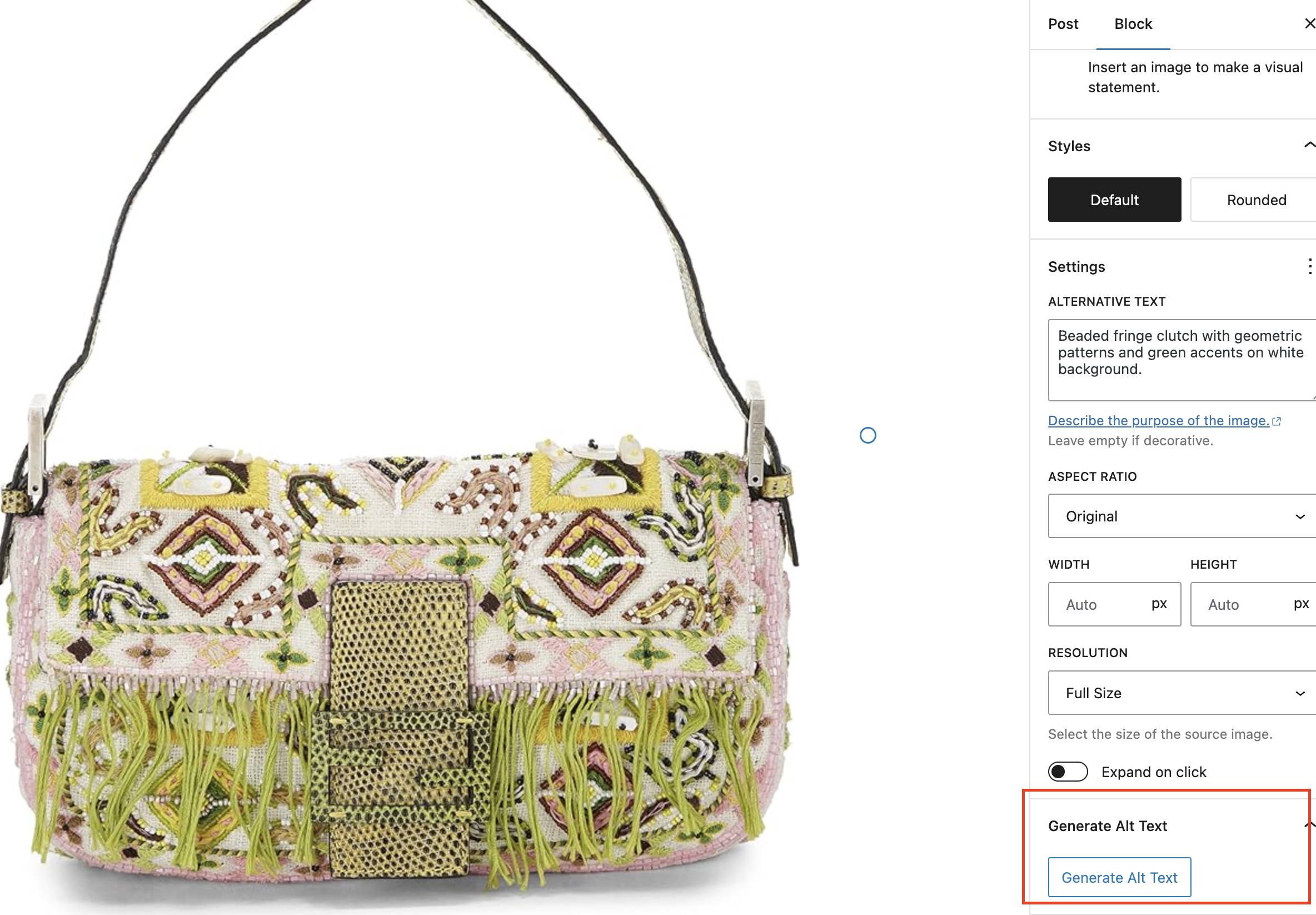
- Potential fit: smaller libraries or authors who prefer generating descriptions during content editing.
- Check first: whether you need a separate API key or paid provider account, any batch limits, plugin maintenance, and current compatibility.
- Do not assume: that a plugin advertised as free has unlimited zero-cost AI inference.
For a library with thousands of images, confirm the full processing cost and review workflow before choosing a plugin based on installation price.
How to choose an AI alt-text tool
Count images that actually need new descriptions
Start with the backlog of informative images missing appropriate alt text. Do not treat the total media-library count as your workload. Decorative images may correctly use an empty alt="" attribute. Duplicate assets and images already described accurately also change the estimate.
Separate description generation from accessibility quality
The W3C Web Accessibility Initiative’s image tutorial distinguishes informative, decorative, functional and complex images. A chart containing essential data may require a detailed explanation elsewhere on the page. A decorative divider may need an empty alt attribute rather than a generated sentence.
Test the same image sample across two or three tools. Include an ordinary photo, a screenshot with essential interface details, a product variant, a simple graphic, and a complicated diagram. Compare correctness, brevity, hallucinated details, contextual fit, and how quickly an editor can correct the result.
Calculate the real cost per reviewed image
Suppose a store has 800 images to process and expects 20% of first generations to need another attempt. That’s 800 + 160 = 960 generations. This is a hypothetical budgeting assumption, not a measured error rate.
For a credit-based product charging one credit per attempt, 960 credits are the minimum budget for that assumption. If a competitor charges more for certain formats or subscriptions, calculate against the same image sample and actual credit rules before declaring one product cheaper.
Check where the alt text is stored
Native WordPress alt fields generally survive a plugin change because the description is in your content database. Runtime script injection can work without editing WordPress, but it introduces a dependency on that provider’s continued service and subscription terms.
Before removing any plugin, verify a generated description exists in WordPress media metadata and appears correctly in the published image HTML. Do not infer persistence merely because the vendor promises AI generation.
Which AI alt-text plugin should you choose?
- Start with AltTextLab for a clear free allowance and published credit options, especially for bulk WordPress or WooCommerce work.
- Compare AltText.ai when you also publish outside WordPress or need one of its platform-specific integrations.
- Test Alt Magic, neo Alt, or AI Alt Text Generator if you prefer a lighter plugin experience and can confirm their current generation costs, provider requirements, and maintenance.
No automated generator replaces accessibility judgment. The winner for your site is the option that produces the highest proportion of accurate, context-aware descriptions with the least corrective work at an acceptable cost.
Try AltTextLab’s free allowance, or compare the other official WordPress plugin listings linked throughout this guide.
Common questions about AI alt text in WordPress
Is AI-generated alt text automatically accessible?
No. Its content must fit the role of the image. Decorative images, images used as buttons, and complex visualizations require different treatment. Follow the W3C image guidance and review generated text.
Can I bulk-generate alt text for old images?
Several WordPress tools offer bulk processing, but limits, costs, and overwrite behavior differ. Back up your site and test a small batch before changing an archive.
Will removing a plugin erase all generated descriptions?
If the plugin saved the text in the native WordPress media alt field, those values typically remain. If a provider inserts descriptions dynamically using its script, cancellation can affect their appearance. Verify the actual storage method of the plugin you’re using.