Relevance AI for Sales Teams: Where Agents Fit Across the Sales Cycle
Contents
Relevance AI fits this use case when reps spend too much time researching, preparing, updating records, and chasing follow-up. The goal is specialized agents handle repeatable sales work while reps keep ownership of customer conversations and judgment. It is a poor fit when the underlying process is undocumented, the required data cannot be accessed reliably, or the team expects an agent to make sensitive decisions without review.
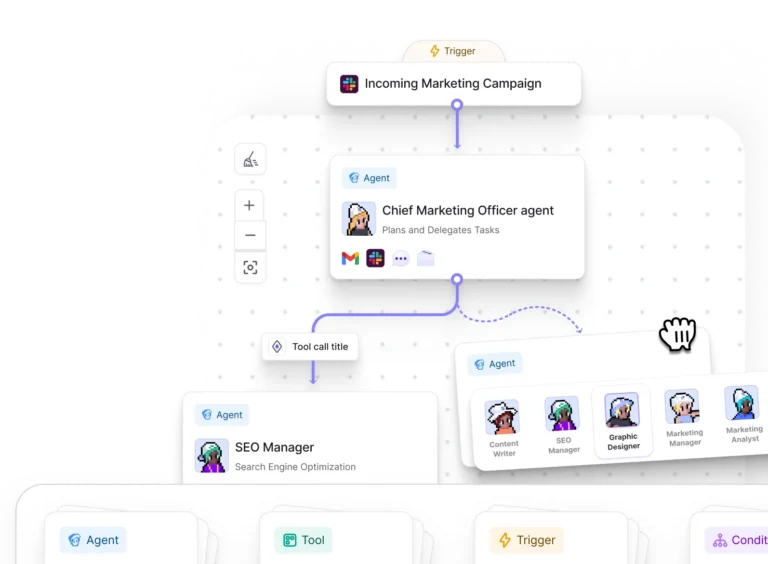
Relevance AI gives sales leaders, sales operations teams, and account executives a visual agent builder, tools, knowledge, triggers, schedules, Workforces, approvals, task views, and integrations. The product can prepare and execute repeatable work, but the workflow still needs explicit success criteria, sources, permissions, and escalation rules.
Disclosure: Toolfountain may earn a commission if you buy through some links, at no extra cost to you.
Where Relevance AI fits
A good first agent has a clear trigger, a limited set of inputs, an output that a human can judge, and a safe fallback. Avoid starting with an entire department. Build one job, measure it, then coordinate several proven agents through a Workforce only when the handoffs are stable.
Useful Relevance AI sales workflows
Research and enrichment
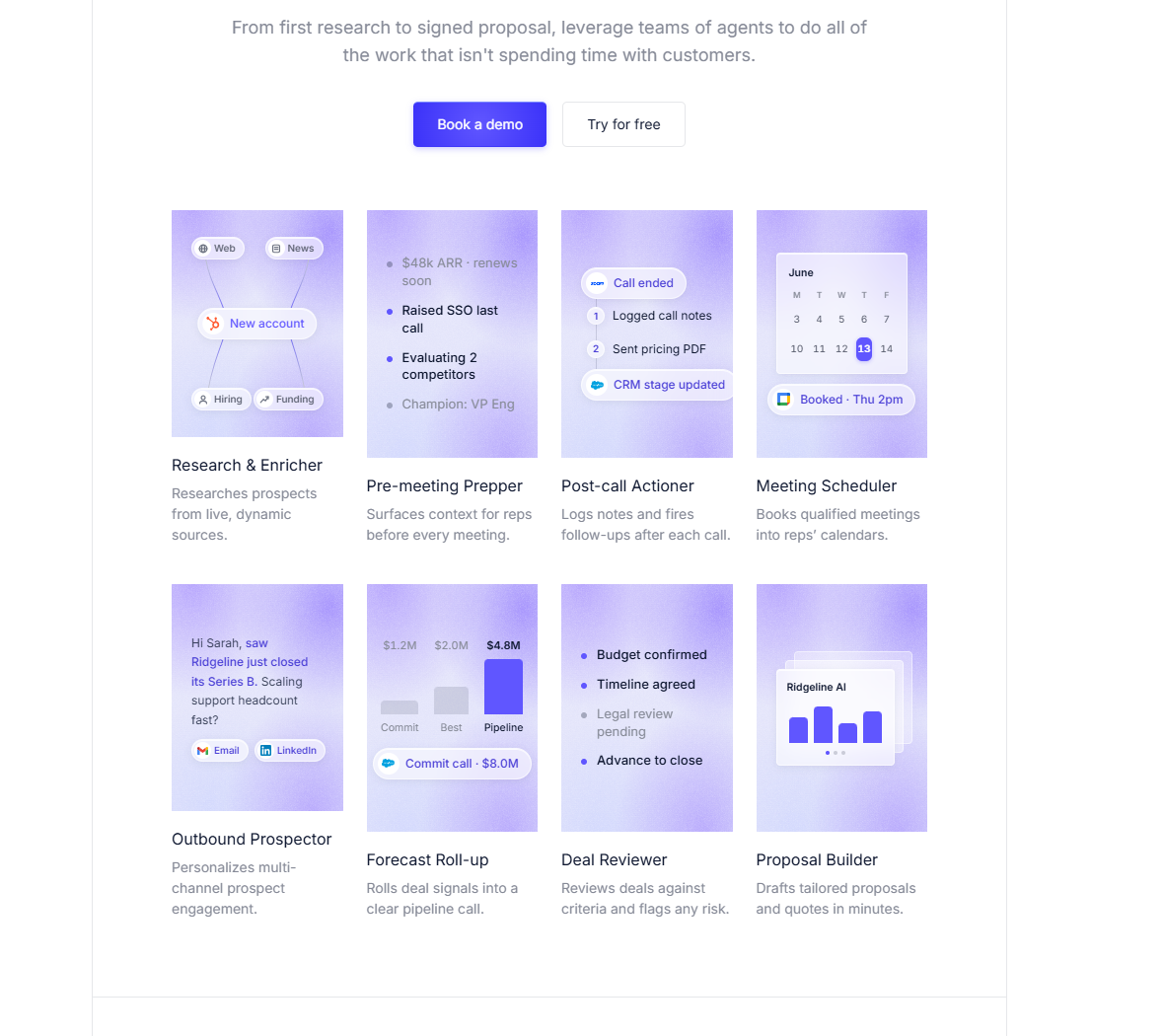
Prepare account and contact context before outreach. Relevance AI’s official sales page describes a Research and Enricher agent that works from live sources. A production version should preserve source URLs and separate verified facts from model inference.
Pre-meeting preparation
Summarize the account, open opportunities, stakeholders, past activity, and likely questions. Restrict the agent to the CRM fields, call notes, and approved sources needed for the meeting rather than exposing the entire workspace.
Post-call actions
Turn notes into proposed CRM updates, tasks, follow-up drafts, and internal handoffs. Keep a rep in the approval loop until the field mapping and summary quality are reliable.
Meeting scheduling and outbound prospecting
The official sales page also presents Meeting Scheduler and Outbound Prospector agents. Before enabling either, check consent requirements, connected-platform policies, sending limits, suppression lists, work hours, and the exact events that stop an automated sequence.
Deal review and forecast roll-up
Check opportunities against qualification criteria, flag missing evidence, and aggregate current deal signals into a reviewable pipeline summary. The agent should surface evidence and uncertainty rather than silently changing forecast categories.
Recommended workflow architecture
- Trigger: define the exact event, schedule, message, or record change that starts the task.
- Context: give the agent only the CRM fields, documents, policies, or live sources required for the decision.
- Tools: separate research, transformation, record updates, notifications, and approval actions.
- Checks: validate required fields, source presence, format, and business rules before the final action.
- Approval: stop before customer communication, sensitive decisions, or irreversible updates.
- Monitoring: review tasks, errors, cost, output quality, and exceptions after deployment.
Integrations commonly required
- HubSpot
- Salesforce
- Slack
- Microsoft Teams
- calendar and meeting tools
An integration logo is not enough. Confirm the authentication method, triggers, actions, rate limits, plan gates, and whether the connection is native, API-based, marketplace-provided, or dependent on another automation service.
Guardrails to add before production
- Keep price commitments and negotiation with humans.
- Do not let an agent silently overwrite critical CRM fields.
- Require source links for account research.
- Use work-hour controls and approval gates for outbound messages.
Plan and cost considerations
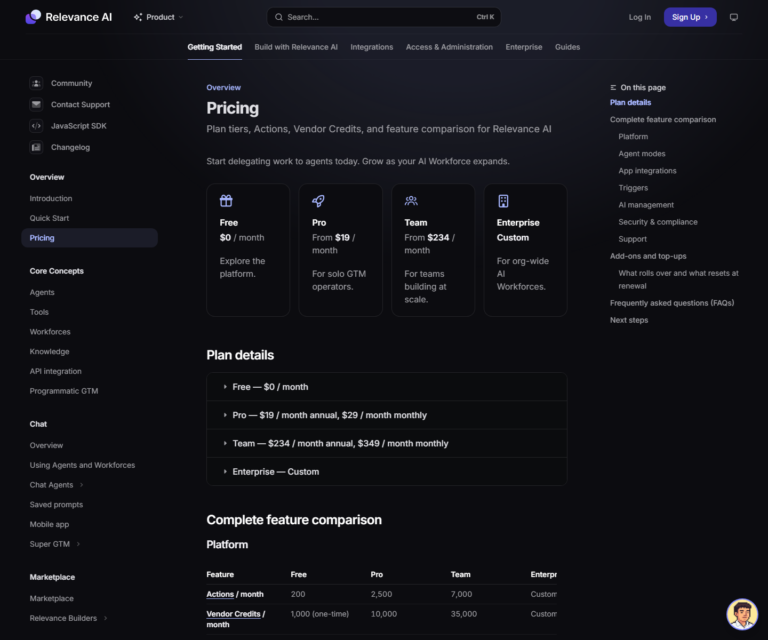
Plan requirements depend on the users, triggers, channels, analytics, evaluation, and governance controls involved. Confirm each required feature on the current pricing page before choosing a tier.
Actions count tool runs, while Vendor Credits cover model and eligible tool costs. Estimate one complete unit of work, multiply it by monthly volume, and include tests, retries, and evaluations. See the Actions and Vendor Credits guide for a practical calculation method.
How to implement the first agent
- Write the current human process as a short job description.
- Select one measurable output and one safe fallback.
- Connect a small test dataset rather than the full production system.
- Build the first draft with Inventor or the visual builder.
- Add explicit source, format, and tool-use checks.
- Run edge cases and compare the output with a human baseline.
- Require approval until the failure modes are understood.
- Increase volume gradually and review usage weekly.
When to choose another tool
Use a deterministic workflow platform when every step is fixed and no reasoning is needed. Use a specialist application when the entire job already exists as a polished product. Use a self-hosted platform when deployment ownership is mandatory. Relevance AI is strongest when the process needs agent reasoning, business context, tools, and controlled coordination across systems.
Disclosure: Toolfountain may earn a commission if you buy through some links, at no extra cost to you.
FAQs
Can Relevance AI fully automate this function?
It can automate defined tasks, but it should not replace strategy, accountability, sensitive judgment, or human relationship ownership.
Which plan is required?
The answer depends on triggers, users, channels, analytics, Evals, and governance. Pro fits many individual pilots, Team supports collaboration and channels, and Enterprise adds advanced controls.
How should teams measure success?
Track output accuracy, completion time, human review time, exception rate, downstream errors, and cost per completed business outcome.
Can several agents work together?
Yes. Relevance AI Workforces coordinate specialized agents through handoffs and conditions. Build the individual agents first.
Should an agent act without approval?
Only after the task has clear limits, reliable tests, reversible actions, and an escalation path. High-impact actions should keep human approval.
Related Relevance AI guides
- Read the full Relevance AI review
- Understand Actions and Vendor Credits
- Compare AI agent platforms that integrate with HubSpot