Relevance AI Workforces: How Multi-Agent Orchestration Works
Contents
Workforces coordinate specialized agents and tools through a visible graph of nodes, instructions, conditions, and handoffs. The feature is useful when it creates a clearer build, test, control, or operating boundary. It should not be adopted simply because it makes the demo look more autonomous.
Disclosure: Toolfountain may earn a commission if you buy through some links, at no extra cost to you.
What a Relevance AI Workforce contains
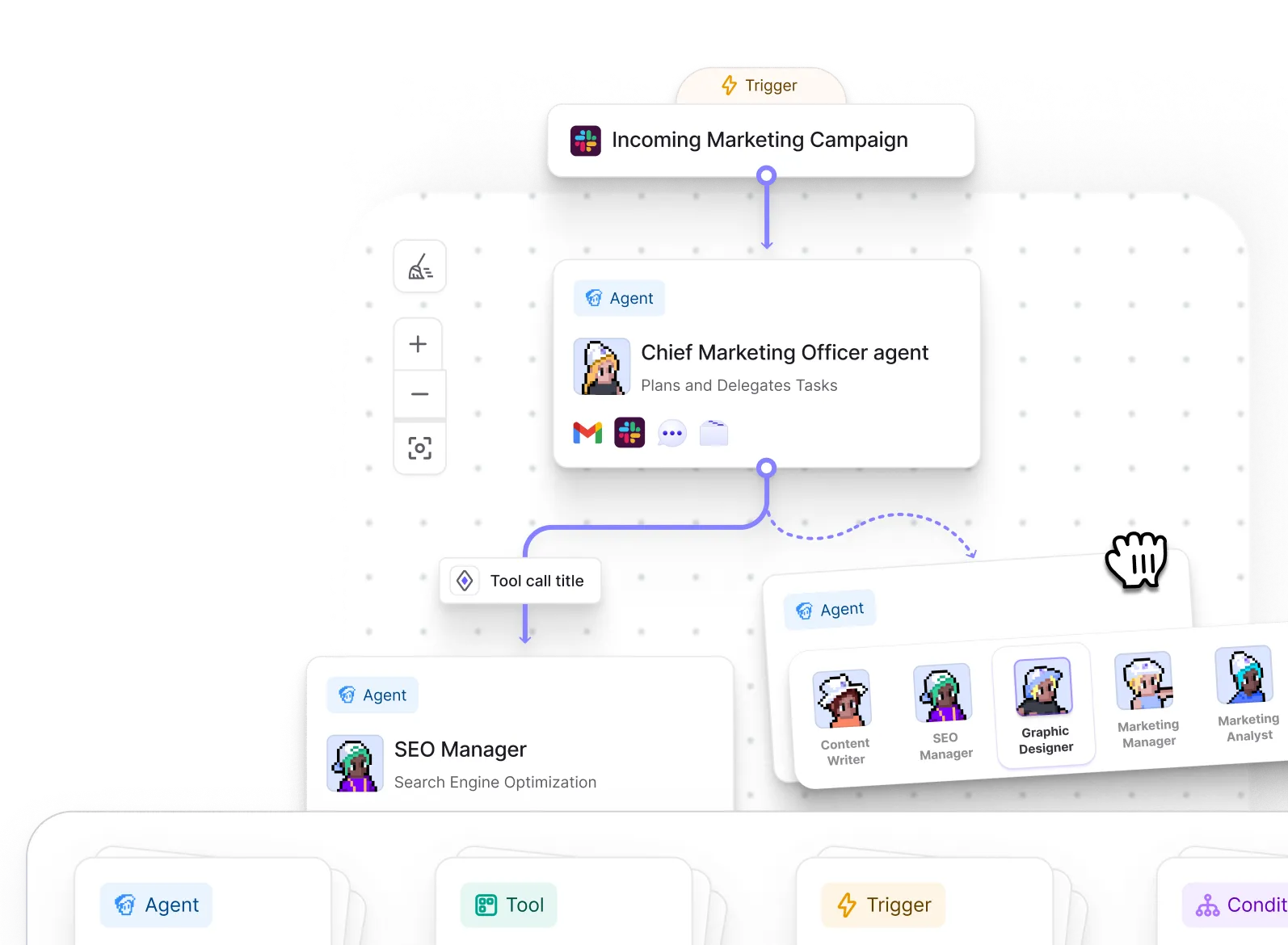
A Workforce is a visual multi-agent workflow. You place existing or newly created agents on the canvas, connect them to other agents or tools, and define how work moves between nodes. Relevance AI’s documentation says the same agent can be reused across multiple Workforces, which is useful for specialist roles such as enrichment or quality review.
The benefit is separation of responsibility. A research agent can gather evidence, a writer can transform it, and a reviewer can check the result. Each node gets a narrower instruction set, clearer permissions, and an output that can be inspected before the next step.
How Workforce handoffs work
Relevance AI documents two main connection types. An AI connection lets an agent decide whether to delegate based on context and the connection instructions. A next step is mandatory and runs after the previous node finishes. Use deterministic next steps when the sequence should always occur, and reserve AI-selected handoffs for cases that genuinely require judgment.
Conditional logic can route tasks according to defined criteria. Connection names and instructions should state exactly when the handoff occurs and what context the receiving node should expect. Ambiguous instructions create silent routing errors that are difficult to diagnose later.
Agents and tools on the same canvas
Tools can be attached to agents, connected directly to other tools, and reused across the Workforce. Shared tools reduce duplication, but a change can affect every agent using that tool. Clone a shared tool when one workflow needs different behavior or credentials.

Monitoring and approvals
The Task view shows how the Workforce runs and where an agent is waiting for approval. Relevance AI recommends testing agents incrementally and using approval requirements for critical tasks. If a workflow stops, inspect the connection settings, delegation instructions, tool output, and whether a node is waiting for human input.
Long-running or customer-facing tasks also need a named owner for exceptions, retry limits, timeouts, and a safe state when a connected service is unavailable. Multi-agent design does not remove operational responsibility; it makes that responsibility more visible when the workflow is designed well.
When one agent is enough
Use one agent when the job has a small number of tools and no meaningful delegation or review boundary. Splitting a simple task across several agents adds prompts, handoffs, model calls, latency, and more places to fail. Create a Workforce when specialization makes the system easier to test, govern, or maintain, not merely because a multi-agent diagram looks sophisticated.
Recommended implementation process
- Define the business outcome and prohibited actions.
- Build a small version with limited data and credentials.
- Create normal, edge, failure, and adversarial test cases.
- Inspect task logs, costs, and connected-system changes.
- Add approval and escalation where errors create material risk.
- Document ownership, support, and change control.
- Increase volume only after the output is stable.
Plan availability and cost
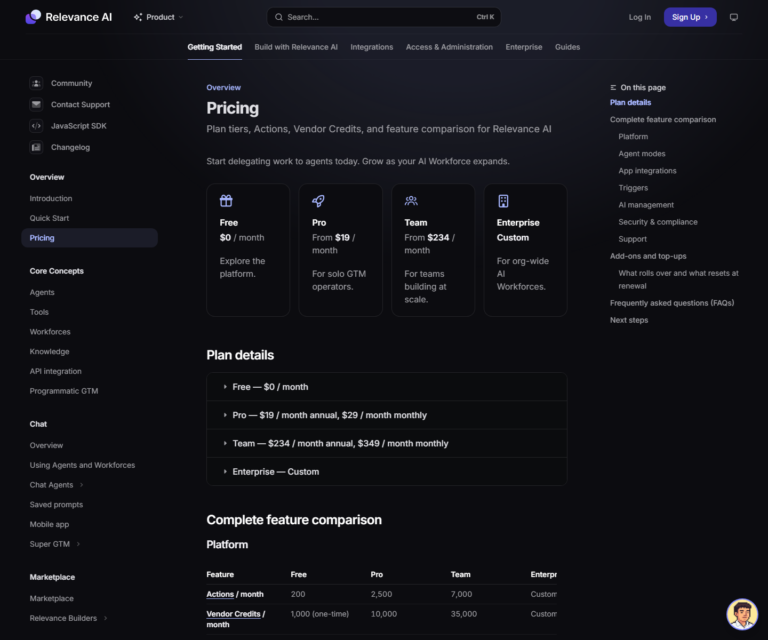
The current pricing page lists one Workforce on Free and unlimited Workforces on Pro. Higher tiers add capacity and operating controls. Confirm the exact limits before subscribing because packaging can change. Every tool run contributes to Action usage, while model and eligible paid-tool costs draw from Vendor Credits.
Important limitations
- More agents create more prompts, tool calls, cost, and failure points.
- A visual canvas does not make ambiguous handoffs reliable.
- Each sub-agent needs its own inputs, output contract, tests, and permission limits.
Read the Actions and Vendor Credits guide and the full Relevance AI review before treating Workforces alone as a purchase reason.
Disclosure: Toolfountain may earn a commission if you buy through some links, at no extra cost to you.
FAQs
Is a Workforce available on the Free plan?
The current pricing page lists one Workforce on Free. Check the live pricing table before signing up because limits and production controls can change.
Does the feature remove the need for human review?
No. Human review should remain where output is sensitive, irreversible, customer-facing, or difficult to verify automatically.
How should the feature be tested?
Use representative scenarios, explicit success criteria, edge cases, failure cases, and a human baseline.
How much does it cost to use?
Cost depends on the plan, Actions, Vendor Credits, model choice, tools, test runs, and production volume.
Can the feature connect to other systems?
Yes, through supported integrations, custom apps, APIs, webhooks, knowledge sources, and MCP, subject to plan and connection limits.
Related Relevance AI guides
- Read the full Relevance AI review
- Understand Actions and Vendor Credits
- See how Workforces can support sales workflows