
EmailOctopus Review 2026: Simple, Affordable Email Marketing
Contents
EmailOctopus review verdict: EmailOctopus is a strong choice for creators, newsletters, nonprofits, publications, small businesses, and lean marketing teams that want capable email marketing without paying for a much larger marketing suite.
Here is what you get at a glance:
- Free plan: up to 2,500 subscribers and 10,000 emails per month.
- Paid plans: from $9 per month with annual billing.
- Email creation: 100+ mobile-friendly templates plus drag-and-drop and HTML editors.
- Automation: visual workflows with triggers, waits, conditions, branching paths, and subscriber actions.
- Audience management: tags, custom fields, and dynamic segments.
- List growth: forms, pop-ups, slide-ins, and landing pages.
- Reporting: campaign and automation performance data.
- Integrations: connections with more than 1,000 apps.
The buying decision comes down to how focused you want your email stack to be. EmailOctopus covers newsletters, campaigns, subscriber management, forms, segmentation, and useful automations well. Teams that also need transactional email, SMS, a built-in CRM, sophisticated ecommerce journeys, or broader multichannel marketing have more reasons to compare alternatives.
EmailOctopus review: pros and cons
Who is EmailOctopus best for?
EmailOctopus fits people who primarily need to grow an audience and communicate with it through email.
Good fits include:
- Newsletter publishers sending regular editorial or community emails.
- Authors and creators building an audience around their work.
- Small businesses that need campaigns, forms, segmentation, and lifecycle automations.
- Nonprofits looking for affordable email software and a 20% lifetime nonprofit discount.
- Publications that need straightforward subscriber management and newsletters.
- Lean marketing teams that want useful email tools without a large CRM or multichannel suite attached.
EmailOctopus becomes a harder fit when transactional email, sophisticated ecommerce events, SMS, WhatsApp, a built-in CRM, or complex cross-channel campaigns are central to your workflow.
What is EmailOctopus?
EmailOctopus is an email marketing platform for managing subscribers, creating campaigns, building automated sequences, capturing leads, segmenting audiences, and tracking email performance.
Its core toolkit includes:
- drag-and-drop and HTML email editing;
- 100+ email templates;
- scheduled campaigns;
- visual email automations;
- tags, fields, and dynamic segments;
- forms and landing pages;
- campaign and automation reports;
- integrations, API access, and webhooks;
- and EmailOctopus Connect for people who want to use their own Amazon SES account.
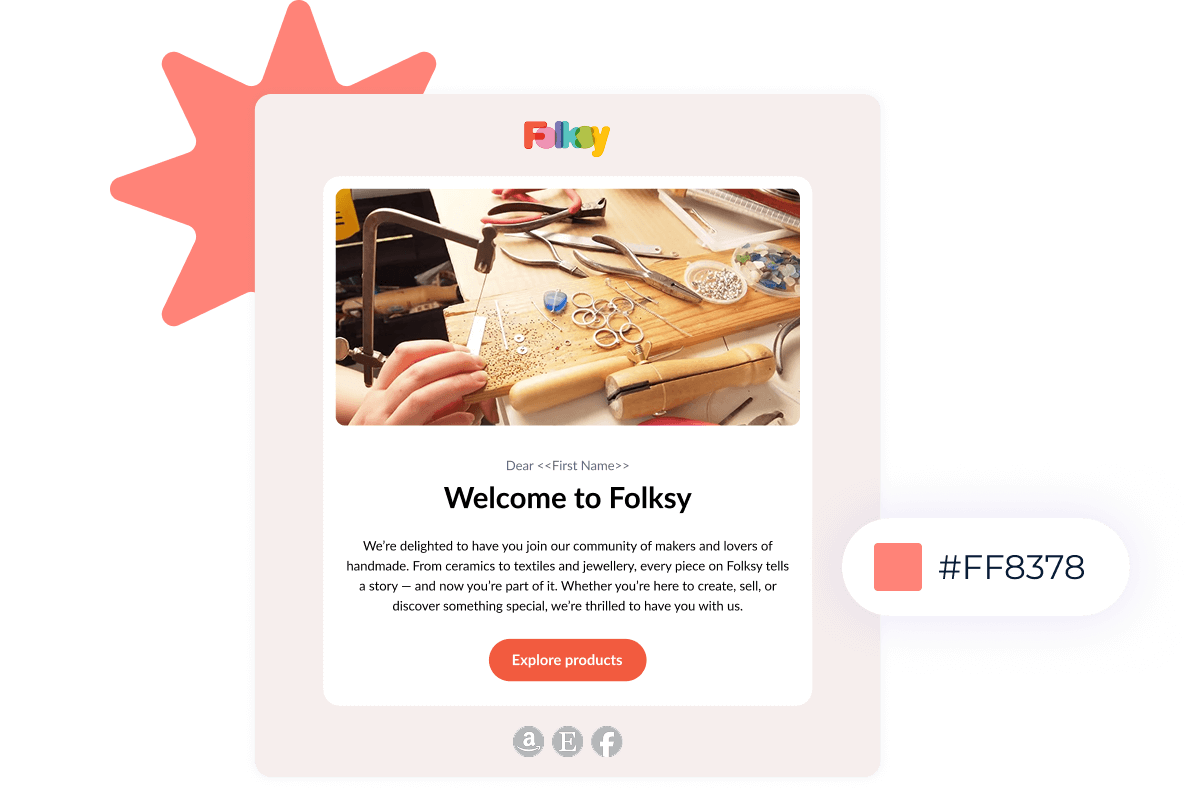
EmailOctopus pricing starts at EmailOctopus pricing starts at $0
EmailOctopus keeps its regular pricing structure simple with two plans: Starter and Pro.
Starter: free
The free Starter plan includes:
- up to 2,500 subscribers;
- up to 10,000 emails per month;
- 100+ email templates;
- the drag-and-drop editor;
- up to three automations;
- up to five steps in each automation, excluding the trigger;
- one landing page;
- one form;
- one user;
- up to 10 fields and 10 tags per list;
- and campaign reports available for 30 days.
EmailOctopus branding remains on Starter emails. Free accounts also receive live-chat access during their first 30 days.
This is a permanent free plan, not a time-limited trial. You can continue using Starter while your account remains within its limits.
Pro: from $9 per month
Pro starts at $9 per month when billed annually. Annual billing gets a 10% discount.
Pro adds:
- removal of EmailOctopus branding;
- unlimited landing pages and forms;
- unlimited users;
- reports available indefinitely;
- higher automation allowances;
- up to three triggers in one automation;
- and ongoing priority support.
Pricing scales with both the number of subscribed contacts and the sending allowance you need.
Watch duplicate contacts across separate lists
This is one of the most important pricing details to understand before setting up your account.
EmailOctopus treats lists independently. If the same email address appears on three lists, that subscriber counts three times toward your contact total.
EmailOctopus therefore recommends keeping overlapping audiences on one main list and organising them with tags, fields, and segments.
Unsubscribed contacts do not count toward your subscriber allowance. Hard bounces and complaints are automatically unsubscribed and stop counting as well.
We cover the tiers and billing rules in our EmailOctopus pricing guide.
Email editor and templates
EmailOctopus gives you a drag-and-drop editor, custom HTML support, and more than 100 mobile-friendly templates.
You can:
- start from a pre-built template;
- create emails using your brand colours and styles;
- build a campaign from scratch;
- import an HTML template;
- use merge tags for personalisation;
- preview campaigns before sending;
- and send test emails.
The editor follows the wider EmailOctopus approach: keep the workflow easy to understand and concentrate on the jobs most email senders perform regularly.
EmailOctopus automations have become much more capable
Automation is one of the more interesting parts of EmailOctopus in 2026.
An automation can start when:
- a contact is added;
- a contact field changes;
- a tag is added or removed;
- another automation triggers it;
- an API event occurs;
- an anniversary date arrives;
- or a specific date stored against the contact is reached.
You can then build the journey with:
- Email steps for automated messages.
- Wait steps based on hours, days, dates, weekdays, and times.
- Conditions that split subscribers into different paths.
- Actions that update fields, add or remove tags, unsubscribe a contact, or trigger another automation.
Conditions can also use engagement with emails inside the automation. For example, you could check whether someone opened an earlier email and change the next step based on that behaviour.
EmailOctopus added multiple automation triggers to Pro in 2026. One automation can have up to three triggers, so the same sequence can begin from different subscriber events.
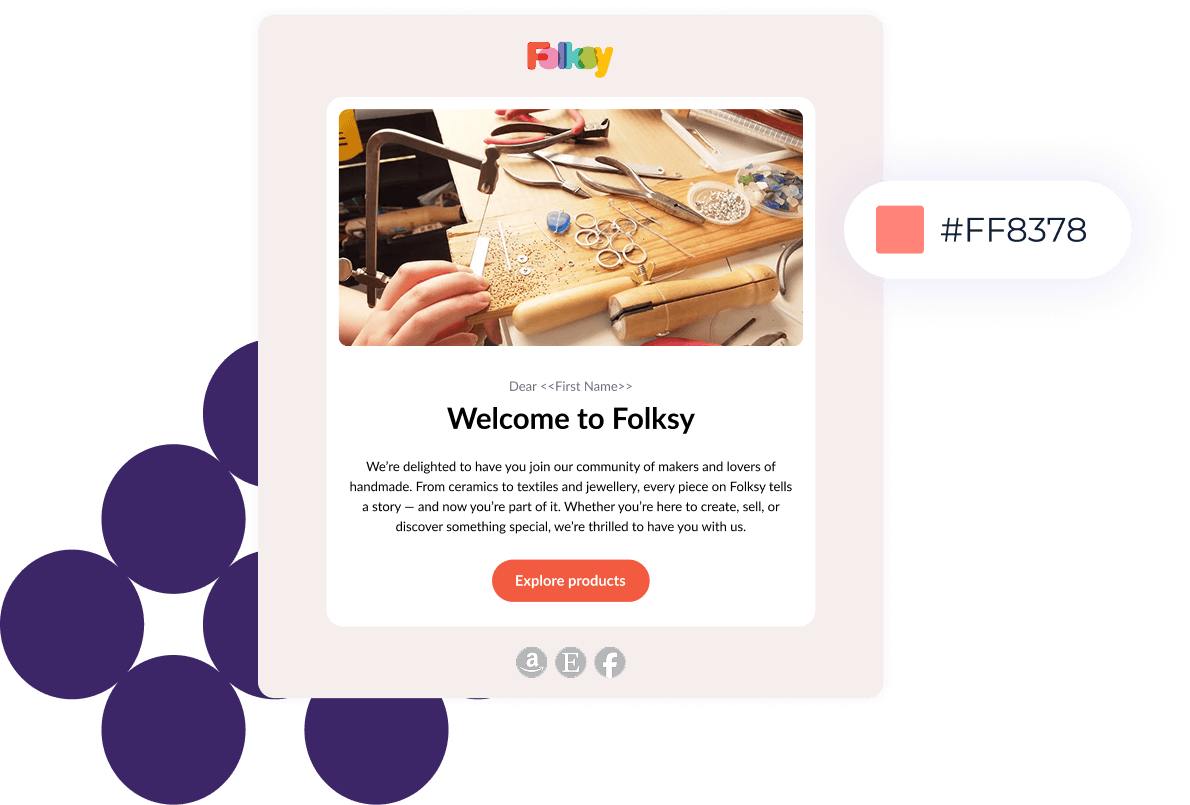
Pre-built automation templates also give you a starting point for common sequences.
The main Starter restriction is capacity. Free users get three automations with five steps each. Pro gives growing teams considerably more room.
Segmentation, tags, and contact management
EmailOctopus gives you fields, tags, and dynamic segments for organising an audience.
You can create segments from:
- subscriber fields;
- custom data and preferences;
- subscriber source;
- tags;
- campaign engagement;
- dates;
- and combinations of AND/OR conditions.
Segments update automatically when contacts begin or stop matching your rules.
For most businesses, one central list combined with tags and segments is also the cleanest way to avoid duplicate-contact billing.

Forms, landing pages, and opt-in
EmailOctopus includes several ways to collect subscribers:
- embedded forms;
- pop-ups;
- slide-ins;
- and standalone landing pages.
Forms can collect custom fields and subscriber preferences along with an email address. That data can feed into your segments and automations.
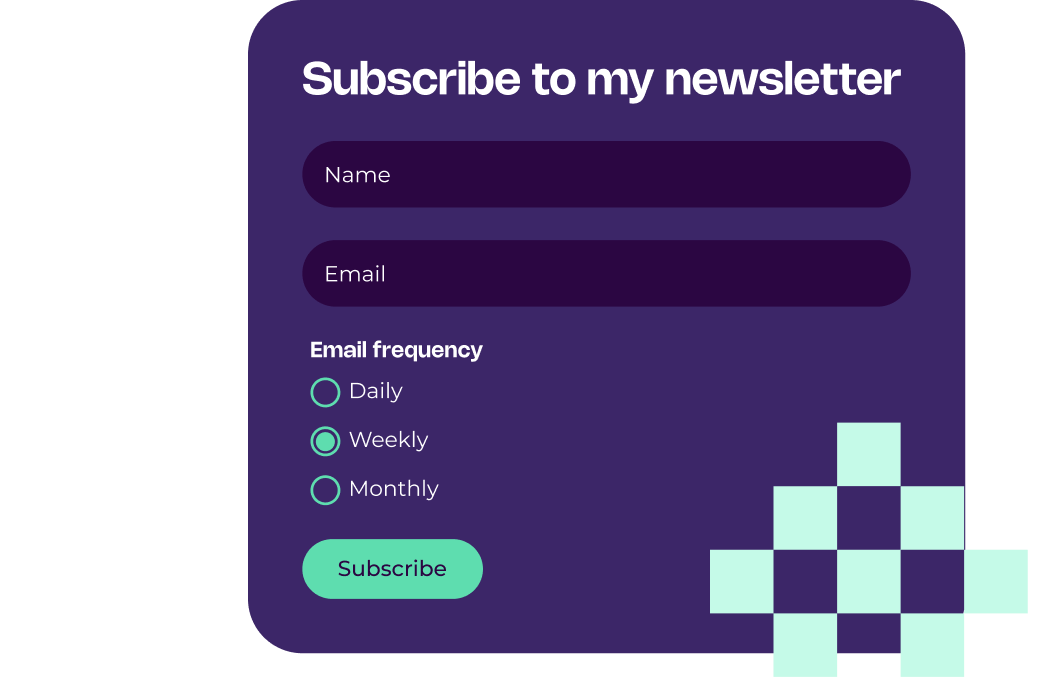
EmailOctopus uses single opt-in by default, but you can enable double opt-in. Contacts joining through EmailOctopus forms, landing pages, or the API can then receive a confirmation email before becoming subscribed.
Contacts imported through the dashboard do not receive that confirmation, so imported subscribers should already have given you permission to email them.
EmailOctopus deliverability and domain authentication
EmailOctopus strongly recommends verifying a domain you control before sending serious campaigns.
Its domain-verification process sets up:
- DKIM to authenticate messages;
- SPF alignment for the sending infrastructure;
- DMARC for sender-domain policy;
- and branded tracking links using your domain.
EmailOctopus says domain verification improves the conditions for inbox placement because receiving email providers can authenticate the sender and confirm that EmailOctopus has permission to send on behalf of the domain.
There is also a practical reason to avoid relying on a free Gmail, Yahoo, or similar address for business sending. Using a domain you control gives you a cleaner authenticated sender setup and more control over your identity.
Reporting and analytics
EmailOctopus reports cover the core performance metrics most newsletter and email teams need:
- opens;
- clicks;
- bounces;
- unsubscribes;
- individual link activity;
- and contact-level engagement.
Automation reports also show how contacts move through a sequence and how its individual emails perform.
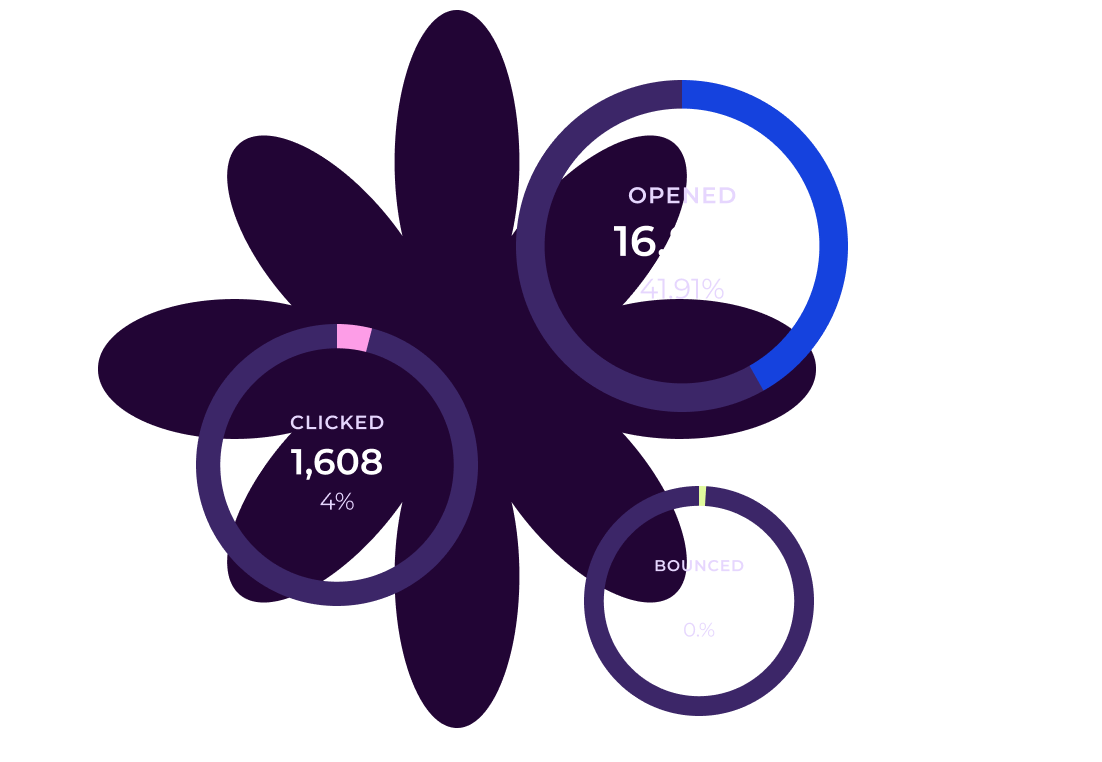
The main plan difference is history. Starter reports remain available for 30 days. Pro keeps them indefinitely.
EmailOctopus integrations and API
EmailOctopus advertises integrations with more than 1,000 apps, using a combination of direct connections and integration platforms.
Its current integration directory includes options involving:
- WordPress;
- WooCommerce;
- Shopify;
- Leadpages;
- Memberful;
- Wix;
- Salesforce;
- Google Ads;
- LinkedIn Ads;
- Zapier;
- and Make.
EmailOctopus also has an API and webhooks for custom workflows involving contacts and subscriber data.
The API does not support email sending. Emails sent through regular EmailOctopus need to be created through the EmailOctopus dashboard.
Switching to EmailOctopus
EmailOctopus published updated migration guides for Mailchimp, MailerLite, and Brevo in 2026.
The typical migration looks like this:
- Create your EmailOctopus account.
- Verify your sending domain.
- Export contacts and subscriber data from the old platform.
- Import unsubscribed or suppressed contacts with the correct status.
- Import your active subscribers.
- Recreate forms or reconnect your existing sign-up sources.
- Rebuild the automations and templates you still need.
- Test the setup before sending your first campaign.
Contacts, fields, and tags can move across. Platform-specific drag-and-drop templates and automation sequences generally need to be recreated.
EmailOctopus also recommends starting initial sends with your more engaged subscribers after a migration, then gradually expanding your sends as the new setup establishes its reputation.
What is EmailOctopus Connect?
EmailOctopus Connect is a separate version of the platform for people who want to send through their own Amazon SES account.
Connect Starter includes:
- up to 2,500 subscribers;
- unlimited emails from the EmailOctopus plan;
- one landing page;
- one form;
- one user;
- and email delivery routed through your Amazon SES account.
Connect Pro starts at $8 per month when billed annually. Amazon SES charges are separate.
Regular EmailOctopus handles the sending infrastructure for you. Connect gives you the EmailOctopus interface while using your own Amazon SES setup underneath.
Connect is also relevant if you need transactional messages through Amazon SES, since regular EmailOctopus does not provide an SMTP connection for transactional sending.
See EmailOctopus Connect pricing.
The EmailOctopus limitations that matter most
No regular SMTP or transactional email sending
Regular EmailOctopus does not provide an SMTP connection for transactional email. Campaigns and automated marketing emails are created through its dashboard.
If your product needs password resets, receipts, account notifications, or other application-triggered messages, you will need another transactional setup. EmailOctopus Connect can work with Amazon SES for that use case.
No RSS-to-email
EmailOctopus currently does not support RSS-to-email.
That is worth noting for publications and bloggers that want every new post automatically converted into an email campaign.
A/B testing is a manual workflow
EmailOctopus’s current 2026 A/B testing guide recommends creating randomized subscriber groups, sending different campaign variants to those groups, and comparing their results.
That works for testing subject lines, calls to action, sender names, content, and send times, but it requires more manual setup than a native split-testing feature that automatically selects and distributes a winner.
Separate lists require some care
The same subscriber counts again whenever they appear on another list.
For overlapping audiences, one central list with tags and segments is usually the cleaner EmailOctopus setup.
Advanced ecommerce teams may want deeper native events
EmailOctopus can connect to ecommerce tools and use synced contact data inside segments and automations.
Stores that depend heavily on native abandoned-cart events, purchase-triggered journeys, product recommendations, and detailed revenue attribution should compare the exact ecommerce workflow they need before migrating.
What EmailOctopus users say in 2026
As of August 18, 2026, EmailOctopus has a 4.2/5 rating on G2 from 46 reviews. Capterra currently shows a 4.8/5 rating from 655 reviews.
The review patterns are fairly consistent across the two platforms.
What users like
- Ease of use: clean interfaces and straightforward campaign setup appear frequently in reviews.
- Affordability: value for money is a recurring positive, especially among smaller organisations.
- Newsletter workflow: users like being able to create and send regular campaigns without a steep learning curve.
- Customer support: support receives particularly strong feedback in current Capterra and Trustpilot reviews.
Brittany C., a nonprofit founder who rated EmailOctopus 5/5 on G2 in May 2026, highlighted how quickly she got started:
“The setup was extremely easy; I imported my list and got moving quickly.”
Read Brittany C.’s EmailOctopus review on G2.
James B Agape, who was new to email marketing when he reviewed EmailOctopus on Trustpilot in July 2026, had a similar experience:
“The platform is clean, intuitive, and made it surprisingly straightforward to create my first newsletter.”
Read James B Agape’s EmailOctopus review on Trustpilot.
Where users want more
- Automation depth: some G2 reviewers want more complex workflow options.
- Design flexibility: advanced customization is a recurring limitation in G2 feedback.
- A/B testing: at least one current G2 reviewer specifically calls out the lack of a built-in A/B testing feature.
- List billing: overlapping subscribers across separate lists can increase the billed subscriber count unexpectedly.
The list-billing issue has a particularly useful real-world example.
Darko H., a web developer who had used EmailOctopus for more than two years, rated it 4/5 on Capterra in March 2026. He liked the product overall but wrote:
“the way contacts are counted across separate lists made my costs higher than expected.”
He explained that his main list had more than 4,000 subscribers and an overlapping second list contained another 1,000+, pushing the billed total above 5,000 contacts.
Read Darko H.’s EmailOctopus review on Capterra.
EmailOctopus’s own documentation confirms the underlying rule: the same subscribed contact counts separately each time that address appears on another list.
Overall, the user feedback matches the product’s positioning quite closely. EmailOctopus earns a lot of praise for making everyday email marketing approachable and affordable. Most of the criticism appears when users need more advanced customization, automation, experimentation, or more complicated audience structures.
Best EmailOctopus alternatives
- MailerLite: worth considering if you need a broader small-business marketing toolkit, deeper ecommerce workflows, websites, or additional experimentation features.
- Kit: particularly relevant for creators building around recommendations, sponsorships, subscriptions, and digital products.
- Brevo: a stronger candidate when marketing email needs to sit alongside transactional messaging, SMS, WhatsApp, CRM, and other customer communication.
- Mailchimp: worth comparing if you want a broader marketing platform and a large integration ecosystem.
See our complete EmailOctopus alternatives guide for the wider shortlist.
We’ve also compared EmailOctopus directly with MailerLite and Mailchimp if you’re deciding between them.
Is EmailOctopus worth it in 2026?
Frequently asked questions about EmailOctopus
Does EmailOctopus have a free plan?
Yes. EmailOctopus Starter supports up to 2,500 subscribers and 10,000 emails per month. There is no time limit or credit-card requirement, although free accounts have restrictions on automations, reports, users, forms, landing pages, tags, fields, and branding.
Does EmailOctopus count unsubscribed contacts?
No. Unsubscribed contacts do not count toward your subscriber allowance. Hard bounces and complaints are automatically marked as unsubscribed as well. A subscribed contact stored on several different lists does count once for every list where it appears.
Can EmailOctopus send transactional emails?
Regular EmailOctopus does not provide an SMTP connection for transactional email. EmailOctopus Connect can be used with your own Amazon SES account, where transactional sending can be handled through Amazon SES.
Does EmailOctopus have A/B testing?
EmailOctopus currently documents A/B testing as a manual workflow using randomized audience segments. You create separate test groups, send different campaign variants, and compare the results.
Can EmailOctopus integrate with WordPress?
Yes. EmailOctopus has an official WordPress integration for adding signup forms to a WordPress site, and its wider integration directory includes additional WordPress, ecommerce, and automation options.