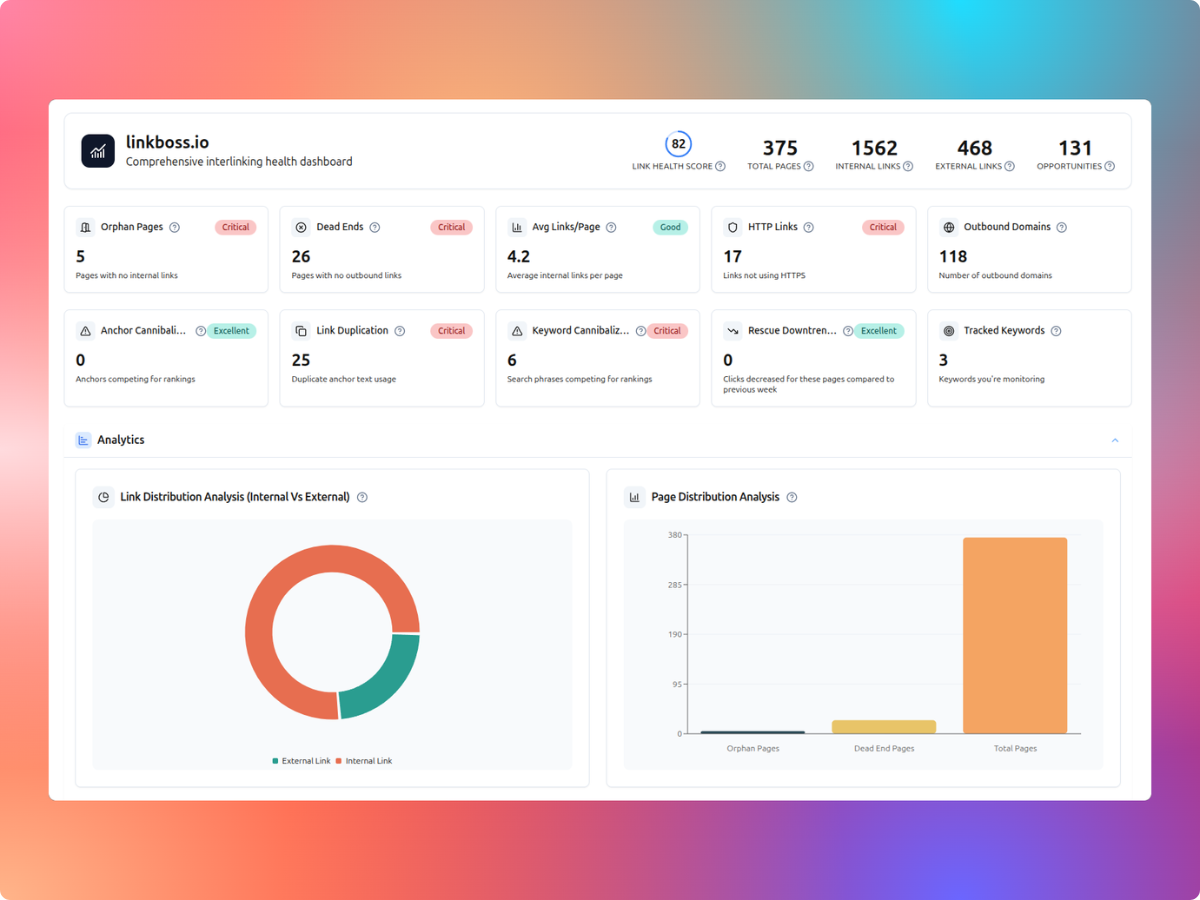
Internal link visualization software helps you inspect how pages connect, which sections sit too deep in a website, and where navigation or linking opportunities may exist. The seven options below cover three useful approaches: internal-link graphs, crawl-path maps and visual sitemaps. The right one depends on whether you need to edit links, audit technical architecture or plan website structure.
Start with the comparison table, then use each tool’s features, limitations, pricing and verdict to narrow your choice. A crawler’s shortest-path map is not the same as a graph of every hyperlink, and a screenshot sitemap serves a different planning purpose.
Internal link visualization tools compared
| Tool | Best for | Map type | Pricing approach |
|---|---|---|---|
| 1. LinkBoss | Best for mapping internal links and acting on the gaps | Internal-link graph | Free entry; credit-based features |
| 2. Link Whisper | Best for discovering missing links between related WordPress posts | Related-content map | License plus possible AI API costs |
| 3. Screaming Frog SEO Spider | Best for technical SEO crawl-path visualization | Crawl-path and directory maps | Free up to 500 URLs; paid license |
| 4. Sitebulb | Best for visual crawl maps alongside guided technical audits | Crawl map | Paid plans |
| 5. Oncrawl | Best for analyzing internal link flow across large sites | Link-flow analytics | Commercial pricing |
| 6. VisualSitemaps | Best for screenshot-based visual maps of website structure | Screenshot sitemap | Limited free monthly crawls |
| 7. DYNO Mapper | Best for hierarchy-focused visual sitemaps and content inventory | Hierarchy sitemap | Free trial; paid plans |
1. LinkBoss — Best for mapping internal links and acting on the gaps
LinkBoss is a good fit when best for mapping internal links and acting on the gaps. Its interactive site visualizer maps page connections and highlights structural issues, with cluster import for silo analysis.
Key features
- Interactive graph of pages and internal-link connections
- Cluster import and silo-network visualization
- Orphan-page visibility alongside internal-link workflows
Pros
- Maps linking relationships rather than just URL folders
- Pairs visualization with linking and auditing tools
Cons
- Some link-building operations consume credits
- CMS workflows differ; check compatibility before subscribing
Pricing
LinkBoss offers a free plan with 50 signup credits, one site, audits, site visualization and silo tools. Paid plans currently include:
| Plan | Monthly billing | Monthly credits | Sites |
|---|---|---|---|
| Launch | $11/month | 200 | 1 |
| Scale | $37/month | 1,000 | 3 |
| Agency | $99/month | 2,500 | 10 |
| Dominator | $549/month | 15,000 | 50 |
Annual prepaid options listed on the official site are $99, $333, $891 and $4,941 respectively, with the annual credits issued together. Separate promotional unlimited-site and lifetime offers may have site-size or availability restrictions. MCP access is paid-only; verify offer conditions at checkout.
Official pricing and plan details
Verdict
Choose LinkBoss if you want to inspect link structure and then improve it in the same ecosystem. Visit LinkBoss.
2. Link Whisper — Best for discovering missing links between related WordPress posts
Link Whisper is a good fit when best for discovering missing links between related WordPress posts. Its AI Sitemap maps related posts and distinguishes linked from unlinked relationships; its documentation cautions that a related pair does not always contain an insertable anchor.
Key features
- AI Sitemap groups posts by semantic relatedness
- Show Linked and Show Unlinked visual overlays
- Jump from unlinked relationships into inbound-link suggestions
Pros
- Focuses on topical relationships that may be missing links
- Useful for editorial teams working directly in WordPress
Cons
- WordPress-oriented rather than a universal site crawler
- AI-relatedness processing may require an external OpenAI API key and associated charges
Pricing
Link Whisper lists four annual-billing plans. The monthly figures on its pricing page are approximate equivalents, not monthly payment options:
| Plan | Annual price | Sites | Annual AI credits |
|---|---|---|---|
| Starter | $97/year | 1 | 2,000 |
| Growth | $197/year | 3 | 3,000 |
| Pro | $297/year | 10 | 5,000 |
| Agency | $497/year | 50 | 10,000 |
The current pricing page advertises AI-powered links, orphan-page detection, auto linking and a link-health dashboard. Confirm that the AI Sitemap is included in the chosen plan before buying; the pricing grid does not clearly itemize that specific visualization.
Official pricing and plan details
Verdict
Choose Link Whisper if the central question is which related WordPress articles should link to one another. Visit Link Whisper.
3. Screaming Frog SEO Spider — Best for technical SEO crawl-path visualization
Screaming Frog SEO Spider is a good fit when best for technical SEO crawl-path visualization. Its force-directed and tree diagrams make crawl-depth patterns visible, while directory-tree views explain URL organization. The standard crawl map does not display every hyperlink.
Key features
- Force-directed, 3D and tree-graph crawl visualizations
- Separate directory-tree maps for URL hierarchy
- Node exploration and optional inlink/outlink overlays
Pros
- Clear distinction between crawl depth and directory structure
- Useful for communicating technical architecture problems
Cons
- Default crawl diagrams show shortest discovery paths, not every link
- A desktop technical crawler rather than a link insertion tool
Pricing
- Free: $0, with a 500-URL crawl limit. Site visualizations are included, but advanced configurations and saving crawls are restricted.
- Paid: $279 per user per year (or £199/year). Removes the fixed 500-URL cap; actual maximum depends on computer memory and storage. Includes advanced configuration, integrations, scheduling and saved crawls.
- Team licensing: 5–9 licenses cost $265 each per year, 10–19 cost $249, and 20+ cost $235.
The license renews annually if you choose to renew; this is not a per-website subscription.
Official pricing and plan details
Verdict
Choose Screaming Frog for technical audits where crawl depth, link paths and indexability matter most. Visit Screaming Frog SEO Spider.
4. Sitebulb — Best for visual crawl maps alongside guided technical audits
Sitebulb is a good fit when best for visual crawl maps alongside guided technical audits. Its Crawl Maps show first-discovered paths among indexable internal URLs. That is useful for crawl depth, but it is not a complete map of every link.
Key features
- Crawl Maps visualize page discovery by link depth
- Internal-link auditing reports and crawl-depth metrics
- Visualizations linked to broader site audit findings
Pros
- Connects diagrams with actionable technical audit context
- Makes deep pages and crawl structure easier to explain
Cons
- Crawl Maps do not display every link on the site
- Orphan pages are excluded from the standard crawl-map view
Pricing
- Free trial: 14 days of Sitebulb Pro desktop features, with no credit card required.
- Desktop Lite: subscription; up to 10,000 URLs per audit and 100+ audit hints. The live pricing page did not expose a reliable numerical price in the accessible text.
- Desktop Pro: subscription; up to 500,000 URLs per audit by default, 300+ hints, scheduled audits and advanced reports. The current numeric desktop price could not be reliably extracted.
- Sitebulb Cloud: starts at £95/month, with cloud crawling and collaboration. It does not offer a cloud free trial.
Desktop subscriptions offer monthly and yearly billing, with the site advertising 15% savings for yearly billing. Verify the live checkout total before buying.
Official pricing and plan details
Verdict
Choose Sitebulb if you want crawl visualization as one part of a structured SEO audit. Visit Sitebulb.
5. Oncrawl — Best for analyzing internal link flow across large sites
Oncrawl is a good fit when best for analyzing internal link flow across large sites. Its Inrank and link-flow analysis emphasize how internal popularity is distributed between pages and groups rather than just drawing a navigational sitemap.
Key features
- Link-flow analysis across website segments
- Inrank internal popularity metric based on link relationships
- Crawl-depth and page-group comparisons
Pros
- More analytical depth for complex site structures
- Can examine how internal popularity moves across sections
Cons
- Less focused on an easy one-click linking workflow
- Not a direct substitute for a simple interactive page-node map
Pricing
Oncrawl is positioned as a commercial technical SEO platform. A dependable public self-serve price was not verified in this research pass, so we cannot responsibly quote a subscription amount. Request a quote for your website volume, desired crawl frequency, analytics integrations and link-flow reporting requirements. Ask whether Inrank and segmentation are included in the quoted package.
Official pricing and plan details
Verdict
Choose Oncrawl for enterprise-scale internal-link analysis and site-segment decisions. Visit Oncrawl.
6. VisualSitemaps — Best for screenshot-based visual maps of website structure
VisualSitemaps is a good fit when best for screenshot-based visual maps of website structure. Its screenshot-driven sitemaps make a website easier to inspect visually, including the relationship between pages and their content layouts.
Key features
- Crawls websites into visual sitemap structures
- Page screenshots for inspecting layouts and navigation
- Directory and referral-based map organization
Pros
- Helpful for visual reviews of content and navigation
- Useful for planning and communicating site structure
Cons
- A visual sitemap is not a full internal-link equity graph
- Free crawling allowance is limited
Pricing
| Plan | Monthly billing | Pages/month | Maximum sitemap |
|---|---|---|---|
| Free | $0 | 25 | 25 pages |
| Mini | $29/month | 1,500 | 500 pages |
| Pro | $99/month | 4,000 | 1,500 pages |
| Team | $399/month | 25,000 | 4,000 pages |
Annual billing reduces the displayed monthly equivalent to $22 (Mini), $74 (Pro) and $299 (Team), billed yearly. A free plan may be enough for a very small site; compare monthly page allowance and maximum individual sitemap size before upgrading.
Official pricing and plan details
Verdict
Choose VisualSitemaps when you need a visual content inventory and website planning map, not automated internal-link insertion. Visit VisualSitemaps.
7. DYNO Mapper — Best for hierarchy-focused visual sitemaps and content inventory
DYNO Mapper is a good fit when best for hierarchy-focused visual sitemaps and content inventory. Its interactive sitemaps and content inventory support information architecture and website planning rather than automatic internal-link creation.
Key features
- Interactive visual sitemaps of website hierarchy
- Content inventory and audit functions
- Planning and collaboration around site structure
Pros
- Combines sitemap views with content inventory planning
- Useful for restructuring websites and explaining navigation
Cons
- Hierarchy maps do not necessarily show every hyperlink
- Not an automatic internal-link recommendation or insertion product
Pricing
| Plan | Monthly billing | Annual-billing monthly equivalent | Pages per crawl |
|---|---|---|---|
| Lite | $49/month | $39/month | 2,500 |
| Pro | $64/month | $49/month | 5,000 |
| Standard | $129/month | $99/month | 5,000 |
| Organization | $399/month | $360/month | 25,000 |
Annual-billing equivalents require an annual commitment. The vendor offers a 14-day limited trial. Higher plans increase users, projects and other capabilities; select by crawl limit and collaboration needs rather than assuming every plan provides the same extras.
Official pricing and plan details
Verdict
Choose DYNO Mapper for site hierarchy, content inventory and information architecture planning. Visit DYNO Mapper.
Which tool should you choose?
Choose LinkBoss if you want to map your internal links and work on linking opportunities. Choose Link Whisper if your priority is discovering unlinked but related WordPress posts. Choose Screaming Frog or Sitebulb for technical crawl-depth investigations. Choose Oncrawl for link-flow analysis across complex websites. Choose VisualSitemaps or DYNO Mapper if you mainly need website hierarchy, visual content inventories and site planning.
Before subscribing, check five things: whether the visualization shows actual links or only crawl paths; whether it includes orphan URLs; which CMSs it supports; whether you can export and share maps; and whether the plan includes the audit or linking actions you need.
Frequently asked questions
What is the difference between a link graph and a visual sitemap?
A link graph models connections between pages. A visual sitemap often emphasizes hierarchy or page organization. Neither necessarily shows every internal hyperlink unless the product specifically supports that view.
Can these tools fix internal linking issues automatically?
Some tools, including LinkBoss and Link Whisper, provide link-building workflows. Crawlers and visual sitemap planners primarily help you inspect or plan a structure. Do not assume a map automatically fixes problems.
Can a crawl map detect orphan pages?
Not always. Pages with no discovered inbound links may be absent from a link-following crawl. Check whether the tool can compare XML sitemaps, analytics or other URL sources to identify orphans.
Research notes and disclosure
Image status: Authentic product screenshots are still being sourced. No generated or unverified screenshots have been inserted into this article.
This is a documentation-based comparison, not a claim that ToolFountain personally tested all seven products. Features and plan limits should be checked again before purchasing. ToolFountain may earn a commission through its LinkBoss affiliate links.
Primary product sources:
- LinkBoss official feature or help documentation
- Link Whisper official feature or help documentation
- Screaming Frog SEO Spider official feature or help documentation
- Sitebulb official feature or help documentation
- Oncrawl official feature or help documentation
- VisualSitemaps official feature or help documentation
- DYNO Mapper official feature or help documentation