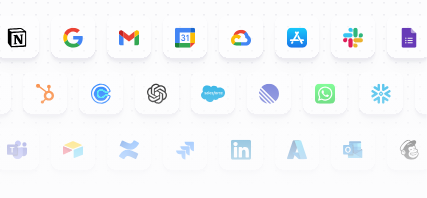
HubSpot, Slack, Salesforce, Gmail, Outlook, Apollo, Notion, Google Sheets, Microsoft Teams, and Zendesk are ten of the most useful Relevance AI integrations for business workflows.
Relevance AI now advertises 2,000+ integrations, but that headline number needs context. Its documentation distinguishes deeper native integrations from a much wider Pipedream-backed catalog. The right question is not simply whether an app logo exists. It is whether the exact trigger, read action, write action, or API operation your Agent needs is available.
Relevance AI integrations at a glance
| Integration | Best use |
|---|---|
| HubSpot | CRM enrichment, qualification, follow-up and customer workflows |
| Slack | Internal Agent access, requests, notifications and Workforce triggers |
| Salesforce | Enterprise CRM operations and sales workflows |
| Gmail | Email triage, drafting, replies and email-triggered Agents |
| Outlook | Microsoft 365 email, calendar and contact workflows |
| Apollo | Prospecting, enrichment and account research |
| Notion | Documentation, databases and workspace workflows |
| Google Sheets | Lead lists, reporting and lightweight data operations |
| Microsoft Teams | Internal Agents inside Microsoft-first organizations |
| Zendesk | Ticket triage and support operations |
How Relevance AI integrations work
An integration can play several roles in an Agent or Workforce:
- Triggers start work when an event happens in another system.
- Tool steps let the Agent read or change data in that system.
- Knowledge connections can make external information retrievable to an Agent.
- Custom API calls handle operations that are not covered by a prebuilt step.
Relevance AI’s documentation says native integrations are built directly into the platform with prebuilt actions and triggers, while Pipedream integrations extend coverage to 2,000+ services. Start with native connections when one exists because they generally require less configuration.
1. HubSpot: best for CRM and inbound sales workflows
HubSpot is one of the strongest integrations to connect first when your lead and customer workflow already lives in the CRM. A HubSpot workflow can activate an Agent when a contact is created, a form is submitted, a property changes, or another CRM condition is met.
Documented HubSpot operations include retrieving and updating contact data, creating notes and tasks, completing tasks, and working with engagement history.
Good workflows: inbound lead research, qualification, CRM enrichment, pre-meeting briefs, post-call updates, lead routing and follow-up preparation.
Watch for: CRM writes affect important records. Put sensitive update Tools behind approval until you trust the mapping and permissions.
2. Slack: best for putting Agents where your team already works
Slack is useful because adoption does not require employees to remember another interface. Relevance AI can place Agents and Workforces inside channels, direct messages and threads, then return status updates or results to the conversation.
Good workflows: research requests, support escalations, account preparation, document-generation requests, internal operations and launching a multi-Agent process from a team channel.
3. Salesforce: best for enterprise CRM workflows
Salesforce fits teams that need Agent logic around a more complex enterprise CRM. Relevance AI can connect Salesforce data and actions into sales and operations workflows, while Enterprise customers get access to enterprise-grade app triggers that include Salesforce.
Watch for: if a workflow depends on a specific Salesforce trigger, confirm plan availability before designing the whole system around it.
4. Gmail: best for email-triggered Agents
Gmail is a natural fit for inbox triage, drafting, follow-up and workflows that start when a message arrives. The useful pattern is to let the Agent interpret the message, then keep the irreversible send or CRM update behind a clear approval rule when risk is higher.
5. Outlook: best for Microsoft 365 email and calendar workflows
Outlook makes more sense when email and scheduling already live inside Microsoft 365. Use it for inbox work, calendar coordination, contacts and workflows that bridge Microsoft communication with other business systems.
6. Apollo: best for prospecting and enrichment
Apollo is useful when the Agent needs prospect or company data before it can qualify, research or personalize outreach. It works best as one part of a larger sales workflow rather than as the entire process.
For example, the Agent can research an account, retrieve or enrich prospect information, apply your qualification rules, then write the result into HubSpot or Salesforce.
7. Notion: best for documentation and workspace workflows
Notion is useful when Agents need to work with team documentation, databases or operational workspaces. The main question is whether the information should be used as Knowledge, changed through a Tool, or both.
Keep permissions narrow when Agents can edit pages or databases. Reading a playbook is lower risk than changing the source of truth.
8. Google Sheets: best for lightweight data operations
Google Sheets remains useful for lead lists, simple reporting, handoff tables and small operational databases. It is often a practical bridge between an Agent and a process that has not yet moved into a dedicated application.
9. Microsoft Teams: best for internal Agents in Microsoft organizations
Teams gives Microsoft-first organizations a way to trigger and interact with Agents from team conversations. That can make an internal Agent feel less like a separate app and more like another operational teammate.
10. Zendesk: best for customer-support workflows
Zendesk is a strong fit for triage, summarization, routing and preparing responses around support tickets. High-impact actions, such as changing ticket state or sending a customer-facing answer, should have approval rules that match the risk.
Other Relevance AI integrations worth checking
- Google Drive and SharePoint for company documents and Knowledge.
- LinkedIn for supported sales and prospecting workflows.
- Asana and project tools for task creation and operations.
- Webhooks when the external service can push an event but does not have the trigger you need.
- Custom API Tools when the app is available but the exact operation is missing.
- External MCP servers when you want to give Agents access to MCP-exposed tools and context.
How integrations affect Relevance AI usage
Every Tool execution matters to the pricing model. One Tool run counts as one Action, including a failed Tool run. If an Agent separately researches a lead, updates HubSpot and sends an email, that can mean several Actions even though the user experiences it as one task.
Integration design therefore affects reliability and cost. Group tightly related operations when a reusable multi-step Tool makes sense, but keep operations separate when you need clearer approvals, retries, testing or reuse.
How to evaluate an integration before you build around it
- Confirm whether the connection is native or part of the wider Pipedream catalog.
- Check the exact trigger you need.
- Check the exact read and write operations you need.
- Check plan restrictions for premium or enterprise triggers.
- Test permissions with a low-risk account or sandbox when available.
- Decide which writes require approval.
- Measure failure and retry behavior before scaling volume.
Related reading
Relevance AI integrations FAQs
How many integrations does Relevance AI have?
Relevance AI currently advertises 2,000+ integrations. Its documentation distinguishes deeper native integrations from the broader Pipedream-backed catalog.
Are all 2,000+ Relevance AI integrations native?
No. Relevance AI explicitly distinguishes native integrations from Pipedream integrations that extend the catalog to 2,000+ services.
What should I connect first?
Connect the system that owns the workflow’s most important data or trigger. For sales teams, that is often HubSpot or Salesforce. For internal requests, Slack or Microsoft Teams can be the better starting point.
Can I connect an app that is not listed?
Relevance AI supports webhooks and custom API Tool steps, which can cover services or operations not exposed as a prebuilt integration.
Do integrations consume Actions?
Tool runs do. Each time an Agent runs a Tool, it counts as an Action, including failed Tool runs.