
TL;DR: How much does Maillayer cost?
Maillayer uses a one-time lifetime license. You pay once for the software, then cover usage-based email sending via Amazon SES and basic server hosting. There are no per-subscriber fees, and costs scale with how many emails you send, not how big your list gets.
Maillayer is significantly cheaper long-term than most hosted email tools, especially if you send emails regularly or expect your list to grow.
How Maillayer’s pricing works
Instead of charging you every month based on how many contacts you have, it separates software ownership from email delivery costs.
Put simply:
– You buy Maillayer once with a lifetime license
– You host it yourself (on a VPS you control)
– You pay Amazon SES only for the emails you actually send
That’s it.
Because sending is handled by Amazon SES, costs are usage-based. This pricing model isn’t for everyone. However, if you’ve ever felt punished for growing your email list (lol), Maillayer might be worth looking at.
Maillayer license cost (one-time payment)
There are no monthly plans, no contact-based tiers, and no feature locks as your usage grows.
At the time of writing:
– Regular price: $249 (one-time)
– Discounted price ($150 off): varies by promo, often significantly lower.
One single payment gives you access to the full platform — unlimited contacts, campaigns, domains, brands, analytics, and future updates.
What are you really paying for with Maillayer’s pricing?
Maillayer’s one-time license covers the main email marketing features you’d normally pay for monthly with hosted tools. Pricing is not gated behind higher plans, usage tiers, or add-ons as your list grows.
Here’s what’s included:
1. Email campaigns
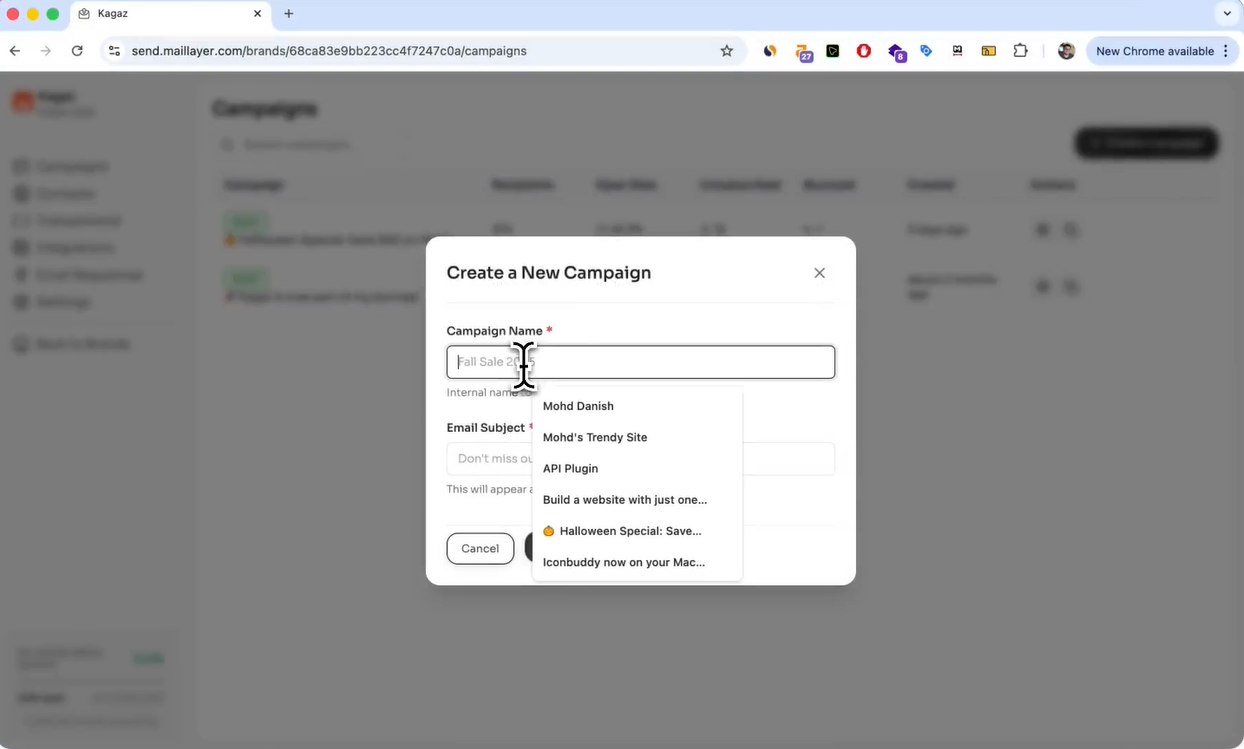
Create and send email campaigns using a clean, straightforward interface. You can manage subject lines, sender details, content, and scheduling without dealing directly with Amazon SES’s low-level tools.
This covers newsletters, announcements, and product updates without usage limits.
(Source: Maillayer)
2. Email templates
Maillayer includes a built-in template editor so you can create reusable layouts for consistent branding. Once a template is set up, you can reuse it across campaigns without starting from scratch each time.
3. Email sequences
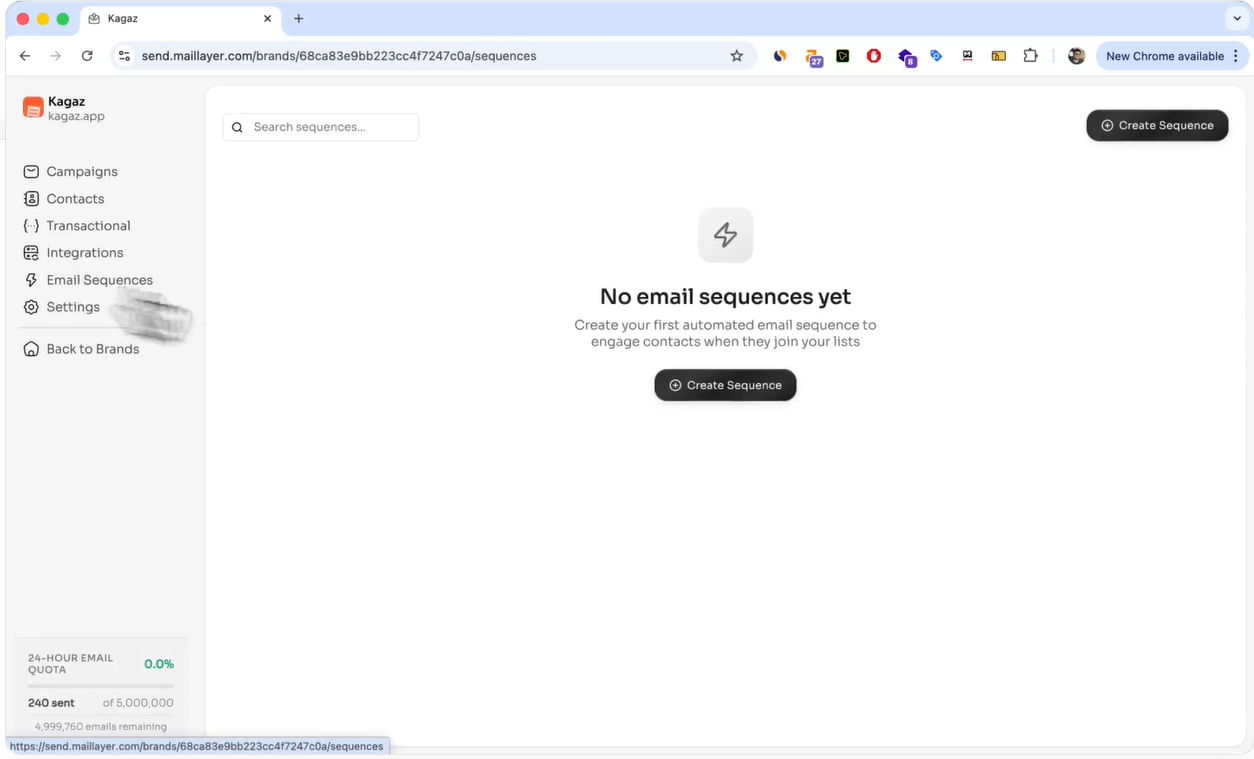
You can set up simple automated sequences that trigger when contacts are added or updated. This works well for welcome emails, onboarding flows, and basic follow-ups.
While it’s not enterprise-grade automation, it’s included in the lifetime license and handles common lifecycle needs.
(Source: Maillayer)
4. Transactional email API
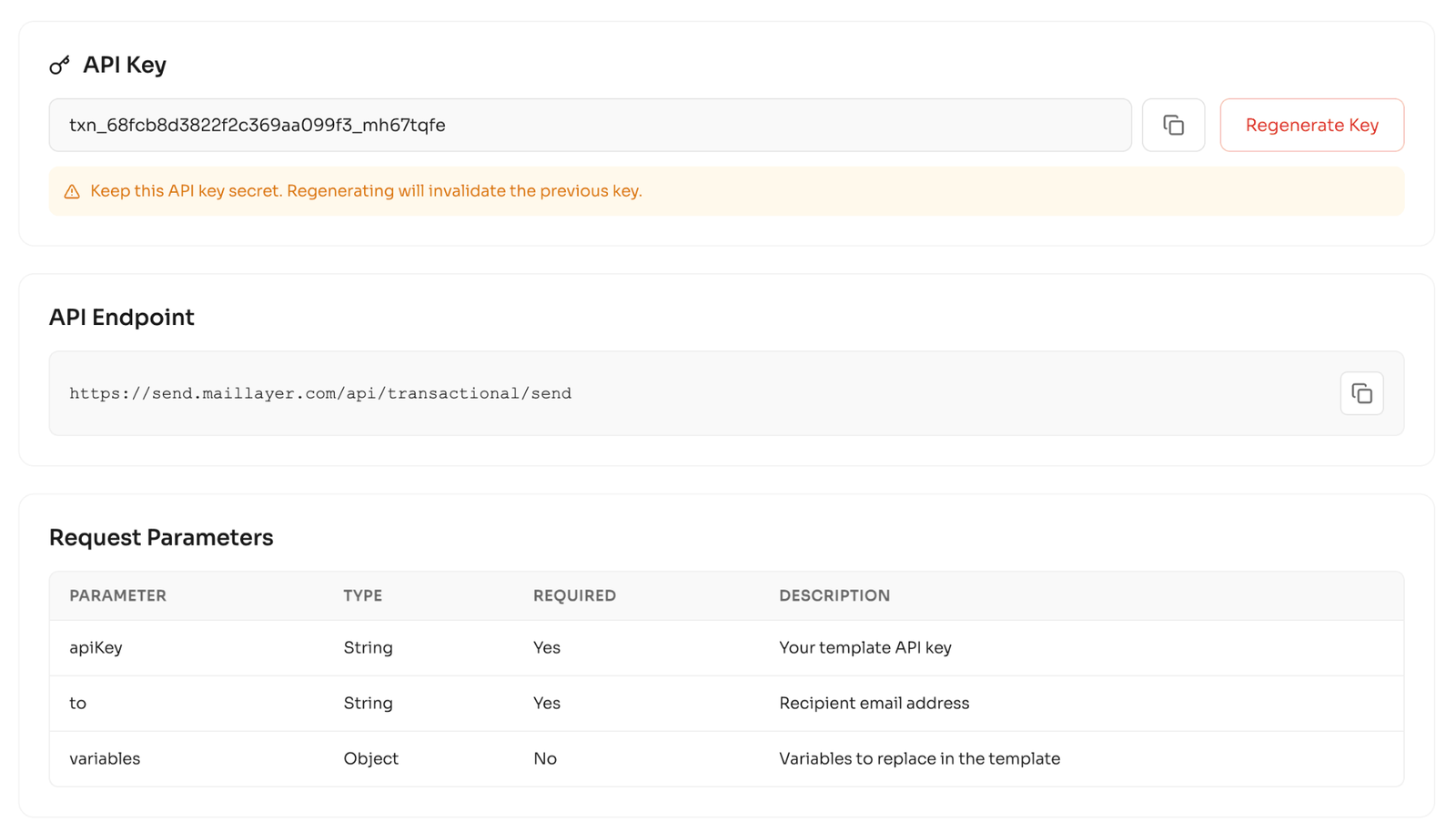
Maillayer provides a transactional email API so you can send application-triggered emails without managing raw SES templates manually. This helps keep marketing and transactional emails in one system.
There’s no separate charge for transactional sending beyond SES usage.
(Source: Maillayer)
5. Built-in analytics
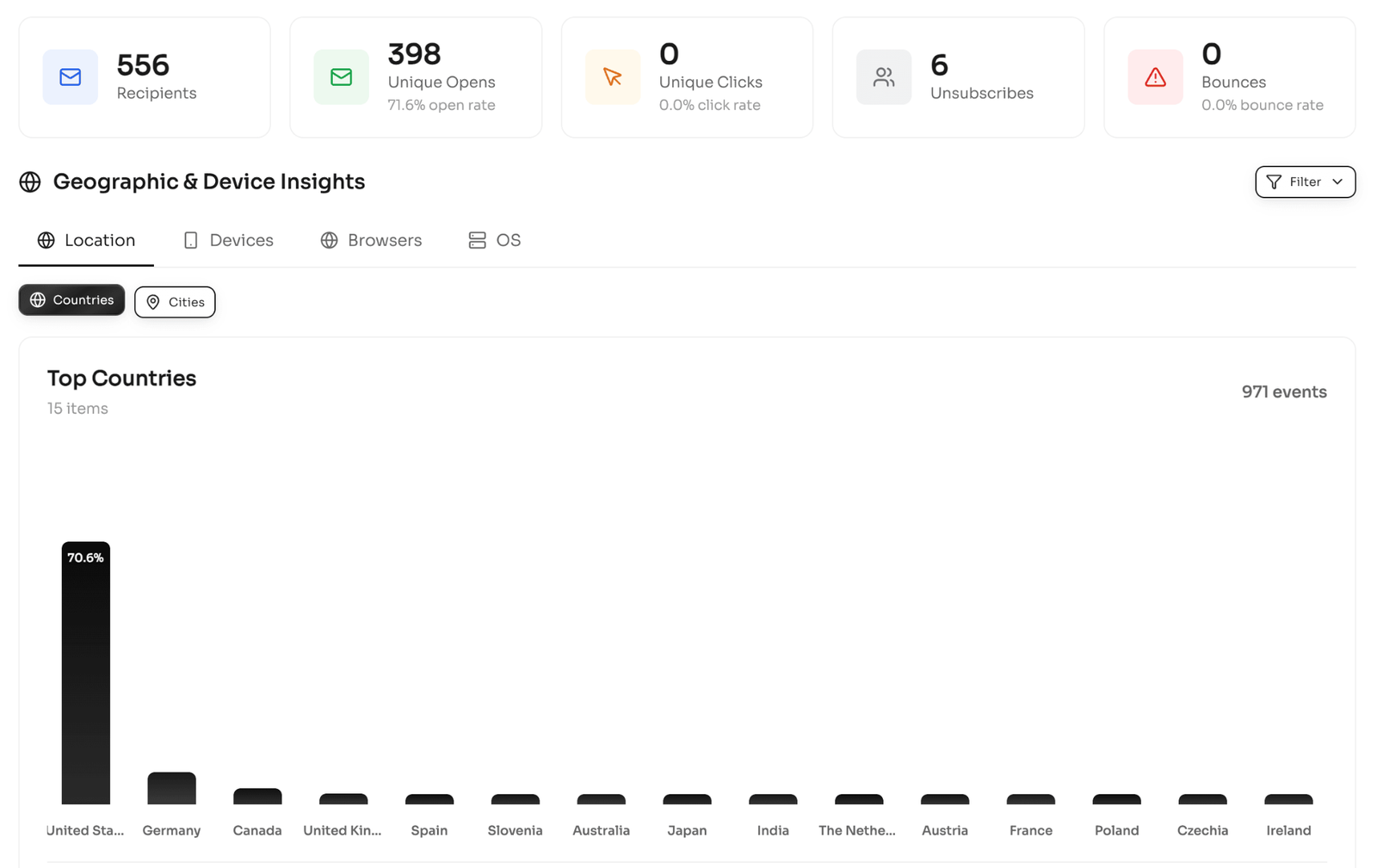
You get native tracking for opens, clicks, bounces, devices, and geographic data. These insights help you monitor engagement and keep deliverability in check without relying on third-party analytics tools.
Analytics access doesn’t change as your volume increases.
(Source: Maillayer)
6. Multi-brand and multi-domain support
Maillayer allows you to manage multiple brands and sending domains within a single installation. This is useful for agencies, multi-product startups, or separating marketing and transactional email domains.
There are no per-brand or per-domain fees.
7. Domain warmup
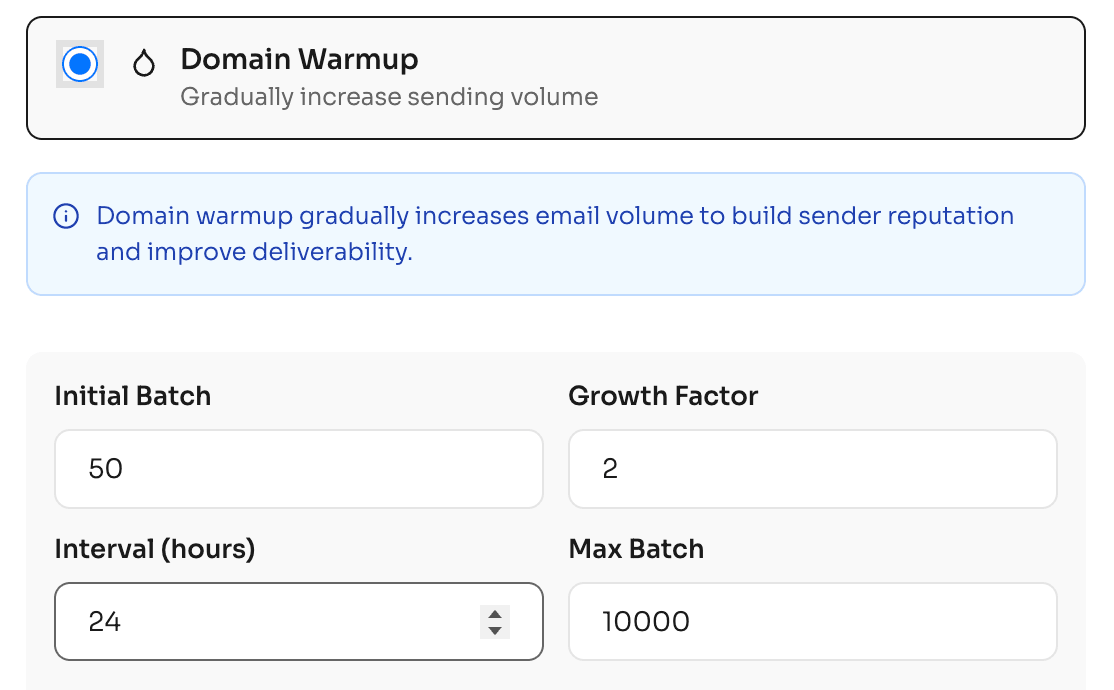
Domain warmup tools are included to help you gradually increase sending volume when starting fresh or migrating from another platform. This reduces the risk of deliverability issues early on.
Warmup is built into the product.
(Source: Maillayer)
8. Contact management
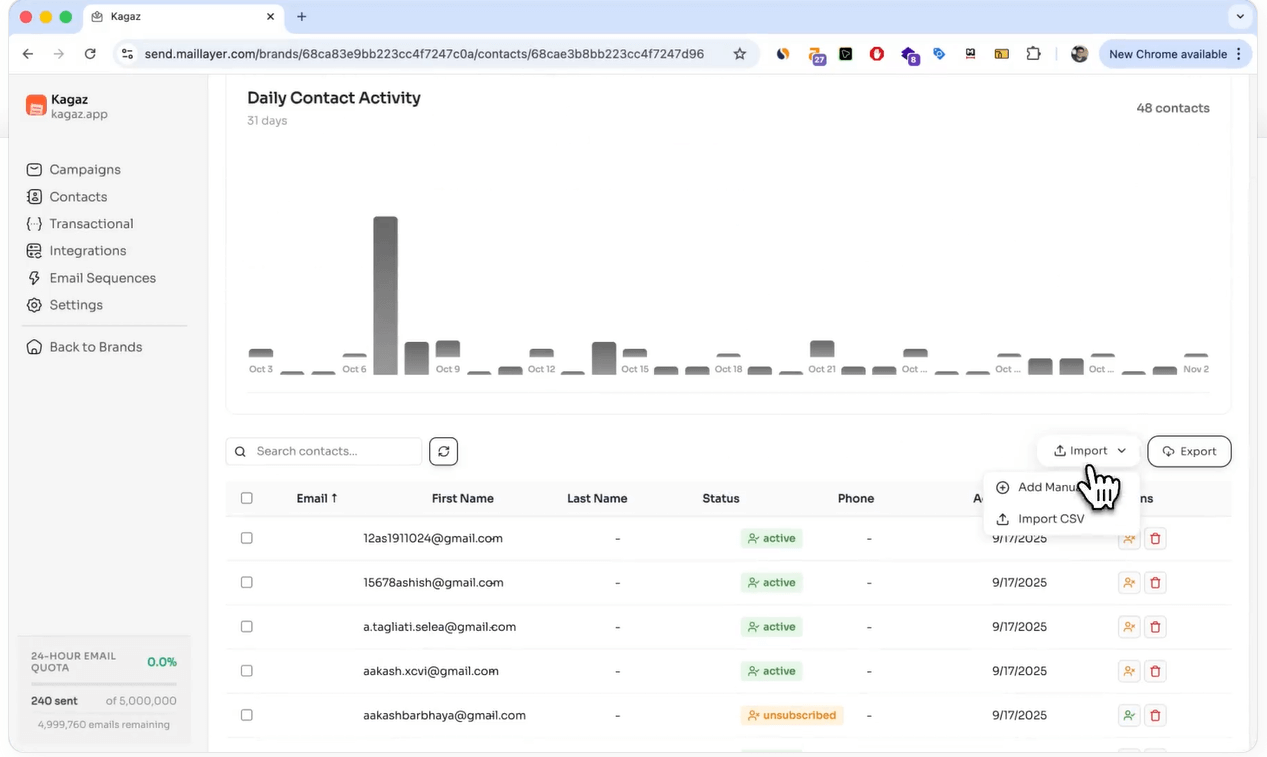
You can import contacts via CSV, manage lists, and perform bulk operations directly inside Maillayer. There are no limits based on how many contacts you store.
You’re charged only for emails sent.
(Source: Maillayer)
9. Integrations
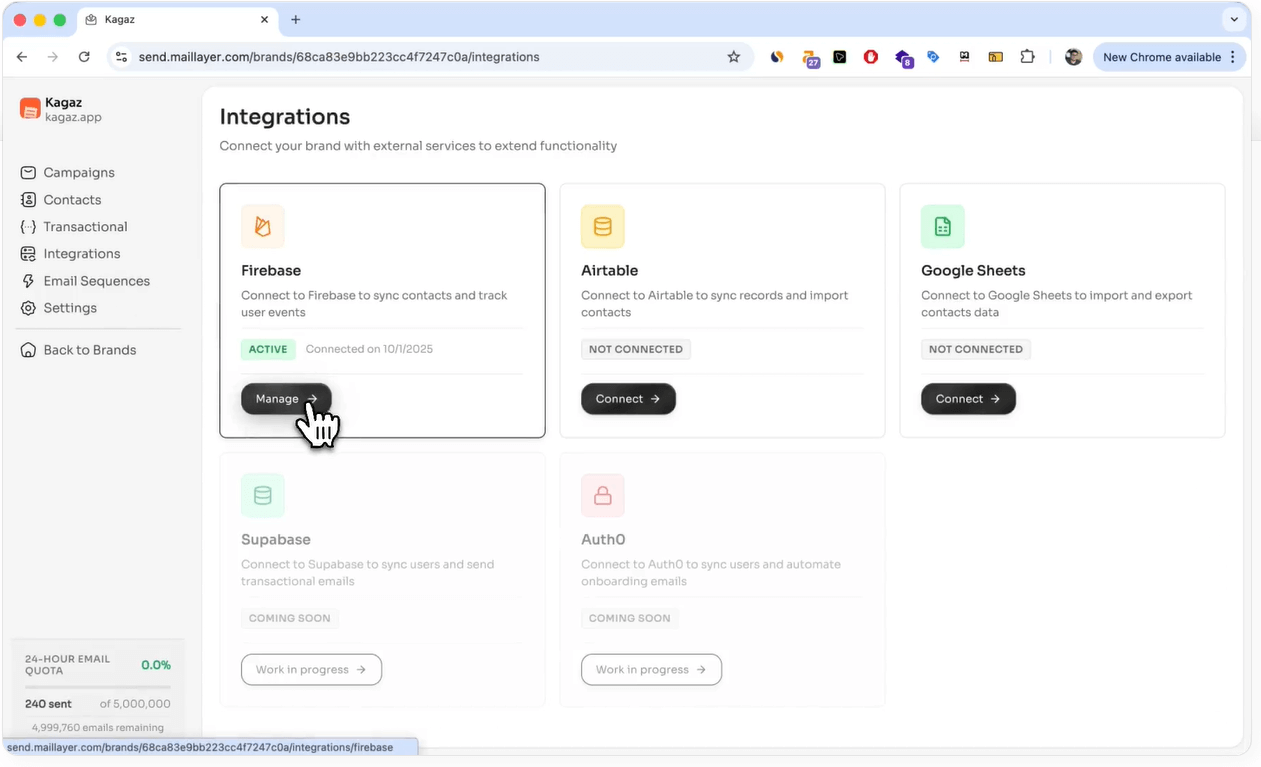
Maillayer supports integrations with tools like Firebase, Airtable, and Google Sheets to sync contacts and trigger emails. These integrations are included in the license.
(Source: Maillayer)
10. Lifetime updates and support
The license includes ongoing updates and access to support without renewal fees.
Once you buy it, you keep using it.
What you still pay for with Maillayer
Buying Maillayer once doesn’t mean email is “free forever.” It means the software cost stops, while the infrastructure and sending costs stay transparent.
There are two ongoing expenses to account for:
– Server hosting (VPS)
You’ll need a basic server to run Maillayer. Maillayer is self-hosted, which means you run it on your own server.
Typically, you’ll use either an existing domain or subdomain to access the dashboard and verify sending domains with Amazon SES. For most setups, this is a low, predictable monthly cost and doesn’t change with list size.
– Amazon SES sending costs
Email delivery is handled by Amazon SES, which charges based on how many emails you send.
If your email bill increases, it’s because you’re sending more emails, and not because you crossed a pricing tier.
Amazon SES costs with real examples
Maillayer uses Amazon Simple Email Service (SES) for email delivery, which charges based on how many emails you send. Pricing is straightforward and scales linearly, which is why it works well for long-term sending.
Here’s what SES sending costs typically look like:
| Emails sent | Approx. SES cost |
| 10,000 | ~$1 |
| 100,000 | ~$10 |
| 1,000,000 | ~$100 |
Long and short of it is: If you double your sends, you roughly double your cost.
Maillayer pricing vs Mailchimp pricing
Mailchimp and Maillayer approach pricing from completely different angles.
Mailchimp charges based on how many subscribers you have, while Maillayer’s costs are driven by how many emails you actually send.
| Pricing factor | Maillayer | Mailchimp |
| Pricing model | One-time license + SES usage | Monthly subscription |
| What drives cost increases | Emails sent | Number of subscribers |
| Cost as list grows | Stays stable if send volume is stable | Increases even if you send less |
| Long-term affordability | Predictable at scale | Gets expensive over time |
| Software ownership | You own the license | You rent access |
| Setup effort | Moderate (self-hosted) | Very low (hosted) |
Mailchimp makes sense if you want zero setup and don’t mind recurring fees.
Maillayer makes more sense if you plan to keep an email list long term and don’t want growth to automatically increase your software bill.
Maillayer pricing vs Sendy pricing
Both Maillayer and Sendy use Amazon SES and a one-time license model, so the ongoing sending costs are similar.
The significant difference is what you get on top of SES and how much friction you’re willing to accept.
| Pricing factor | Maillayer | Sendy |
| License model | One-time (lifetime) | One-time |
| Sending costs | Amazon SES (usage-based) | Amazon SES (usage-based) |
| UI & usability | Modern, clean | Basic, utilitarian |
| Built-in analytics | Yes (opens, clicks, geo, device) | Limited |
| Automation | Sequences and triggers | Autoresponders |
| Multi-brand support | Yes | Yes |
| Transactional API | Yes | No (manual SES setup) |
| Setup effort | Moderate | Moderate |
| Best for | Teams wanting SES + polish | Teams prioritizing bare-minimum cost |
If you’re optimizing purely for the lowest possible setup, Sendy can still work. If you want the same SES cost model with better usability, analytics, and fewer manual steps, Maillayer usually justifies the difference.
Is Maillayer worth the price?
Maillayer is worth the price if you’re thinking long term.
The one-time license removes software from your long-term cost equation. From that point on, your email spend is driven almost entirely by how much you send.
Final verdict on maillayer pricing
Maillayer’s pricing is simple, transparent, and hard to beat if you plan to send emails in the long term. You pay once for the software, then let Amazon SES handle delivery at a predictable, usage-based cost. There are no subscriber tiers, no forced upgrades, and no penalties for list growth.
It’s not the cheapest option in the short term if you only send occasionally. But for anyone building a real audience or product, the math usually works in your favor the longer you use it.
If you prefer owning your tools instead of renting them, and you’re okay trading a bit of convenience for cost control, Maillayer’s pricing model makes a lot of sense.
Frequently asked questions on Maillayer’s pricing
How much is a 1000 email list worth?
The value of an email list is typically measured by its Revenue Per Subscriber (RPS).
– Industry Average: Many marketers use a rule of thumb that a healthy, engaged list is worth roughly $1 per subscriber per month in revenue. Therefore, a 1,000-person list could be worth $1,000/month.
– CPM Value: In terms of advertising value, a 1,000-email send (Cost Per Mille) is often valued between $100 and $400, depending on the niche.
How much does it cost to send 10,000 emails?
Costs vary wildly depending on whether you use a “managed” SaaS or a “self-hosted” solution:
– Maillayer (via Amazon SES): This is one of the most affordable options. Since Maillayer uses Amazon SES for delivery, you pay Amazon’s rate of $0.10 per 1,000 emails. Sending 10,000 emails costs approximately $1.00.
– Standard SaaS (MailerLite/Brevo): Prices for 10,000 emails (or a list of that size) typically range from $30 to $130 per month, depending on the features and list size.
What is the cheapest email marketing platform?
If you are comfortable with a one-time setup, Maillayer (paired with Amazon SES) is among the cheapest because it eliminates monthly subscription fees for the software itself.
For traditional monthly subscriptions:
– Zoho Campaigns: Starts as low as $4/month.
– Sender: Offers a very generous free tier (up to 2,500 subscribers).
– MailerLite: Highly rated for value, starting around $9/month.
How much does an email list cost?
Buying email lists is generally discouraged as it can damage your sender reputation and violate GDPR/CAN-SPAM laws. However, if you are looking at the market cost:
– Consumer Lists: Typically cost $100 to $400 per 1,000 names.
– B2B/Niche Lists: Can cost $600 to $1,000+ per 1,000 names due to the higher quality and specific targeting required.
Maillayer pricing per month?
Maillayer operates on a one-time payment model for its software license and does not charge a monthly fee.
– One-time License: Currently, a lifetime license is listed at $249, which covers unlimited contacts and campaigns. You can get $150 off using this link>>.
– Monthly Maintenance: You do not pay Maillayer a monthly fee. You only pay Amazon SES for what you actually send ($0.10 per 1,000 emails).
– Total Monthly Cost: If you send 50,000 emails in a month, your bill would be roughly $5.00 paid to AWS, with $0 paid to Maillayer.