
9 Best Sendy Alternatives (Compared on Price, Ease, and Deliverability)
Contents
For years, Sendy has been the “open secret” of the email marketing world. By connecting a one-time purchase script to Amazon SES, savvy marketers could send bulk emails for pennies on the dollar.
However, Sendy’s interface hasn’t aged particularly well, and the technical “hoops” required to keep a self-hosted server running smoothly are becoming a burden for growing teams.
If you’re tired of managing PHP updates, struggling with a lack of modern automation, or simply want a drag-and-drop builder that doesn’t feel like 2012, you are in the right place.
Why some users switch from Sendy:
– The technical wall: They no longer want to deal with Amazon SES setup, server maintenance, or manual script updates.
– Automation needs: Sendy’s autoresponders are basic; modern businesses need visual journey builders and event-based triggers.
– User experience: Modern teams expect faster onboarding, cleaner analytics, and a UI that doesn’t require a developer to navigate.
– Customer support: When a self-hosted script breaks, you’re often on your own. Some other hosted platforms offer 24/7 support.
TL;DR
– Best cheap Sendy-style replacement: Maillayer
– Best for eCommerce (Shopify/WooCommerce): Klaviyo
– Best for creators/newsletters: Kit (formerly ConvertKit)
– Best for advanced automations: ActiveCampaign
– Best for agencies/multi-client: MailWizz
– Best for transactional + marketing together: Brevo
What to consider before replacing Sendy
1. Total cost of ownership
Sendy is a one-time fee, but your new tool likely won’t be. Look at Contact-based pricing (paying for the size of your list) vs. Send-based pricing (paying for how many emails you actually hit ‘send’ on).
Don’t forget to factor in the “hidden” costs of third-party templates or extra seats for your team.
2. Deliverability and trust
Moving away from Sendy doesn’t automatically fix delivery. You still need to manage:
– Authentication: Setting up SPF, DKIM, and DMARC records is non-negotiable in 2026.
– Domain warm-up: If you move to a new IP pool, start small to avoid the spam folder.
3. The automation gap
This is usually the main reason for switching. Does the alternative offer:
– Visual builders? (Mapping out a sequence vs. a list of emails).
– Tagging depth? (Can you trigger an email based on a specific link click?)
4. UX and time cost
Calculate how much your time is worth. If you spend 3 hours a month fixing server issues on Sendy, a $20/month hosted platform has already paid for itself.
Sendy alternatives at a glance
| Tool | Best For | Starting Price | Free Plan | Automation | Ease of Setup |
| Maillayer | Modern SES Users | $249 (One-time) | No | Medium | Moderate |
| EmailOctopus | Budget Hosted | $9/mo | Yes | Basic | Easy |
| MailWizz | High-Volume/Agencies | $89 (One-time) | No | Advanced | Technical |
| MailBluster | Pure SES Savings | $60/year + $0.60/1k | Yes (3k emails | Basic | Easy |
| Listmonk | High-Performance/Devs | Free (Open Source) | Yes | Basic+ | Technical |
| Brevo | Transactional/SME | ~$8/mo | Yes | Medium | Easy |
| FluentCRM | WordPress Users | $129/year | No | Advanced | Moderate |
| Kit (ConvertKit) | Creators | $39/mo | Yes | Advanced | Easy |
| Klaviyo | eCommerce | Between $20 – $45/mo | Yes | Elite | Easy |
1. Maillayer
(Source: Maillayer)
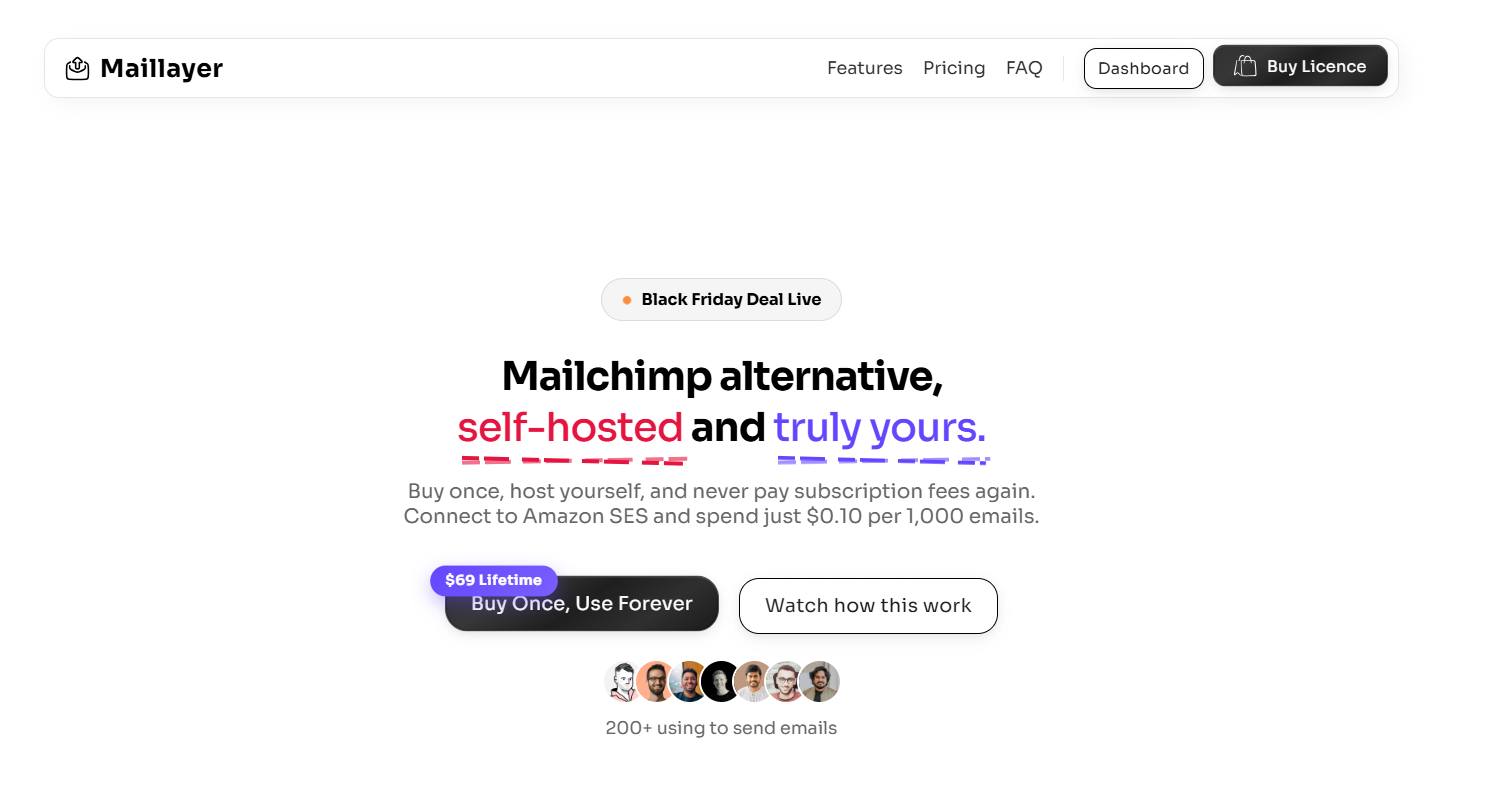
Maillayer is the closest thing to a true Sendy 2.0. It follows the same core philosophy, self-hosted + Amazon SES for ultra-low sending costs, but fixes the two biggest pain points people have with Sendy: the interface and integrations.
Where Sendy feels frozen in time, Maillayer feels purpose-built for modern workflows, especially if you work with NoCode tools or event-based data.
Features
– Native sync with Airtable, Google Sheets, and Firebase
– Clean, lightning-fast, modern UI (no legacy clutter)
– Transactional Email API included out of the box
– Behavior-based segmentation (not just lists and tags)
– Built specifically to run on Amazon SES
Best for
Indie hackers, NoCode builders, and marketers who love Amazon SES pricing but don’t want to use Sendy’s dated UX.
Pros
– Modern, SaaS-level interface
– Excellent NoCode and data-sync integrations
– No monthly subscription (you own the software)
Cons
– Still requires self-hosting and SES setup
– Smaller ecosystem and community compared to Sendy
– Fewer tutorials and third-party resources (for now)
Pricing
– One-time license, typically $249
– No free plan
– Ongoing costs are limited to your Amazon SES usage
Verdict
If your main reason for using Sendy is cost control, but your main reason for leaving is the experience, Maillayer is the cleanest upgrade path. You get SES-level pricing alongside a modern UI and better integrations, without committing to another monthly SaaS bill.
2. EmailOctopus
(Source: EmailOctopus)
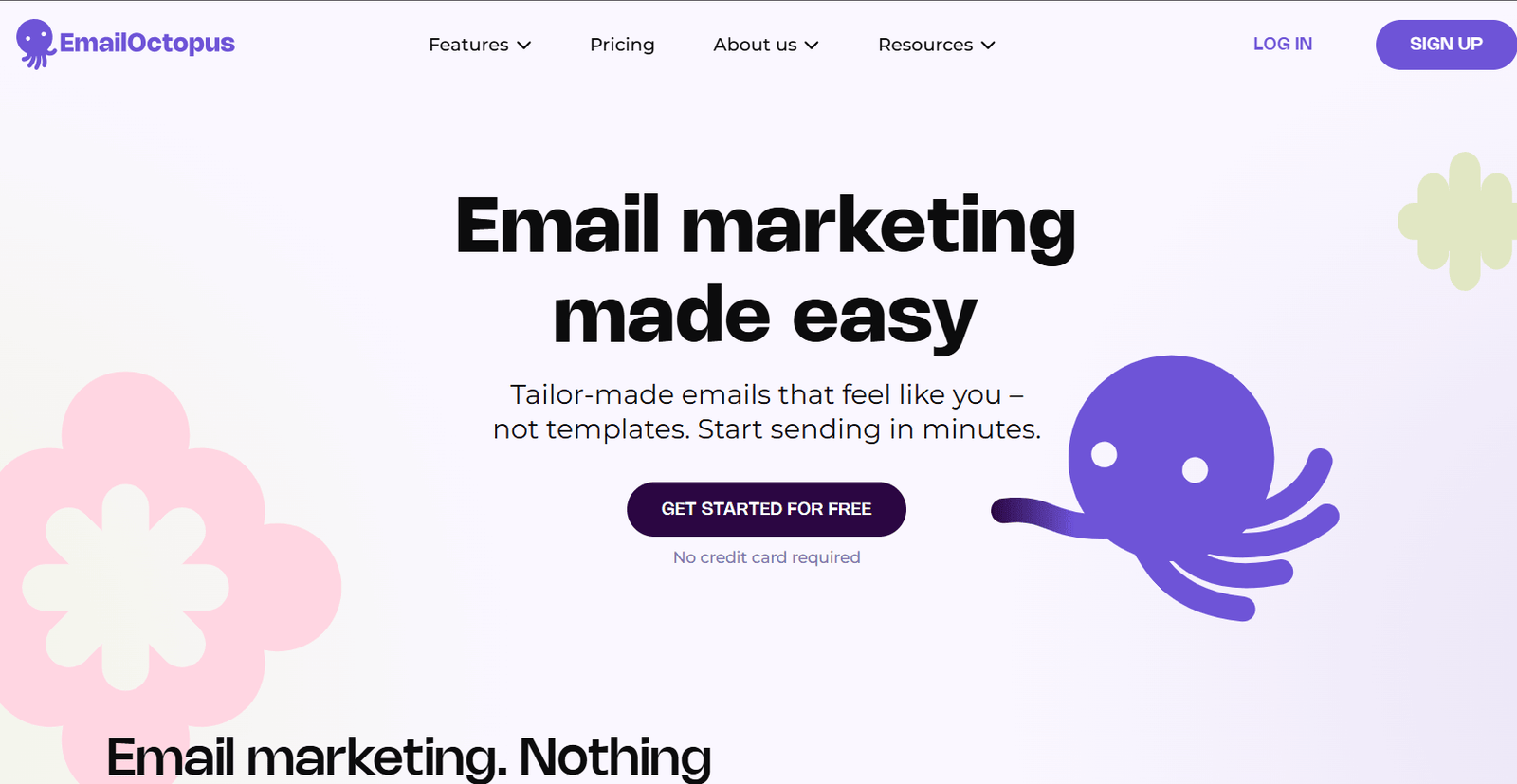
EmailOctopus keeps costs low and complexity minimal, without forcing you to manage servers, cron jobs, or SES quirks yourself.
Unlike Sendy, EmailOctopus gives you two options:
– A fully hosted platform (zero technical setup), or
– A “Connect” mode that lets you plug into Amazon SES while they handle the infrastructure.
That flexibility is what makes it such a popular Sendy replacement.
Features
– Clean, beginner-friendly drag-and-drop email editor.
– Simple integrations with WordPress, Carrd, and other site builders
– Clear, real-time analytics that don’t feel overwhelming
– Hosted option or Amazon SES connection
– Built-in forms and basic list segmentation
Best for
Small businesses, bloggers, and creators who want SES-level sending costs without dealing with server management or technical overhead.
Pros
– Very generous free tier
– Reliable deliverability (especially on hosted plans)
– Easy onboarding and genuinely helpful support
– No steep learning curve
Cons
– Automation features are relatively basic
– Not ideal for complex eCommerce or lifecycle workflows
– Limited advanced behavioral targeting compared to tools like Klaviyo
Pricing
(Source: EmailOctopus)
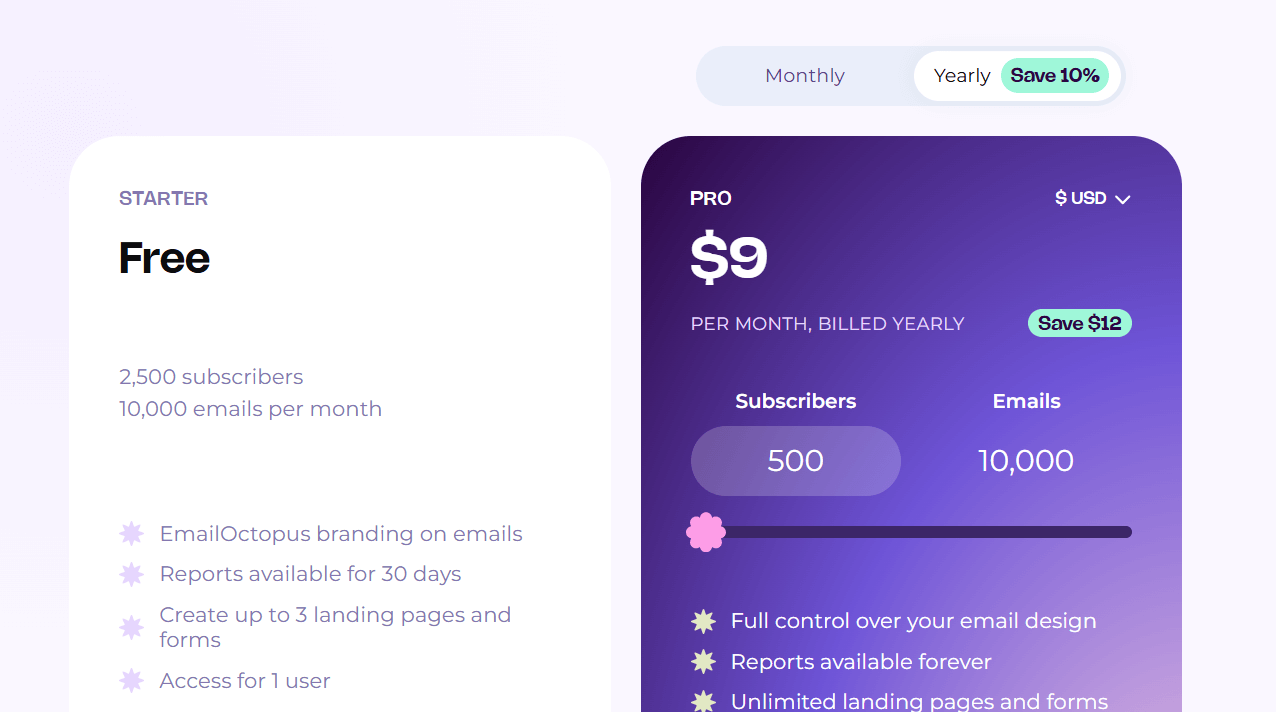
– Free plan: Up to 2,500 contacts (with EmailOctopus branding)
– Paid plans: Start at around $9/month, scaling by contact count
– SES costs apply separately if you choose the Connect option
Verdict
If you want a Sendy alternative that you can truly “set and forget,” EmailOctopus is one of the safest picks. It’s not the most powerful automation tool on this list, but for simplicity, affordability, and low mental overhead, it’s hard to beat.
3. MailWizz
(Source: MailWizz)
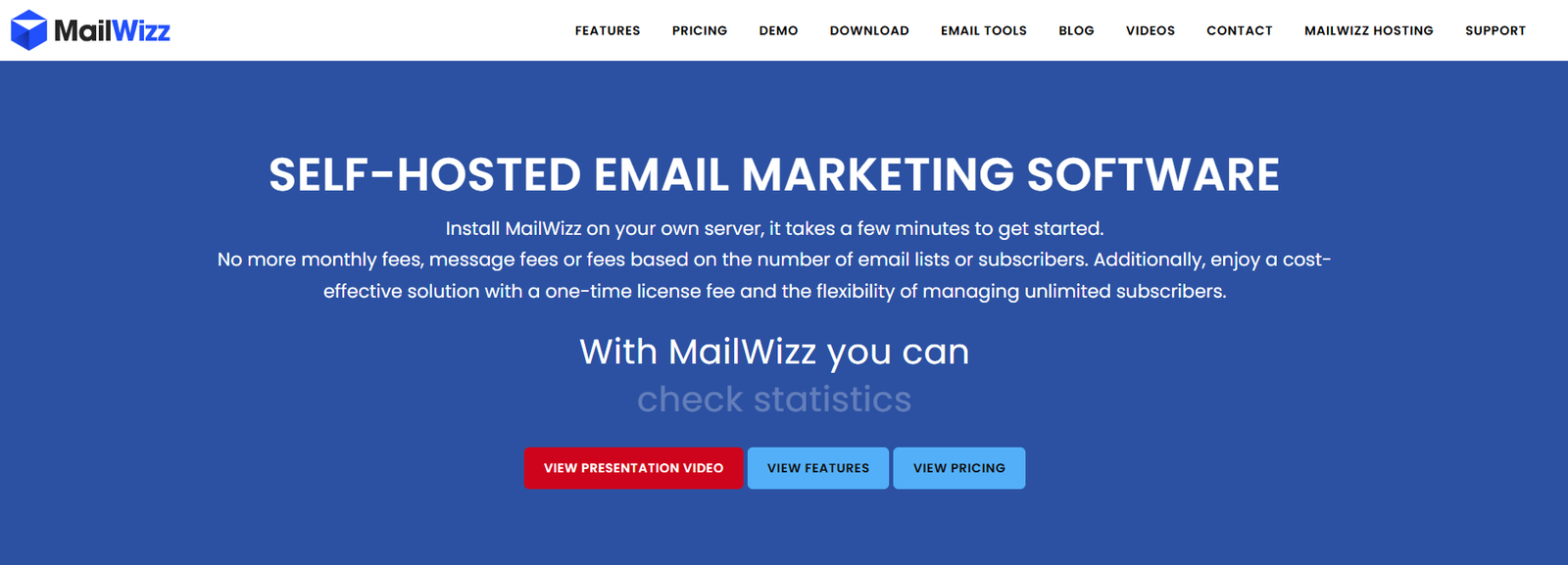
If Sendy feels restrictive and Maillayer feels too opinionated, MailWizz is the no-limits option. This is a serious, enterprise-leaning, self-hosted email platform built for people who care about scale, flexibility, and control.
Features
– Full multi-client and agency management (accounts, permissions, quotas)
– Support for multiple SMTP providers at once (Amazon SES, Mailgun, SendGrid, etc.)
– Advanced campaign logic, segmentation, and list management
– Deep reporting, analytics, and built-in survey tools
– Ability to run email as a service (white-label / resell model)
Best for
Agencies, SaaS companies, and high-volume senders pushing 1M+ emails per month, or anyone planning to manage multiple clients or brands from one system.
Pros
– One-time license cost
– Extremely flexible and customizable
– SMTP-agnostic (you’re not locked into one provider)
– Makes it possible to resell email marketing as a service
Cons
– Very steep learning curve
– Complex initial setup and ongoing maintenance
– UI and UX are functional, not modern
– Overkill for solo creators or small lists
Pricing
(Source: MailWizz)
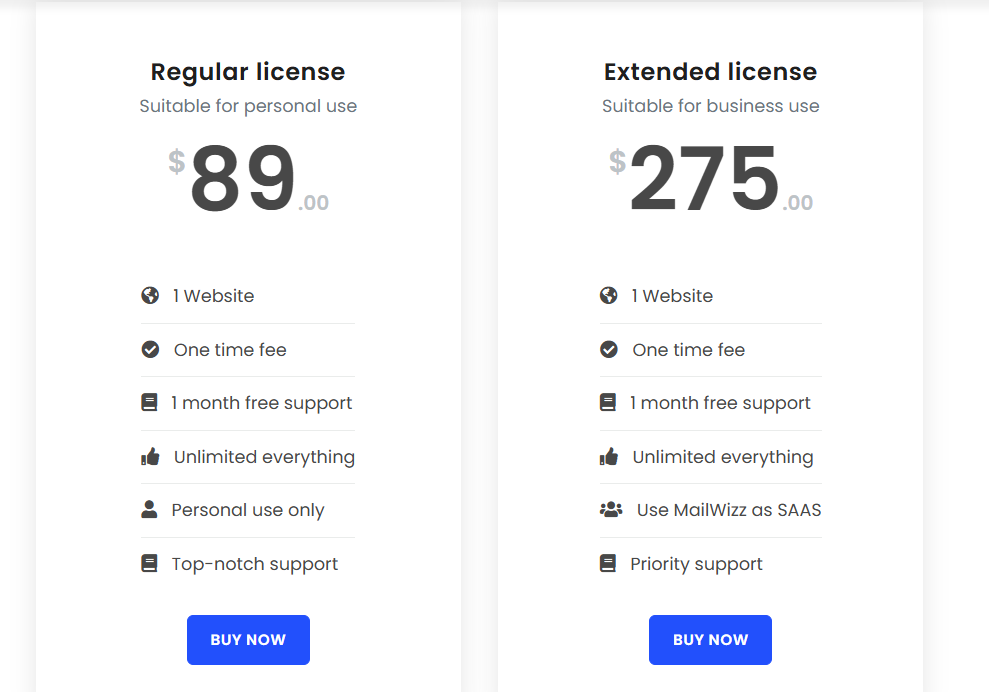
– One-time license, around $89
– Ongoing costs depend entirely on your hosting and SMTP providers
Verdict
If you’re comfortable with servers, PHP scripts, and infrastructure decisions, MailWizz gives you near-enterprise power without enterprise pricing. If not, this will feel like too many tools and too little hand-holding.
4. MailBluster
(Source: MailBluster)
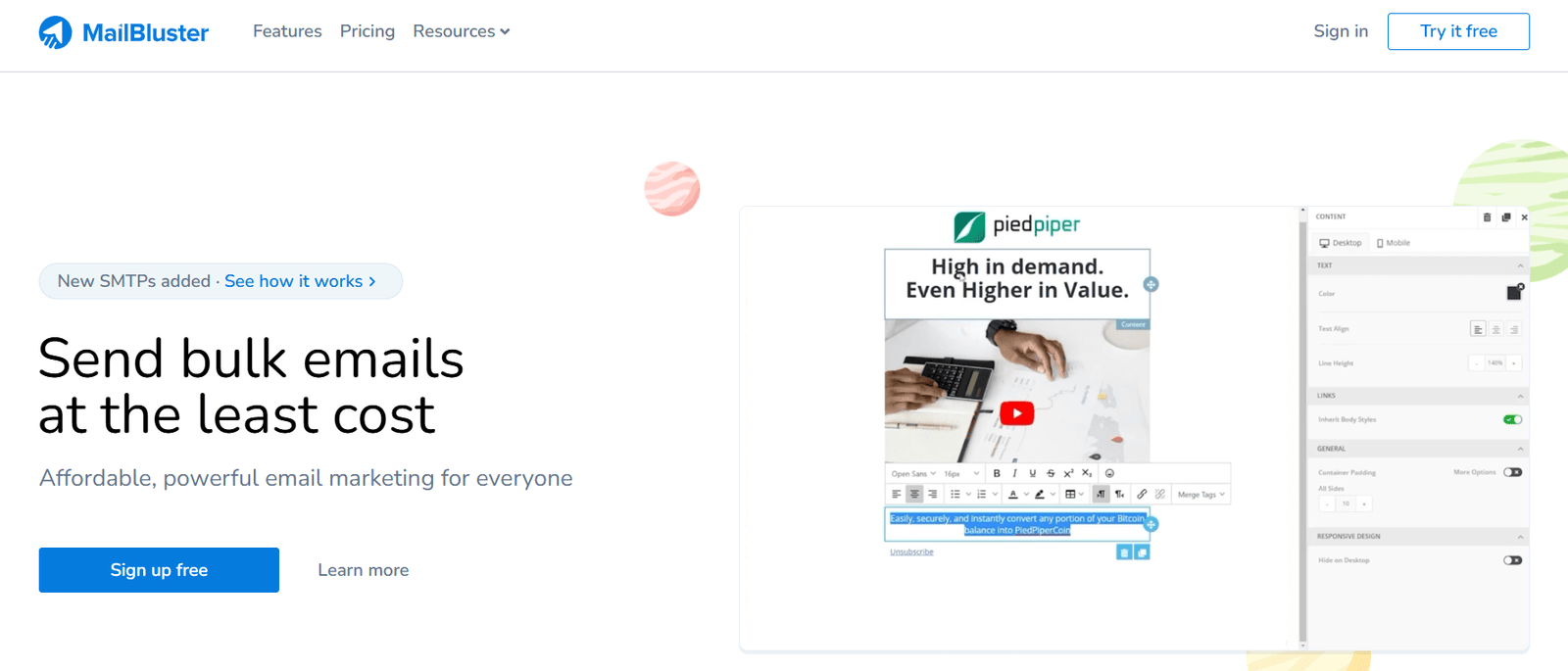
MailBluster gives you Sendy’s biggest advantage, Amazon SES-level pricing, without requiring you to manage servers, scripts, or updates. It’s fully hosted, but instead of sending from MailBluster’s infrastructure, everything routes through your own AWS SES account.
Features
– Fully hosted platform (no server or script management)
– Drag-and-drop email editor with a modern UI
– Real-time tracking for opens, clicks, and bounces
– Fast list segmentation, even for large lists (100k+)
– Direct connection to Amazon SES using your AWS credentials
Best for
Small businesses, solo founders, and non-technical users who want the cheapest possible email sending without dealing with self-hosted tools.
Pros
– Extremely low pricing
– Very simple setup (connect AWS keys and send)
– No server maintenance or updates required
Cons
– Amazon SES only (no Mailgun, SendGrid, etc.)
– Support can be slow on lower tiers
– Fewer advanced automations than full SaaS platforms
Pricing
(Source: MailBluster)
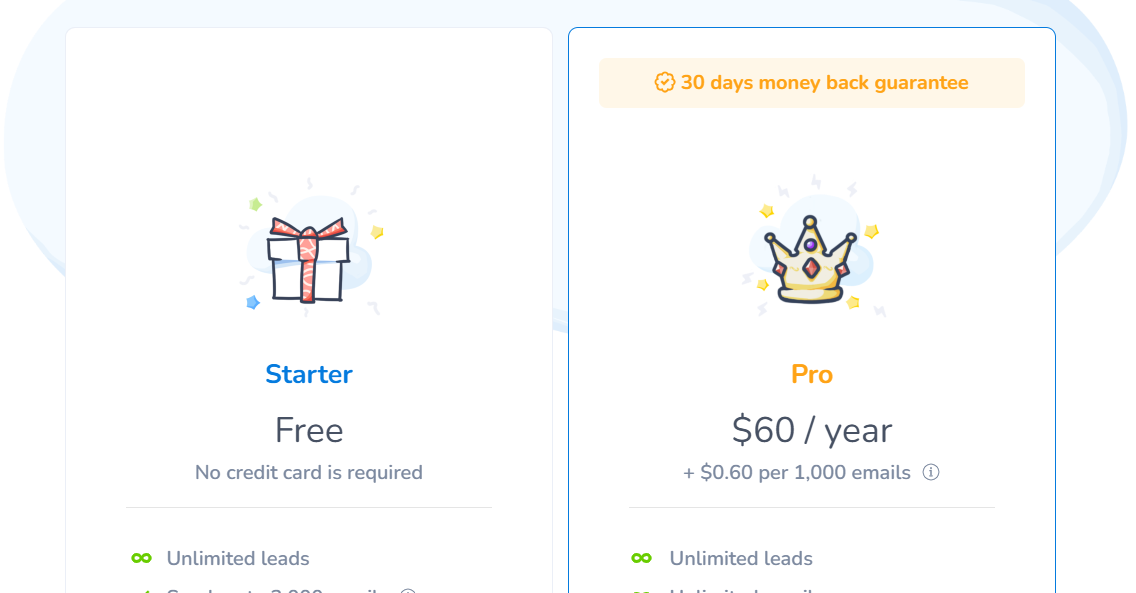
– Free plan available (up to 3,000 emails total)
– Paid: $60 per year or $0.60 per 1,000 emails, plus Amazon SES fees
Verdict
MailBluster is ideal if you want Sendy-level prices without self-hosting headaches. It’s not built for complex automations, but for cheap, reliable sending through SES; it’s one of the simplest options available.
5. Listmonk
(Source: Listmonk)
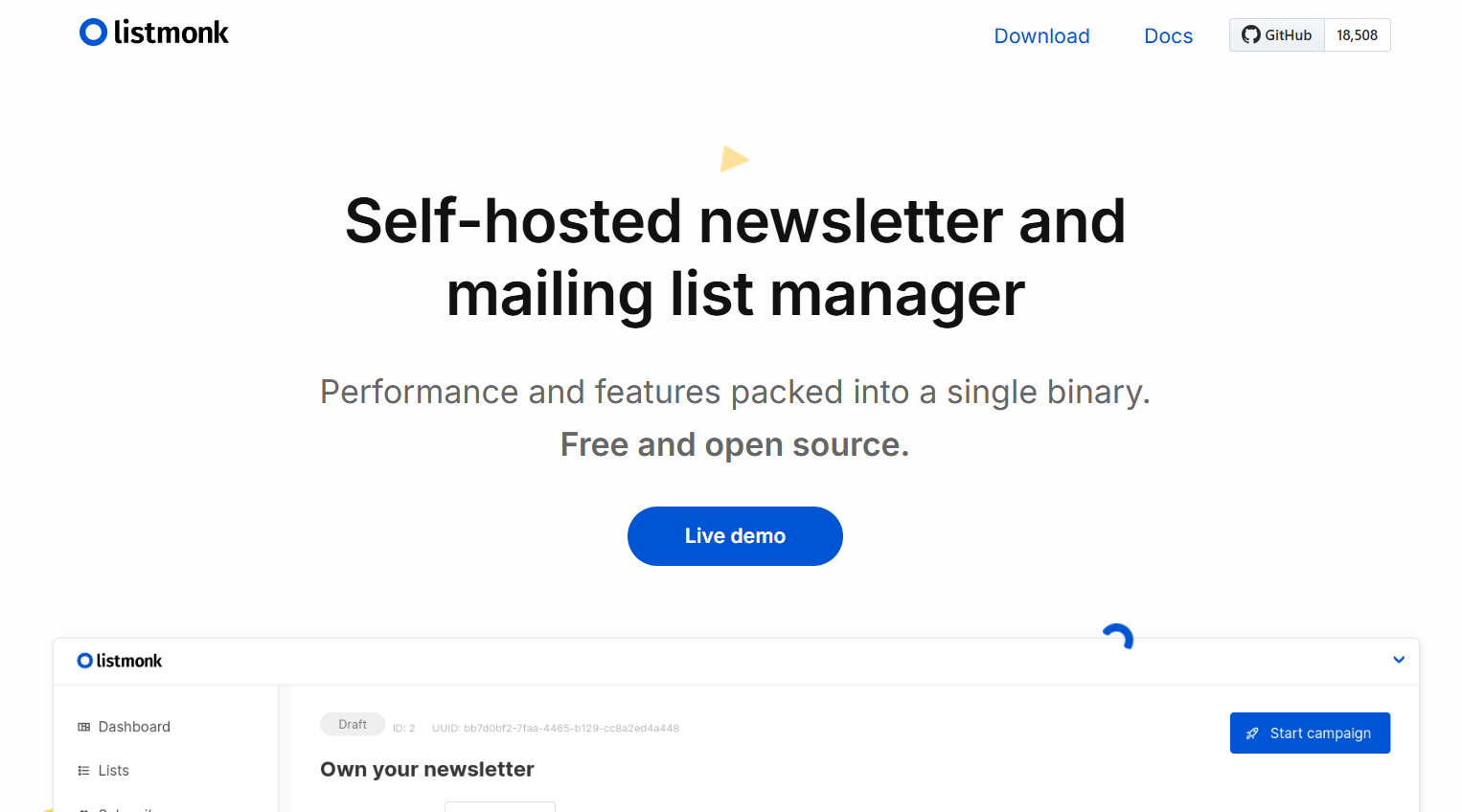
Listmonk is what Sendy would look like if it were rebuilt today. It’s a high-performance, self-hosted email engine designed for speed, scale, and simplicity.
Features
– Extremely fast sending (10,000+ emails per minute on modest servers)
– Clean, minimalist UI
– Supports both bulk newsletters and transactional emails
– Advanced segmentation using powerful query logic
– Fully self-hosted and open-source (complete data ownership)
Best for
Developers, SaaS founders, and technical teams who want a modern, high-performance self-hosted alternative to Sendy.
Pros
– Completely free and open-source
– Very fast and resource-efficient
– No PHP, no bloated stack
– Total control over infrastructure and data
Cons
– Requires technical setup (CLI or Docker)
– No visual drag-and-drop email builder
– Less beginner-friendly than hosted platforms
Pricing
– Free forever (open-source)
– You only pay for hosting and your email provider (e.g., Amazon SES)
Verdict
Listmonk is the best Sendy alternative for technical users who want speed, scale, and control without paying licensing fees. If you’re comfortable self-hosting and don’t need a visual editor, it’s a clear upgrade over Sendy.
6. Brevo
(Source: Brevo)
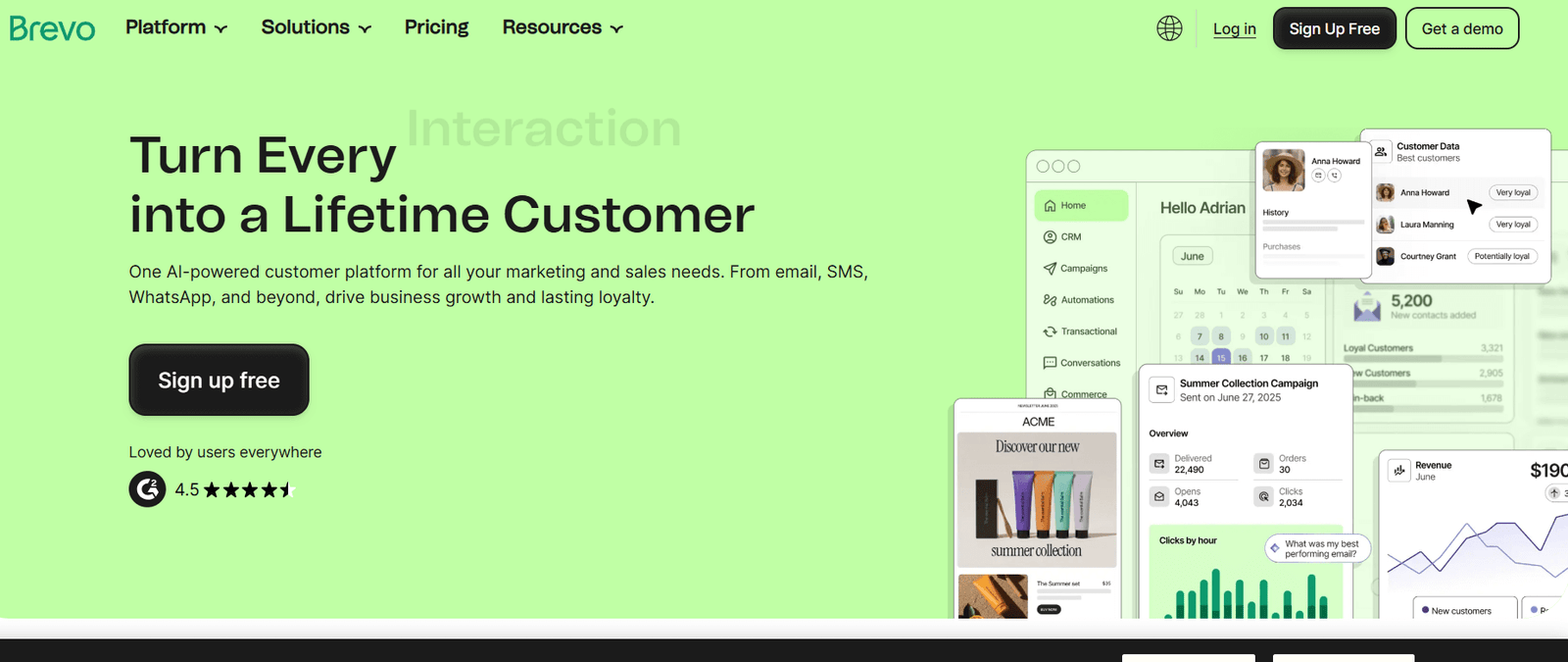
Brevo (formerly Sendinblue) is the “grown-up” version of Sendy. While Sendy just sends emails, Brevo is a full marketing suite that includes a CRM, SMS marketing, WhatsApp, and advanced visual automations.
Features:
– Unified Inbox: Manage marketing campaigns and transactional emails (password resets, etc.) in one place.
– Visual Automation Builder: Create complex “if/then” workflows (e.g., if they click this link, wait 2 days, then send that email).
– Built-in CRM: Track your relationship with every contact beyond just their email address.
– Advanced Segmentation: Filter users by their web behavior.
– Heatmap Reporting: See exactly where people are clicking in your emails (Standard plan+).
Best for
Small to medium businesses, SaaS companies with transactional email needs, and anyone who wants to “graduate” from Sendy to a professional platform.
Pros
– Price based on sends: Like Sendy, you don’t accumulate costs for having a large list (up to 100k contacts on the free plan).
– Excellent Deliverability: They manage their own servers, so you don’t have to worry about Amazon SES reputation.
– Multi-channel: You can send SMS and WhatsApp messages from the same dashboard.
Cons
– The “Brevo Logo”: You have to pay extra to remove their branding on the lower tiers.
– Daily Limits: The free plan has a strict 300-email-per-day limit.
Pricing
(Source: Brevo)
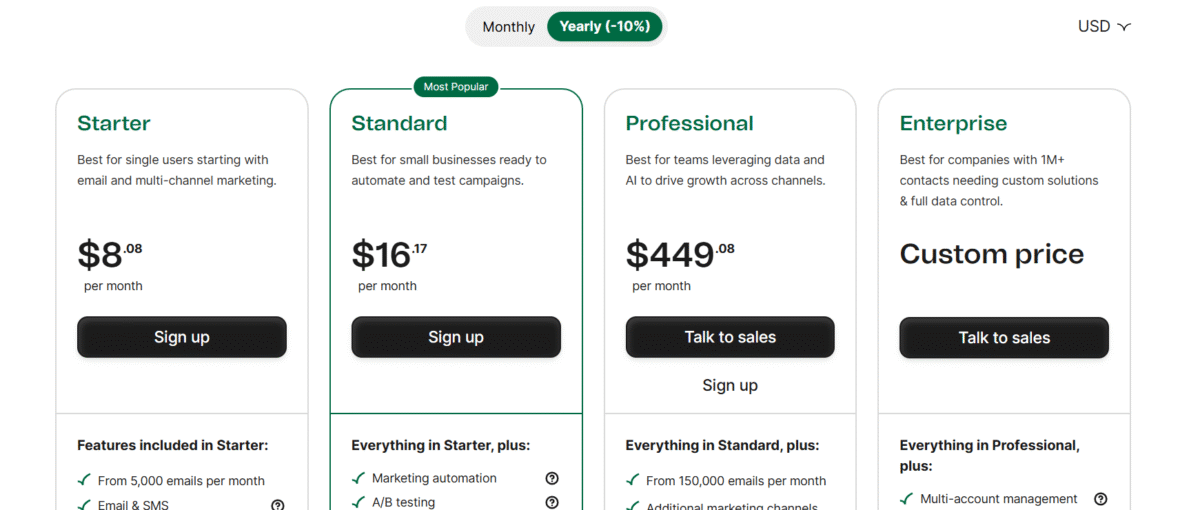
– Free plan? Yes (300 emails/day, unlimited contacts).
– Paid plans start at: ~$8/month for 5,000 emails.
– Gotchas: To get landing pages and advanced automation, you need the Standard Plan (starting at ~$16/mo).
Verdict
Pick Brevo if you are tired of the “tech setup” of Sendy and want a professional tool that can handle your marketing, transactional emails, and CRM in one place.
7. FluentCRM
(Source: FluentCRM)
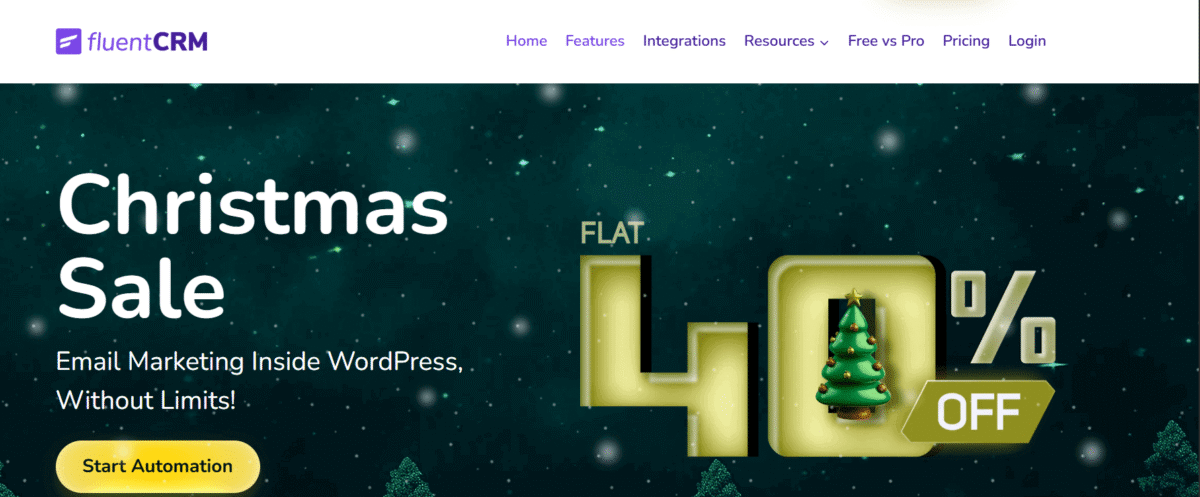
FluentCRM is the most natural Sendy upgrade if your business already runs on WordPress. It keeps Sendy’s low-cost, self-hosted approach but embeds email marketing and CRM features directly inside your WordPress dashboard, with integrations for eCommerce and courses.
Features
– Visual automation builder with drag-and-drop workflows
– Deep WordPress integrations (WooCommerce, LearnDash, MemberPress)
– Smart, behavior-based segmentation
– Email sequences for drip and lifecycle campaigns
– 360-degree contact profiles with activity tracking
– Built-in A/B subject line testing
Best for
WordPress site owners, WooCommerce stores, and course creators who want advanced automations without SaaS pricing.
Pros
– Unlimited contacts and emails (no scaling penalties)
– Your data stays on your own server
– Powerful automations at a fixed annual cost
Cons
– Fully dependent on WordPress
– Annual renewal required for updates and support
Pricing
(Source: FluentCRM)
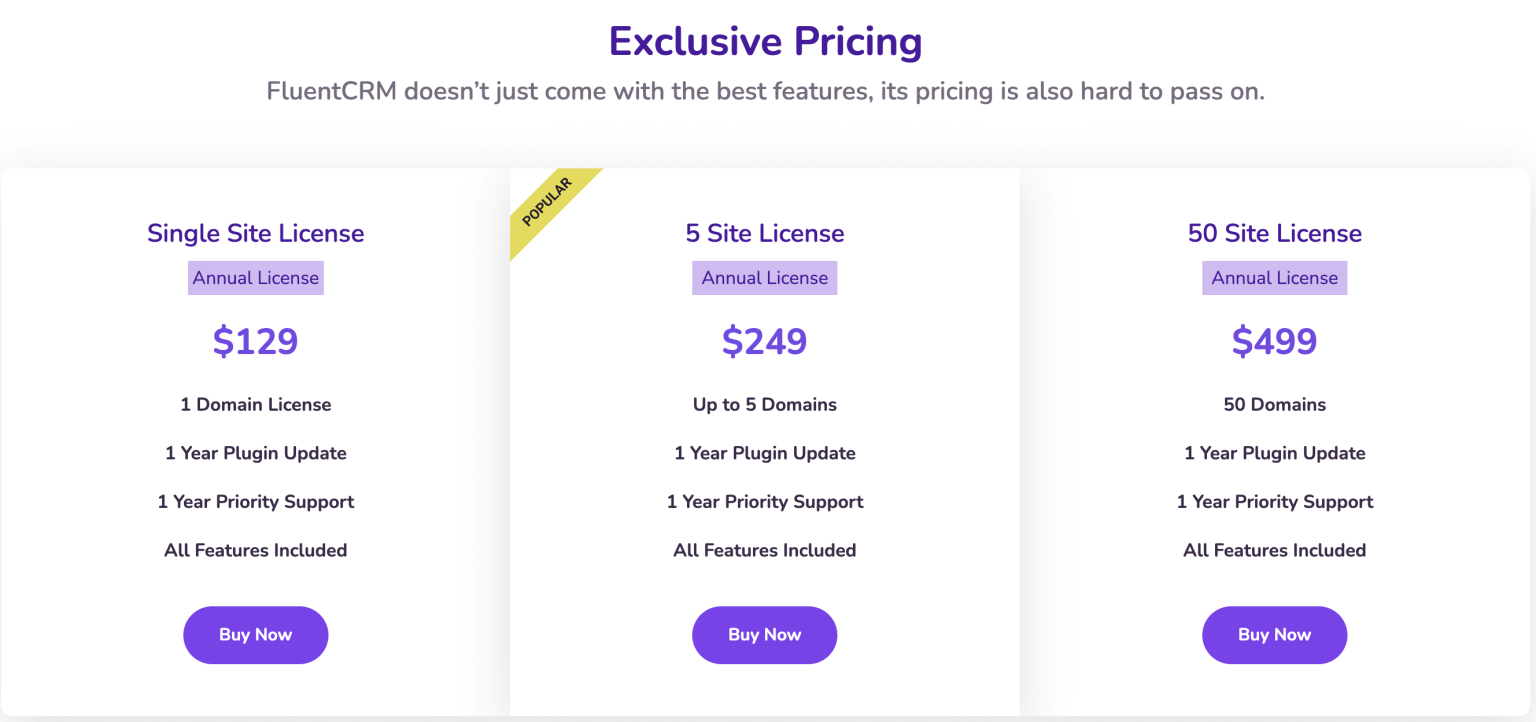
– Free plan available (basic campaigns and contact management)
– Paid plans start at $129/year for one site (often discounted)
– Amazon SES or other SMTP costs apply separately
Verdict
If your business lives on WordPress, FluentCRM is a clear upgrade over Sendy. You get modern automations, deeper integrations, and full data control without paying per subscriber.
8. Kit

(Source: Kit)
Kit is built for creators who feel constrained by Sendy’s utilitarian approach. Where Sendy focuses on cheap sending, Kit focuses on audience growth and monetization, using a subscriber-centric model powered by tags and automations.
Features
– Creator Network for cross-promoting newsletters
– Visual automation builder with intuitive If/Then logic
– Built-in monetization tools (paid newsletters, tip jars, digital products)
– Landing page builder with high-converting templates
– Automated lead magnet delivery
– Subscriber scoring to identify engaged readers
Best for
Authors, bloggers, YouTubers, podcasters, and coaches who want to grow and monetize an audience through networking and referrals.
Pros
– Extremely generous free plan
– Powerful built-in growth and monetization tools
– Clean, text-first emails with strong deliverability
Cons
– Paid plans become expensive as you scale
– Limited design flexibility for image-heavy or branded layouts
Pricing
(Source: Kit)
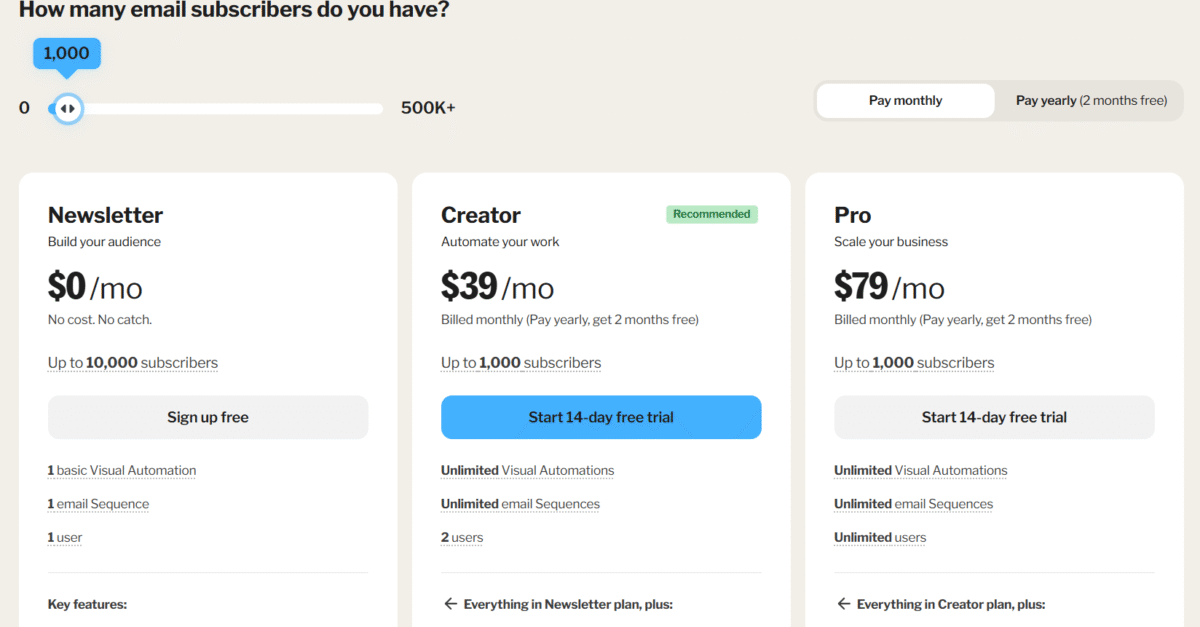
– Free plan available (up to 10,000 subscribers, limited automations)
– Paid plans start at $39/month for full automation access
– Free plan includes Kit branding and creator recommendations
Verdict
Kit is the best Sendy alternative for creators who care about growth over cost. If cross-promotion, audience building, and monetization matter more than ultra-cheap sending, it’s worth the premium. If you’re sending large lists on a tight budget, Sendy-style tools still win.
9. Klaviyo
(Source: Klaviyo)
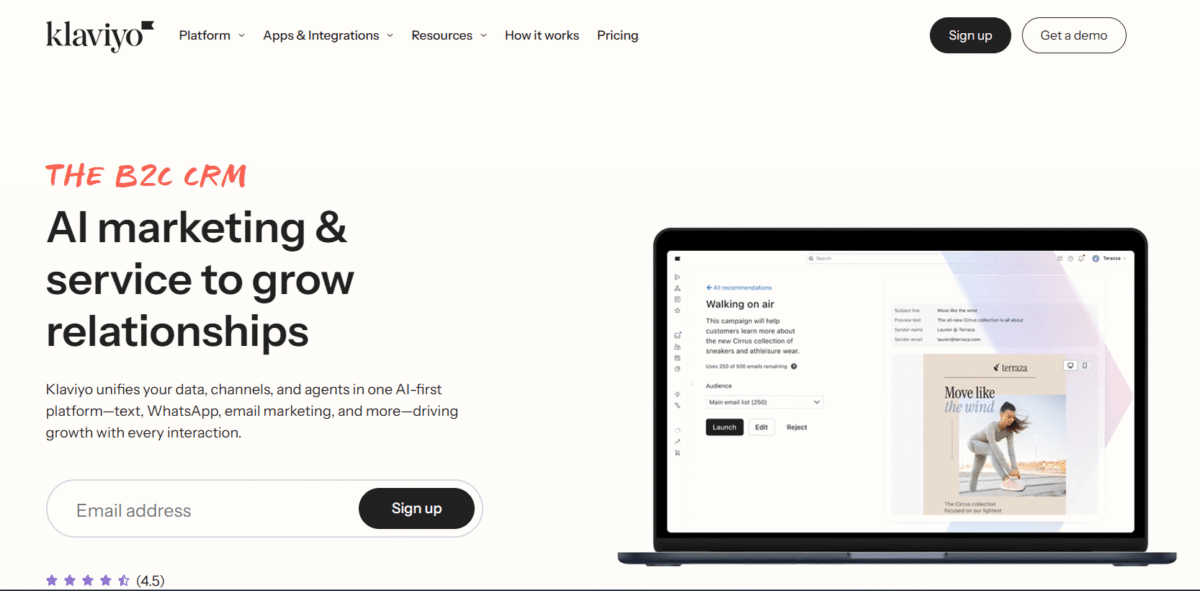
Klaviyo is built for eCommerce at scale. While Sendy focuses on low-cost sending, Klaviyo focuses on revenue optimization, using deep customer data to send highly targeted, conversion-driven messages.
Features
– Predictive analytics for customer lifetime value, churn risk, and next purchase timing
– One-click eCommerce sync with Shopify, WooCommerce, and BigCommerce
– Dynamic product blocks that personalize emails per recipient
– Advanced flow builder with pre-built eCommerce automations
– Multi-channel attribution across email, SMS, and other touchpoints
Best for
Serious eCommerce brands, Shopify-focused stores, and businesses with high average order values that want to maximize revenue per subscriber.
Pros
– Extremely deep customer and behavioral data
– Proven revenue impact through automated eCommerce flows
– Handles email, SMS, and other channels in one platform
Cons
– Expensive as your list grows (“success tax”)
– Can feel overwhelming for solo founders or small teams
Pricing
(Source: Klaviyo)
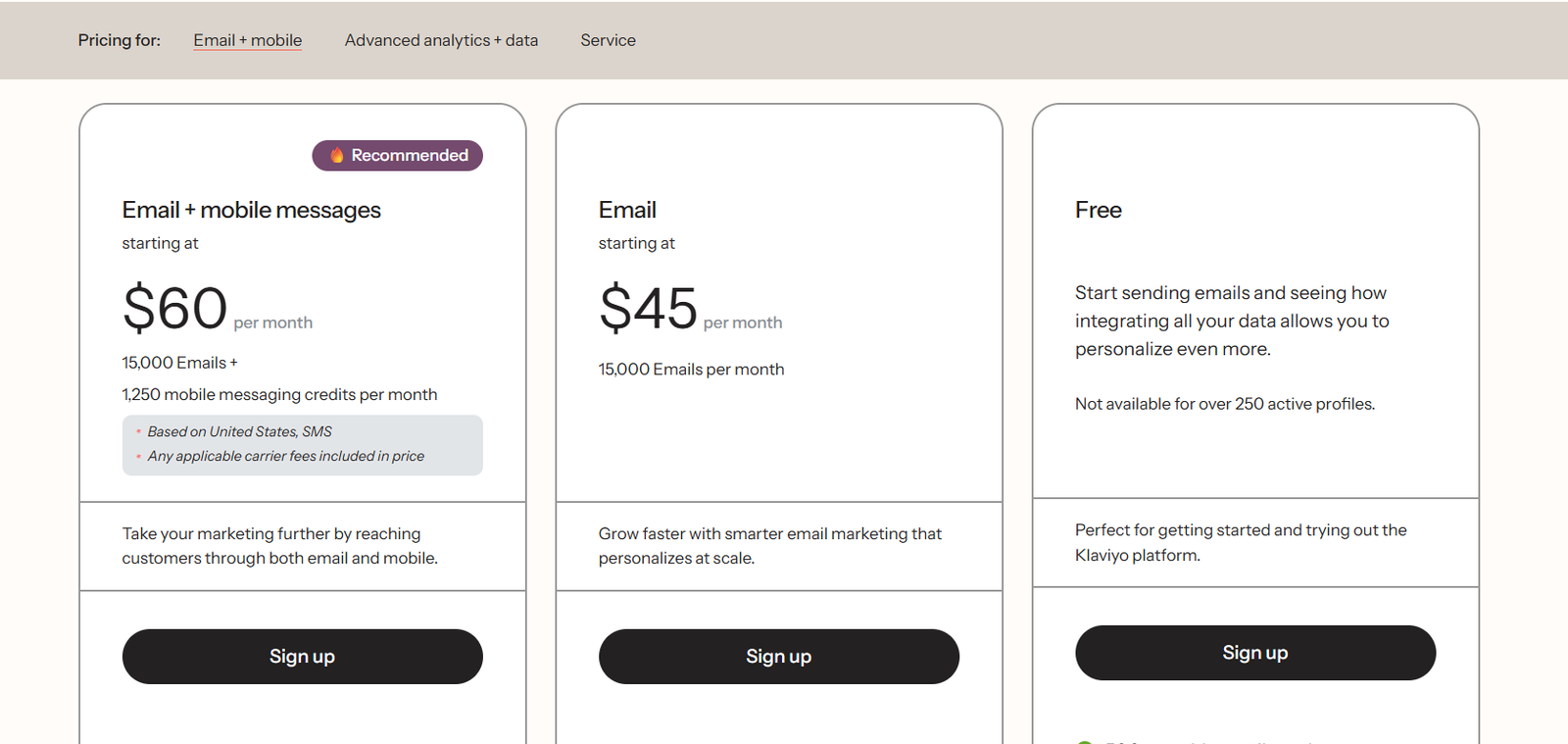
– Free plan available (up to 250 contacts and 500 emails/month)
– Paid plans start at $45/month
– Pricing scales quickly based on contact count
Verdict
Klaviyo is the gold standard for eCommerce email marketing. If your store generates consistent sales and you want to squeeze more revenue from every customer, it’s worth the cost. If you’re price-sensitive or sending mostly broadcasts, Sendy-style tools remain the better fit.
💡Migration Tip
When moving from Sendy to any of these, don’t blast your whole list at once. Even if you stay on Amazon SES, a sudden change in your “Sending User Agent” (the software name in the email header) can trigger spam filters. Start by sending to your most engaged 10% first to prove to Gmail/Outlook that the “new” sender is still you.
The final verdict
Choose Maillayer if: You want a tool that feels like it was built in this decade. If you store your leads in Google Sheets or Airtable, Maillayer’s native syncing makes it much better for your workflow. It is the “designer-friendly” choice.
Choose Sendy if: You want the absolute cheapest, most “battle-tested” option. It has been around for 10+ years and has a massive community. If you just want to upload a CSV and hit “Send” once a month, Sendy is a reliable workhorse.
Frequently asked questions on Sendy alternatives
How can I send 1,000 emails for free?
In 2025, several platforms allow you to send 1,000+ emails without a credit card. Your best options are:
– EmailOctopus: Their free tier is very generous, allowing up to 2,500 contacts and 10,000 emails per month.
– MailerLite: Offers a free plan for up to 1,000 subscribers and 12,000 emails per month.
– SendPulse: Allows you to send up to 15,000 emails to 500 subscribers for free.
– Selzy: Specifically marketed for beginners, allowing 1,000 emails/month for free.
What is the best free newsletter platform?
The “best” depends on your goals:
– For Newsletters/Creators: Kit (formerly ConvertKit) is the top choice because its new 2025 free plan allows up to 10,000 subscribers (though with limited automation). Beehiiv is a close second for its built-in growth tools.
– For Simple Business Emails: MailerLite offers the best balance of a drag-and-drop builder and a generous free limit.
– For Writers: Substack is completely free to use regardless of list size (they only take a cut if you charge for subscriptions).
Why are people leaving Mailchimp?
Mailchimp was the industry leader for years, but three major pain points are driving users away:
1. Price Hikes: Their pricing has increased significantly, often costing 3–5x more than competitors like Brevo or Sender.
2. Contact vs. Subscriber Billing: Mailchimp charges you for “contacts,” which includes people who have unsubscribed or never confirmed their email. Most modern tools only charge for active subscribers.
3. Restrictive Free Tier: They recently slashed their free plan from 2,000 contacts down to just 500, forcing small businesses to pay much sooner than they used to.
What is the best SMTP service?
If you are using a tool like Sendy or Maillayer, you need an SMTP (Simple Mail Transfer Protocol) service to do the actual “sending.”
– Best for Cost: Amazon SES ($0.10 per 1,000 emails).
– Best for Deliverability: Postmark (Known for lightning-fast delivery and strict vetting of senders).
– Best for Developers: Mailgun or SendGrid (Robust APIs and detailed logs).
– Best All-Rounder: Brevo SMTP (Offers a free tier of 300 emails/day).
Is there a better option than Mailchimp?
Yes, depending on your specific needs:
– If you want better automation: ActiveCampaign or Brevo.
– If you want lower costs: EmailOctopus or MailerLite.
– If you want better eCommerce ROI: Klaviyo.
– If you want a modern, focused newsletter: Beehiiv.
What is the 60/40 rule in email?
The 60/40 rule is a deliverability guideline for designing emails. It suggests that your email should consist of 60% Text and 40% Images.
– Why it matters: Many spam filters are suspicious of emails that are just one large image (which scammers often use to hide “spammy” words from text-scanning AI).
– Accessibility: If a user has images disabled or uses a screen reader, a 100% image email will appear blank or broken. Having at least 60% text ensures your message gets through even if the visuals don’t load.